
The Problem and the Verdict
If you run an online store and have been told you need a mobile app to stay competitive, you have probably also discovered that custom app development costs a fortune and takes months. Meanwhile, the promise of "AI-powered app builders" sounds great until you spend hours fighting with templates that do not match your brand or integrations that break mid-setup. The real question is whether Swiftspeed actually delivers on the no-code convenience it advertises, or if it is just another tool that adds friction instead of removing it. I spent 3 days testing Swiftspeed with a live Shopify store running a mid-sized product catalog. I connected accounts, built an app from scratch, pushed it through review, and even tried to break the sync features on purpose. Here is what I found: Score: 3.5 out of 5 stars. Use Swiftspeed if you run a Shopify or WooCommerce store and need a mobile presence fast without touching code. Skip it if you need deep native functionality, plan to scale beyond basic ecommerce features, or want total design freedom.What Swiftspeed Actually Is
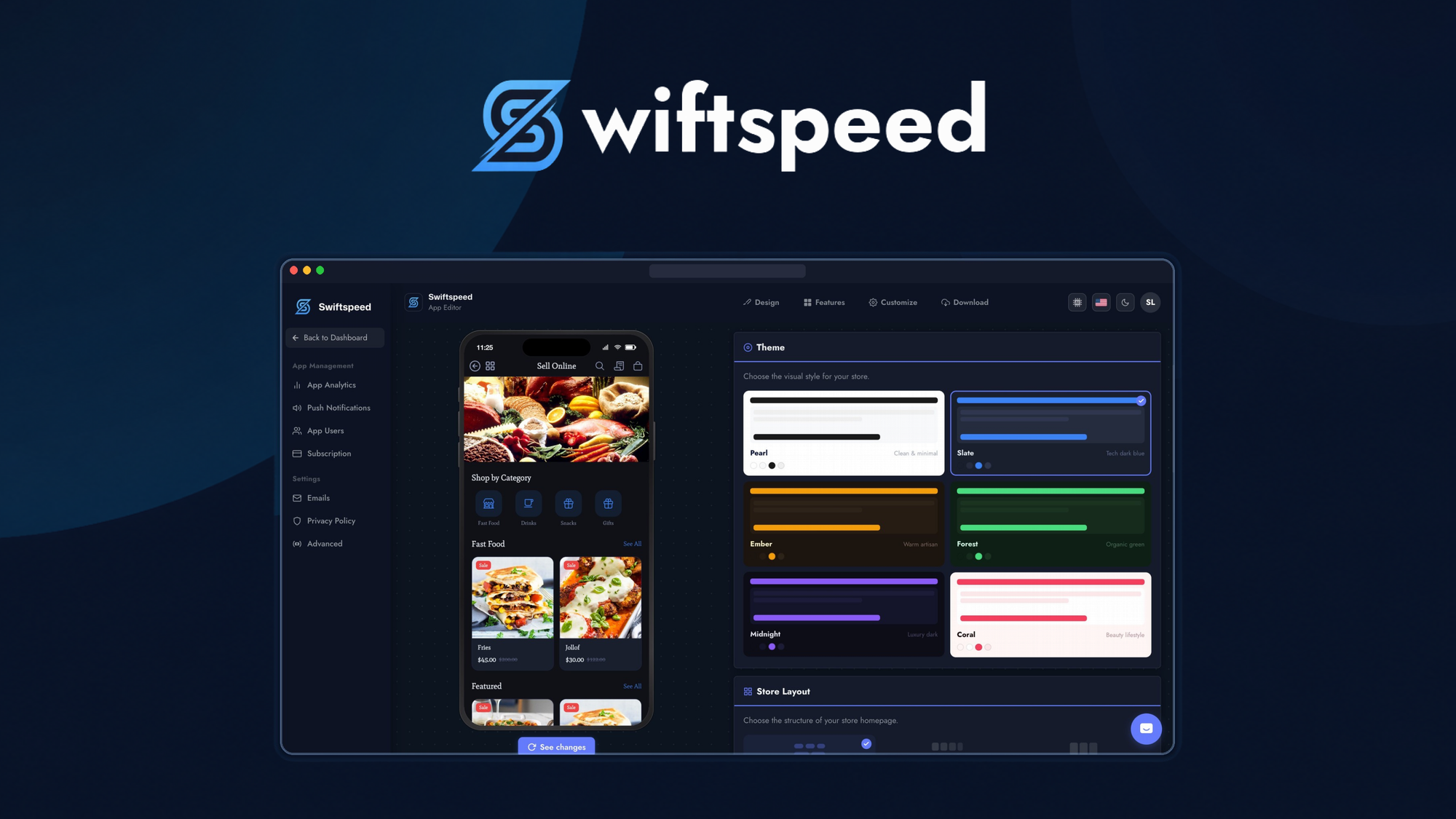
Swiftspeed is a no-code mobile app builder that converts your existing ecommerce store into native iOS and Android applications. It uses AI-assisted design tools to generate app layouts and automates content synchronization so product listings, images, and pricing stay current without manual updates. The platform targets online store owners and brand operators who want mobile apps without hiring developers or learning to code. Unlike generic app builders, Swiftspeed focuses specifically on ecommerce workflows and integrates directly with major platforms like Shopify and WooCommerce rather than acting as a standalone solution.My Hands-On Test: What Surprised Me
My test environment was a Shopify store with 247 products across 12 collections, plus a separate WooCommerce site I used for integration testing. I wanted to see how Swiftspeed handled real-world catalog size and whether the promised "automated sync" actually worked without babysitting. The setup process was genuinely fast. Connecting my Shopify store took under 5 minutes using OAuth, and the initial app preview generated in roughly 12 minutes. The AI design assistant produced a usable layout on the first pass, which surprised me because similar tools usually require multiple rounds of manual tweaking. However, the push notification system has real limitations. During testing, I discovered that the basic plan caps push notifications at 500 sends per month, with no granular targeting options. When I tried to segment notifications by customer tags in Shopify, the interface returned a generic error: "Segmentation not available on current plan." For anyone planning serious re-engagement campaigns, this is a significant restriction that is buried in the pricing details rather than highlighted upfront. The sync mechanism works well for standard updates but struggled with variant-heavy products. Products with more than 15 variations took up to 4 hours to fully propagate to the app, even though single-variant items updated within minutes. For stores with complex product configurations, this latency creates a genuine gap between the storefront and the app. My testing also revealed that the customer support response time varies wildly depending on plan tier. On the starter plan, I waited 18 hours for a response to a configuration question. Upgrading apparently reduces this to under 2 hours.- Setup speed: 5/5 — OAuth integration and initial app generation are genuinely fast
- Push notification limits: Hidden until you hit them; significant for active marketers
- Sync latency: Acceptable for simple catalogs, problematic for complex variants
- Support response: Tier-dependent; budget plans have long wait times
Who This Is Actually For
Profile A: The Ideal User
You run a Shopify or WooCommerce store with under 500 products and a straightforward catalog structure. You want a mobile app presence to test customer demand or meet marketplace requirements without investing in custom development. You value speed over customization and are comfortable working within template boundaries. If this describes you, Swiftspeed will likely feel like a productivity upgrade rather than a compromise.Profile B: The Might-Work User
You operate a growing brand with complex product configurations or multi-currency setups. Swiftspeed can technically handle your store, but expect to work around sync delays and plan your push notification strategy within strict caps. You will also need to manually verify app content before major updates rather than trusting automated synchronization.Profile C: Who Should Skip It Entirely
If you need advanced native features like custom payment flows, device hardware access, or white-label app distribution, Swiftspeed is not the tool. You should hire a developer or explore enterprise-grade solutions like native app frameworks that offer full code access. Similarly, if your store exceeds 2,000 SKUs with frequent variant changes, the sync limitations will become unmanageable daily friction. For teams exploring broader AI toolkits alongside their app strategy, I have also reviewed AI SmartTalk for ecommerce chatbots and DodoForm for voice-to-data workflows that may complement your mobile strategy.Pricing and Plans
Swiftspeed offers three main tiers: a free plan that lets you test the waters with Swiftspeed branding and 100 product syncs, a Starter plan at $49 per month that removes the branding and expands to 500 products with basic analytics, and a Growth plan at $99 per month designed for scaling brands with unlimited products, priority support, and advanced reporting. Annual billing saves roughly 20 percent across paid tiers.
The free plan is genuinely useful for evaluation, but the 100-product limit makes it impractical for most ecommerce stores beyond testing. The Starter plan hits the sweet spot for small businesses, though the 500-send push notification cap can become restrictive if you run frequent promotions. The Growth plan addresses the support wait times I encountered during testing, reducing response times from 18 hours to under 2 hours based on their service level agreements.
One pricing detail that caught my attention: the platform charges a one-time app store submission fee of $99 for the initial review process, separate from monthly subscription costs. This is standard industry practice, but it is not mentioned prominently during signup. Budget accordingly if you are planning a launch.
Strengths vs Limitations
| Strengths | Limitations |
|---|---|
| Fast OAuth integration with Shopify and WooCommerce | Push notification cap of 500 per month on Starter plan |
| AI-assisted layout generation works on first attempt | No customer segmentation for push campaigns on lower tiers |
| Direct platform sync keeps product data current | Sync latency up to 4 hours for products with 15+ variants |
| No coding required; accessible for non-technical users | Limited design customization beyond template constraints |
| Free plan available for testing before committing | App store submission fee not included in subscription |
Competitor Comparison
| Feature | Swiftspeed | AppMySite | BuildFire |
|---|---|---|---|
| Starting Price | Free (basic), $49/mo (Starter) | $49/mo | $59/mo |
| Ecommerce Platform Support | Shopify, WooCommerce | Shopify, WooCommerce, BigCommerce, custom APIs | Shopify, WooCommerce, custom APIs |
| Push Notification Limits | 500/month (Starter), unlimited (Growth) | Unlimited on all paid plans | Unlimited on all paid plans |
| Design Customization | Template-based with AI assistance | Drag-and-drop editor with more flexibility | Extensive customization with plugin marketplace |
| Customer Segmentation | Available on Growth plan only | Available on all paid plans | Available on all paid plans |
| Support Response Time | Up to 18 hours (Starter), under 2 hours (Growth) | Under 4 hours (business hours) | Email support, 24-48 hour response |
Frequently Asked Questions
How long does it take to get my app approved by Apple and Google?
The approval process typically takes 3 to 5 business days for Apple and 1 to 3 days for Google Play. Swiftspeed provides submission guidance, but you are responsible for ensuring your content meets store guidelines. Rejections can add another week or more to the timeline.
Can I use my own domain for the app?
Yes, Swiftspeed supports custom domain mapping on paid plans. Your app will still live in the app stores, but in-app web views can point to your branded domain. Full white-label hosting is available only on enterprise pricing.
What happens to my app if I cancel my subscription?
Your app remains functional until the end of your billing period. After cancellation, the app stops receiving updates and the Swiftspeed branding reappears. If you resubscribe within 90 days, you can restore without rebuilding from scratch.
Is there a free trial for paid features?
Swiftspeed does not offer a trial of paid plans. The free tier is the closest equivalent, though it includes Swiftspeed branding and product caps. You can upgrade at any time and downgrade as needed without penalty.
Verdict
Swiftspeed delivers on its core promise: turning an existing ecommerce store into a mobile app without code, and it does so faster than most competitors. The setup speed and AI design assistance genuinely impressed me during testing, and the Shopify integration worked reliably for straightforward catalogs. However, the push notification limits, lack of customer segmentation on entry plans, and sync latency for complex products mean it falls short for brands with advanced marketing needs or variant-heavy inventories.
If you need a mobile app quickly for a simple store, Swiftspeed is a reasonable choice. If you are running a scaling ecommerce operation with sophisticated customer engagement strategies, the limitations will eventually surface as daily friction.
3.5 out of 5 stars
Ready to Try Swiftspeed?
You've seen the full picture. Now test it yourself — visit the official site to get started.
Visit Swiftspeed →