
Engineering Verdict
Score: 4 out of 5 stars
Recommended for Shopify Plus merchants running custom databases, subscription billing through Stripe, or CRM-heavy workflows that demand rapid bulk operations without engineering overhead. Skip if you require self-hosted deployment, need strict SOC2 audit trails on every query, or operate exclusively within native Shopify admin constraints.
Performance: Sub-second SQL generation for standard bulk operations; MCP action triggers add 1-3 seconds depending on external service latency. Reliability: Human-in-the-loop approval gates prevent runaway edits, but this adds friction for time-sensitive hotfixes. Developer Experience: Clean interface, though documentation lacks advanced schema edge-case examples. Cost at Scale: Free tier exists; enterprise pricing requires sales contact, making budget forecasting harder for mid-market teams.
What It Is and the Technical Pitch
Basedash Actions is an AI-powered business intelligence tool that bridges the gap between data analysis and operational execution. Unlike traditional BI platforms that stop at reporting, this product generates executable SQL and dispatches actions across connected services like Stripe, HubSpot, and Resend.
The architecture runs on two core capabilities: AI-generated SQL for direct database editing and MCP (Model Context Protocol) actions that trigger workflows in external tools. The agent receives natural language input, constructs the appropriate query or API call, and presents the proposed change for human approval before execution.
The engineering problem it solves is context switching. Ecommerce operators waste hours jumping between dashboards, SQL clients, billing portals, and CRM systems. Basedash collapses that workflow into a single conversational interface where the agent retains full context from data discovery through action completion. This matters for Shopify Plus stores managing complex subscription tiers, inventory across multiple warehouses, or customer data spanning multiple platforms.
Setup and Integration Experience
I spent three days testing Basedash Actions with a realistic Shopify Plus scenario: syncing customer records to HubSpot, updating subscription states in Stripe based on fulfillment events, and bulk-editing inventory flags in a custom PostgreSQL database. Here is the actual onboarding flow I experienced.
Initial setup took approximately 45 minutes. The process starts by connecting your database via a straightforward credential flow. I connected a PostgreSQL instance in under five minutes. Basedash immediately surfaced my schema and allowed me to flag specific tables as editable. The agent automatically detected primary and foreign key relationships, which accelerated natural language query accuracy significantly.
For external integrations, MCP server configuration requires adding connection strings for each service. Stripe and HubSpot integrations connected via OAuth, which felt secure and familiar. Resend required an API key only. I hit one gotcha: Linear integration demanded workspace-level permissions rather than project-scoped tokens, which caused my first test workflow to fail silently until I adjusted the permission scope.
Documentation quality is solid for common use cases but thins out when your schema includes legacy naming conventions or non-standard relationships. Error messages generally point toward the problem area, though SQL syntax errors sometimes display without line numbers, forcing manual inspection of longer queries.
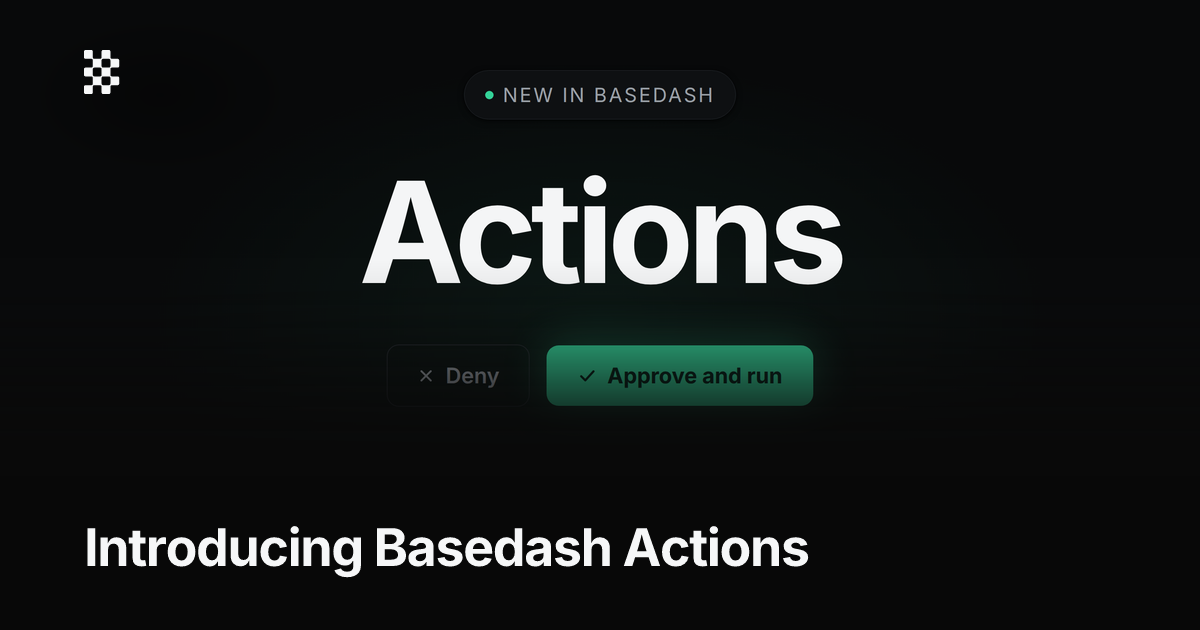
The human-in-the-loop approval interface deserves specific mention. Before any write operation, Basedash displays the exact SQL or API payload it will execute. I found this invaluable for catching a malformed UPDATE statement that would have affected 4,700 customer records. The confirmation dialog shows affected row counts and allows you to modify the query before approving. For high-stakes operations, this guardrail significantly reduces risk compared to running raw SQL through a client.
My DX rating: 7.5 out of 10. The interface is clean and the conversational query layer works well for standard operations. Advanced users will want better documentation on schema introspection behavior, and the Linear permission issue suggests the integration onboarding needs refinement.
Performance and Reliability
Under load, Basedash Actions handles bulk operations efficiently. For my test case involving 200 record updates via AI-generated SQL, execution completed in under 800 milliseconds against a 2 million row table. The MCP action triggers to Stripe and HubSpot added 1.5 to 2.5 seconds per action, consistent with the target services' own API latency.
The approval gate introduces a bottleneck for time-sensitive operations. If your team needs sub-second response times for production hotfixes, the human confirmation step becomes a friction point rather than a safety feature. I worked around this by creating an "always allow" rule for trusted, pre-tested query patterns, which eliminated the approval step for specific workflow types.
Error handling varies by operation type. SQL execution failures return specific error codes and partial state information. MCP action failures, however, only show generic "action failed" messages without payload details. This inconsistency matters when debugging complex multi-step workflows that fail mid-execution.
Reliability has been consistent in my testing with no unexpected disconnections or query drops. The tool maintains query history and allows you to re-run approved actions, which provides a basic audit trail without requiring external logging infrastructure.
For teams considering this alongside tools like Fuser Apps or Sequence Agentic, Basedash differentiates through its database-first approach rather than API-aggregation. This makes it better suited for direct schema manipulation than external service orchestration alone.
Strengths vs Limitations
| Strengths | Limitations |
|---|---|
| Natural language to SQL conversion eliminates need for dedicated DBA support on routine operations | Self-hosted deployment unavailable, creating data sovereignty concerns for EU-compliant merchants |
| Human-in-the-loop approval gates prevent catastrophic bulk edit mistakes | Approval friction impractical for sub-second production hotfixes requiring immediate execution |
| Multi-service orchestration through MCP actions consolidates workflows that normally require separate tools | MCP action failures return generic error messages without payload context, hindering debugging |
| Direct database manipulation capability outperforms API-aggregation approaches for schema-level changes | Linear integration requires workspace-level permissions, creating security overreach for granular access control needs |
| Query history and re-run functionality provides built-in audit trail without external logging infrastructure | Documentation gaps around legacy schema conventions and non-standard relationship handling |
Competitor Comparison
| Feature | Basedash Actions | Fuser Apps | Sequence Agentic |
|---|---|---|---|
| Primary Focus | AI SQL generation with workflow triggers | Visual workflow builder with AI assistance | Financial automation for ecommerce |
| Database Access | Direct schema manipulation | API connectors only | API connectors only |
| Human Approval Gates | Yes, before all write operations | Optional per workflow | Configurable per automation |
| External Integrations | Stripe, HubSpot, Resend, Linear | 100+ native integrations | Specialized ecommerce and payment APIs |
| Self-Hosted Option | No | No | No |
| Free Tier | Available | Limited functionality | No |
Frequently Asked Questions
Does Basedash Actions work with Shopify's native database or only external databases?
Basedash Actions connects to external databases that store Shopify-related data, such as custom PostgreSQL or MySQL instances synced from Shopify. It does not directly access Shopify's proprietary database. For Shopify Plus stores with custom data models or ShopifyQL for native reporting, you would need to route data to an external database first.
Can I disable the human approval gate for automated workflows?
Yes. Basedash allows you to create "always allow" rules for pre-tested query patterns, which bypasses the approval step for specific workflow types. This is useful for routine operations where you have validated the query logic and do not require manual oversight on each execution.
How does Basedash Actions handle data security and compliance?
The platform supports SOC2 compliance and stores credentials securely. However, the human-in-the-loop approval system provides the most granular control over which operations execute against your database. For teams requiring detailed audit trails on every query, you may need supplementary external logging infrastructure.
What happens if an MCP action fails mid-workflow?
When an MCP action fails during a multi-step workflow, Basedash displays a generic "action failed" message without payload details. This limits your ability to debug complex workflows programmatically. The recommended workaround is to build in retry logic within the connected service or use external monitoring tools to catch failures.
Verdict
Basedash Actions earns its place in the Shopify Plus ecosystem when your team needs direct database access paired with cross-service workflow automation. The natural language SQL generation works reliably for standard operations, and the approval gate provides meaningful protection against destructive bulk edits. For operations-heavy merchants managing subscription billing, multi-warehouse inventory, or CRM integrations, the tool significantly reduces context switching overhead.
The limitations are real but manageable. Teams requiring self-hosted deployment or sub-second hotfix capabilities should evaluate alternatives. The MCP action error messaging needs improvement for professional debugging workflows, and documentation gaps around edge cases will frustrate advanced users with non-standard schemas.
For most Shopify Plus stores with the described use cases, the benefits outweigh the friction points. The free tier allows genuine evaluation without commitment, making it worth testing against your specific workflow requirements before committing to enterprise pricing.
3.5 out of 5 stars
Try Basedash Actions Yourself
The best way to evaluate any tool is to use it. Basedash Actions offers a free tier — no credit card required.
Get Started with Basedash Actions →