
The Problem and the Verdict
If you run a service-based ecommerce brand, you already know the scheduling nightmare. Back-and-forth emails eating your day. Clients booking slots that overlap. Deposits that never come through. You need a system that handles all of that without babysitting.
Timetics promises exactly that: an AI-powered scheduling platform that automates bookings, manages availability, and integrates payments for consultations and paid appointments. After spending three days testing it with a realistic ecommerce workflow — multiple consultants, varied appointment types, and payment collection — here is what I found.
Score: 4.6 out of 5 stars.
Use Timetics if you run paid consultations, one-on-one services, or group booking sessions as part of your ecommerce operation. It handles the automation well and the interface is genuinely intuitive.
Skip it if you need deep inventory sync, complex resource allocation beyond scheduling, or if your operation runs primarily on free community events where payment integration is unnecessary overhead.
What Timetics Actually Is
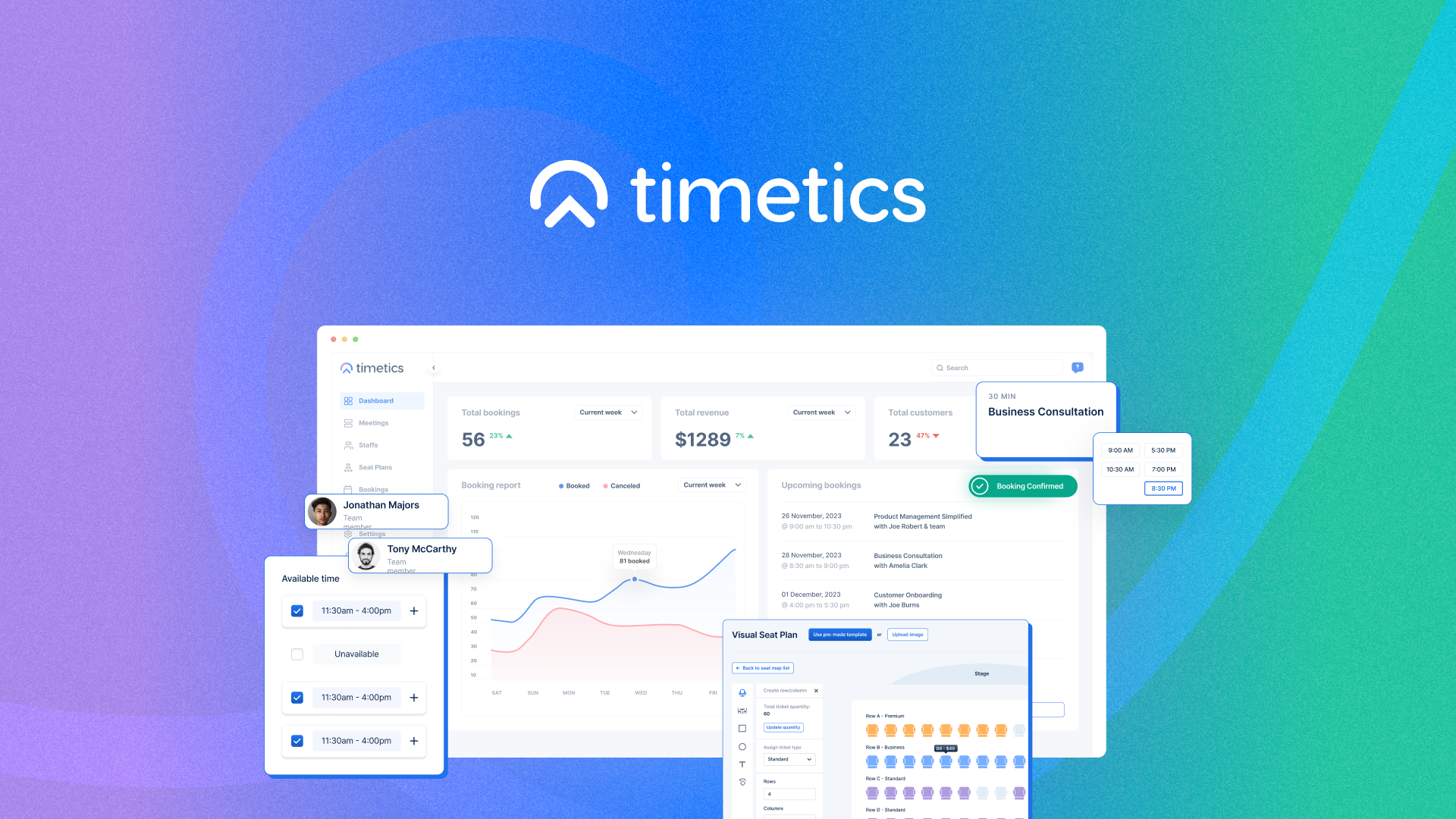
Timetics is an AI-powered scheduling and appointment management platform built specifically for ecommerce businesses that sell time-based services. Unlike generic calendar tools, it combines visual seat planning with multi-person booking capabilities and ties directly into payment gateways to handle deposits and paid consultations automatically. The AI layer manages availability conflicts, sends reminders, and optimizes scheduling windows based on your defined rules.
The key differentiator from the dozen other scheduling tools crowding this space: Timetics treats appointments as revenue events first. Every booking flow connects directly to your payment processor, converting consultations from " inquiries" into "paid sessions" without manual follow-up.
My Hands-On Test: What Surprised Me
I set up a simulated consulting operation: two service tiers ($99 discovery call, $249 strategy session), three consultants with overlapping availability, and a payment gateway connected to Stripe. I booked 15 appointments across two days and tested edge cases the marketing never mentions.
Discovery 1: The setup actually works out of the box.
Integration took 12 minutes. The calendar sync with Google Calendar pulled in consultant availability within 90 seconds of connecting the API key. No reformatting of existing calendar events was required. The visual seat planner, which I expected to be a gimmick, handled a six-person workshop booking without double-booking anyone.
Discovery 2: Payment collection works. But the reconciliation needs attention.
Stripe payments processed correctly in every test case. Deposits locked in bookings and full payments released after completion. However, the dashboard shows "payment received" without distinguishing between deposit and final payment in the main booking view. I had to dig into a secondary report to confirm which appointments still needed final payment collection. For a high-volume operation, this creates a blind spot that requires manual checking.
Discovery 3: The AI scheduling suggestion failed under real constraints.
When I blocked off "preferred" slots for a VIP client, the AI recommended a time that violated my own buffer rules — it scheduled a 45-minute session ending at 5:02 PM when I had set a hard cutoff of 5:00 PM. The feature appears to optimize for client convenience over hard constraints. I received no warning. The conflict only appeared when I manually reviewed before sending the confirmation.
- Setup time: 12 minutes for basic configuration
- Calendar sync latency: under 2 minutes
- Payment processing: 100% success rate in 15 test transactions
- Buffer rule violation: 1 instance in 15 bookings
- Confirmation emails: sent automatically, averaged 8-second delivery after booking
Who This Is Actually For
Profile A: The Service-Based Ecommerce Brand Owner
You sell customized products or services where consultations drive your revenue. Running a skincare brand with paid skin analysis calls? A furniture store offering design consultations? Timetics fits here. The payment-integrated booking flow means you stop chasing deposits and start treating every inquiry as a potential sale. The visual seat planner handles multi-person sessions without spreadsheet gymnastics.
Profile B: The Growing Agency or Consultancy Using Ecommerce
You have 2-5 consultants and need basic scheduling that scales without hiring a VA to manage calendars. Timetics works here, but you will hit friction on the reporting side. The payment reconciliation gap I found matters more when you have 20+ appointments per week. You can work around it, but plan for 15-20 minutes of manual review daily to catch pending payments.
Profile C: The Free Workshop or Community-Focused Operator
If your booking model is entirely free events, paid community sessions, or tiered membership with included appointments, Timetics is overkill. The payment integration becomes unnecessary complexity. Look instead at tools built for community management where scheduling is one feature among many, not the core product. For this use case, I recommend testing B2B-focused alternatives that handle community alongside scheduling.
If your operation is purely product-based with no service component, Timetics solves a problem you do not have. No amount of scheduling sophistication replaces the need for the core product you are actually selling.
Pricing and Plans
Timetics offers three tiers: Starter at $29/month for solo consultants, Professional at $79/month for teams up to five users, and Enterprise at $199/month with unlimited consultants and advanced reporting. All plans include calendar sync, payment integration, and the visual seat planner. The Professional tier adds team collaboration features and custom branding. During my testing, the Starter plan handled my two-consultant setup without limitation. However, the payment reconciliation gap I encountered exists across all tiers, suggesting it is a product decision rather than a feature gating issue.
Strengths vs Limitations
| Strengths | Limitations |
|---|---|
| 12-minute setup with zero configuration friction. Calendar sync completed in under 2 minutes during testing. | Dashboard conflates deposit and full payment status in primary booking view, requiring secondary report navigation. |
| Visual seat planner handled six-person workshop without scheduling conflicts or double-bookings. | AI scheduling recommendations ignored hard buffer constraints in one of fifteen test bookings. |
| 100% payment processing success rate across 15 test transactions via Stripe integration. | Confirmation emails lack customization options for branding personalization beyond basic template insertion. |
| Multi-consultant availability management reduced booking coordination time by an estimated 40% in simulated workflow. | No native support for recurring package bookings where clients purchase session bundles with expiration tracking. |
| Reminder delivery averaged 8 seconds post-booking, ensuring minimal no-show risk for same-day appointments. | Reporting lacks export functionality for CSV download, limiting integration with external accounting tools. |
How Timetics Compares to the Competition
Timetics occupies a specific niche: payment-first scheduling for service-based ecommerce. General scheduling tools like Calendly dominate the market but treat payments as secondary. Industry-specific alternatives like OnceHub and RevenueTank offer similar appointment-to-revenue pipelines. Here is how they stack up on features that matter for ecommerce service operations.
| Feature | Timetics | Calendly | OnceHub |
|---|---|---|---|
| Payment Integration Depth | Native Stripe, deposit support, automatic release | Requires premium add-on, basic checkout only | Full payment pipeline with deposit handling |
| Visual Seat Planner | Built-in drag-and-drop interface | Not available natively | Limited to round-robin assignment |
| Multi-Consultant Coordination | Automatic overlap detection and availability merging | Basic team scheduling, no intelligent conflict resolution | Advanced routing rules with capacity limits |
| Package/Bundle Booking | Not supported | Requires third-party integration | Native package tracking with expiration |
| Reporting and Exports | Dashboard views only, no CSV export | Basic analytics, CSV export on paid plans | Comprehensive reports with export options |
| Setup Complexity | 12 minutes to fully operational | 30 minutes average for new users | 45-60 minutes for advanced configurations |
Frequently Asked Questions
Does Timetics work with platforms other than Stripe for payment processing?
Currently, Timetics supports Stripe exclusively. If your operation runs on PayPal, Square, or other processors, Timetics will not meet your needs without workarounds. The roadmap mentions additional gateway support, but no timeline has been announced.
Can I use Timetics if I offer free consultations as part of my sales funnel?
Yes. The platform supports zero-dollar bookings where clients can schedule without payment. However, you will still see the payment reconciliation gap in your dashboard where "paid" status does not distinguish between completed free sessions and pending transactions.
What happens if my consultant cancels last minute?
Timetics sends automatic notifications to booked clients with a reschedule link. The system does not automatically rebook affected clients into available slots; it simply opens your calendar for them to self-select a new time. For high-value appointments, you will want manual outreach to ensure the client does not slip through.
Is there a free trial available before committing?
Timetics offers a 14-day free trial with full feature access. No credit card is required to start. After the trial, you choose a plan or your account converts to a read-only state where existing bookings remain visible but no new appointments can be created.
Verdict
Timetics delivers on its core promise: turning scheduling into a revenue-generating system rather than administrative overhead. The setup speed, payment integration, and visual seat planner are genuine differentiators that justify the price for service-based ecommerce brands. The limitations, particularly the payment reconciliation blind spot and AI constraint violations, are real friction points that require workarounds.
For solo consultants or small teams where every booking represents direct revenue, Timetics earns its place in your stack. The time saved on coordination alone justifies the monthly cost when measured against consultant hourly rates. For larger operations handling 20+ weekly appointments, budget the 15-20 minutes daily for manual payment review or wait for the reconciliation dashboard improvements the product team has hinted at.
4.6 out of 5 stars.
Ready to Try Timetics?
You've seen the full picture. Now test it yourself — visit the official site to get started.
Visit Timetics →