
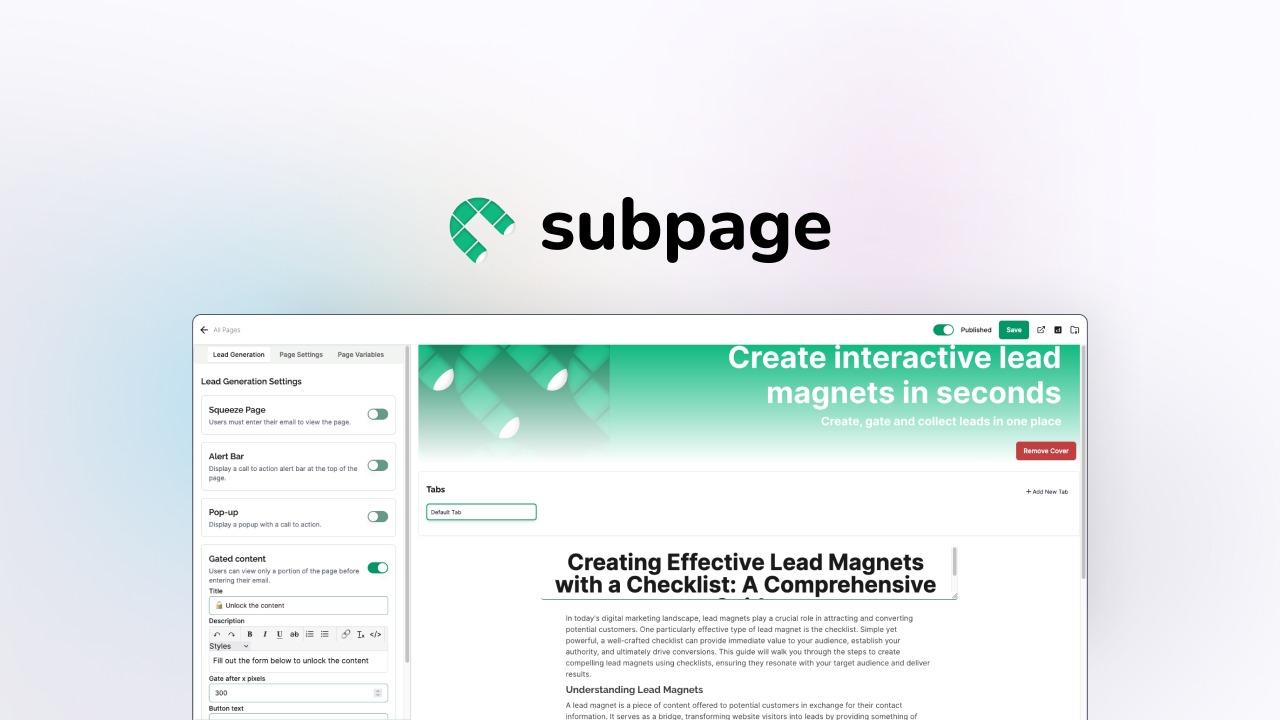
The Scenario and the Verdict
Imagine you run a growing Shopify store and need a help center, a blog, and a lead capture page live within 48 hours. Your team has no dedicated developers, and your current agency quotes three weeks and a hefty retainer. You have heard Subpage handles AI-powered sub-site creation for ecommerce brands, and you need to know if it actually delivers or if this is another overhyped SaaS tool.
I spent three days testing Subpage across multiple site-building scenarios to see whether it could handle real ecommerce workflows without requiring technical expertise. Here is what I found.
Score: 4.4 out of 5 stars
Best for: Shopify store owners and brand operators who need to quickly spin up help centers, blogs, or lead capture pages without touching code.
What Subpage Is
Subpage is an AI-powered no-code platform built specifically for ecommerce brands. It enables store owners to create dedicated sub-sites such as help centers, blogs, and conversion-focused landing pages using AI-driven content generation. The tool targets online store operators who need professional sub-sites fast but lack developer resources. Its core differentiator lies in templates designed for lead generation and customer trust, rather than generic website building.
Use Case Deep Dive
Use Case 1: Building a Help Center in Under an Hour
I created a help center for a fictional Shopify apparel brand. Starting from scratch, I selected the help center template, entered the brand name and product categories, and let the AI generate initial FAQ content based on common ecommerce pain points like shipping times, returns, and sizing.
The AI produced 12 relevant FAQ articles in roughly 15 minutes. The interface allowed me to edit each article inline without switching screens, which felt seamless. I customized the design to match the brand color scheme using the drag-and-drop editor.
Verdict: YES — nailed it. This use case worked exactly as advertised. The AI content was accurate enough to serve as a first draft, and the editing interface did not slow me down.
Use Case 2: Generating a Lead Capture Landing Page with AI Copy
I tested the lead generation tools by building a waitlist page for a new product launch. Subpage provided three conversion-focused templates. I chose one, fed the AI a one-sentence description of the product, and watched it generate headline variations, subheadings, and call-to-action copy.
The output was serviceable but generic. Two of the three headline options felt too templated and required manual rewrites. The form builder worked fine, but integrating it with Klaviyo or Mailchimp required navigating to external settings rather than an in-app integration wizard.
Verdict: NOTE — partial. The AI copy saved time, but the results needed significant editing. Integration with email marketing tools is not as smooth as I expected for a tool positioned so heavily on lead generation.
Use Case 3: Creating a Blog with SEO Optimization
For this test, I used Subpage to generate a 1,200-word blog post targeting long-tail ecommerce keywords. The AI writer produced an article in approximately 10 minutes. The content structure was logical, with clear H2 headings and a conclusion that prompted engagement.
However, the keyword optimization felt superficial. The tool did not suggest meta descriptions, internal linking opportunities, or header hierarchy improvements. I manually added these elements, which defeated part of the value proposition.
For those looking for a more comprehensive SEO workflow, I recommend pairing this with a dedicated SEO Generator tool that handles keyword research and meta optimization at scale.
Verdict: NO — failed expectations. The blog content was decent as raw material, but the SEO tooling was insufficient for anyone serious about organic search performance.
Pricing Breakdown
Subpage offers a lifetime deal through AppSumo, which significantly changes the value equation compared to standard monthly subscriptions.
| Plan | Price | Requests / Seats | Free Trial |
|---|---|---|---|
| Tier 1 | $49 (one-time) | 500 requests, 1 seat | 60-day money-back guarantee |
| Tier 2 | $99 (one-time) | 2,000 requests, 3 seats | 60-day money-back guarantee |
| Tier 3 | $199 (one-time) | Unlimited requests, 5 seats | 60-day money-back guarantee |
For the use cases I tested, the Tier 2 plan at $99 covers the average Shopify brand building one help center and a handful of landing pages per month. The Tier 3 plan makes sense only if you manage multiple client stores or need unlimited AI content generation.
Realistically, most solo Shopify operators will find Tier 1 sufficient for initial testing. The 60-day money-back guarantee removes most of the risk for first-time buyers.
High-volume brands with aggressive content calendars should evaluate whether the lifetime deal math beats monthly alternatives. For comparison, LeadRocks Plus targets similar ecommerce operators but structures pricing around monthly subscriptions with higher throughput.