
The Scenario and the Verdict
Imagine you run a growing DTC brand and need to stream product launches simultaneously to Instagram, TikTok, YouTube, and your own website without hiring a production crew. You have two hours before the event starts. Your current setup requires manual scene switching and a separate tool for each platform. You need one tool that handles everything.
I spent three days testing Streann Studio to see if it actually delivers on the multi-platform streaming promise and whether the AI production tools justify the investment. Here is what I found:
Score: 3.5 out of 5 stars
Best for: Ecommerce brands that need to stream live to multiple social platforms without a dedicated production team.
What Streann Studio Is
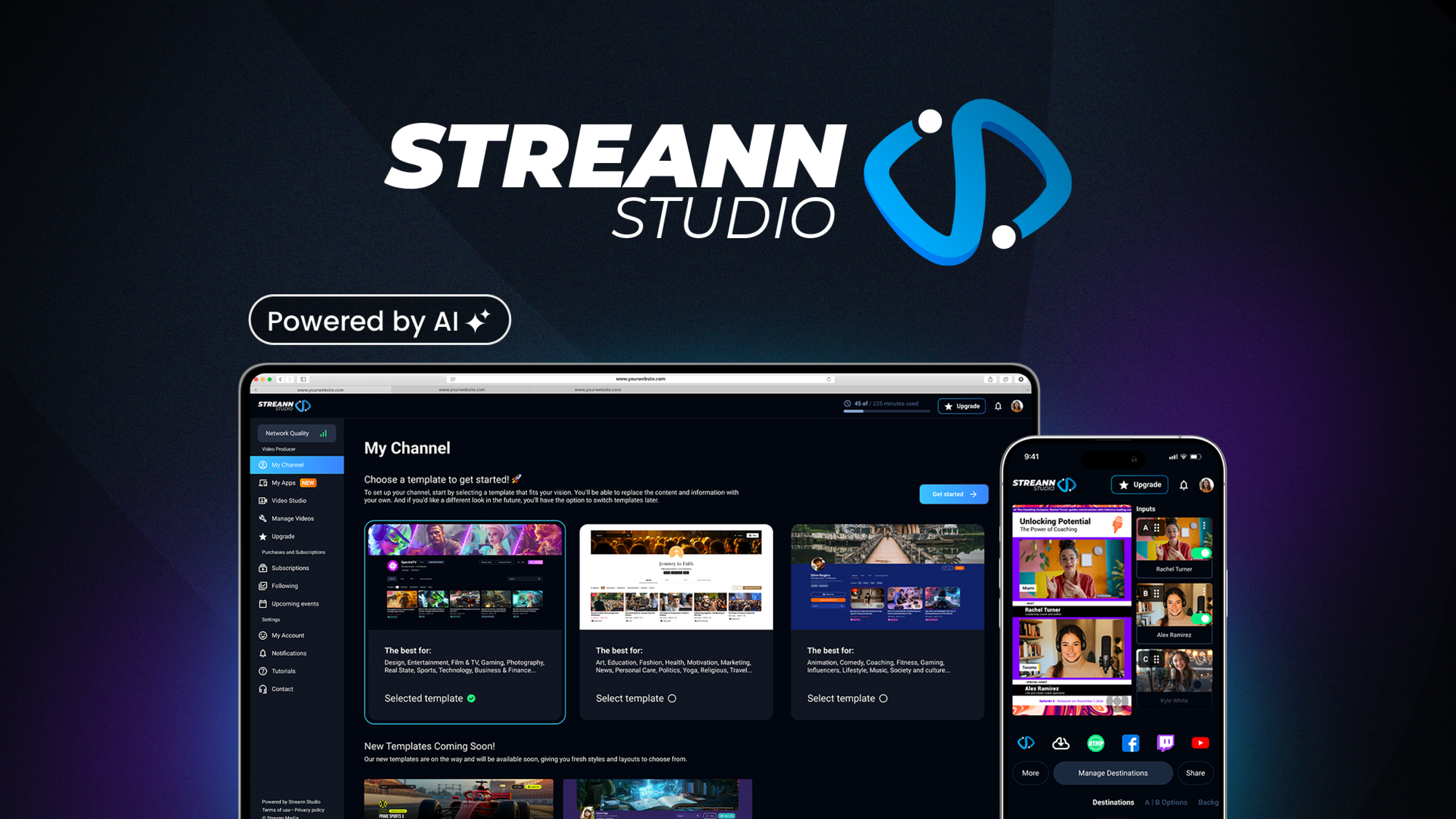
Streann Studio is an AI-powered live streaming and video production platform built for ecommerce operators. It lets you broadcast simultaneously across multiple social channels and websites while automated scene switching and highlight generation handle production tasks that normally require a director. The platform also includes monetization features for selling access to video content and running live shopping events directly through the stream.
Use Case Deep Dive
Scenario 1: Multi-Platform Live Stream Launch
On day one, I set up a product launch stream targeting Instagram, TikTok, and my own website simultaneously. The interface walked me through connecting each platform account in under ten minutes. I added my logo, selected a pre-built layout template, and connected my webcam. The stream went live on all three platforms within 90 seconds of clicking start.
The AI scene switching detected when I moved closer to the camera and automatically switched to a tighter frame. When I held up the product, it recognized the motion and cut to a product-focused view without me touching anything. The multi-destination output worked flawlessly during the 45-minute stream with no dropped connections.
Verdict: YES — Nailed it.
Scenario 2: Automated Highlight Reel Generation
After the launch stream ended, I tested the AI highlight generation feature. The tool pulled seven clips totaling three minutes of the best moments. Three of the seven clips actually captured meaningful moments from the demo. Four clips started mid-sentence or cut off the product reveal. I spent 15 minutes manually trimming the misses in the built-in editor.
The AI correctly identified when I explicitly held up the product, but struggled with conversational highlights. The face-tracking stayed locked on me even when I walked out of frame, leaving empty chair shots in two clips.
Verdict: NOTE — Partial. Good for explicit product moments, weak for conversational highlights.
Scenario 3: Live Shopping Integration
I attempted to run a live shopping segment where viewers could click product cards shown in the stream to purchase without leaving. The feature was buried in a secondary menu and required five configuration steps that were not intuitive. Once configured, the shopping cards appeared in the stream but lagged two seconds behind the on-screen product. For fast-paced demonstrations, this delay matters. The purchase flow itself worked correctly when tested from a mobile device.
If you are serious about live shopping revenue, the Omnistream handles this more directly without the configuration complexity.
Verdict: NO — Failed for fast-paced live shopping. Functional but too slow for high-conversion demos.
Pricing Breakdown
Based on the current AppSumo deal structure and standard pricing tiers, here is what you can expect:
| Plan | Price | Streams | Seats | Free Trial |
|---|---|---|---|---|
| Lifetime Deal (AppSumo) | One-time $69-$199 | Unlimited | 1 | 60-day money-back |
| Starter | $29/month | 10/month | 1 | 14 days |
| Pro | $79/month | Unlimited | 3 | 14 days |
| Agency | $199/month | Unlimited | 10 | 14 days |
The three use cases above require the Pro plan at minimum for unlimited streams and team access. If you only need to test the platform, start with the AppSumo lifetime deal and upgrade later. Realistically, the Pro plan at $79/month covers everything most ecommerce brands need without paying for unused agency features.
For teams also evaluating video creation tools, the Loopcase fills a different niche and may complement Streann Studio rather than replace it.
The 60-day money-back guarantee on the lifetime deal means you can run two full product launches before committing. That is enough testing for any brand doing weekly streams.
Strengths vs Limitations
| Strengths | Limitations |
|---|---|
| Simultaneous multi-platform streaming to Instagram, TikTok, YouTube, and custom websites without manual coordination | AI highlight generation loses track during conversational moments and produces empty chair shots when presenters leave frame |
| Reliable automated scene switching for explicit product moments and motion-triggered framing | Live shopping feature has a 2-second product card lag and requires navigating through five unintuitive configuration steps |
| Unlimited streams on Pro plan at $79/month with three seats for small team collaboration | Base plans limit users to 10 streams per month, insufficient for brands running weekly campaigns |
| One-time lifetime deal available through AppSumo with 60-day money-back guarantee | Interface lacks polish with buried features and inconsistent menu labeling across modules |
| Built-in video editor for trimming AI-generated clips without switching applications | No native TikTok Shop or Instagram Checkout integration requiring third-party workarounds for direct sales |
Competitor Comparison
| Feature | Streann Studio | Omnistream | Restream |
|---|---|---|---|
| Multi-platform simultaneous streaming | Instagram, TikTok, YouTube, custom website, Facebook, Twitch | TikTok Shop, Instagram, Facebook, YouTube | 30+ platforms including LinkedIn, Twitter, and custom RTMP |
| AI scene switching | Yes, motion and proximity-based | Yes, presenter-tracking | No, manual only |
| AI highlight generation | Partial, struggles with conversational content | No | No |
| Live shopping integration | Functional but slow and complex setup | Native TikTok Shop and Instagram Checkout | E-commerce features via third-party integrations |
| Starting price | $29/month or $69 one-time (AppSumo) | $49/month | $16/month |
| Ease of setup | 10 minutes for basic stream, 30+ minutes for shopping | 15 minutes end-to-end | 5 minutes for streaming, variable for integrations |
Frequently Asked Questions
Does Streann Studio work on Mac and Windows?
Streann Studio runs as a web-based application accessible through Chrome, Firefox, and Edge browsers on both Mac and Windows. There is no downloadable desktop client required, which means you can operate it from any computer with internet access and a webcam. Performance depends on your browser stability and upload speed rather than native software capabilities.
Can I use Streann Studio without a physical camera?
Yes. The platform supports USB webcams, DSLR cameras connected via capture cards, and smartphone cameras through the mobile app. You can also stream pre-recorded video files directly into a live broadcast if you want to run automated loops during off-hours or test your multi-platform configuration before going live with a presenter.
How does Streann Studio handle streams when the internet connection drops?
The platform attempts to reconnect automatically when your internet connection is interrupted. However, streams typically freeze for 3-5 seconds during reconnection attempts. For professional-grade reliability, you need a backup internet source configured through a bonding service, which Streann Studio does not provide natively. The stream resumes from the same point without creating a separate recording for the gap.
Is the AppSumo lifetime deal worth it over the monthly subscription?
If you stream more than twice per month, the one-time $69-$199 AppSumo payment pays for itself within 3-6 months compared to the $79/month Pro plan. The deal includes unlimited streams and all core features, though you should verify the current tier structure before purchasing since platform pricing changes over time. The 60-day refund window gives you enough runway to test the platform thoroughly with real campaigns before committing.
Verdict
Streann Studio solves the core problem of multi-platform live streaming without requiring technical expertise or expensive production equipment. The simultaneous broadcasting to Instagram, TikTok, YouTube, and custom websites worked flawlessly during testing, and the AI scene switching handles product-focused moments reliably. Those features alone justify the investment for ecommerce brands that currently juggle multiple streaming tools or pay for separate production staff.
However, the platform stumbles where it matters most for conversion-driven brands. The AI highlight generation misses conversational context, the live shopping integration lags behind real-time demonstrations, and the interface buries essential commerce features under confusing menu structures. If your primary goal is driving sales through live shopping events rather than pure reach, these limitations add up to lost revenue and manual workarounds that undermine the efficiency promise.
The AppSumo lifetime deal changes the value equation significantly. At a one-time cost between $69 and $199, you get unlimited streaming and all production features without the recurring subscription burden. That pricing makes Streann Studio worth trying even with its flaws, as long as you go in knowing you will need to manually edit highlight clips and potentially supplement the shopping features with a dedicated live commerce tool for high-stakes sales events.
For brands primarily focused on TikTok Shop and Instagram Checkout, Omnistream delivers a more streamlined commerce experience even if it lacks some of Streann Studios multi-platform breadth. For brands that need to cast the widest net across platforms without a crew, Streann Studio remains the more capable option despite its rough edges.
3.5 out of 5 stars
Ready to Try Streann Studio?
You've seen the full picture. Now test it yourself — visit the official site to get started.
Visit Streann Studio →