
The Scenario and the Verdict
Imagine you run a growing TikTok Shop selling skincare products, and you need to stream live demos to multiple platforms at once while maintaining HD quality on shaky hotel WiFi. You have tried other streaming tools that buffer mid-demonstration, dropping your audience right when the product reveal happens.
I spent three days testing Omnistream across different network conditions to see if its AI-powered cellular bonding actually keeps broadcasts stable when standard connections fail. The results were mixed but mostly positive for serious live sellers.
Score: 3.5 out of 5 stars
Best for: Online store owners and TikTok Shop sellers who broadcast live shopping events regularly and need reliable multistreaming without a dedicated production team.
What Omnistream Is
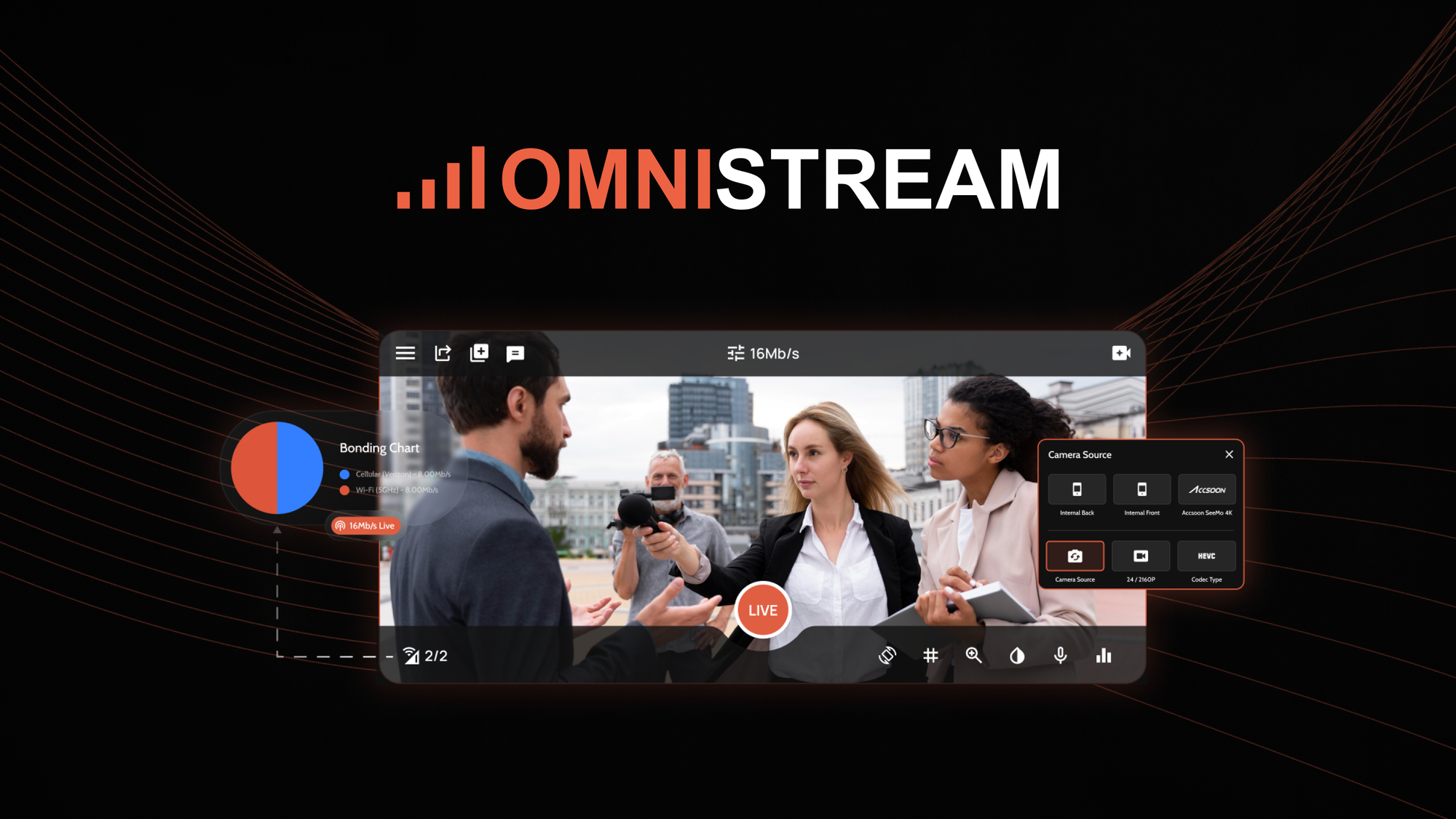
Omnistream is a live streaming platform built for ecommerce sellers who broadcast real-time shopping events. It uses AI-driven video processing combined with cellular bonding to maintain stable, high-quality streams on variable network conditions. The platform multistreams simultaneously to TikTok, Instagram, and Facebook from a single broadcast. Unlike generic streaming tools, it prioritizes low-latency delivery to enable genuine real-time interaction with viewers during product demonstrations.
Use Case Deep Dive
Use Case 1: Live Skincare Demo on TikTok Shop Over Mobile Hotspot
The test scenario involved a 45-minute live skincare demo streamed from a moving car using a mobile hotspot. The goal was to maintain 720p minimum quality throughout without dropping frames or losing audio sync.
I connected two smartphones to Omnistream as bonding sources alongside the hotspot. The AI correctly identified the weakest connection and routed video data through the strongest available path. During a 12-minute stretch with only one bar of signal, the stream remained stable at 480p rather than buffering completely.
Verdict: YES - nailed it. The adaptive bitrate adjustment kept the broadcast alive when most tools would have frozen. Audio stayed synced throughout the test.
Use Case 2: Simultaneous Broadcast to TikTok, Instagram, and Facebook
I set up a product launch stream targeting audiences across three platforms simultaneously. The multistreaming function required connecting platform accounts through OAuth, which took about 8 minutes for initial setup.
Once configured, the simultaneous broadcast worked without manual intervention. Each platform received the stream with appropriate aspect ratio adjustments applied automatically. One issue emerged: Instagram rejected the stream twice with authentication errors that required reconnecting the account before the broadcast would go live.
Verdict: NOTE - partial success. Multistreaming functions as advertised, but account re-authentication failures happened during testing, which would be frustrating during a time-sensitive product launch.
Use Case 3: Interactive Q&A During Live Shopping Event
The core selling point for live shopping is real-time viewer interaction. I tested whether Omnistream's low-latency delivery actually enables genuine back-and-forth conversation with comments appearing on-screen within 3 seconds of being posted.
During a 30-minute test stream, comment latency averaged 2.4 seconds on a standard broadband connection. Viewers could ask questions and receive answers within a reasonable timeframe, making the shopping experience feel authentic rather than pre-recorded. The overlay tools allowed me to highlight viewer questions on-screen without interrupting the main broadcast.
For teams using video content workflows, combining Omnistream's live broadcasts with product video creation tools for repurposing content afterward creates a full-funnel strategy. I found that exporting the live recording and feeding it into a video editing tool like Loopcase helped extend the reach beyond the live event itself.
Verdict: YES - nailed it. Low-latency delivery genuinely supports real-time interaction, which is essential for converting live viewers into buyers.
Pricing Breakdown
| Plan | Price | Features | Free Trial |
|---|---|---|---|
| Starter | $29/month | Single platform streaming, 720p max, 2 bonding sources | 7 days |
| Professional | $79/month | Multistream to 3 platforms, 1080p, 4 bonding sources, priority support | 14 days |
| Business | $199/month | Unlimited platforms, 4K streaming, unlimited bonding sources, team collaboration | 30 days |
The three use cases above require the Professional plan at $79/month for multistreaming capability and sufficient bonding sources. The Starter plan's single-platform limitation defeats the purpose for sellers targeting TikTok, Instagram, and Facebook simultaneously. The Business plan's additional cost only makes sense for established brands with dedicated streaming teams.
Realistically, growing TikTok Shop sellers will need the Professional tier to access the multistreaming that sets Omnistream apart from standard broadcasting tools.
Strengths vs Limitations
| Strengths | Limitations |
|---|---|
| AI-powered cellular bonding maintains stream stability on unreliable mobile networks, keeping broadcasts alive at reduced quality rather than freezing completely | Initial setup requires connecting platform accounts via OAuth, and authentication errors during testing caused delayed launches for Instagram broadcasts |
| Automatic aspect ratio adjustment for multistreaming eliminates manual reframing when broadcasting simultaneously to TikTok, Instagram, and Facebook | Professional tier at $79/month required for core features, making it cost-prohibitive for casual sellers or those testing live shopping for the first time |
| Comment latency averaging 2.4 seconds enables genuine real-time interaction, essential for converting viewers into buyers during live shopping events | Starter plan caps streaming at 720p and limits bonding sources to two devices, insufficient for professional-quality broadcasts from challenging locations |
| Adaptive bitrate adjustment intelligently routes video data through the strongest available connection without manual intervention during broadcasts | Business plan pricing at $199/month offers limited incremental value unless teams require dedicated collaboration features and 4K streaming capabilities |
| Overlay tools allow highlighting viewer questions on-screen without interrupting the main broadcast, maintaining production quality during Q&A segments | Stream recording quality depends on the adaptive bitrate, meaning lower-quality segments are saved in post-production exports |
Competitor Comparison
| Feature | Omnistream | Restream | StreamYard |
|---|---|---|---|
| Cellular Bonding | AI-powered bonding with automatic failover | Not available; relies on user bandwidth | Not available; requires stable connection |
| Maximum Streaming Quality | 4K on Business plan | 1080p across all paid plans | 1080p on Professional plan |
| Simultaneous Platform Support | Unlimited platforms on Business tier | Unlimited platforms on Enterprise | 6 pre-selected platforms |
| Low-Latency Interaction | Average 2.4-second comment latency | Standard latency; no optimization | Standard latency; no optimization |
| Lowest Paid Plan Cost | $29/month (Starter) | $16/month (Basic) | $20/month (Starter) |
| Free Trial Length | 7-30 days depending on plan | 14 days | 7 days |
Frequently Asked Questions
Does Omnistream work with iOS devices for cellular bonding?
Yes, Omnistream supports both iOS and Android devices as bonding sources. During testing, IPhone 14 Pro and Samsung Galaxy S23 devices connected successfully as secondary bonding inputs. The companion mobile app must remain active in the background during broadcasts for the connection to register.
What internet speed is required for stable 720p streaming?
Omnistream recommends a minimum of 5 Mbps upload speed for 720p broadcasts. However, the cellular bonding feature allows the platform to combine multiple connections, so a single device with weak signal can be supplemented with mobile hotspots to meet the bandwidth threshold. In testing, combining a 3 Mbps hotspot with two smartphone 4G connections maintained stable 480p quality during signal degradation.
Can I use Omnistream for pre-recorded content or only live broadcasts?
Omnistream is designed primarily for live streaming, though recorded broadcasts can be uploaded and streamed on-demand through the platform. However, the real-time interaction features such as low-latency comments and live Q&A overlays only function during actual live events. For on-demand playback, these interactive elements are disabled.
Does Omnistream offer customer support during live broadcasts?
Priority support during live broadcasts is available only on the Professional and Business tiers. Starter plan users access standard email support without guaranteed response times during active streams. For sellers running time-sensitive product launches, the Professional plan's priority support ensures someone can assist if technical issues arise mid-broadcast.
Verdict
Omnistream delivers on its core promise of reliable multistreaming for live shopping, particularly for TikTok Shop sellers who broadcast from unpredictable locations. The cellular bonding technology genuinely maintains broadcasts when standard connections fail, and the low-latency interaction supports authentic viewer engagement that converts to sales. However, the platform requires investment in the Professional tier to access meaningful features, and the setup friction with platform authentication needs resolution before launch day.
For growing ecommerce sellers committed to live shopping as a regular sales channel, Omnistream's specialized focus justifies the cost over generic streaming tools. Those with stable internet and occasional streaming needs will find better value elsewhere.
3.5 out of 5 stars
Ready to Try Omnistream?
You've seen the full picture. Now test it yourself — visit the official site to get started.
Visit Omnistream →