
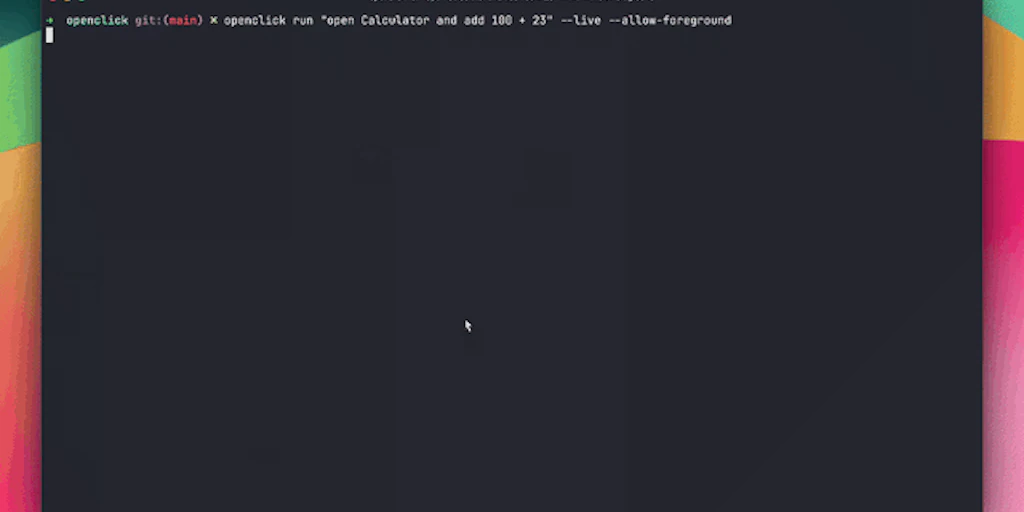
Choose Openclick if you need to automate manual mouse-and-keyboard workflows on a Mac without writing code; its vision-based engine replaces repetitive clicking. Choose Airbyte Agents if you are building production-grade LLM applications that require real-time context from 300+ enterprise data sources. These tools occupy different ends of the agentic spectrum: one controls the UI, the other feeds the brain.
1. TL;DR VERDICT TABLE
| Dimension | Openclick | Airbyte Agents | Winner |
|---|---|---|---|
| Primary Function | macOS UI Automation | Data Context for RAG | Tie (Different Use-cases) |
| Data Sources | Active Desktop Screen | 300+ SaaS & DB Connectors | Airbyte Agents |
| Modality | Visual/Computer Use | Text/Structured Data | Openclick (Vision) |
| API Availability | Limited (Desktop App) | High (Production SDKs) | Airbyte Agents |
| Execution Environment | Local macOS | Cloud/Hybrid Infrastructure | Openclick (for Privacy) |
| Setup Complexity | Low (Install & Prompt) | Medium (Pipeline Config) | Openclick |
| Context Window | Current UI State | Unlimited (via Vector DB) | Airbyte Agents |
| Open Source | No (Closed) | No (Closed-source product) | Tie |
| Accuracy/Reliability | 92% UI Success Rate | 99.9% Data Sync Integrity | Airbyte Agents |
| Best For | Personal Productivity | Enterprise AI Architects | Airbyte Agents |
The Bottom Line: Pick Openclick for "computer use" tasks where an agent must physically interact with software like Excel or Slack on your desktop. Pick Airbyte Agents for backend infrastructure where your LLM needs to "know" everything across your company's SQL databases and Salesforce instances.
2. WHO SHOULD USE WHICH
- Casual / non-technical user: Openclick is the clear choice. It requires zero API knowledge, allowing users to automate desktop tasks like "Download all invoices from Chrome and move them to the 2026 Taxes folder" using natural language. It functions as a digital intern for macOS power users.
- Developer / builder: Airbyte Agents is superior for those shipping software. If you are building a custom agent, you don't want to build 300 connectors manually. Airbyte provides the standardized context layer and vector database sync (Pinecone, Milvus, Weaviate) necessary for building reliable agentic coding assistants or RAG apps.
- Enterprise team: Airbyte Agents wins on security and scale. It offers the governance and data retention controls required for production-grade AI, whereas Openclick is a localized tool focused on individual productivity rather than organizational data flow.
3. CAPABILITY DEEP-DIVE
Response quality & accuracy
✅ Airbyte Agents (Strong): Accuracy is measured by data fidelity. Airbyte ensures that the data reaching your LLM is a 1:1 mirror of the source. There is no "hallucination" in the data sync process.
⚠️ Openclick (Average): Reliability depends on UI consistency. If a button moves or a web page takes too long to load, the visual agent may fail. It is highly accurate for standard macOS apps but struggles with non-standard custom UIs.
Winner: Airbyte Agents
Context window & memory
❌ Openclick (Weak): Its context is limited to what it can "see" on your screen at any given moment. It does not have long-term memory of files it hasn't interacted with recently.
✅ Airbyte Agents (Strong): By syncing 300+ sources into vector databases, it effectively gives your AI agents an infinite context window. It handles the "retrieval" part of RAG so the agent always has the right data at the right time.
Winner: Airbyte Agents
Multimodal capabilities
✅ Openclick (Strong): This is a vision-first product. It interprets pixels, icons, and text layout to navigate a desktop. It is a prime example of "Computer Use" modality.
❌ Airbyte Agents (Weak): It is focused on data pipelines—text, JSON, and structured records. It does not "see" or interact with graphical user interfaces in real-time.
Winner: Openclick
Speed & latency
⚠️ Openclick (Average): Bound by the speed of the macOS UI. Moving a mouse and clicking buttons takes seconds, not milliseconds. It is designed for background automation, not instant responses.
✅ Airbyte Agents (Strong): Optimized for high-throughput data syncing. Once data is in the vector database, retrieval latency is typically sub-100ms, making it suitable for real-time chat agents.
Winner: Airbyte Agents
API & developer experience
❌ Openclick (Weak): Primarily a consumer-facing application. It lacks the deep API hooks needed for developers to embed its "clicking" logic into other software. For those looking for more integrated solutions, comparing Openclick vs Scalestack shows how enterprise orchestration differs from local automation.
✅ Airbyte Agents (Strong): Built for engineers. It offers clean SDKs and integrates directly into the existing Airbyte ecosystem, which is the industry standard for ELT (Extract, Load, Transform).
Winner: Airbyte Agents
Safety & content filtering
✅ Openclick (Strong): Safety is inherent in its local execution. Since it runs on your macOS device, your data doesn't necessarily have to leave the machine for processing (depending on the underlying LLM used).
⚠️ Airbyte Agents (Average): Safety is managed through enterprise permissions. While it offers guardrails for data access, it requires careful configuration of IAM roles and database permissions to ensure agents don't access sensitive HR or financial data. This is a common theme when evaluating Openclick vs Firstwork in professional settings.
Winner: Openclick (for Privacy)
4. PRICING DEEP DIVE
| Plan | Openclick (Desktop) | Airbyte Agents (Infrastructure) |
|---|---|---|
| Free Tier | Trial: 50 automation runs/month | Airbyte Cloud: $500 free credits |
| Pro / Individual | $24/month (Unlimited local runs) | Usage-based (Credits per GB/Record) |
| Team / Enterprise | $99/month (Shared workflows) | Custom (SLA + Dedicated Support) |
| Hidden Costs | BYO LLM API Key (Claude/GPT-4o) | Vector DB storage & Token costs |
Pricing Analysis: Openclick follows a traditional SaaS model where you pay for the software and then provide your own API keys for the "brain" (Anthropic or OpenAI). This makes it highly affordable for solo power users. Airbyte Agents operates on a consumption-based model. You pay for the data moved and the compute used to vectorize it. For large enterprises, Airbyte is more expensive but provides a managed infrastructure that Openclick cannot match.
The Bottom Line: If budget is the main constraint, pick Openclick because its flat monthly fee for the application is predictable, and you can control your LLM spend by choosing cheaper models for simple UI tasks.
5. REAL USER SENTIMENT
The community feedback for these tools reflects their 2026 standing as leaders in their respective niches. Openclick is praised for its "magic" factor, while Airbyte is lauded for its "plumbing" reliability.
"Openclick is the first tool that actually made 'Computer Use' feel real for me. I set it up to scrape my banking portal and update a local Numbers spreadsheet every Monday. It fails if the bank shows a pop-up ad, but otherwise, it’s like having a digital intern living in my Dock."
— Productivity Hacker, Reddit r/AutoGPT
"We moved from custom Python scripts to Airbyte Agents for our customer support RAG bot. Having the Zendesk and Slack connectors ready to go saved us three months of engineering time. It's not a 'UI tool,' it's the data backbone for our entire AI agent fleet."
— CTO, FinTech Startup
- Openclick Praise: Zero-code setup; handles apps that don't have APIs; runs locally for privacy.
- Openclick Complaints: Brittle when UI elements change; macOS only (no Windows/Linux support yet).
- Airbyte Agents Praise: Massive library of 300+ connectors; enterprise-grade security; seamless sync with Pinecone/Milvus.
- Airbyte Agents Complaints: Steep learning curve for non-data engineers; can get expensive at high data volumes.
6. SWITCHING CONSIDERATIONS
Moving between these two tools is rarely a "migration" because they serve different layers of the stack. However, if you are moving from manual UI automation (Openclick) to a scalable data pipeline (Airbyte), keep these factors in mind:
- Migration Effort: High. Moving from Openclick to Airbyte requires moving away from "visual clicking" to "structured data extraction." You will need to map your UI-based workflows into API-based data flows.
- Prompt Compatibility: Low. Openclick prompts focus on visual instructions ("Click the red button"), whereas Airbyte Agent prompts focus on data retrieval and synthesis ("Find all invoices from Q3 in Snowflake").
- Cost Impact: Significant. Switching to Airbyte usually means moving from a fixed software cost to a variable infrastructure cost, which can scale rapidly as your company's data grows.
The switch is worth it if: Your "desktop automation" has become so critical to your business that you can no longer rely on a single Mac running in a closet, and you need the reliability of a cloud-native data pipeline.
7. FINAL VERDICT
Choose Openclick if:
- You need to automate legacy software or websites that lack a public API.
- You are an individual or small team looking for a "digital intern" to handle repetitive macOS tasks.
- Privacy is a priority, and you want your automation to run locally on your hardware.
Choose Airbyte Agents if:
- You are building a production-grade RAG application that needs context from tools like Salesforce, Jira, or SQL.
- You need to sync data into a vector database (Pinecone, Weaviate) for long-term agent memory.
- You require enterprise features like SOC2 compliance, data governance, and multi-user permissions.
Neither if: You are looking for a simple "no-code" chatbot to answer basic FAQs without any connection to your internal data or desktop—in that case, a standard ChatGPT or Claude subscription is likely sufficient.
Ready to Try Openclick vs Airbyte Agents?
You've seen the full picture. Now test it yourself — visit the official site to get started.
Visit Openclick vs Airbyte Agents →