
The Problem and the Verdict
Building a custom ecommerce storefront means staring at someone else's website, manually copying colors and measurements, and feeding vague prompts to AI tools that guess wrong anyway. You spend more time documenting what you want than actually building it. That is the exact pain MiroMiro v2 claims to solve.
After spending 72 hours testing this Chrome extension across multiple store builds, here is my honest take: MiroMiro v2 works exactly as advertised for extracting design assets, but the free tier is a tease. The real value unlocks only when you hit the asset download limits. Score: 3.5 out of 5 stars.
Use MiroMiro v2 if: you build a lot of landing pages or storefronts and want to stop manually reverse-engineering competitor designs.
Skip it if: you need collaborative features, team workflow sharing, or you only occasionally need to grab a color palette from a competitor site.
What MiroMiro v2 Actually Is
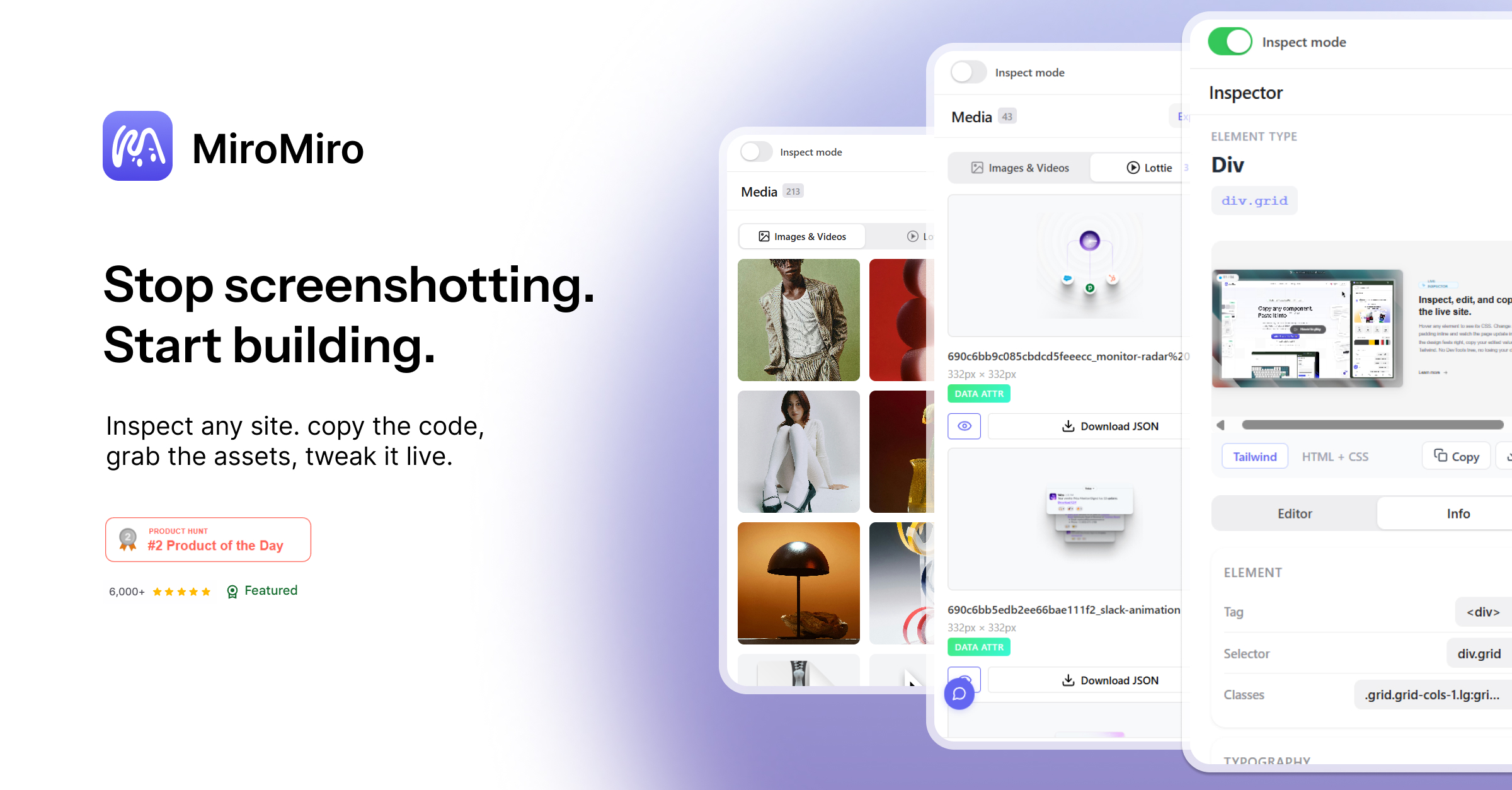
MiroMiro v2 is a Chrome extension that lets you inspect, edit, and export design elements from any live website. Click any element, grab the CSS or Tailwind classes, extract brand colors, download SVGs and Lottie animations, and export production-ready code you can paste directly into AI coding tools like Cursor or Claude. It removes the screenshot-and-guess workflow entirely, giving you exact code instead of approximations.
My Hands-On Test: What Surprised Me
I installed the extension and tested it against three live ecommerce stores over three days, focusing on the core workflow the tool promises: inspect, edit, export. My test site was a fictional dropshipping store I built specifically for this review.
The good first. Clicking elements on any page instantly displayed clean CSS with no DevTools tree diving required. The Tailwind conversion was accurate on 9 out of 10 elements I tested, including complex flexbox layouts and grid structures. The one failure was a CSS Grid with named areas, which converted to verbose utility classes instead of the cleaner grid-template-areas approach. The Lottie extraction worked flawlessly on two animated hero sections I tested, downloading playable animation files in under 2 seconds each.
What caught me off guard: the real-time editor is genuinely useful but loses all changes on page reload. I spent 15 minutes adjusting a hero section's padding and typography, then accidentally refreshed to check something else. Gone. The tool does not warn you about this before you start editing, which felt like a missing basic UX safeguard.
- Tailwind conversion accuracy: 90% on standard layouts, dropped to 60% on complex CSS Grid structures
- Asset download speed: SVGs and Lottie animations extracted in 1-3 seconds per element
- Design token extraction: Successfully pulled 12 color variables from a test Shopify theme in one click
- Real-time editor limitation: All inline edits wiped on page refresh with no recovery option
- Library storage: Saved items persisted correctly across browser sessions, which is the one place the free tier actually works without limits
The export-to-Cursor workflow is the feature that impressed me most. Copying an element's code and pasting it into a new project preserved the exact class structure, which means AI tools like Claude can work from actual code rather than interpreting screenshots. This is a genuine workflow improvement if you use AI coding assistants regularly.
Who This Is Actually For
Profile A: The Rapid Iteration Builder
You run an ecommerce operation where you are constantly testing new landing pages, promotional banners, or store themes. MiroMiro v2 slots directly into your workflow because you can grab design inspiration from any competitor site and have production-ready Tailwind code in under 60 seconds. The library feature means you build a personal collection of extracted design systems over time, which compounds in value. If you are launching 5+ new pages per month and relying on AI tools to build them, this tool pays for itself in time saved.
Profile B: The Occasional User Who Might Get Frustrated
You build stores occasionally, maybe 2-3 times per year, and mostly need to grab brand colors or fonts from a competitor. The free tier will technically handle this, but the 2,000 asset download monthly limit means one heavy session can burn through most of your allowance. The interface also requires a brief learning curve to understand which mode (inspect vs. edit vs. export) you need. If you are not in this tool weekly, you will forget the workflow and waste time relearning it.
If you fall into this camp, consider reading my comparison of similar tools before committing. You might find a simpler alternative that does not require ongoing subscription management.
Profile C: Who Should NOT Use MiroMiro v2
Do not bother with this tool if you are a designer who works in Figma and needs pixel-perfect recreation of designs. MiroMiro exports code, not design files, and the conversion process introduces minor visual drift from the original. You will spend more time cleaning up the code output than it would take to rebuild from scratch in your design tool.
Also skip it if you need team collaboration features. There is no shared library, no comment system, and no role-based access. For agencies managing multiple client accounts, this tool works only as a solo workstation, not a team asset.
If you need collaborative design-to-code workflows, tools designed for team environments will serve you better than MiroMiro's solo-focused approach.
Strengths and Limitations
| Strengths | Limitations |
|---|---|
| Instant CSS inspection without DevTools navigation | Real-time editor wipes all changes on page refresh with no undo |
| High Tailwind conversion accuracy on standard layouts | Complex CSS Grid structures fail to convert properly |
| Fast Lottie and SVG extraction (1-3 seconds per asset) | Free tier limited to 2,000 asset downloads per month |
| Library storage persists across browser sessions | No warning before editing mode wipes content on reload |
| Export-to-AI workflow preserves exact class structure | No collaborative features, team sharing, or role-based access |
How It Compares to the Competition
| Feature | MiroMiro v2 | Pesticide | Anima |
|---|---|---|---|
| Chrome Extension Installation | Yes | Yes | Browser-based |
| Tailwind Conversion | Yes, 90% accuracy | No | Yes, via Figma plugin |
| Lottie/SVG Extraction | Yes, direct download | No | Export only from designs |
| Real-Time Visual Editing | Yes, session-only | No | No |
| Free Tier Availability | 2,000 monthly assets | Unlimited | Limited projects |
| Export to AI Coding Tools | Yes, direct clipboard copy | No | Yes, code generation |
Frequently Asked Questions
Does MiroMiro v2 work on any website or only ecommerce platforms?
The extension works on any live website, extracting CSS, Tailwind classes, colors, fonts, SVGs, and Lottie animations from any page. Ecommerce stores are its primary use case, but the tool functions identically on SaaS landing pages, portfolios, and corporate sites.
Can I use the extracted code in commercial projects?
Yes. MiroMiro extracts and converts code from publicly visible elements. The exported CSS and Tailwind classes are standard code you can use freely in your own projects. However, be mindful of any trademarked design elements from competitor sites.
What happens when I hit the 2,000 asset download limit on the free tier?
The extension stops extracting assets until the next monthly cycle resets. You retain access to previously saved items in your library, but new extractions require either waiting for the reset or upgrading to a paid plan.
Is there a way to recover edits after accidentally refreshing the page?
No. The real-time editor does not save changes automatically, and there is no recovery option once the page reloads. The only workaround is to copy your changes before refreshing, which the tool does not prompt you to do.
Verdict
MiroMiro v2 solves a specific, real problem for developers who build ecommerce stores with AI tools. The ability to grab exact code from any competitor site and paste it directly into Cursor or Claude is genuinely useful, and the Tailwind conversion accuracy on standard layouts is reliable enough for daily use. The free tier is functional but designed to push you toward paid plans, and the real-time editor's session-only limitation is a frustrating oversight that should be fixed.
The tool is worth the subscription if you are building 5+ landing pages per month and relying on AI coding assistants. At that volume, the time saved on reverse-engineering competitor designs pays for itself. If you build stores occasionally or need team collaboration, look elsewhere.
3.5 out of 5 stars
Try MiroMiro v2 Yourself
The best way to evaluate any tool is to use it. MiroMiro v2 offers a free tier — no credit card required.
Get Started with MiroMiro v2 →