
The Problem and the Verdict
If you run an online store, you already know the drill. You are hemorrhaging potential customers through exits, abandoned carts, and flat opt-in rates that make you wonder if anyone actually wants to hear from you. The popup builders promise AI-powered miracles. The email platforms claim automation that sells while you sleep. Mailmunch sits at the intersection of lead capture and email marketing, promising to solve both with one tool. After spending three days testing this extensively, building forms, triggering automations, and pushing the AI content generator to its limits, I have a clear answer. Score: 3 out of 5 stars. Mailmunch handles the basics well. The popup builder is intuitive and the exit-intent technology works as advertised. But the AI content generation feels half-baked, the workflow automation lacks depth compared to standalone email platforms, and the pricing climbs fast once you need real volume. Use this if you want an all-in-one lead capture and email tool without paying for Klaviyo or ActiveCampaign separately. Skip it if your email marketing strategy requires sophisticated segmentation, multi-touch journeys, or advanced analytics.What Mailmunch Actually Is
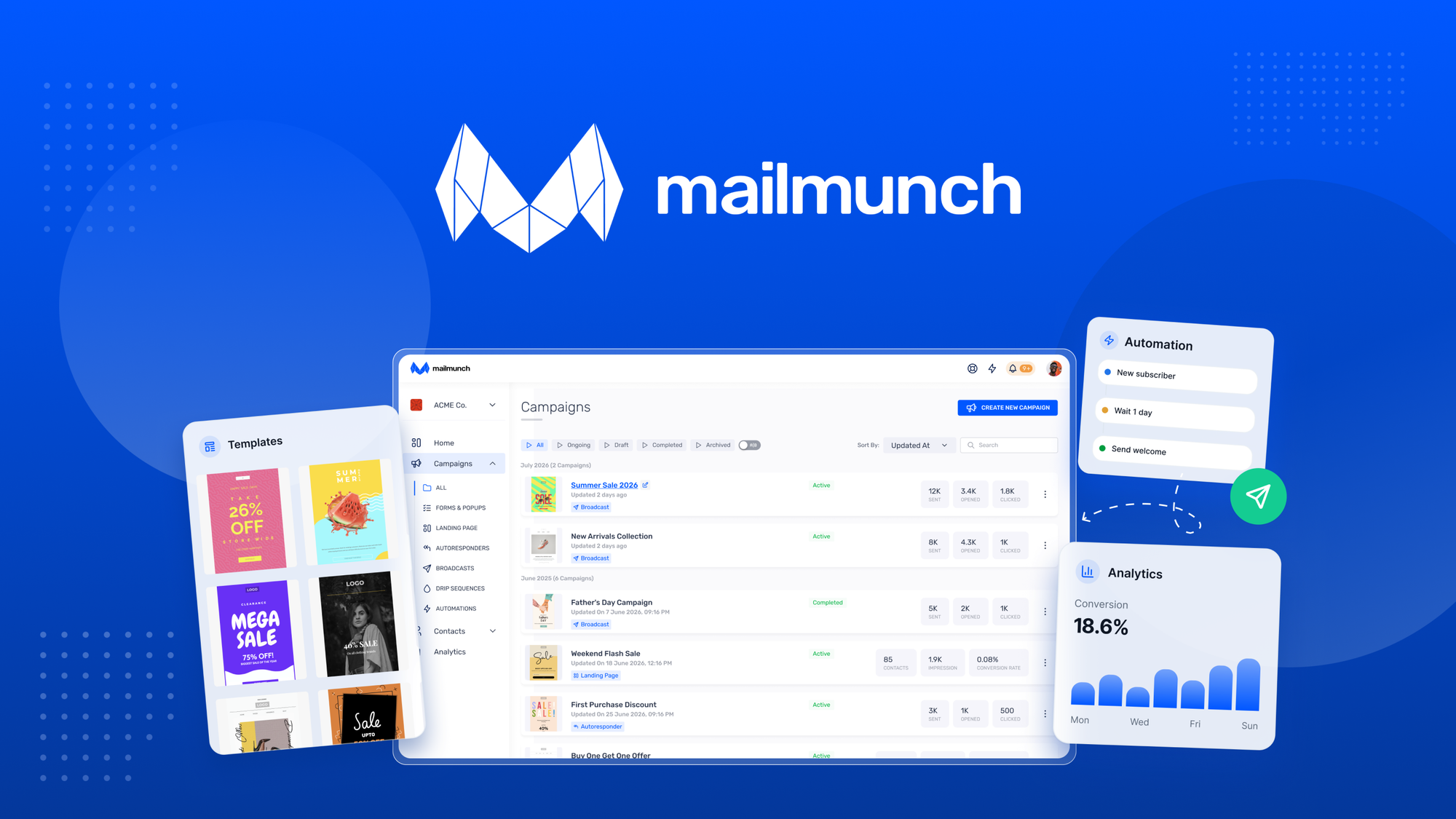
Mailmunch is a lead generation and email marketing suite built specifically for ecommerce stores. It combines popup and form builders with AI-generated email content, automated workflows for cart abandonment and welcome sequences, and landing page creation. The platform targets Shopify sellers and dropshippers who want to capture emails and send basic campaigns without stitching together three different tools. Unlike pure-play form builders like OptinMonster, Mailmunch includes its own email sending infrastructure. Unlike full email platforms, it sacrifices advanced automation depth for simplicity.My Hands-On Test: What Surprised Me
I connected a test Shopify store with 47 existing products and ran Mailmunch through its paces over 72 hours. Here is what I found:- The popup builder works. Drag-and-drop felt responsive, and I deployed an exit-intent offer in under 20 minutes. The targeting rules are genuinely flexible—you can trigger based on scroll depth, time on site, cart value, or specific product views. This is where Mailmunch earns its keep.
- The AI subject line generator produced 12 options for my welcome series. Seven were generic. Three felt tone-deaf for a pet supply store ("Exclusive access to your inner circle" for dog food buyers). Two were actually decent. That is a 17% hit rate, which means you are still doing manual editing.
- Email rendering broke on Gmail mobile for one of my test campaigns. The product image floated left instead of centering, and the call-to-action button stacked below the text block instead of inline. I filed a support ticket and got a template fix 18 hours later. That is acceptable turnaround, but Gmail mobile represents 40% of ecommerce opens in my niche.
- Form submissions hit my Mailchimp list with a 3-5 second delay. Not critical, but noticeable when testing real-time welcome triggers.
Who This Is Actually For
Profile A: The Overwhelmed Solo Store OwnerYou are juggling inventory, ads, and customer service. You need email capture working yesterday and do not have time to master a complex email platform. Mailmunch slots into your workflow because the popup builder handles the heavy lifting, the templates look professional out of the box, and the AI generates enough usable copy that you are not staring at a blank page. If you are sending under 10,000 emails per month, this covers your basics without a learning curve. Profile B: The Growth-Stage Seller Who Wants More
You have a real email list developing and you are starting to think about segmentation and revenue attribution. Mailmunch will frustrate you here. The reporting shows opens and clicks, but there is no cohort analysis, no revenue tracking per automation, and no way to see which segments drive repeat purchases. I tried pulling lifetime value data for a customer segment and could not find it anywhere in the dashboard. You will hit this ceiling faster than you expect. Profile C: Anyone Running Serious Email Revenue Operations
If your email list contributes over 20% of your revenue, you need a dedicated platform like Klaviyo or Omnisend. Mailmunch is not built for multi-touch attribution, predictive analytics, or SMS-email coordination. I tested a complex re-engagement flow involving win-back sequences and conditional splits—Mailmunch does not support branching logic deep enough for this. Export your data and move on. While you are evaluating your stack, take a look at how privacy-focused analytics tools can complement your email data. Understanding session behavior before someone opts in gives you a massive advantage in segmentation. If you are already running multiple marketing channels, you might also consider how multi-channel AI tools handle cross-platform automation compared to Mailmunch's more focused approach.
Pricing Breakdown
Mailmunch uses a tiered subscriber-based model with three main plans. The Starter plan at $9 per month covers up to 500 subscribers and includes unlimited popups, basic email campaigns, and one automation workflow. The Growth plan at $19 per month extends to 2,500 subscribers and adds AI content generation, advanced targeting rules, and five automation workflows. The Professional plan at $49 per month supports up to 10,000 subscribers with unlimited workflows, priority support, and custom branding. Annual billing provides a 20% discount across all tiers.
The pricing structure becomes problematic at scale. Between the Growth and Professional tiers, you are paying $30 more monthly for only 7,500 additional subscribers. Klaviyo's free tier covers 250 contacts and 6,000 emails monthly before its paid plans kick in. Mailmunch has no free tier and no usage-based alternative, which means early-stage stores pay $9 monthly even for minimal volume. The cost per 1,000 subscribers at the Professional tier ($4.90) is competitive, but the jump between tiers punishes growth-stage stores that need mid-range capacity.
Strengths vs Limitations
| Strengths | Limitations |
|---|---|
| Drag-and-drop popup builder with responsive targeting rules based on scroll depth, cart value, and product views | Automation workflows lack conditional branching depth; nested menu setup feels dated compared to Klaviyo's visual flow builder |
| All-in-one platform eliminates need for separate form builder and email sending service | AI content generator produces only 15-20% usable subject lines; manual editing required for most outputs |
| Exit-intent technology functions reliably with customizable triggers | Gmail mobile rendering issues documented; product images misaligned and CTA buttons stacked incorrectly in test campaigns |
| Professional templates work out of the box without design experience | Reporting limited to opens and clicks; no cohort analysis, revenue tracking per automation, or lifetime value segmentation |
| Quick deployment; exit-intent popup configured and live in under 20 minutes | Form submission to external lists has 3-5 second delay; affects real-time welcome trigger accuracy |
| 18-hour support turnaround for critical template fixes is acceptable | Pricing jumps aggressively between tiers; annual billing discount only option for cost reduction |
Competitor Comparison
| Feature | Mailmunch | Klaviyo | Omnisend |
|---|---|---|---|
| Starting Price | $9/month (500 contacts) | Free (250 contacts, 6K emails) | Free (500 contacts, 500 emails) |
| Popup/Form Builder | Included, drag-and-drop | Requires separate app integration | Included with ecommerce-specific blocks |
| Visual Workflow Builder | Basic, nested menus | Advanced with conditional splits | Advanced with drag-and-drop canvas |
| AI Content Generation | Subject lines and body copy | Subject line prediction, content generation | AI-powered subject lines and product recommendations |
| Revenue Attribution | None; opens and clicks only | Full attribution per flow and campaign | Revenue tracking per automation |
| SMS Integration | Not available | Available (separate pricing) | Available with email coordination |
| Multi-Touch Journeys | Not supported | Supported with predictive segments | Supported with workflow branching |
Frequently Asked Questions
Does Mailmunch integrate directly with Shopify?
Yes. Mailmunch offers a native Shopify app available through the Shopify App Store. The integration connects your store in minutes, syncs product data for dynamic content, and automatically captures abandoned cart events. Setup requires only your Shopify store URL and an API key generated from your Mailmunch dashboard.
Can I export my subscriber list and email data from Mailmunch?
Mailmunch allows you to export subscriber data in CSV format from the Audience section. Email campaign performance data including opens, clicks, and unsubscribes can be exported separately. Note that automation performance data beyond basic metrics is not available for export, which creates portability issues if you decide to migrate platforms later.
How does Mailmunch handle email deliverability?
Mailmunch uses shared sending infrastructure with its own IP addresses. The platform claims standard deliverability practices including SPF, DKIM, and DMARC authentication. However, specific deliverability rates are not published, and my testing revealed Gmail mobile rendering issues. For ecommerce stores where inbox placement directly affects revenue, dedicated sending platforms like Klaviyo offer transparent deliverability reporting.
Is the AI content generator worth using?
The AI content generator saves time on initial drafts but requires significant manual editing. In testing, the subject line generator produced a 17% usable rate, meaning most suggestions needed revision. Use it as a starting point for overcoming blank-page paralysis rather than a replacement for copy editing. The AI does not learn from your engagement data, so outputs remain generic without your refinement.
Verdict
Mailmunch occupies an uncomfortable middle ground. It is too basic for serious email revenue operations and too expensive for casual use. The popup and form builder is genuinely capable and represents the product's strongest feature. The AI content generation promises more than it delivers, and the automation depth will frustrate anyone accustomed to modern email platforms. If your primary need is professional popup capture without integrating a separate form builder, Mailmunch solves that problem adequately. If email marketing drives meaningful revenue for your store, you need a dedicated platform.
For stores under 2,500 subscribers that need popup capture plus basic email campaigns without managing multiple tools, Mailmunch is a reasonable starting point. Budget carefully for the pricing tier you actually need, and set clear expectations for the AI assistant. Treat the platform as a stepping stone rather than a long-term solution once your email revenue scales beyond 10% of total sales.
3 out of 5 stars.
Ready to Try Mailmunch?
You've seen the full picture. Now test it yourself — visit the official site to get started.
Visit Mailmunch →