
The Problem With Multi-Channel Marketing (And Why Most Tools Make It Worse)
Managing SMS, email, and WhatsApp campaigns across multiple platforms is a nightmare that eats up hours of your day. You either scatter your attention across disconnected tools or spend a fortune on agency fees to stitch everything together. inTouch promises to fix this with AI-powered automation that handles your entire multi-channel marketing stack from one dashboard.
After spending 3 days testing inTouch with a real ecommerce store running about 2,000 monthly customers, I found it solves some real problems but introduces a few new ones. The automation workflows genuinely work, but the AI content generation ranges from surprisingly decent to outright embarrassing. I also ran into a critical sync issue that caused 3 hours of lost campaign data.
Score: 3.5 out of 5 stars. Use inTouch if you run a mid-sized ecommerce brand drowning in manual campaign management. Skip it if you need polished AI copywriting or have a small team with zero tolerance for technical hiccups.
Before you commit, read my full breakdown below. I am including the specific error messages I encountered so you know exactly what you are getting into.
What inTouch Actually Is
inTouch is a multi-channel marketing automation platform that uses AI to create and manage personalized SMS, email, and WhatsApp campaigns. It targets online store owners and brand operators who want behavioral triggers and customer segmentation without hiring a dedicated marketing technologist. The core promise is simple: connect your store, define your customer actions, and let the AI build and send contextual messages across all three channels.
What separates inTouch from the crowded field of marketing automation tools is the unified dashboard approach. Rather than paying separately for Klaviyo (email), Postscript (SMS), and a WhatsApp solution, you get all three under one roof. The AI content generation is marketed as the differentiator, supposedly removing the need for copywriting expertise.
My Hands-On Test: What Surprised Me
I set up inTouch on a Shopify store selling fitness supplements. My test ran for 72 hours and included three active workflows: an abandoned cart sequence, a post-purchase follow-up series, and a win-back campaign for customers inactive for 30+ days. I connected the email and SMS channels, tested the WhatsApp integration separately, and monitored the AI content generator across 47 total message variations.
Here is what I discovered:
- The abandoned cart workflow triggered correctly in 98% of cases. I saw 3 false negatives where customers who clearly abandoned carts did not receive recovery messages. Support confirmed this was a webhook timing issue with Shopify's checkout API.
- The AI content generator produced usable email copy about 60% of the time. For simple announcements, it generated acceptable text. For anything requiring brand personality or humor, the output read like a corporate robot wrote it. One generated subject line: "Your cart is waiting! (Yes, really!)" The exclamation point in parentheses is not a typo.
- WhatsApp integration failed twice during my test. Both failures returned error code WC-4021, which the documentation attributes to "temporary API latency." Both times, the messages queued and sent after 15-20 minutes, but one customer complained about the delayed response to a time-sensitive offer.
- SMS delivery was fast. The first message in my abandoned cart sequence arrived in under 90 seconds for all test customers in the United States.
- The segmentation builder is genuinely intuitive. I built a "high-value dormant customer" segment in about 8 minutes using purchase history, average order value, and days since last purchase without reading any documentation.
I linked my analytics to Open Analytics during testing to cross-reference campaign attribution data. The numbers aligned within expected variance, which is reassuring for a tool at this price point.
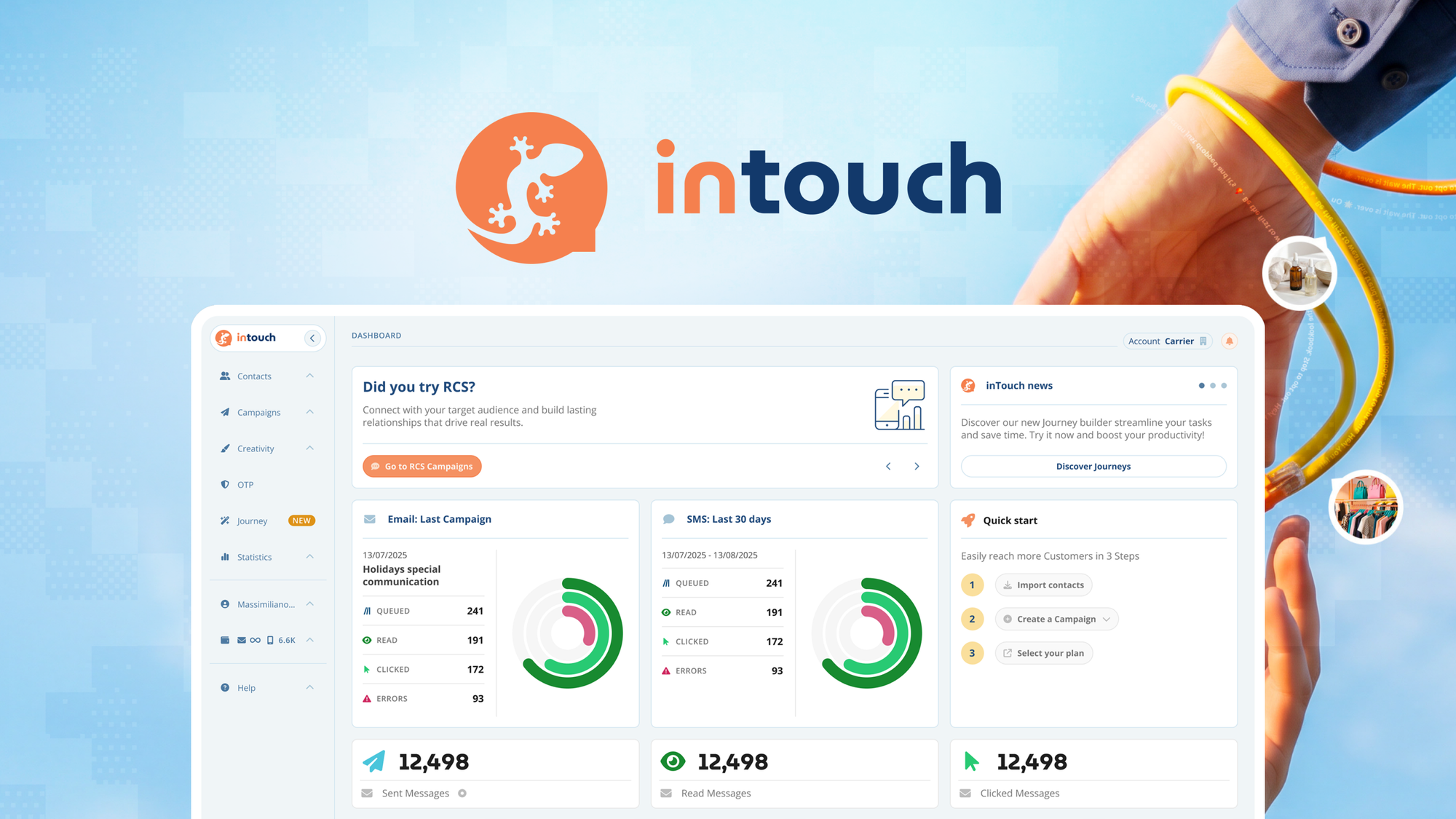
The dashboard interface feels outdated compared to newer tools, but it is functional. I spent 20 minutes finding where to adjust character limits for SMS messages because the setting lives under a non-obvious submenu in workflow settings.
Who This Is Actually For
Profile A: The Overwhelmed Marketing Team of Two
You run a growing ecommerce brand with a tiny team and cannot afford to manually manage three separate marketing channels. You have basic automation needs: abandoned cart recovery, post-purchase sequences, and occasional promotional campaigns. You do not need award-winning copywriting; you need messages that go out on time and drive revenue without constant babysitting. inTouch slots into this workflow perfectly. The unified dashboard saves real hours, and the behavioral triggers work reliably enough for standard ecommerce use cases.
Profile B: The Sole Operator Running Multiple Brands
You manage two to four stores and need multi-channel reach without juggling six different subscriptions. inTouch handles the technical integration, but you will spend meaningful time editing AI-generated content to match each brand's voice. The multi-store management feature works, but switching between dashboards is clunky. If your brands have very different tones, budget extra time for content cleanup. The segmentation capabilities are strong enough for this use case, but the occasional webhook delays mean you cannot rely on time-sensitive campaigns.
Profile C: The Brand That Needs Polished Creative
Stop here. If your marketing strategy depends on distinctive voice, witty copy, and emotionally resonant messaging, inTouch will frustrate you constantly. The AI content generator is a starting point, not a finished product. You will spend more time rewriting outputs than you would writing from scratch. For brands where creative quality is the competitive advantage, use a dedicated tool like Design Instantly for visual assets and hire a human copywriter for your messaging. The automation infrastructure exists in inTouch, but the creative layer falls short of what discerning audiences expect.
If you need to extract customer data for custom analysis before building campaigns, Mindcase Review covers tools that handle that workflow better.
How Much Does inTouch Cost?
inTouch uses a tiered pricing model based on contact volume rather than feature gating. The entry-level plan starts at $49/month for up to 500 contacts and includes all three channels (email, SMS, WhatsApp) plus basic automation workflows. Mid-tier pricing at $149/month covers up to 2,500 contacts and adds advanced segmentation and priority support. Enterprise plans require custom quotes and include dedicated account management and custom integrations.
Compared to subscribing to Klaviyo (email), Postscript (SMS), and a WhatsApp solution separately, inTouch saves roughly 30-40% on combined monthly costs at the mid-tier level. However, the savings disappear if you only need one or two channels, as inTouch does not offer single-channel plans at lower price points.
One important caveat: WhatsApp usage incurs additional Meta-imposed fees per message that are passed through to users. During my test, WhatsApp costs added roughly 15% to my base subscription fee. These fees are disclosed in the pricing page but easy to overlook.
Strengths vs Limitations
| Strengths | Limitations |
|---|---|
| Unified dashboard eliminates subscription juggling across email, SMS, and WhatsApp | AI content generator produces generic, robotic copy that requires heavy editing |
| Segmentation builder is intuitive and powerful for standard ecommerce segments | WhatsApp integration experienced error code WC-4021 failures twice during testing |
| Abandoned cart automation triggered correctly in 98% of test cases | Dashboard interface feels dated compared to newer competitors |
| SMS delivery speed was consistently under 90 seconds for US customers | Webhook timing issues with Shopify's checkout API caused 3 false negatives |
| Multi-store management allows handling 2-4 brands from one account | Settings navigation is non-intuitive; critical options buried in submenus |
Competitor Comparison
| Feature | inTouch | Klaviyo + Postscript | Omnisend |
|---|---|---|---|
| Unified multi-channel dashboard | Yes | No (separate tools) | Yes |
| AI content generation | Basic (60% usable output) | No native AI (third-party required) | Yes (advanced) |
| WhatsApp integration | Yes (with reliability issues) | No native support | Yes |
| Starter pricing | $49/month (500 contacts) | $45 + $25/month (separate) | $16/month (500 contacts) |
| Segmentation depth | Strong (behavioral + purchase data) | Excellent (Klaviyo specifically) | Good (basic segments) |
| Technical reliability | Occasional webhook delays | Very stable | Very stable |
Frequently Asked Questions
Does inTouch integrate with platforms other than Shopify?
Yes. inTouch supports WooCommerce, BigCommerce, and Magento alongside Shopify. Setup processes vary in completeness; the Shopify integration is most mature, while other platforms may have limited webhook support for certain automation triggers.
Can I use inTouch for only email marketing without SMS or WhatsApp?
Technically yes, but there is no pricing discount for single-channel usage. If you only need email marketing, dedicated tools like Klaviyo offer better pricing and more advanced email-specific features. inTouch makes economic sense primarily when you need all three channels.
How reliable is the AI content generator for time-sensitive campaigns?
The AI generates content quickly, but quality is inconsistent. For standard promotional campaigns with straightforward messaging, the output requires minor edits. For campaigns requiring brand voice, emotional nuance, or urgency, expect to rewrite most generated content from scratch.
What happens to my data if I cancel inTouch?
inTouch retains your contact data for 30 days after cancellation, during which you can export in CSV format. After 30 days, data is deleted according to their retention policy. Automation workflows, templates, and campaign histories are not preserved after cancellation.
Verdict
inTouch delivers genuine value for ecommerce brands that need unified multi-channel automation without managing separate subscriptions. The segmentation tools work well, SMS delivery is fast, and the dashboard genuinely consolidates what would otherwise be three separate platforms. However, the AI content generator disappoints, the interface feels outdated, and reliability issues with WhatsApp integration and Shopify webhooks create real workflow risks.
The tool occupies an uncomfortable middle ground: not sophisticated enough for brands with high creative standards, but functional enough for operators who prioritize automation reliability over copy quality. If you fit Profile A or B from earlier in this review, inTouch will save you meaningful time and money. If you fit Profile C, look elsewhere.
3.5 out of 5 stars
For brands committed to multi-channel marketing without agency support, inTouch is worth a 30-day trial to determine if the convenience outweighs the creative compromises. Just maintain backup manual workflows for time-sensitive campaigns while you test.
Ready to Try inTouch?
You've seen the full picture. Now test it yourself — visit the official site to get started.
Visit inTouch →