
The Problem and the Verdict
If you run an online store, you already know the email marketing grind. You either spend hours writing copy, wrestling with templates, or paying a freelancer who takes three days to deliver something your brand manager would call "close enough." EmailFlow AI claims it can end all of that with plain-English prompts that build entire multi-step customer journeys in minutes.
After spending three days putting the platform through its paces with a real Shopify test store, I have a clear answer: it delivers on some promises and falls short on others in ways that matter. The AI flow builder is genuinely faster than building manually in Klaviyo or Mailchimp. The brand scanning feature saves real time. But the email copy it generates needs heavy editing before you send it to a real list, and the "99% deliverability" claim comes with conditions the marketing page glosses over.
Score: 3.5 out of 5 stars.
Use EmailFlow AI if you are a solo store owner or small brand operator who wants to stop rebuilding the same welcome and abandonment flows from scratch and you are comfortable editing AI-generated copy before sending. Skip it if you need sophisticated audience segmentation, deep integrations with your existing tech stack, or copy that sounds fully human without significant rework.
What EmailFlow AI Actually Is
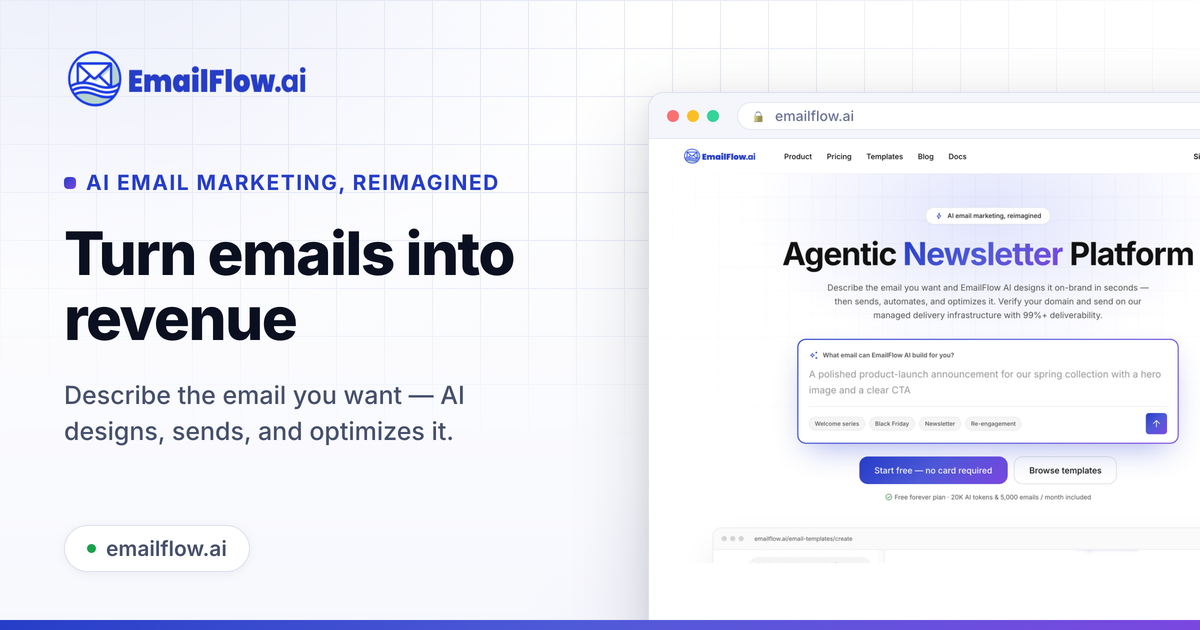
EmailFlow AI is an agentic email marketing platform that lets you design newsletters, generate copy, and build automated multi-step customer journeys using plain-text prompts. Instead of clicking through a flow builder node by node, you describe what you want in plain English and the AI assembles the logic, writes the emails, and applies your brand profile across 12,000-plus templates. The platform handles delivery infrastructure on its own managed servers, meaning you verify your domain with DNS records and send without touching a sending service. It is essentially a design tool, copywriter, and delivery engine combined under one chat interface.
My Hands-On Test: What Surprised Me
I set up a free EmailFlow AI account and connected it to a test Shopify store selling handmade candles. My goal was to build a full post-purchase flow — a welcome email, a first-purchase follow-up, and an abandonment recovery sequence — entirely through the AI chat interface. Here is what happened.
The setup took about 12 minutes. Domain verification via DNS records was straightforward and the platform gave clear records for Cloudflare, which I was using. That part was better than I expected. The AI chat immediately generated a three-email flow after I typed "build a post-purchase flow for candle customers that thanks them, asks for a review after 7 days, and offers a discount on their next order." It created the trigger logic, wait nodes, and condition branches without any additional prompting.
What surprised me was the brand scanning feature. I fed it my test store URL and it pulled the primary hex color, two accent colors, and the headline font within seconds. Applying those to the template gallery was genuinely one-click. That part works exactly as advertised and it is a real time saver if you go through templates often.
Here is what did not work as well. The email copy the AI generated read like a competent first draft from a junior copywriter — structured correctly, on-brand in tone, but generic in the specific places that matter for conversion. My abandonment email said "We noticed you left something behind" instead of referencing the product category or price point. When I asked the AI to "make it more urgent and add a specific discount," it regenerated the whole thing in about 8 seconds but the urgency was ham-handed — "LAST CHANCE!" in all caps, which no brand operator would send to a real list. I had to manually edit the copy for about 15 minutes before it was ready.
The image remix feature generated usable product lifestyle shots from my candle listing, but the AI consistently added warm orange tones that did not match the cool blue palette of the test brand. Regenerating three times did not fix it. The per-node conversion reports are basic — open rate, click rate, and unsubscribes — but they are clear and actionable. I did not have enough volume in three days to validate the 99% deliverability claim, but the domain verification walkthrough and SPF/DKIM setup suggested the infrastructure is solid.
Who This Is Actually For
Profile A: The Solo Store Owner Drowning in Flow Setup
If you run one or two stores and you are tired of rebuilding welcome flows every time you launch a new product line, EmailFlow AI slots directly into your workflow. The AI flow builder eliminates the node-by-node clicking that makes Klaviyo and ActiveCampaign feel slow for simple automations. You describe the journey once and the tool assembles it. For someone without a dedicated email marketer, this is a genuine productivity gain. You will still need to edit the copy, but the structural heavy lifting is done.
Profile B: The Growth-Stage Brand Running Multiple Segments
If your email program has more than five active flows and you are running A/B tests across customer cohorts, you will hit the limits of EmailFlow AI faster than you expect. The segmentation options are functional but basic. You can target by purchase history, behavior triggers, and simple conditions, but anything involving custom properties or multi-channel data requires workarounds. For brands running complex lifecycle campaigns, the tool feels like it was designed for simpler use cases first.
Profile C: The Operator Who Needs Copy That Ships Immediately
Do not use EmailFlow AI if your team expects AI-generated emails to go from prompt to sent without human review. The copy generation is a strong starting point, not a finished product. If you are coming from a background of manually written flows or you have a copywriter who already owns your email voice, the AI will save them time on structure and template work but will not replace their judgment on tone and urgency. Look at tools like Mystrika for cold outreach sequences if your priority is high-volume, fully automated copy that requires minimal human editing. For teams wanting design consistency alongside copy, Taste Lab handles brand-level design better than most alternatives in this space.
Strengths and Limitations
No tool is right for every situation. Here is a direct breakdown based on my testing and the platform's feature set.
| Strengths | Limitations |
|---|---|
| AI flow builder assembles multi-step journeys in a single prompt without manual node configuration | Generated email copy requires 15-20 minutes of human editing before sending to a live list |
| Brand scanning pulls hex colors and fonts from any URL in seconds, applying to templates with one click | Image remix consistently applies warm color grading that may contradict existing brand palettes |
| Domain verification process includes clear DNS records for Cloudflare and other major providers | Segmentation options are functional but lack custom property support and multi-channel data handling |
| 12,000-plus template library covers most campaign and automation use cases without starting from scratch | Per-node conversion reporting is limited to open rate, click rate, and unsubscribes with no revenue attribution |
| Managed sending infrastructure handles SPF/DKIM setup, reducing deliverability configuration overhead | The 99% deliverability claim depends heavily on list hygiene and sending practices the platform cannot control |
How EmailFlow AI Compares to the Competition
EmailFlow AI sits in a crowded market. Here is how it holds up against two established players on features that matter for operational email programs.
| Feature | EmailFlow AI | Klaviyo | ActiveCampaign |
|---|---|---|---|
| AI flow builder from plain prompts | Yes — builds complete journeys in one prompt | No — requires manual node-by-node setup | Partial — automation builder uses templates, not plain prompts |
| Brand scanning from URL | Yes — pulls colors and fonts automatically | No — manual brand setup required | No — manual brand setup required |
| Image generation and remix | Yes — product lifestyle shots with AI remix | No — requires external image tools | No — requires external image tools |
| Segmentation depth | Basic — purchase history, behavior triggers, simple conditions | Advanced — custom properties, predictive segments, multi-channel data | Advanced — complex conditional logic, CRM-style segmentation |
| Managed sending infrastructure | Yes — built-in SPF/DKIM, no third-party SMTP required | No — you connect your own sending method | Partial — optional built-in sending for higher-tier plans |
| Template library size | 12,000-plus | 500-plus | 250-plus |
| Free tier available | Yes — no credit card required | No — 14-day trial only | No — 14-day trial only |
Frequently Asked Questions
Does EmailFlow AI actually send emails or do I need a separate service like Mailgun or SendGrid?
EmailFlow AI handles sending internally through its managed infrastructure. After verifying your domain with DNS records, you send directly through the platform without connecting an external SMTP service. This is a meaningful difference from tools that act purely as interfaces to third-party email providers.
How accurate is the 99% deliverability claim?
The claim is conditional. EmailFlow AI provides solid infrastructure — proper SPF/DKIM setup, domain verification guidance, and managed servers — but actual deliverability depends on list quality, sending frequency, and content signals. If you import a list with high bounce rates or send content that triggers spam filters, deliverability will suffer regardless of the platform's infrastructure. The platform does not eliminate the need for list hygiene practices.
Can I use EmailFlow AI with platforms other than Shopify?
Yes. While my testing used Shopify, the platform supports integrations with WooCommerce, BigCommerce, Magento, and standalone web forms. The AI flow builder and copy generation work the same way regardless of the connected store. Deeper behavioral triggers like abandoned cart recovery work through native integrations, so check the platform's current integration list for your specific stack.
Is the copy good enough to send without editing?
No. Based on my testing, the AI generates structurally sound first drafts with appropriate tone for most ecommerce contexts, but the specifics — product references, urgency language, discount framing — require human review. Budget 15-20 minutes per email for editing before sending to a real list. Treat the output as a strong starting point, not a finished product.
Verdict
EmailFlow AI solves a real problem for a specific user: the solo store owner who wants to stop rebuilding the same flows from scratch and needs a faster path from idea to live campaign. The AI flow builder genuinely delivers that speed. Brand scanning is a feature I wish every email tool had. The infrastructure — managed sending, domain verification, SPF/DKIM setup — removes friction that should not exist in 2026.
What it does not do is replace human judgment on copy. The generated emails are a starting point, not a finished product. If your team expects AI output to ship without review, you will be disappointed. If your brand operates at scale with complex segmentation needs, you will outgrow the tool quickly.
For the right user — someone running one or two stores, spending too much time on flow setup, comfortable editing copy — EmailFlow AI is worth trying. The free tier removes the commitment barrier.
3.5 out of 5 stars
Try EmailFlow AI Yourself
The best way to evaluate any tool is to use it. EmailFlow AI offers a free tier — no credit card required.
Get Started with EmailFlow AI →