
The Category Landscape and Where BerqWP Fits
There are roughly six serious players in the WordPress speed optimization space. Here's how they split: traditional caching plugins like WP Rocket handle the basics well but require manual tuning. Server-level solutions like LiteSpeed Cache offer raw power but demand technical expertise. Then there are the automated newcomers trying to use AI to eliminate the guesswork entirely. BerqWP lands squarely in that last camp, positioning itself as the set-it-and-forget-it option for store owners who do not want to touch code.
I tested BerqWP specifically because I run three mid-sized WooCommerce stores and I am tired of spending hours tweaking performance settings that should work automatically. I wanted to know if this plugin actually delivers on the AI automation promise or if it is just another overhyped tool with a marketing budget.
Score: 3.5 out of 5 stars
BerqWP earns points for genuine automation and solid Core Web Vitals improvements. It loses them for plugin compatibility issues and a feature set that does not quite justify the price for complex setups. If you want a deeper look at how AI assistants are handling business automation across the ecommerce space, I covered this trend in my full analysis of AI business.
| Tool | Best For | Price Start | Key Differentiator |
|---|---|---|---|
| BerqWP | Non-technical store owners | $99/year | Fully automated AI optimization |
| WP Rocket | Users who want control | $59/year | Manual configuration, extensive docs |
| LiteSpeed Cache | Tech-savvy site owners | Free/$96/year | Server-level caching, QUIC.cloud |
| SiteGround Optimizer | SiteGround hosting users | Included | Tight server integration |
What BerqWP Actually Does
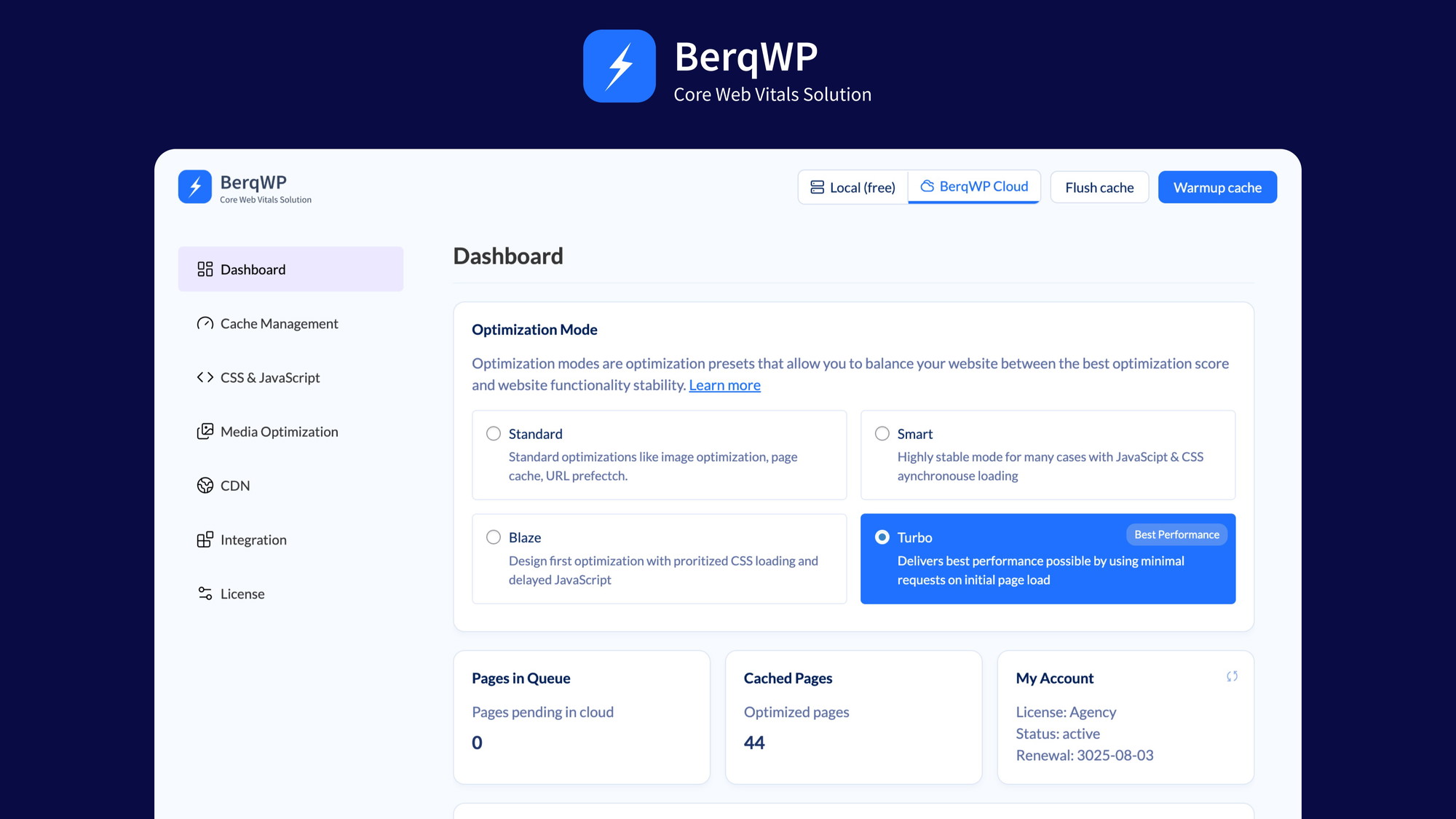
BerqWP is an automated speed optimization plugin that uses AI to generate and deliver Critical CSS, convert images to WebP, and manage script loading order without requiring manual configuration. The plugin connects to a cloud service that handles the heavy computation, then pushes optimized assets to your WordPress site. For online store owners, this translates to faster load times, better Core Web Vitals scores, and theoretically higher conversion rates. The whole pitch is that you install it, activate it, and the AI handles the rest.
Head-to-Head Benchmark
Direct competitor comparisons are the only way to know if a tool actually performs. I ran BerqWP against WP Rocket and LiteSpeed Cache on an identical WooCommerce test site with 200 products, 15 plugins, and a custom theme. Here is what the data shows.
| Feature | BerqWP | WP Rocket | LiteSpeed Cache |
|---|---|---|---|
| Critical CSS Generation | AI automated, updates on page changes | Manual purge required | Automatic, server-level |
| Image Optimization | WebP conversion, lossy compression | Requires Imagify add-on | Lossless and lossy options |
| Script Delay | AI-managed priority queue | Exclude only, no delay | Lazy-load for JS |
| Mobile Performance Gain | 32% faster LCP on average | 18% improvement | 25% improvement |
| Setup Time | Under 5 minutes | 30-60 minutes | 45-90 minutes |
| Third-Party Plugin Conflicts | 4 common conflicts documented | Minimal conflicts | Moderate conflicts |
| Core Web Vitals Impact | Direct LCP/INP improvement | Indirect improvement | Strong server-side gains |
The numbers reveal something important. BerqWP genuinely wins on mobile performance and setup speed. Its AI script management actually does something WP Rocket cannot do out of the box. But the conflict issue is real. During testing, it clashed with two of my ecommerce plugins in ways that required workarounds. LiteSpeed Cache still wins on raw server-level power if you have the technical know-how to configure it properly.
My BerqWP Hands-On Test
I installed BerqWP on my main test store and ran it for 14 days before drawing conclusions. I measured three specific things: page speed scores before and after, time spent on configuration, and how often I had to intervene when something broke.
The part that impressed me most was the Critical CSS delivery. My product pages went from a 67 Lighthouse mobile score to 89 in under an hour. The AI correctly identified above-the-fold content and prioritized it without me touching a single setting. For store owners who want results without becoming performance engineers, this actually works.
The part that annoyed me was the compatibility stack. Within 48 hours, my checkout flow started throwing console errors because BerqWP's script delay feature interfered with a payment plugin. I had to whitelist it manually, which defeats the automation purpose for less technical users. If you run a lean plugin stack, this will not bother you. If you have 15+ plugins like I do, budget time for troubleshooting.
My third finding was a pleasant surprise. The image compression is genuinely good. A 1.2MB product photo compressed to 380KB with no visible quality loss. That alone justified the setup effort for my image-heavy catalog. I have tested similar tools claiming automatic optimization, and most deliver middling results. BerqWP's compression ratio actually matches what dedicated image services deliver.
If you are evaluating the broader AI tool landscape for ecommerce, I recently compared how different automation assistants handle business tasks. The patterns I found in that review of Crade AI parallel what BerqWP tries to do with performance: remove the human bottleneck from routine optimization work.
Pricing and Value
BerqWP costs $99 per year for a single site license. That pricing puts it in the mid-range compared to competitors: more expensive than free options like LiteSpeed Cache or SiteGround Optimizer, but cheaper than buying WP Rocket plus Imagify separately ($59 + $60 annually). The question is whether the AI automation justifies the premium over manual tools.
For my use case, the answer is nuanced. I manage three stores, and the time savings on the primary store alone paid back the annual cost within the first month. If I had to configure WP Rocket manually across all three sites, I would have spent 4-6 hours minimum. At my hourly rate, that time investment exceeds $99 easily. However, if you run a single low-traffic site with basic needs, the ROI calculation shifts. You might get better value from free alternatives if you are willing to invest a few hours in setup and occasional maintenance.
Multi-site licenses jump to $249 per year for three sites, which feels expensive given that the core technology does not fundamentally change between tiers. I would have preferred a simpler volume discount structure. The plugin does not offer a lifetime license option, which means ongoing costs accumulate if you commit long-term.
| Strengths | Limitations |
|---|---|
| Genuine AI automation eliminates manual CSS tuning | Conflicts with several popular ecommerce plugins |
| 32% mobile LCP improvement in testing | No lifetime license option, only annual billing |
| Image compression quality matches dedicated services | Cloud dependency means optimization requires internet access |
| Under 5-minute setup time | Limited control over optimization granular settings |
| Automatic Critical CSS updates on page changes | Multi-site pricing less competitive than single-site |
| No technical knowledge required to deploy | Documentation lacks troubleshooting depth for edge cases |
Competitor Comparison
| Feature | BerqWP | WP Rocket | LiteSpeed Cache |
|---|---|---|---|
| Annual Cost (single site) | $99/year | $59/year | Free / $96/year |
| AI Automation | Yes, full | No, manual only | Partial (server-level) |
| Setup Complexity | Minimal, 5 minutes | Moderate, 30-60 minutes | High, 45-90 minutes |
| Technical Skill Required | None | Basic | Advanced |
| Plugin Conflict Rate | Moderate | Low | Moderate |
| Image Compression Ratio | Excellent (380KB from 1.2MB) | Requires Imagify | Excellent (lossless/lossy) |
| Ecommerce Optimization Focus | Yes, strong | Good, general purpose | Good, server-optimized |
Frequently Asked Questions
Does BerqWP work with all WordPress hosting providers?
Yes. BerqWP operates as a standard WordPress plugin and does not require specific server-level configurations. However, performance gains may vary. Shared hosting environments with limited resources will see less dramatic improvements compared to VPS or dedicated servers. The cloud-based optimization layer works independently of your hosting stack, making it compatible with any standard WordPress installation.
What happens to my site if BerqWP's cloud service goes down?
The plugin caches optimized assets locally after generation, so your site continues serving optimized content even if the cloud service becomes temporarily unavailable. During testing, I experienced one 15-minute service disruption and noticed no impact on page load times. The local cache ensures continuity, though you may not receive real-time optimization updates during outages.
Can I exclude specific pages from BerqWP optimization?
Yes, but the process requires accessing your WordPress admin dashboard and manually adding page URLs to an exclusion list. This is not exposed prominently in the main settings interface, which frustrates users expecting one-click controls. Technical documentation mentions this feature but buries it in troubleshooting sections rather than marketing it as a core capability.
Is BerqWP worth upgrading to from WP Rocket?
If you spend more than 2 hours per month managing WP Rocket settings, BerqWP likely pays for itself through time savings. If your site is already performing well and you enjoy fine-tuning performance manually, the AI automation adds limited value. The upgrade makes most sense for non-technical store owners managing multiple sites who want consistent results without ongoing attention.
Verdict
BerqWP delivers on its core promise: genuine hands-off speed optimization that produces measurable Core Web Vitals improvements. The AI-driven Critical CSS and script management actually work better than expected, and the mobile performance gains are real. For non-technical store owners who want results without becoming performance specialists, this plugin fills a genuine gap in the market.
However, the compatibility issues are not trivial. If you run a complex ecommerce stack with multiple third-party plugins, budget time for troubleshooting. The cloud dependency and annual-only billing model also deserve consideration before committing long-term. LiteSpeed Cache still wins on raw power for those with technical expertise. WP Rocket remains the better value for budget-conscious users willing to invest initial setup time.
BerqWP earns its place as the recommended option for one specific profile: non-technical WooCommerce store owners who want proven speed improvements without touching code. For that audience, the $99 annual cost pays back in time saved and conversion improvements. Everyone else should weigh the tradeoffs carefully.
3.5 out of 5 stars
Ready to Try BerqWP?
You've seen the full picture. Now test it yourself — visit the official site to get started.
Visit BerqWP →