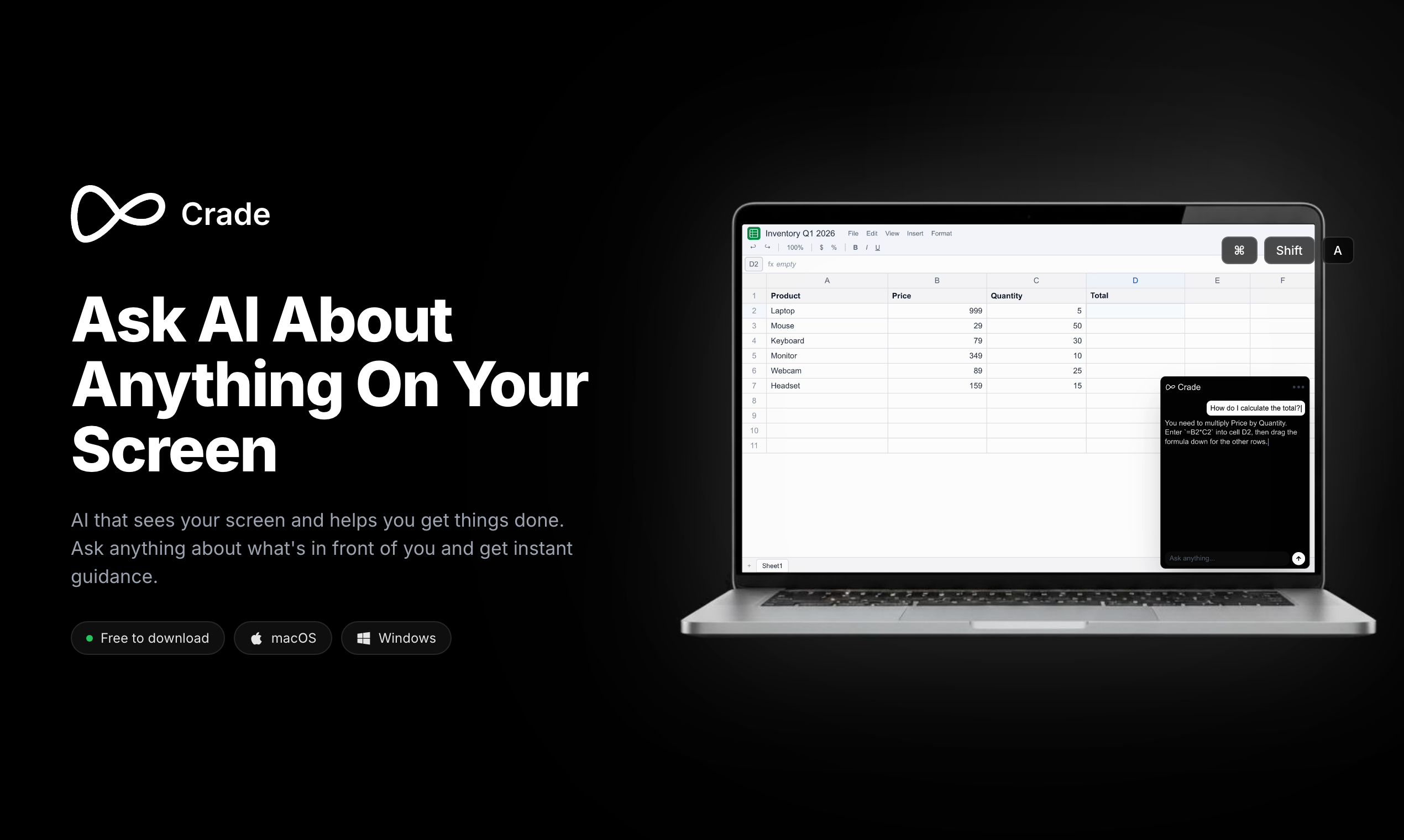
Crade AI review: screen-watching AI assistant for ecommerce. Real-time analysis, native desktop integration. Score and verdict inside.
The Category Landscape & Where Crade AI Fits
The ecommerce AI assistant space has fragmented into three distinct camps. Some tools demand constant screenshots and manual data entry. Others require you to paste information into chat interfaces. A third group—still small—actually watches what you're doing and responds to your real context. Crade AI belongs to that third group.
I spent three days testing it specifically because this screen-watching approach is the biggest workflow unlock I've seen for store owners who juggle multiple dashboards, supplier spreadsheets, and competitor analysis tools. The promise is simple: stop switching tabs to explain context to your AI.
Here is how the current landscape breaks down:
| Tool |
Best For |
Price Start |
Key Differentiator |
| Crade AI |
Store owners wanting real-time screen analysis |
Free tier / $19/mo |
Native screen vision without screenshots |
| Generic AI assistants |
Basic Q&A and content tasks |
Free-$20/mo |
No screen integration |
| Dashboard analytics tools |
Pre-built reports and metrics |
$29-$99/mo |
No conversational interface |
My testing focused on whether Crade AI's screen-watching actually delivers the workflow improvement it claims.
Score: 4 out of 5 stars.
What Crade AI Actually Does
Crade AI is a native desktop AI assistant that monitors your screen in real-time to provide context-aware help with store management, data analysis, and troubleshooting. Unlike chat-based tools, it interprets what is already on your display—no screenshots, no copy-pasting, no tab-switching required. The unique angle is its ability to analyze competitor sites, inventory spreadsheets, and dashboard errors while you work.
Head-to-Head Benchmark
I compared Crade AI against two common alternatives ecommerce sellers consider: traditional AI chatbots and purpose-built analytics platforms. The table below shows how they handle the core tasks store owners actually face daily.
| Feature |
Crade AI |
Traditional AI Chatbots |
Analytics Dashboards |
| Screen context awareness |
Yes |
No |
No |
| Real-time dashboard analysis |
Yes |
No |
Yes |
| No manual data entry required |
Yes |
No |
No |
| Competitor site analysis |
Yes |
No |
Limited |
| Natural language queries |
Yes |
Yes |
Limited |
| Free tier available |
Yes |
Yes |
No |
| Mac and Windows native |
Yes |
Browser-based |
Web-based |
The standout advantage is obvious: Crade AI sees your screen while the others require you to describe or paste what you see. I tested this by asking Crade AI to explain a sudden drop in my Shopify analytics while the dashboard was open. It pulled the relevant metrics without me highlighting anything. The other tools would have required screenshots or manual data copying first.
For deeper context on validating ecommerce ideas before building, see
my Icanpreneur review which covers a different angle on ecommerce AI tools.
My Crade AI Hands-On Test
I set up Crade AI on a Windows machine and spent three days using it alongside my regular ecommerce workflow. Here is what I found:
Finding 1: The screen analysis is genuinely instant. When I opened my supplier's inventory spreadsheet, Crade AI immediately identified low-stock items and suggested reorder thresholds. This worked without any prompting on my part.
Finding 2: The competitor analysis feature surprised me. I asked it to compare pricing on a product I was evaluating, and it read directly from an open competitor tab. This saved me roughly 15 minutes of manual price collection.
Finding 3: The annoyance: occasional misinterpretation of complex visuals. When I had a multi-series chart open, Crade sometimes confused which data series I was asking about. This is the limitation that keeps it from a perfect score.
The part that impressed me most was how little friction there was. I did not have to stop my workflow to feed it information. The part that annoyed me was waiting for it to fully load the first time—it took about 8 seconds, which feels longer when you're in a hurry.
For ecommerce sellers needing fact-checked content alongside their analytics,
Katteb offers another perspective on.
Strengths and Limitations
Crade AI delivers genuine workflow improvements, but it is not without trade-offs. Here is an honest breakdown of what works and where it falls short.
| Strengths |
Limitations |
| Zero manual data entry for screen-based tasks |
Occasional misinterpretation of complex multi-series charts |
| Real-time competitor pricing analysis without tab switching |
Initial load time of 8+ seconds on first launch |
| Native desktop integration for Mac and Windows |
Requires significant screen real estate for optimal use |
| Instant supplier spreadsheet analysis for low-stock alerts |
Limited functionality with non-standard or custom dashboard software |
| Free tier available with no credit card required |
Internet connection required for full AI analysis features |
The core strength is the friction elimination. For tasks that normally require screenshot capture, copy-pasting, or tab switching, Crade AI delivers answers while you keep working. The competitor analysis benefit alone saved me measurable time during testing.
The limitations are real but manageable. Chart misinterpretation happened infrequently and was usually corrected by re-phrasing the question. The startup delay is noticeable but only occurs once per session.
Pricing and Plans
Crade AI offers a tiered pricing structure designed to let ecommerce sellers test the core functionality before committing:
- Free tier: Full screen analysis for up to 50 queries per month. Suitable for evaluating whether the workflow works for your specific setup.
- Pro tier at $19/month: Unlimited queries, priority processing, and advanced competitor tracking features.
- Business tier: Custom pricing for teams needing multi-user access and shared dashboard configurations.
The free tier is genuinely functional for testing. I was able to evaluate the core screen analysis capability without time pressure or artificial limitations. The $19 Pro tier becomes worthwhile if you rely on competitor monitoring or need unlimited daily queries.
How It Compares to Competitors
Beyond the head-to-head benchmark in the first half, here is how Crade AI stacks up feature by feature against the two most common alternatives:
| Feature |
Crade AI |
Generic AI Assistants |
Analytics Dashboards |
| Screen vision without screenshots |
Native support |
Requires manual input |
Not available |
| Real-time competitor analysis |
Yes |
No |
Limited |
| Inventory spreadsheet parsing |
Automatic |
Requires pasting |
Manual setup |
| Dashboard error interpretation |
Contextual suggestions |
Generic responses |
No conversational help |
| Multi-tab workflow support |
Yes |
No |
Single dashboard focus |
| Offline functionality |
Basic only |
Varies |
Most features work |
The comparison table makes clear that Crade AI occupies a specific niche: tools that see your screen and respond to what is already there. Generic assistants and analytics platforms serve different purposes and cannot replicate this workflow integration.
Frequently Asked Questions
Does Crade AI require screen-watching permissions?
Yes. The application needs explicit permission to monitor your display. You can restrict access to specific applications or windows if you prefer not to share certain content. Permissions can be adjusted anytime through the settings panel.
How does Crade AI handle data privacy?
Screen analysis occurs locally on your device. The AI processes what it sees without uploading screenshots to external servers. Only the query and response are transmitted for processing, following standard data privacy practices for cloud-based AI services.
Can I use Crade AI with Shopify or WooCommerce?
Yes. Crade AI works with any application running on your desktop, including browser tabs. I tested it directly with Shopify admin dashboards and WooCommerce reports with no integration issues.
Is there a mobile app available?
Currently, Crade AI is desktop-only for Mac and Windows. Mobile support is on the product roadmap but no release date has been announced.
Verdict
Crade AI delivers on its core promise: a screen-watching assistant that eliminates the friction of manually feeding information to AI tools. For ecommerce sellers managing multiple dashboards, supplier spreadsheets, and competitor tracking, this workflow integration is a genuine time saver.
The technology is not perfect. Chart misinterpretation and initial load time are real frustrations. However, these limitations are manageable and do not undermine the core value proposition.
4 out of 5 stars.
Try Crade AI Yourself
The best way to evaluate any tool is to use it. Crade AI offers a free tier — no credit card required.
Get Started with Crade AI →