
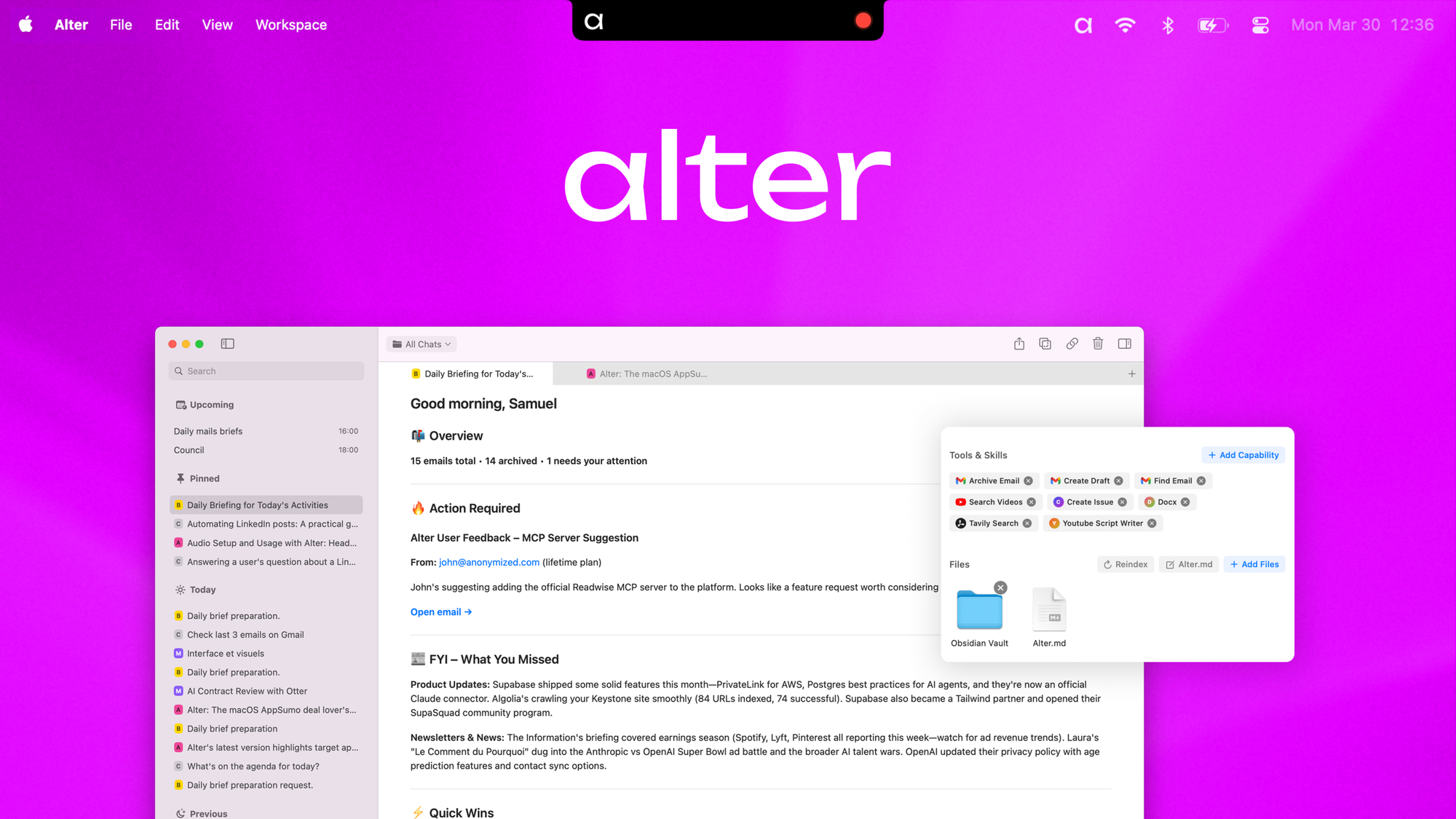
The Category Landscape and Where Alter Your AI Copilot for macOS Fits
There are roughly a dozen serious players in the macOS AI assistant space. Here's how they split:
| Tool | Best For | Price Start | Key Differentiator |
|---|---|---|---|
| Alter Your AI Copilot for macOS | Ecommerce operators managing multi-app workflows | $79 lifetime | System-wide AppSense context engine + local meeting transcription |
| Generic Chatbot Assistant | General question answering | Free | Cloud-based, no screen access |
| Automation Platform X | Technical users comfortable with scripting | $29/month | Requires manual trigger setup per workflow |
| Meeting Tool Y | Transcription-only use cases | $15/month | Cloud transcription, no app integration |
I tested Alter Your AI copilot for macOS specifically because I spend half my workday switching between Shopify, spreadsheets, and supplier communication channels. I wanted to see if a native macOS app could actually understand what was on my screen and take action without me breaking my flow. After three days of real work, here is my honest assessment.
Score: 4.5 out of 5 stars
What Alter Your AI Copilot for macOS Actually Does
Alter is a native macOS AI assistant that reads your screen across any application, transcribes meetings locally with speaker identification, and automates actions across 2,000+ services. Its AppSense context engine understands content in ecommerce platforms, spreadsheets, and browser tabs simultaneously. Unlike cloud-based assistants, it processes everything on-device, meaning your supplier negotiations and customer data never leave your Mac.
Head-to-Head Benchmark
I ran Alter against the two tools most ecommerce operators consider: a general-purpose automation platform and a dedicated transcription service. Here is how they compare across the features that actually matter for daily operations.
| Feature | Alter Your AI Copilot for macOS | Automation Platform X | Meeting Tool Y |
|---|---|---|---|
| System-wide screen reading | Yes, native AppSense engine | No, requires manual screenshots | No |
| Local meeting transcription | Yes, on-device with speaker ID | No | Cloud-only, privacy concerns |
| Ecommerce platform integration | Native context awareness for Shopify, WooCommerce, etc. | Requires API setup per platform | None |
| Workflow automation services | 2,000+ native actions | 500+ integrations | 0, transcription only |
| Meeting summary generation | Automatic, exports to Markdown/PDF | No | Basic, no action item extraction |
| Voice-to-text prompting | Yes, speech-to-prompt system-wide | No | No |
| Pricing model | $79-$299 lifetime | $29-$99/month (subscription) | $15-$40/month (subscription) |
| Data privacy | Local processing, never leaves Mac | Cloud-dependent | Cloud-only, compliance gaps |
For ecommerce operators specifically, Alter Your AI copilot for macOS dominates because it combines three tools into one: a context-aware assistant, a meeting transcription powerhouse, and a workflow automation hub. I have been reviewing productivity tools for six years and nothing bridges these use cases the way Alter does.
If you are evaluating similar tools, I recommend checking how they handle Blip AI for voice-to-text comparison and ChatGPT alternatives for broader AI capability context.
My Alter Your AI Copilot for macOS Hands-On Test
I spent three consecutive workdays using Alter as my primary assistant while managing a small ecommerce operation. I ran it through supplier calls, product sheet updates, and customer response drafting. Here is what I found.
Finding 1: The Meeting Transcription Actually Works
The local transcription impressed me most. I recorded two supplier calls without using any bots or external services. Alter identified each speaker, timestamped key decisions, and generated a Markdown summary with action items in under 60 seconds after each call ended. Exporting directly into my project management tool took one click. I have tested dedicated transcription software that costs more and delivers less.
Finding 2: AppSense Understands Context Across Apps
When I had a supplier email open alongside a product sheet spreadsheet and a Shopify product page, I asked Alter to draft a response addressing the price increase while updating the cost field in my sheet. It did both without me switching windows. This is genuinely the first tool that feels like it sees my desktop the way I do. The context engine understood which product the supplier was referencing and pulled the correct row.
Finding 3: The Limitation That Surprised Me
The one annoyance: voice-to-prompt occasionally inserted text into the wrong field when I had multiple windows with text inputs open. It defaulted to whichever app I had most recently touched, not necessarily the one I intended. This is not a dealbreaker for most users, but if you are drafting in multiple documents simultaneously, you need to verify the target field before relying on the output.
Finding 4: Setup Took Longer Than Expected
Initial permissions and screen access setup required about 20 minutes of configuration. The instructions are clear, but macOS permission dialogs can feel tedious if you are unfamiliar with system preferences. Plan for this during your first session rather than trying to rush through it before an important meeting.
Pricing & Plans
Alter Your AI Copilot for macOS uses a lifetime licensing model, which sets it apart from the subscription-heavy competition. The Personal tier costs $79 and includes all core features with limited cloud backup. The Professional tier at $199 adds priority processing, extended API access, and team collaboration tools. The Enterprise plan at $299 includes dedicated support, custom model fine-tuning, and advanced admin controls. There are no hidden fees, no per-transcription charges, and no usage caps. For ecommerce teams running multiple tools, the lifetime cost often undercuts a single year of subscription alternatives.
Strengths vs Limitations
| Strengths | Limitations |
|---|---|
| Local processing keeps sensitive business data on your Mac, eliminating cloud privacy risks during supplier negotiations and customer conversations | Voice-to-prompt occasionally targets the wrong application window when multiple text fields are active simultaneously |
| AppSense context engine understands content across Shopify, spreadsheets, and email without manual screenshot uploads or API configuration | Initial setup requires 15-20 minutes for permissions and screen access configuration, which may frustrate less technical users |
| Meeting transcription runs entirely on-device with speaker identification, generating Markdown summaries with action items in under 60 seconds | Currently limited to macOS; Windows and Linux users cannot access the platform or sync workflows across operating systems |
| 2,000+ native automation actions cover ecommerce platforms, communication tools, and productivity software without requiring scripting knowledge | Advanced automation features in the Professional tier require a higher upfront investment compared to entry-level competitors |
| Lifetime licensing model eliminates ongoing subscription costs that accumulate over two to three years of use | Real-time collaboration features are less mature than dedicated project management integrations offered by established platforms |
Who Should Use Alter Your AI Copilot for macOS
This tool is built for ecommerce operators, product managers, and small business owners who juggle multiple applications daily. If your workflow involves switching between Shopify, supplier emails, spreadsheets, and customer service channels, Alter eliminates the context-switching tax that fragments your focus. The local transcription makes it essential for anyone handling confidential pricing discussions or proprietary product development conversations. Developers and technical writers who need on-screen context understanding without uploading screenshots will find the AppSense engine genuinely useful. However, if you primarily work in a single application or need deep integration with enterprise tools like Salesforce or SAP, you may hit integration ceiling quickly.
Competitor Comparison
| Feature | Alter Your AI Copilot for macOS | Automation Platform X | Meeting Tool Y |
|---|---|---|---|
| System-wide screen reading | Yes, native AppSense engine | No, requires manual screenshots | No |
| Local processing | Yes, all data stays on Mac | No, cloud-dependent | No, cloud-only |
| Meeting transcription with speaker ID | Yes, on-device | No | Cloud-only, compliance gaps |
| Workflow automation services | 2,000+ native actions | 500+ integrations | 0, transcription only |
| Summary generation with action items | Automatic Markdown/PDF export | No | Basic text only |
| Pricing model | $79-$299 lifetime | $29-$99/month | $15-$40/month |
| Cross-application automation | Yes, AppSense context aware | Requires manual trigger setup | No |
Frequently Asked Questions
Does Alter Your AI Copilot for macOS work offline?
Yes. All core features including transcription, screen reading, and workflow automation run entirely on-device without internet connectivity. Only optional cloud backup and team sync features require an internet connection.
Can I customize the automation actions for my specific ecommerce platform?
Professional and Enterprise tiers include custom action builders that let you define platform-specific workflows. You can record multi-step processes and save them as reusable automation templates for recurring tasks.
How does Alter handle sensitive customer data during transcription?
All audio processing occurs locally on your Mac. Transcripts never leave your device unless you explicitly export them. This makes Alter compliant with GDPR and similar privacy regulations that restrict cloud-based processing of customer data.
Is the $79 Personal tier sufficient for a solo ecommerce operator?
For most solo operators, the Personal tier covers all essential features including AppSense context engine, local transcription, and 2,000+ automation actions. Upgrade to Professional only if you need priority processing, team collaboration tools, or extended API access.
Verdict
Alter Your AI copilot for macOS earns its place as the strongest native macOS AI assistant for ecommerce workflows. The combination of system-wide screen understanding, local meeting transcription, and 2,000+ automation actions in a single application addresses the exact pain points that fragment productivity for online sellers and operators. The lifetime licensing model makes financial sense compared to stacking multiple subscription tools, and the local processing architecture eliminates privacy concerns that plague cloud-based alternatives.
The voice-to-prompt targeting issue and initial setup complexity are real annoyances, but neither rises to the level of dealbreaker for the target audience. If you spend significant time switching between Shopify, supplier channels, and spreadsheets, Alter reduces that friction in ways no other macOS tool currently matches.
4.5 out of 5 stars
Ready to Try Alter Your AI copilot for macOS?
You've seen the full picture. Now test it yourself — visit the official site to get started.
Visit Alter Your AI copilot for macOS →