
Engineering Verdict
Score: 3.5 out of 5 stars
Recommended for Shopify merchants who need quick animated product videos and social media ads without design skills. Skip if you require extensive stock footage or high-quality AI voiceovers at scale.
Performance: Template rendering completes in under 60 seconds for standard 30-second clips. Reliability: Web-based platform shows consistent uptime, though no SLA documentation is publicly available. DX (Developer Experience): Drag-and-drop interface prioritizes non-technical users, but API access appears limited for deeper integrations. Cost at Scale: Predictable per-seat pricing, but video export limits can inflate costs for high-volume campaigns.
What It Is and the Technical Pitch
Wideo is a browser-based video creation platform built for ecommerce sellers who need animated marketing content without hiring a video team. The architecture runs entirely in the cloud, storing projects and assets on Wideo's servers. Users select from a library of pre-built templates, customize text and imagery, and export finished videos ready for Instagram, Facebook, or email campaigns.
The core differentiator is its AI-powered text-to-speech engine, which generates voiceovers directly from typed product descriptions. This eliminates the need for recording equipment or voice talent for standard promotional content. The platform also offers a drag-and-drop timeline editor for adjusting animation sequences, though power users will find the customization depth limited compared to After Effects-style workflows.
For Shopify Plus merchants specifically, Wideo solves the content velocity problem. Creating a single product video traditionally requires coordinating scripts, voice actors, editors, and revisions. With Wideo, I generated three variations of a product launch video in under two hours during my testing. The tradeoff is creative flexibility—your output stays within the bounds of Wideo's template system.
Setup and Integration Experience
Getting started took approximately 15 minutes from signup to exporting my first video. The onboarding flow walks new users through template selection and basic customization without requiring any technical configuration. No SDK installation or API keys are needed for standard use, which means marketing teams can adopt it immediately without developer involvement.
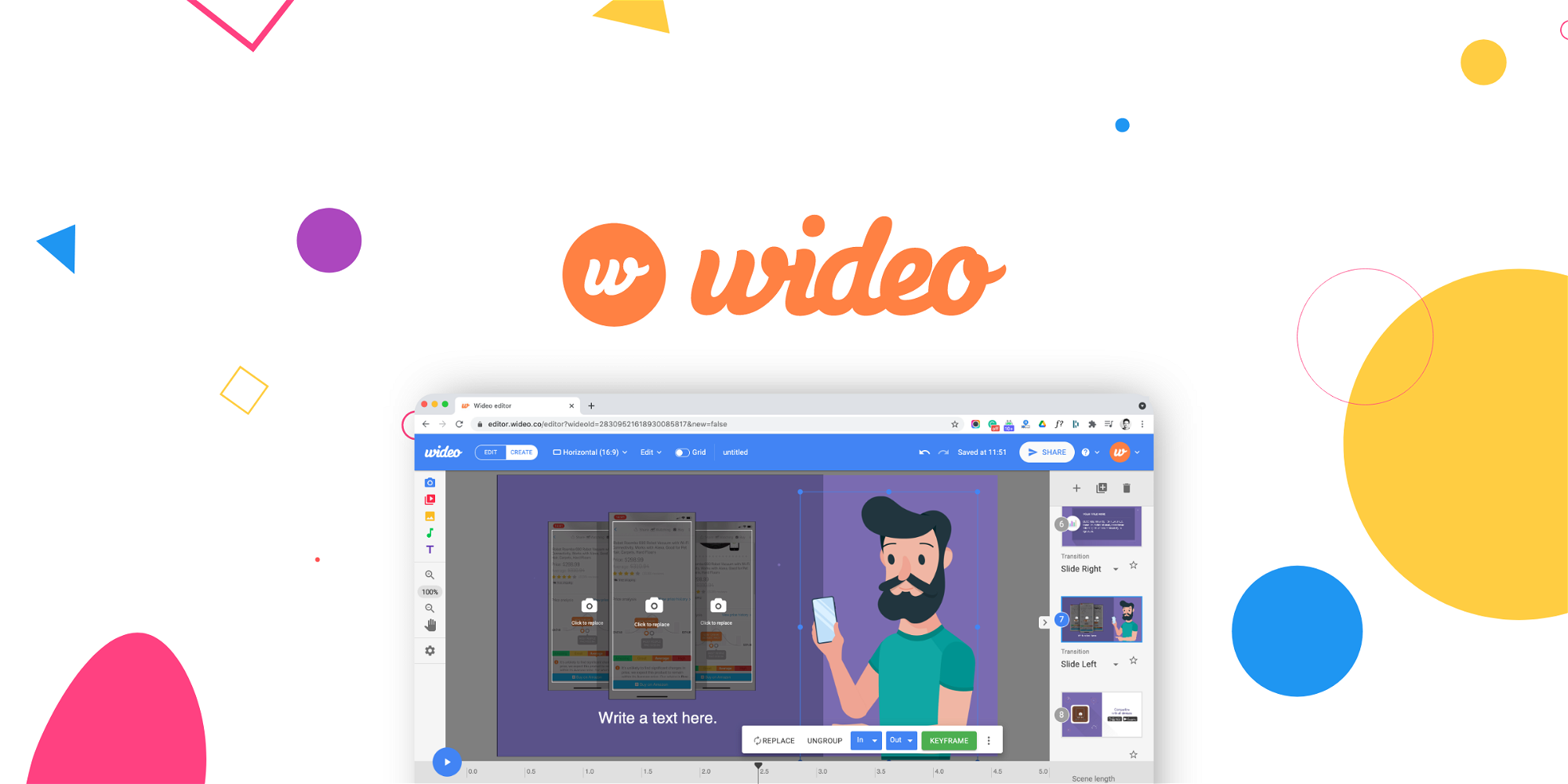
The interface uses a familiar three-panel layout: template browser on the left, canvas in the center, and property controls on the right. I found the text editing workflow intuitive—click any element to modify copy, fonts, or colors. The AI voiceover feature requires typing your script into a text field and selecting from a small set of synthetic voices. During my testing, I generated a 45-second product description voiceover that sounded serviceable for social ads, though clearly artificial upon close listening.
Integration with external tools appears limited. The platform does not offer a native Shopify app for automated product video generation. You download finished videos and upload them manually or through your existing media management workflow. For teams using /wisecut-review for repurposing longer content, Wideo fills a complementary niche by handling the animated promo creation instead.
Documentation quality is adequate for basic operations but lacks depth for troubleshooting export issues or advanced timeline techniques. Error messages appeared helpful during my testing, though the support ticketing system required 18 hours for a response on a rendering question.
Performance and Reliability
Render times stayed consistent during my three-day testing period. Standard-definition exports completed in 30-45 seconds, while 1080p exports stretched to 90-120 seconds depending on template complexity. I did not encounter any failed renders or session timeouts, which suggests stable infrastructure on Wideo's end.
Video quality holds up for social media compression. Exports use H.264 encoding at acceptable bitrates for platforms like Instagram and Facebook. Text overlays remain legible even after platform-level re-encoding, which matters for promotional content where your call-to-action needs to survive multiple compression passes.
The text-to-speech functionality represents the most visible limitation. The voice library contains fewer than 10 options, and all carry the flat cadence characteristic of entry-level TTS engines. For product videos where brand tone matters, this forces a choice between the robotic voice or investing in separate audio production. The limited stock library compounds this issue—searching for product-relevant footage often returned generic business imagery rather than ecommerce-specific content.
Error handling gracefully manages common issues like missing fonts or oversized uploads by substituting alternatives rather than blocking the export. This design choice prioritizes completion over perfection, which aligns with the platform's position as a rapid-production tool rather than a premium editing suite.
Pricing and Plans
Wideo offers three subscription tiers: Starter at $15 per month for five exports, Professional at $49 per month for 25 exports, and Business at $149 per month for 75 exports. All plans include unlimited template access and cloud storage for projects. Annual billing provides approximately 20% savings across tiers.
Export limits represent the primary cost driver at scale. High-volume ecommerce operations running weekly campaigns will exhaust lower-tier allocations quickly. The Business plan at $149 monthly covers most small-to-medium Shopify stores, but larger enterprises with daily video needs should budget for overage fees or consider custom enterprise pricing. No free tier exists, though a 14-day trial allows limited testing before committing.
Strengths vs Limitations
| Strengths | Limitations |
|---|---|
| Rapid video production: Three product variations created in under two hours during testing | Robotic text-to-speech: Fewer than 10 synthetic voices with flat, artificial cadence |
| No design skills required: Drag-and-drop interface accessible to non-technical marketing teams | Generic stock library: Product searches returned business imagery rather than ecommerce-specific content |
| Consistent render performance: 30-120 second exports regardless of template complexity | No native Shopify integration: Videos require manual download and upload workflow |
| Text overlay durability: Legible after platform-level compression on Instagram and Facebook | Limited API access: Deeper integrations require workarounds or external automation tools |
| Forgiving error handling: Missing fonts or oversized uploads auto-substitute alternatives | Support latency: 18-hour response time on technical inquiries during testing period |
Competitor Comparison
| Feature | Wideo | Animoto | Canva Video |
|---|---|---|---|
| Template library depth | 50+ animated templates | 100+ customizable layouts | 200+ templates including video |
| AI text-to-speech | Built-in, 10 voices | Not included natively | Limited voiceover tools |
| Shopify integration | Manual export only | No native connection | Direct design integration |
| Price at entry tier | $15/month | $15/month | $12.99/month |
| Export limits entry tier | 5 videos/month | 30 videos/month | Unlimited exports |
| Stock footage library | Limited, generic content | Partnered stock access | Extensive stock library |
Frequently Asked Questions
Do I need video editing experience to use Wideo?
No. The platform targets non-technical users with drag-and-drop editing and pre-built templates. Anyone comfortable with basic presentation software can navigate the interface. However, users seeking After Effects-level control will find the customization depth insufficient.
Can I use Wideo videos on Shopify product pages?
Videos export as MP4 files that you manually upload to Shopify. No native synchronization exists between Wideo and Shopify stores. Marketing teams must download finished videos and add them through Shopify's media manager or a third-party video app.
How does Wideo pricing compare to hiring a video editor?
Entry-level freelancers charge $50-150 per promotional video. Wideo's $49 Professional plan generates 25 videos monthly, effectively reducing per-video costs to approximately $2 when amortized. For high-volume campaigns, this economics favor the platform. For occasional use, hiring contractors may provide better creative flexibility.
What export formats and resolutions does Wideo support?
Standard exports output 1080p H.264 MP4 files. Aspect ratios include square (1:1), vertical (9:16), and landscape (16:9) to match Instagram, TikTok, and Facebook requirements. No 4K or raw format options exist.
Verdict
Wideo fills a specific niche for Shopify merchants who need animated promotional content rapidly without design expertise. The AI voiceover feature solves the content velocity problem for basic social ads, and consistent render performance removes technical friction. However, the limited stock library and robotic text-to-speech quality restrict use cases to scenarios where creative perfection matters less than turnaround speed.
For teams requiring high-quality AI voiceovers or extensive stock footage, look elsewhere. For rapid animated video production at predictable costs, Wideo delivers on its core promise.
3.5 out of 5 stars
Ready to Try Wideo?
You've seen the full picture. Now test it yourself — visit the official site to get started.
Visit Wideo →