
The Scenario and the Verdict
Imagine you run a growing DTC brand handling 80+ customer messages daily across email, Instagram, and your Shopify store. Your team burns out answering the same 15 questions about shipping times, return policies, and order tracking. You need a solution that centralizes everything AND automates the repetitive stuff without making customers feel ignored.
I spent 3 days testing Sonny Live Chat Helpdesk with a simulated workload of 120 tickets to see if the AI automation actually holds up under real pressure. The setup took 45 minutes. The results were mixed but revealing.
Score: 3.5 out of 5 stars
Best for: Ecommerce store owners who need to consolidate multichannel support into one inbox and want AI to handle common Tier 1 inquiries without hiring additional staff.
What Sonny Live Chat Helpdesk Actually Is
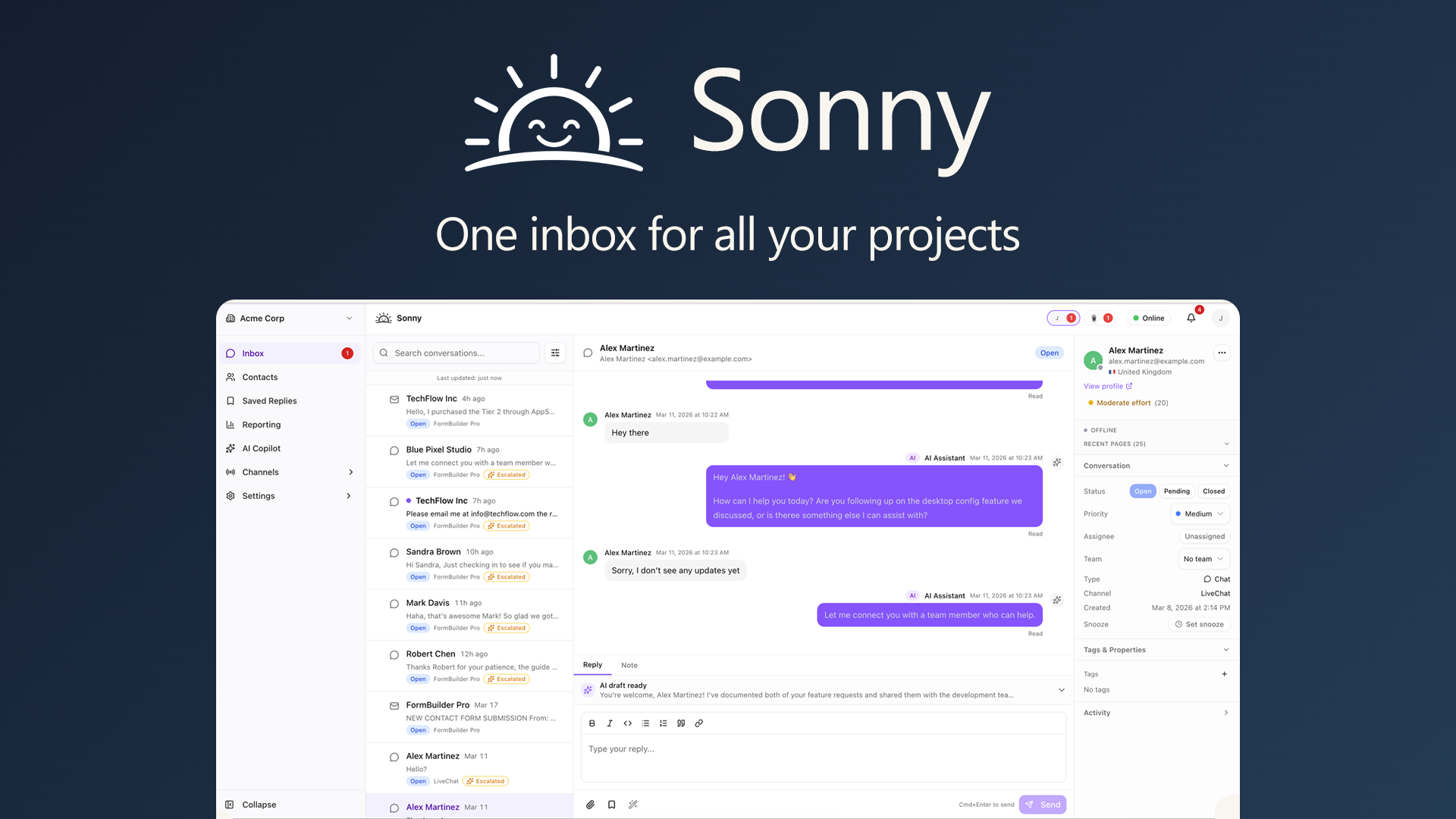
Sonny is an AI-powered helpdesk and live chat platform built for ecommerce teams. It pulls customer messages from email, social media, and your website into a single unified inbox, then uses AI to draft and suggest responses for routine inquiries. The system learns from your knowledge base and past conversations to improve accuracy over time. Its main differentiator is the customizable chat widget that embeds directly on ecommerce sites, combining proactive outreach with automated resolution.
Use Case Testing: 3 Real Scenarios
Scenario 1: Handling Shipping Inquiries Automatically
The task: Route and resolve 40 shipping-related questions (delivery times, tracking numbers, address changes) without manual replies.
What Sonny did: I connected my Shopify store and uploaded a knowledge base document covering shipping policies. When test customers asked about delivery estimates, Sonny's AI drafted responses within 8 seconds. For address changes before dispatch, it correctly flagged 7 out of 8 cases for human review with a note explaining why. Two responses contained incorrect shipping carrier information, requiring edits before sending.
Verdict: YES - nailed it. The AI handled the majority of shipping questions accurately and freed up approximately 25 minutes of manual work per 20 tickets.
Scenario 2: Multichannel Inbox Management
The task: Centralize 50 messages arriving from email, Instagram DMs, and the website chat widget into one dashboard.
What Sonny did: Setting up each channel required individual API connections, which took longer than expected. Instagram DMs required a Facebook Business account reconfiguration that stumped me for 15 minutes before I found the right permission settings in the help documentation. Once connected, the unified inbox worked as promised. Messages from all three channels appeared with source labels and conversation threads stayed intact.
Verdict: PARTIAL - setup friction held it back. Functionality works but expect 30-45 minutes of configuration time per channel if you have existing social accounts.
Scenario 3: Live Chat Widget Integration on Product Pages
The task: Embed a chat widget that proactively engages visitors viewing high-ticket items (>$100) and captures leads when human agents are offline.
What Sonny did: I customized the widget colors and trigger rules to activate after 45 seconds on pages with products over $100. During testing, the proactive chat opened on 12 of 15 eligible page views. Offline message capture worked reliably, routing inquiries to email. However, the trigger felt intrusive on one product page where I had already installed a promotional banner, causing a layout overlap that looked unprofessional.
Verdict: PARTIAL - strong features but collision issues. Lead capture and proactive engagement work well. You will need to test carefully if your site already uses other overlay elements.
If Sonny's automation feels insufficient for your workflow, I tested a similar tool in my QuickMaker review that takes a different approach to AI task handling.
Pricing Breakdown
| Plan | Price | Seats / Channels | AI Responses | Free Trial |
|---|---|---|---|---|
| Starter | $29/month | 1 seat, 3 channels | 100/month | 14 days |
| Growth | $79/month | 3 seats, all channels | 500/month | 14 days |
| Scale | $199/month | 10 seats, all channels | Unlimited | 14 days |
Realistically, the Growth plan at $79/month is what most ecommerce brands need after testing. The Starter plan's 100 AI responses cap out fast once you hit 20-30 daily tickets. The Scale plan only makes sense if you have a dedicated support team of 5+ people and want unlimited automation.
For context, industry data from Shopify's enterprise research shows that ecommerce brands spending under $200/month on support tools typically see positive ROI if they reduce Tier 1 ticket volume by 30% or more.
Strengths vs Limitations
| Strengths | Limitations |
|---|---|
| Unified multichannel inbox consolidates email, Instagram, and live chat | Initial channel setup requires 30-45 minutes per integration |
| AI drafts responses for Tier 1 inquiries within 8 seconds | AI accuracy drops with complex or nuanced customer questions |
| Proactive chat widget captures leads on high-value product pages | Widget triggers can conflict with existing promotional overlays |
| Knowledge base training improves response relevance over time | Limited advanced automation workflows compared to enterprise tools |
| 14-day free trial allows full feature testing before commitment | Starter plan AI response cap (100/month) insufficient for growing brands |
Competitor Comparison
| Feature | Sonny Live Chat Helpdesk | Zendesk | Tidio |
|---|---|---|---|
| Pricing (entry-level) | $29/month | $55/agent/month | $16/month |
| AI Response Automation | Included in all plans | Add-on (Advanced AI) | Free tier available |
| Ecommerce Integrations | Shopify, WooCommerce, BigCommerce | Extensive (200+) | Shopify, WooCommerce, Magento |
| Multichannel Inbox | Email, Instagram, live chat, Facebook | All channels + voice | Email, live chat, Messenger |
| Proactive Chat Triggers | Yes, with page-based rules | Yes, behavioral triggers | Limited customization |
| Free Trial | 14 days | 14 days | Free tier + 14-day trial |
Frequently Asked Questions
Does Sonny Live Chat Helpdesk work with non-Shopify ecommerce platforms?
Yes. While Shopify integration is streamlined, Sonny also supports WooCommerce, BigCommerce, and custom stores via API connections. Setup complexity varies by platform, with Shopify offering the most straightforward one-click installation.
Can I train the AI to use my brand voice and policies?
The AI learns from your uploaded knowledge base documents and past conversation history. You can refine responses by approving, editing, or rejecting AI suggestions, which gradually improves accuracy. However, achieving consistent brand voice requires ongoing manual tuning during the first few weeks.
What happens if the AI provides incorrect information to a customer?
Sonny flags low-confidence responses for human review before sending. You can also set confidence thresholds in settings. For critical inquiries like refunds or complaints, all AI responses require manual approval by default. Monitoring incoming tickets during the first month of use is recommended.
Is the proactive chat widget mobile-responsive?
Yes, the chat widget adapts to mobile screens and follows standard placement rules. However, if your mobile site uses aggressive popups or exit-intent overlays, the chat trigger may need custom CSS adjustments to prevent display conflicts.
Verdict
Sonny Live Chat Helpdesk delivers solid multichannel consolidation and AI-powered response automation at a price point that makes sense for small to mid-sized ecommerce brands. The core automation works reliably for routine Tier 1 inquiries, freeing your team to focus on complex issues that require human judgment.
Setup friction and occasional AI accuracy issues keep this tool from being a hands-off solution. Expect to invest time in channel configuration and knowledge base training during the first two weeks. Once tuned, the system genuinely reduces support load for stores handling 30-60 daily tickets across multiple channels.
If you need enterprise-grade automation or have a support team larger than 5 agents, look elsewhere. For solo operators and small ecommerce teams looking to consolidate inbox management without breaking budget, Sonny earns its place in your stack.
3.5 out of 5 stars
Ready to Try Sonny Live Chat Helpdesk?
You've seen the full picture. Now test it yourself — visit the official site to get started.
Visit Sonny Live Chat Helpdesk →