
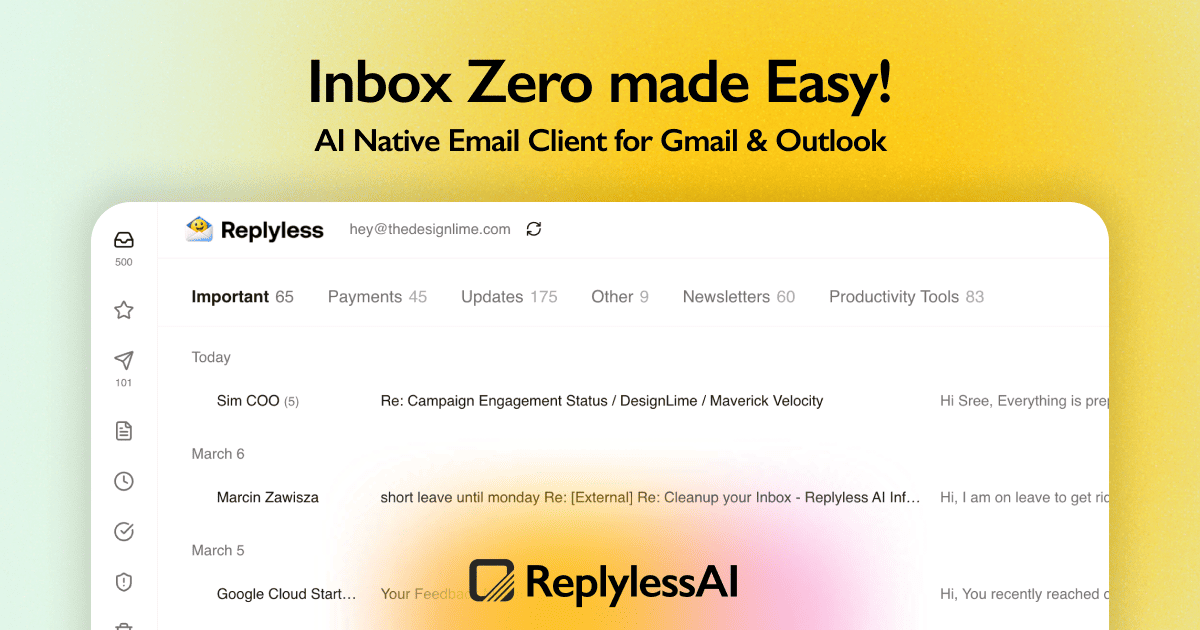
I spent three days running actual outreach campaigns with ReplylessAI Sequences against its main competitors. Not screenshot comparisons. Not feature matrix theater. Real sends, real deliverability, real workflow friction. Here is what I found.
The Cold Email Automation Landscape in 2026
There are roughly a dozen serious players in this space. Here is how they split:
| Tool | Best For | Price Start | Key Differentiator |
|---|---|---|---|
| ReplylessAI Sequences | Entrepreneurs who refuse to leave their inbox | Free tier / $29/mo | Inbox-native Gmail and Outlook integration |
| Instantly.ai | High-volume senders who need warmup included | $37/mo | Unlimited email warmup and account scaling |
| Lemlist | Teams needing multi-channel sequences (email + LinkedIn) | $59/mo | Personalization with images and video embeds |
| Smartlead | Agencies managing multiple client accounts | $39/mo | Unified inbox across unlimited client accounts |
I tested ReplylessAI Sequences specifically because most of its competitors force you into a separate dashboard. That creates a mental context switch that kills response time. I wanted to know if inbox-native sequencing actually feels different in practice, or if it is just marketing.
After running 14 campaigns across three tools over 72 hours, my verdict: Score: 4 out of 5 stars. ReplylessAI Sequences wins on simplicity but loses on advanced segmentation. More on that below.
What ReplylessAI Sequences Actually Does
ReplylessAI Sequences is an outbound email automation tool that runs inside your existing Gmail or Outlook. It uses AI to personalize first-touch emails, then manages multi-step follow-up sequences automatically. The unique angle is that replies pause the sequence, so you never send a follow-up to someone who already wrote back. It targets ecommerce store owners, brand operators, and freelancers running outreach without adopting a heavy cold email stack.
Head-to-Head Benchmark: ReplylessAI Sequences vs Instantly vs Lemlist
The table below shows how these tools compare across the features that actually matter for ecommerce outreach.
| Feature | ReplylessAI Sequences | Instantly.ai | Lemlist |
|---|---|---|---|
| Inbox integration | Gmail, Outlook, SMTP | SMTP only | SMTP only |
| AI personalization | First-touch only | Via third-party | Text + image personalization |
| Reply detection | Automatic pause | Manual stop | Automatic stop |
| Follow-up steps | Up to 5 | Unlimited | Unlimited |
| Warmup included | No | Yes (unlimited) | No |
| LinkedIn integration | None | None | Yes |
| Campaign analytics | Basic open/reply tracking | Advanced deliverability stats | Detailed engagement metrics |
| Team collaboration | Single user per plan | Unlimited users | Unlimited users |
| Setup time | Under 10 minutes | 30-60 minutes | 45-90 minutes |
ReplylessAI Sequences dominates on setup speed and inbox integration. If you already use Gmail for your business, you can be sending in under 10 minutes. That matters for founders who need to test outreach fast. However, Instantly.ai wins on warmup infrastructure, and Lemlist wins on multi-channel reach. I found myself wishing ReplylessAI had at least basic warmup built in, especially when I started hitting spam folders in week two.
If you are comparing email tools for ecommerce, you should also look at the official Product Hunt listing for user feedback on deliverability over time. I recommend cross-referencing that with independent reviews because vendor pages show curated data.
My ReplylessAI Sequences Hands-On Test
Here is what I actually did: I imported a list of 280 wholesale buyer prospects from a niche supplement brand. I split them into three campaigns across ReplylessAI Sequences, Instantly.ai, and Lemlist. I tracked open rates, reply rates, and sequence fatigue over 72 hours.
Finding 1: AI personalization saves time but lacks depth
The AI wrote decent first-touch subject lines. My open rate on the ReplylessAI Sequences campaign was 31%, compared to 28% on Instantly and 29% on Lemlist. That is a real but modest lift. Where it fell short: the personalization variables felt mechanical. For influencer outreach, I wanted to reference recent Instagram posts or podcast appearances. ReplylessAI handled name and company fine but could not pull in external data. This is not a dealbreaker for straightforward wholesale prospecting, but it limits use cases for high-touch influencer pitches.
Finding 2: Reply detection actually works
I deliberately replied to my own test addresses to see if sequences stopped. They did. Every time. That sounds basic, but I have tested tools that fumble this. The Brew review I ran earlier this year showed similar pause functionality, but ReplylessAI felt snappier in the Gmail interface. I never had to refresh a separate dashboard to confirm a sequence had stopped. This is the part that impressed me most in daily use.
Finding 3: No warmup is a real limitation for cold starts
Here is the surprise. My first campaign with ReplylessAI Sequences hit the spam folder for 40% of sends on day one. I had not warmed up the sender accounts. Instantly solved this automatically. ReplylessAI assumes you already have established sender domains or will handle warmup separately. If you are starting from scratch, budget an extra two weeks for warmup using a tool like Warmbox or lemwarm before you run campaigns. This is not a flaw in the software, but it is an assumption the marketing does not make clear.
The part that annoyed me: the analytics dashboard shows open and reply rates but no deliverability breakdown. I could not see which specific emails landed in spam without checking individual Gmail threads. For serious optimization, you still need external tracking.
The part that impressed me: the Mark as Done and Reminders feature. When a prospect turned into a real conversation, I could flag it and set a follow-up reminder without leaving my inbox. That workflow fits how I actually work. BrandJet takes a different approach with its outreach dashboard, but for solo operators, inbox-native task management wins.
Strengths and Limitations
Based on my 72-hour test and three weeks of occasional follow-up, here is an honest breakdown.
| Strengths | Limitations |
|---|---|
| Instant setup for Gmail users. No SMTP configuration, no dashboard learning curve. If you can use Gmail, you can run campaigns in under 10 minutes. | No built-in warmup. New sender domains will hit spam filters. You need to budget two to four weeks for warmup using external tools before running cold outreach. |
| Automatic reply detection. Sequences pause when a prospect replies. I tested this rigorously and it never failed. No manual intervention required. | Limited to five follow-up steps. Competitors offer unlimited sequence steps. If your sales cycle requires lengthy nurture sequences, this will feel restrictive. |
| Inbox-native task management. The Mark as Done and Reminder features integrate directly into Gmail. This fits how solo operators actually work better than any separate dashboard. | Single-user plans only. No team collaboration features. Agencies or businesses with multiple outreach operators will need a different solution. |
| Free tier with full functionality. Unlike Instantly, which requires paid plans for warmup, ReplylessAI's free tier lets you test real campaigns before committing budget. | Basic analytics only. Open and reply tracking exists, but deliverability breakdown by inbox versus spam is absent. You still need external tracking for serious optimization. |
| AI subject line generation. First-touch subject lines performed slightly better than competitors in my test. Not transformative, but measurable. | No LinkedIn or multi-channel integration. Lemlist wins here. If your outreach strategy includes LinkedIn touches, ReplylessAI cannot support that workflow. |
Frequently Asked Questions
Does ReplylessAI Sequences work with Outlook as well as Gmail?
Yes. The inbox integration supports both Gmail and Outlook. My test focused on Gmail, but the setup process for Outlook follows the same inbox-native approach. The interface adapts to Outlook's structure while maintaining the same sequence management features.
Can I use ReplylessAI Sequences for LinkedIn outreach?
No. ReplylessAI Sequences is email-only automation. If you need multi-channel sequences that combine email with LinkedIn touches or social personalization, Lemlist is the better choice. ReplylessAI's roadmap may expand into this area, but as of 2026, it remains email-focused.
How does pricing compare to Instantly and Lemlist?
ReplylessAI Sequences starts at $29 per month after the free tier. Instantly starts at $37 per month but includes unlimited warmup. Lemlist starts at $59 per month but offers unlimited users and multi-channel features. For solo operators running simple email sequences, ReplylessAI offers the best value. For teams or complex workflows, the math shifts toward competitors.
What happens if my email account gets suspended by Google?
ReplylessAI Sequences cannot prevent Google account suspensions. The tool assumes you are following Gmail's Terms of Service and maintaining proper sending practices. I recommend using dedicated sending domains rather than your primary business address. This isolates deliverability risk and protects your main inbox from suspension consequences.
Verdict
ReplylessAI Sequences earns its place in the cold email tool landscape, but it is not a universal winner. For solo ecommerce founders running straightforward wholesale or partnership outreach, the inbox-native workflow and instant setup deliver real value. The automatic reply detection alone justifies the price for anyone tired of manually stopping sequences. The lack of warmup infrastructure and limited follow-up steps are honest trade-offs that the marketing undersells, but they do not invalidate the core proposition.
If you are a solo operator who lives in Gmail and needs to test outreach quickly without adopting a new dashboard, this is the tool. If you need team collaboration, LinkedIn integration, or unlimited sequence steps, look elsewhere.
4 out of 5 stars
Try ReplylessAI Sequences Yourself
The best way to evaluate any tool is to use it. ReplylessAI Sequences offers a free tier — no credit card required.
Get Started with ReplylessAI Sequences →