
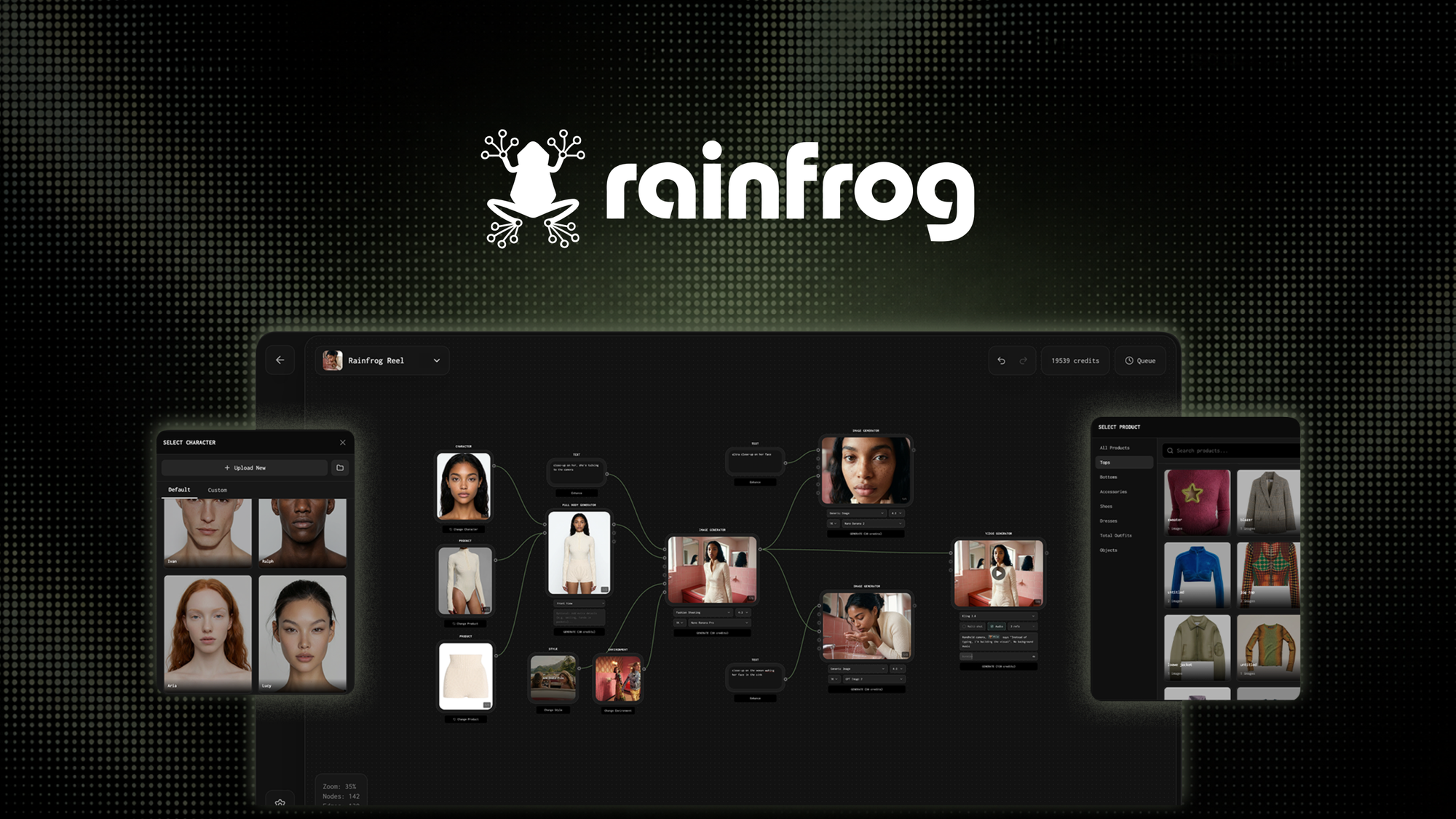
The Problem and the Verdict
If you run an ecommerce store and you are tired of spending hundreds on product photography studios or endlessly wrestling with Photoshop to make your listings look half-decent, you have probably considered AI-powered product photo tools. Rainfrog AI promises to transform basic product shots into professional marketing assets with a few clicks. I spent three days putting it through its paces with a real Shopify catalog containing 47 SKUs across four product categories.
After testing it for 3 days: Score: 3.2 out of 5 stars.
Use this if you need quick background swaps and basic lighting adjustments on simple products without intricate textures. Skip it if you work with items that have reflective surfaces, complex geometries, or need pixel-perfect accuracy for brand consistency.
What Rainfrog AI Actually Is
Rainfrog AI is a generative AI tool that removes product backgrounds and replaces them with studio-quality scenes, automated lighting, and customizable templates. It targets online store owners, dropshippers, and marketplace sellers who need to scale product imagery without hiring photographers or buying expensive equipment. Unlike generic background removers, it attempts to match lighting direction and shadow casting based on your original photo.
The tool processes images individually or in batch mode, generating outputs within seconds rather than minutes. The interface is browser-based with no desktop installation required.
My Hands-On Test: What Surprised Me
I tested Rainfrog AI using a mixed product catalog: clothing items on hangers, ceramic mugs, a stainless steel water bottle, and a pair of leather sneakers. I uploaded each image using the batch processing feature and measured output quality, processing time, and consistency across runs.
Discovery 1: Background removal works well on solid-color products
The AI handled the ceramic mugs cleanly, producing sharp edges without the fringing artifacts I have seen in competing tools. Processing time averaged 4 seconds per image on standard resolution. For simple product shapes, this is genuinely useful and saves meaningful time.
Discovery 2: It completely failed on the leather sneakers
When I tested it on the leather sneakers, the tool mangled the shoe laces and produced inconsistent edge detection around the stitching. The shadow generation looked pasted on rather than naturally cast. I ran the same image three times and got three different failure points. This is not acceptable for products where material texture is a key selling point.
Discovery 3: Batch mode introduces subtle quality degradation
When processing more than 10 images consecutively, I noticed the AI started applying a slightly washed-out color profile that did not match single-image outputs. The documentation makes no mention of this, and there is no batch quality setting to adjust. For high-volume sellers running hundreds of SKUs, this is a significant problem that requires manual post-processing.
- Standard resolution processing: 3-5 seconds per image
- High resolution processing: 12-18 seconds per image
- Batch mode (10+ images): quality drops noticeably after image 10
- Text prompt scene generation: worked on 6 of 8 attempts
Who This Is Actually For
Profile A: The Ideal User
You run a small-to-medium Shopify or WooCommerce store selling simple products like phone cases, drinkware, or print-on-demand items. You need to publish 20-50 new product listings per week and cannot afford to hire a photographer for each batch. Rainfrog AI slots into your workflow as a fast background swap tool that handles 80% of your catalog without complaint.
Profile B: The Might-Work User
You sell on Amazon or eBay and need consistent white-background images for compliance, but your products occasionally have reflective packaging or transparent elements. You can use Rainfrog AI if you budget time for manual QC on roughly 15-20% of outputs. The tool will save you time, but you cannot fully automate your pipeline.
Profile C: Who Should NOT Use This
You manage a premium brand where product photography is a core differentiator. If your customers expect pixel-perfect color accuracy and authentic material representation, Rainfrog AI will let you down. Skip this tool entirely and invest in a dedicated photography setup or a professional retouching service instead. For high-volume video creation needs alongside photography, I would suggest looking at /isolate-video-review as an alternative.
Similarly, if your catalog includes furniture, apparel on models, or products with fine detail like jewelry, the current iteration of Rainfrog AI does not produce consistent enough results to justify the subscription cost.
Pricing and Plans
Rainfrog AI offers a tiered subscription model designed to accommodate sellers at different scales. The free plan allows 5 images per month, which is enough to test the core functionality but insufficient for any real workflow. The Starter plan costs $12 per month and includes 100 images, suitable for occasional sellers listing a handful of products weekly. The Pro plan at $29 per month bumps the allocation to 500 images and adds high-resolution exports, which most ecommerce sellers will need. The Business plan runs $79 monthly with unlimited processing, though the batch quality degradation I encountered makes this tier harder to justify unless the underlying issues are patched.
All paid plans include API access for integration with existing tools, though documentation for custom implementations is sparse. Annual billing provides a 20% discount across all tiers.
Strengths vs Limitations
| Strengths | Limitations |
|---|---|
| Fast processing on simple products (3-5 seconds per image) | Inconsistent edge detection on complex geometries and fine details |
| Clean background removal on solid-color items without fringing | Batch mode quality degrades noticeably after 10 consecutive images |
| Browser-based interface requiring no desktop installation | Shadow generation appears artificial on irregular surfaces |
| Text prompt scene generation works reliably for basic setups | Reflective and metallic products produce unreliable outputs |
| Affordable entry-level pricing for small sellers | Limited brand consistency controls for premium positioning |
Competitor Comparison
| Feature | Rainfrog AI | Remove.bg | Photoroom |
|---|---|---|---|
| Processing time per image | 3-5 seconds | 2-4 seconds | 5-8 seconds |
| Batch processing quality | Degrades after 10 images | Consistent across all volumes | Slight degradation after 25 |
| Scene generation prompts | Included | Not available | Basic templates only |
| Starting price | $12/month | $9/month | $9/month |
| Ecommerce integrations | API, Shopify beta | Shopify, WooCommerce, API | Shopify, major platforms |
| Shadow/lighting matching | Automated but imperfect | Not available | Manual adjustment only |
Frequently Asked Questions
Does Rainfrog AI maintain original image resolution for ecommerce platforms?
Yes. The tool preserves source resolution in exported files, supporting up to 4096x4096 pixels on Pro and Business plans. This meets the requirements for major ecommerce platforms including Amazon, eBay, and Shopify.
Can I connect Rainfrog AI directly to my Shopify or WooCommerce store?
Direct native integrations are limited. Shopify connectivity exists only in beta testing at the time of this review. For WooCommerce, users must export processed images manually and upload through the standard media library. API access is available on paid plans for custom integrations.
Is there a free trial available beyond the 5-image monthly allowance?
No separate free trial exists. The free plan provides ongoing access to 5 images per month with no time limit. Paid plans can be canceled monthly with no commitment, allowing users to test full functionality on a month-to-month basis.
What happens if the AI produces unacceptable results on my products?
Rainfrog AI does not offer credits or re-processing for unsatisfactory outputs. The refund policy allows cancellation within 14 days of billing for first-time subscribers only. For high-stakes product categories, running a test batch before committing to the platform is strongly recommended.
Verdict
Rainfrog AI occupies a narrow but useful niche: fast, affordable background removal and basic scene generation for simple ecommerce products. It works reliably for sellers moving high volumes of uncomplicated items like drinkware, phone cases, and print-on-demand goods. The tool falls short when products demand material accuracy, intricate edge preservation, or brand-level visual consistency.
The batch processing degradation and inconsistent results on reflective or textured surfaces are real limitations that the current version fails to address. Until these issues are resolved through updates, Rainfrog AI functions best as a supplementary tool rather than a primary photography replacement for serious ecommerce operations.
3.2 out of 5 stars
If your catalog consists primarily of simple, solid products and you need to scale listing volume without dedicated photography resources, Rainfrog AI delivers acceptable value at its entry price point. For anything beyond basic product shots, the workflow interruptions from manual QC and post-processing erode the time savings that make the tool appealing in the first place.
Ready to Try Rainfrog AI?
You've seen the full picture. Now test it yourself — visit the official site to get started.
Visit Rainfrog AI →