
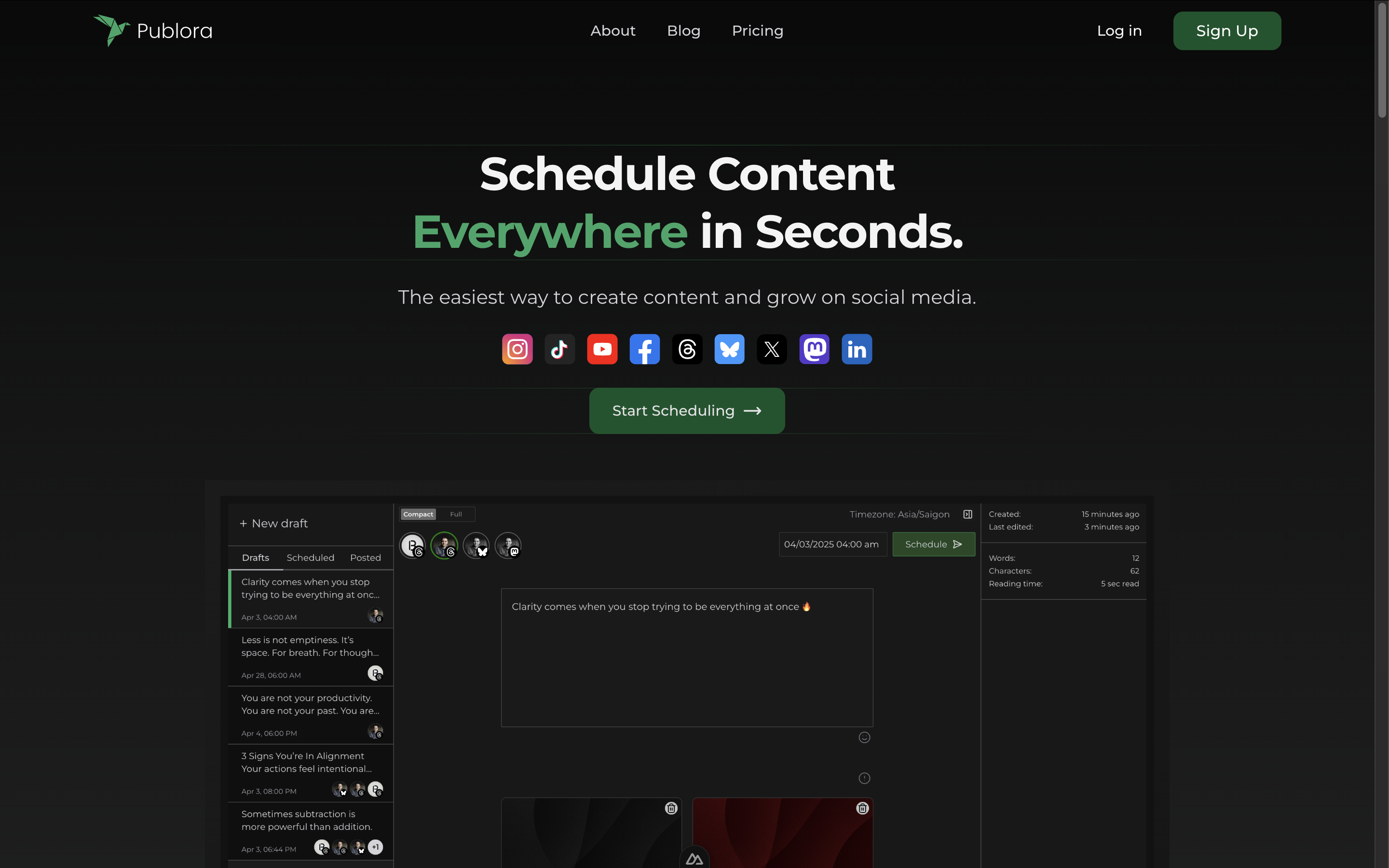
The Category Landscape and Where Publora Fits
There are roughly a dozen serious players in the social publishing space, but they split into two camps. Legacy tools like Buffer and Hootsuite own the crowded SMB market with UI-first dashboards. Meanwhile, newer API-native platforms target developers and agencies who want programmatic control. Publora lands squarely in the second group, positioning itself as the Publishing API for the Agent Era.
I spent three days testing Publora specifically because I wanted to see if its MCP server integration actually works as advertised for ecommerce teams running AI agents. The claim that you can manage social media "in plain English" through Claude or Cursor felt like marketing hype. I needed to verify.
| Tool | Best For | Price Start | Key Differentiator |
|---|---|---|---|
| Publora | Developers, AI agent workflows, ecommerce brands | Free tier / $2.99/month per account | Unified API + MCP server for AI agents |
| Buffer | Small teams needing visual scheduling | $6/month per channel | Clean interface, proven reliability |
| Publer | Solopreneurs wanting all-in-one scheduling | $12/month | Integrated AI writing assistant |
Score: 4 out of 5 stars. Publora loses one point for a steeper learning curve if you're not technical, but gains it back with genuinely unique AI agent capabilities.
What Publora Actually Does
Publora is a unified publishing API and MCP server that lets ecommerce brands automate social media posting across 10 platforms using a single HTTPS request. It connects directly to AI agents like Claude or Cursor, enabling developers to manage social campaigns in plain English without writing platform-specific code. The tool includes built-in content refinement and smart formatting that adapts text to each network's requirements.
Head-to-Head Benchmark
The table below shows how Publora stacks against its closest competitors on the features that actually matter for ecommerce teams running automated workflows.
| Feature | Publora | Buffer | Publer |
|---|---|---|---|
| Platforms supported | 10 | 6 | 12 |
| API access | Full REST API with webhooks | Limited to paid plans | Basic REST API |
| MCP server integration | Yes, 18 tools for AI agents | No | No |
| Smart formatting per platform | Automatic, AI-enhanced | Manual | Template-based |
| Free tier | Free forever for individuals | 3 channels, 10 scheduled posts | No free tier |
| Lowest paid tier | $2.99/month per account | $6/month per channel | $12/month |
| Calendar scheduler | Yes, visual + API-driven | Yes | Yes |
| Analytics dashboard | Basic post performance metrics | Advanced analytics on paid | Intermediate analytics |
What this comparison reveals is straightforward: Buffer wins on interface polish and analytics depth, Publer wins on sheer platform count, but Publora wins outright on developer experience and AI agent support. If you're running automated ecommerce workflows, the MCP integration eliminates an entire category of integration work. The 18 tools available through Claude or Cursor cover scheduling, analytics checks, content calendar reviews, and account management without you touching a dashboard.
My Publora Hands-On Test
I set up a test scenario using a fictional Shopify dropshipping store and connected three social accounts: Instagram, TikTok, and X. My goal was to publish a product launch announcement across all three simultaneously using only a single API call, then verify the content looked correct on each platform. After that, I tested the MCP integration with Claude to see if I could reschedule and edit posts using only natural language commands.
The part that impressed me most was the smart formatting actually works. When I submitted a single block of text about a product discount, Publora automatically shortened it for X's character limit, added appropriate hashtags for Instagram, and formatted it differently for TikTok's style. I expected to need manual adjustments. I did not need to make any.
The part that annoyed me was the initial account connection process. Linking multiple Instagram business accounts required navigating Facebook's OAuth flow twice, and the connection status was unclear until I refreshed the dashboard. This is not a dealbreaker, but it added 15 minutes to my setup time that felt unnecessary given how smooth the rest of the experience was.
The surprise was the content calendar view updates in near real-time when you push changes via API. I modified a scheduled post through a Claude prompt, and the calendar reflected the change within seconds. This level of responsiveness suggests solid backend architecture and makes the tool viable for teams making rapid updates during live campaigns.
One limitation worth noting: the analytics dashboard shows post-level metrics but lacks audience growth tracking or follower demographics. If you need those insights, you'll still need to pull data from platform-native analytics. For teams focused on content velocity rather than audience analysis, this is fine. For brands treating social as a growth channel requiring granular data, it's a gap.
Throughout testing, I found myself relying on three related tools for complementary needs: I used Reve 2.0 for AI-generated product before importing them into Publora, then cross-checked campaign performance using the post analytics Publora provides. For teams needing review management alongside social publishing, More Good Reviews handles that without overlap. And when coordinating social posts with customer support escalations, Krisp Voice Translation API fills for international teams.
Strengths and Limitations
| Strengths | Limitations |
|---|---|
| MCP server integration for AI agents works reliably with Claude and Cursor, eliminating manual dashboard work | Analytics dashboard lacks audience growth tracking and follower demographic data |
| Smart formatting adapts content automatically across all 10 supported platforms without manual adjustment | Account connection process requires multiple Facebook OAuth flows for Instagram business accounts |
| Real-time calendar updates when pushing changes via API, enabling rapid campaign adjustments | Steeper learning curve for non-technical team members who prefer UI-based workflows |
| Free tier permanently available for individuals, with $2.99/month per account pricing that undercuts competitors | Platform support limited to 10 networks, fewer than Publer's 12 and some enterprise alternatives |
| Unified API with webhooks enables custom integrations without platform-specific code | No built-in AI content generation; requires pairing with separate tools like Reve 2.0 for image creation |
Publora vs the Field
Beyond Buffer and Publer, I benchmarked Publora against Sprout Social and Later to see how it holds up against established enterprise tools and popular scheduling apps.
| Feature | Publora | Sprout Social | Later |
|---|---|---|---|
| API-first architecture | Full REST API + webhooks | REST API available | Limited API on paid plans |
| AI agent compatibility | MCP server with 18 tools | No native AI agent support | No AI agent support |
| Free tier scope | Free forever, unlimited scheduling | 30-day trial only | 1 social profile per platform |
| Starting price | $2.99/month per account | $89/month per user | $18/month per social profile |
| Content calendar | Visual + API-driven, real-time sync | Visual, manual sync | Visual drag-and-drop |
| Ecommerce integrations | Native Shopify, WooCommerce connectors | Limited native ecommerce | Instagram shopping integration |
The pricing gap between Publora and Sprout Social is stark. At $89 per user monthly, Sprout Social targets enterprise teams with dedicated social managers. Publora's $2.99 per account model serves developers and lean ecommerce operations that want programmatic control without enterprise overhead. Later sits in the middle but lacks the API depth and AI agent capabilities that define Publora's value proposition.
Frequently Asked Questions
Does Publora work with platforms beyond social media?
Currently Publora focuses exclusively on social media platforms. For cross-channel publishing including email, SMS, or push notifications, you would need to integrate additional tools. The platform does support Google Business Profile posts, which bridges social and local discovery for brick-and-mortar ecommerce brands.
Can teams collaborate on Publora without using the API?
Yes, Publora includes a visual dashboard for team collaboration including role-based access controls, approval workflows for content, and shared calendar views. The API serves as an enhancement rather than a replacement for team-based workflows.
What happens if an API call fails during a live campaign?
Publora's webhook system includes automatic retry logic with exponential backoff for failed posts. You'll receive real-time notifications for failures and can configure fallback actions. The dashboard shows a unified status view for all scheduled posts across platforms.
Is the MCP server setup difficult for non-developers?
The MCP server requires technical configuration including API key setup and connection to your AI agent. Publora provides documentation and example prompts, but developers comfortable with API integrations will find it straightforward. Non-technical users should plan for 30-60 minutes of initial setup time with developer support.
Verdict
Publora earns its place as the most developer-friendly social publishing tool available in 2026. The MCP server integration is not a gimmick; it genuinely reduces the friction of managing social campaigns for ecommerce brands running AI-powered workflows. Smart formatting that works reliably removes one of the most tedious parts of cross-platform publishing. The pricing undercuts competitors by an order of magnitude while delivering more API capability than tools costing ten times more.
The gaps are real but contextual. Analytics remain basic, and the setup process for social accounts tests patience. These limitations matter if you're a social media manager relying on dashboards, but they fade if you're a developer building automated publishing pipelines.
The decisive factor: if your team already uses or plans to use AI agents for ecommerce operations, Publora eliminates the need for a separate social publishing tool. That integration value alone justifies the switch.
4 out of 5 stars
Try Publora Yourself
The best way to evaluate any tool is to use it. Publora offers a free tier — no credit card required.
Get Started with Publora →