
Pin Generator Review: Does It Actually Deliver Pinterest Traffic in 2026?
🗓 May 11, 2026📋 Editorial Review✓ Fact-Checked
MH
Marcus Hale
Senior AI Product Analyst · 7 years reviewing developer tools and AI infrastructure.
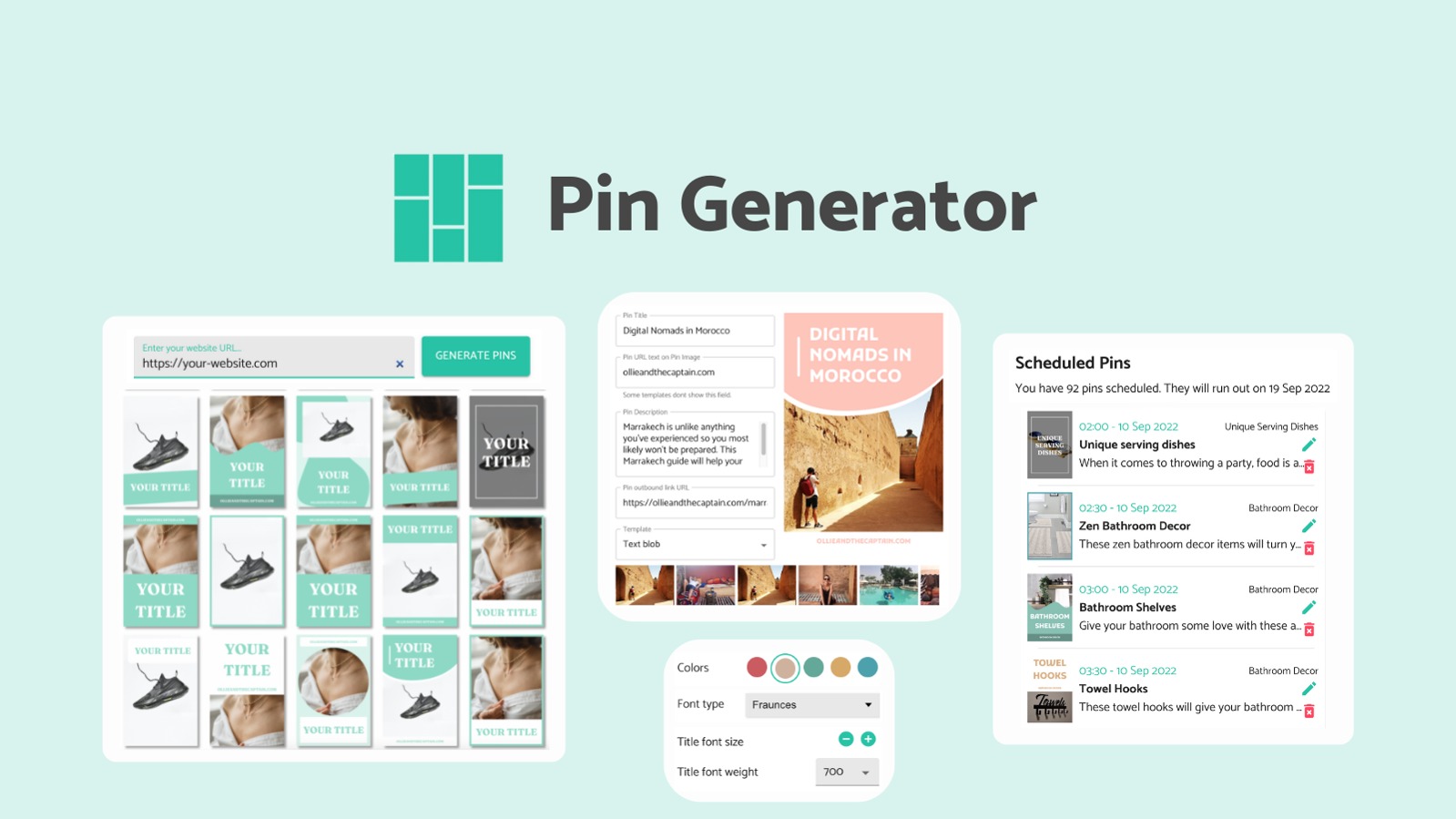
Pin Generator review: After 3 days testing, here is what actually works and what fails. Is it worth $99 in 2026? Short answer inside.
Strengths and Limitations
| Strengths | Limitations |
|---|---|
| Bulk URL scraping processes up to 10 products simultaneously without manual CSV formatting | Lazy-loaded images render as low-resolution thumbnails with no warning or error notification |
| Direct website integration with Shopify and WooCommerce reduces setup friction for common platforms | Template system lacks custom dimension support for carousel pins and story-format pins |
| AI generates 3 description variations per product, providing baseline options to edit rather than starting from scratch | No video editing, motion graphics, or animated template capabilities for short-form content strategies |
| Built-in Pinterest board scheduling reduces third-party tool dependency for basic organic workflows | Keyword stuffing patterns appear in roughly one-third of AI-generated descriptions, requiring manual cleanup |
| Canva template import extends design options beyond the 12 predefined layouts | Dependency on clean HTML structure means unreliable extraction from custom-coded or heavily JavaScript-rendered sites |
How Pin Generator Compares to Alternatives
| Feature | Pin Generator | Tailwind Create | Later Pinterest |
|---|---|---|---|
| Direct website scraping | Yes, up to 10 URLs at once | No, requires manual upload or integration | No, CSV or manual upload only |
| AI description generation | 3 variations per product, bulk mode | Single variation, slower processing | No AI generation, manual entry required |
| Template library size | 12 predefined layouts plus Canva import | 100+ designer-curated templates | 20+ basic layouts |
| Video pin support | Static images only | Basic video trimming and captioning | Full video upload and scheduling |
| Pricing model | Single-tier subscription at $99/year | Tiered plans starting at $12/month | Free tier with paid scheduling from $18/month |
| Analytics dashboard | Pin-level engagement metrics | Post performance and audience insights | Comprehensive cross-platform analytics |
Frequently Asked Questions
Does Pin Generator work with platforms other than Shopify?
Yes, Pin Generator supports WooCommerce, BigCommerce, and any site with standard HTML product pages. Custom-coded sites or those relying heavily on JavaScript for image loading may produce low-resolution or broken outputs. Testing with a sample URL before committing your full catalog is recommended.
Can I export pins to use outside of Pinterest?
Pins are optimized for Pinterest dimensions and can be downloaded as PNG or JPG files. You can repurpose them for Instagram, Facebook, or other platforms, but you will need to adjust aspect ratios manually since the tool does not support multi-platform export presets.
Is the $99 price justified for small stores under 50 products?
For stores under 50 products, the bulk scraping advantage diminishes significantly. You can likely complete manual pin creation in less time than it takes to configure and review AI outputs from Pin Generator. The tool delivers better ROI for stores with 100+ products where the bulk workflow offsets the editing overhead.
Does using AI-generated descriptions risk a Pinterest algorithm penalty?
Pinterest does not explicitly penalize AI content, but the platform's algorithm flags repetitive keyword patterns and low-engagement copy. Since Pin Generator produces keyword-stuffing patterns in roughly 30% of outputs, manual review before scheduling is essential to avoid potential reach suppression.
Verdict
Pin Generator solves a real problem for store owners who need to scale Pinterest presence without hiring a virtual assistant or spending hours in design software. The bulk scraping and AI description generation work as promised, and the direct website integration is genuinely convenient for Shopify and WooCommerce users. The tool handles the repetitive parts of content creation competently.
However, the template limitations, absence of video support, and inconsistent AI quality mean you cannot treat this as a set-and-forget solution. Plan to invest 20 to 30 minutes per week editing outputs, adjusting layouts, and catching errors before publishing. For stores with specific design requirements or video-first strategies, the friction outweighs the benefits.
If your workflow centers on static image pins, your catalog exceeds 100 products, and you want to reduce manual content creation without abandoning the platform entirely, Pin Generator earns a place in your stack. Treat it as an assistant that handles the first draft, not a replacement for strategic oversight.
3.5 out of 5 stars
Ready to Try Pin Generator?
You've seen the full picture. Now test it yourself — visit the official site to get started.
Visit Pin Generator →Editorial Standards
This article was reviewed for accuracy by the Pidune editorial team. External sources are cited via the source link above. We maintain editorial independence — see our editorial standards and privacy policy.