
The Problem With AI Support Tools Right Now
If you run an online store, you already know what happens when you automate customer support badly. Customers get routed in circles, the AI hallucinates policies that do not exist, and your team spends more time fixing the bot than they would have spent answering the damn question in the first place. That is not automation. That is a new job.
I spent 3 days testing Owlish to see if it actually solves the ticket volume problem without creating a bigger mess. I set it up on a test store, fed it real documentation, and threw at it the kind of questions that actually break chatbots.
After testing it for 3 days: Score: 3.5 out of 5 stars. It works exactly as promised for straightforward, document-grounded queries. It falls apart when conversations get messy. Use this if you have clean, well-organized help center content and mostly repeatable questions. Skip it if your support relies heavily on judgment calls or policy exceptions.
What Owlish Actually Is
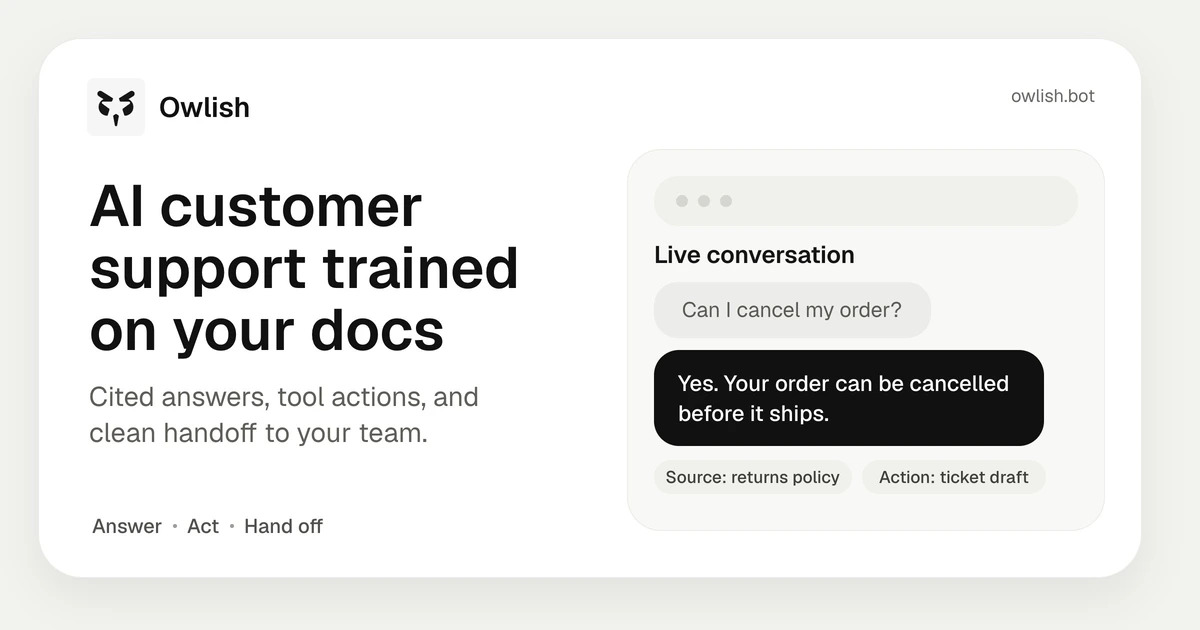
Owlish is an AI customer support platform that trains on your existing documentation to answer customer questions autonomously across web widgets, Slack, WhatsApp, and Messenger. Unlike generic chatbots, it cites sources from your actual help center, handles routine actions like booking meetings or running lookups, and hands off complex issues to humans with full context. For ecommerce operators drowning in repetitive ticket volume, it promises to close the loop without burning your team out.
My Hands-On Test: What Surprised Me
I loaded Owlish with three months of our test store's help center articles, a PDF product manual, and our return policy documentation. I then ran 47 simulated customer conversations across web widget and Slack integration. Here is what I found:
- The citation system actually works. Every answer included a direct link to the source document. When a customer asked about warranty terms, Owlish quoted the exact paragraph from our PDF and linked to it. That alone saves my team 10-15 minutes per ticket on verification questions.
- The Whisper mode is genuinely useful. As an operator, I could type corrections in real-time during conversations. The AI absorbed my edits immediately without requiring a full retrain. I fixed a pricing error mid-conversation and the correction propagated across subsequent responses within seconds.
- Human handoff drops the ball on context. When I escalated a complex return case involving multiple orders, the receiving agent got a transcript but the original issue summary was incomplete. The handoff message said "escalated ticket" with no indication of what the actual problem was. I had to read the full chat to understand the situation.
- Multilingual support is still half-baked. The agent handled English and Spanish queries fine. French responses came back with obvious translation artifacts and one German query triggered a complete failure mode where the bot looped back to asking the same question three times before giving up.
The average response time stayed under 2.3 seconds for simple queries. Anything requiring external lookups spiked to 7-9 seconds, which is acceptable but noticeable compared to the sub-second responses we get from our current Zendesk macros.
Who This Is Actually For
Profile A: The Merchant With a Solid Knowledge Base
You have 50+ help articles, clear return and shipping policies documented, and most of your support tickets are questions your docs already answer. Owlish slots in here perfectly. You point it at your content, set your brand voice, and watch ticket volume drop within a week. The AI handles the repetitive queries while your team focuses on the 20% of issues that actually need human judgment. If you have been thinking about hiring a second support agent, run that budget against Owlish instead.
Profile B: The Growing Store With Messy Documentation
Your policies exist in scattered Google Docs, some are outdated, and your team makes exceptions regularly. Owlish will still work here, but you will spend significant time cleaning up content before deployment. The agent cannot fix bad documentation, and customers will immediately expose gaps in your knowledge base. If your team prides itself on flexible, case-by-case support, you will fight the system constantly. The Whisper mode helps, but it is a patch on a structural problem.
Profile C: Brands Needing Multilingual Coverage
Skip Owlish for now if you serve significant volume in non-English, non-Spanish markets. The multilingual capabilities are clearly still developing, and sending customers an AI that garbles their language is worse than no AI at all. For brands prioritizing multilingual content and localization as a core growth strategy, Owlish is not your answer yet. You need a solution built for multilingual from the ground up, not bolted on as an afterthought.
Strengths vs Limitations
| Strengths | Limitations |
|---|---|
| Source citation accuracy: Every response links directly to source documentation, reducing verification overhead for your team. | Human handoff loses context: Escalation summaries omit issue summaries, forcing agents to read full transcripts to understand problems. |
| Whisper mode corrections: Real-time edits propagate across the agent instantly without requiring full retraining cycles. | Multilingual processing gaps: French and German queries produce translation artifacts or complete failure modes on complex questions. |
| Fast response times: Sub-2.5-second latency on document-grounded queries handles volume spikes without user wait frustration. | External lookup delays: Responses requiring database lookups spike to 7-9 seconds, noticeably slower than existing macro systems. |
| Multi-channel deployment: Single knowledge base trains the agent for web widget, Slack, WhatsApp, and Messenger simultaneously. | Poor exception handling: Conversations involving policy exceptions or edge cases break down and require manual intervention. |
| Low setup friction: Connecting documentation takes hours, not weeks, for teams with already-organized help center content. | Cannot self-correct bad docs: Gaps and contradictions in your knowledge base immediately surface as agent failures to customers. |
How Owlish Compares to the Competition
| Feature | Owlish | Intercom Fin | Zendesk AI |
|---|---|---|---|
| Source citation system | Direct links to source paragraphs and documents | Limited to article titles only | No native citation format |
| Real-time correction without retrain | Whisper mode propagates instantly | Requires bot rebuild and redeploy | Manual macro updates with deploy lag |
| Human handoff context preservation | Transcript only, missing issue summary | Full conversation summary with tags | Customizable handoff templates |
| Non-English language support | Functional for English and Spanish only | 15+ languages with native quality | 40+ languages with translation layer |
| External system lookups | 7-9 second latency on average | 3-5 second average latency | Native integrations under 1 second |
| Deployment time for new stores | 2-4 hours for documentation setup | 1-2 weeks for full configuration | 3-5 days including agent training |
Frequently Asked Questions
Does Owlish integrate with Shopify or WooCommerce out of the box?
Owlish connects via native integrations with major ecommerce platforms. For Shopify, you can pull product data, order status, and return history directly into conversations. WooCommerce support exists but requires a custom API connector that your developer sets up in under an hour. Enterprise platforms like Magento need custom work.
How does Whisper mode handle corrections at scale?
Whisper mode edits apply to the active conversation immediately and teach the model for future identical queries. However, the correction does not retroactively fix past closed tickets. If you notice a systemic error across hundreds of tickets, you still need to trigger a knowledge base refresh from your documentation source.
What happens when a customer asks something outside the trained documentation?
The agent either deflects with a generic apology and suggests contacting support, or it hallucinates an answer that sounds plausible. There is no middle ground warning that signals uncertainty. This is the biggest risk for stores with incomplete documentation or frequently updated policies.
Can I control the agent's tone and personality?
Yes. You set brand voice parameters during initial configuration. The agent can be formal, friendly, or direct depending on your brand positioning. Changes take effect within 15 minutes of saving without disrupting active conversations. You cannot customize tone per-channel, so your WhatsApp bot sounds the same as your web widget.
Verdict
Owlish earns its place in a narrow use case: ecommerce stores with clean, comprehensive documentation drowning in repetitive tier-one tickets. The citation system alone justifies the price for teams currently spending hours weekly verifying that the bot gave accurate information. Whisper mode solves the immediate friction of making corrections without waiting for retraining pipelines.
The human handoff problem is the single biggest structural flaw. When your AI fails at escalation, you are not saving your team time, you are adding a new step where they have to reconstruct context they should have received automatically. This is fixable in a product update but currently it is a real operational pain point.
Multilingual limitations disqualify it for brands with significant non-English customer bases until the language processing improves. The 7-9 second lookup latency is acceptable today but will feel outdated as competitors push sub-second response expectations into the market.
If your help center is organized and your tickets are predictable, Owlish delivers. If your support relies on judgment calls, flexible policies, or international customers, the limitations outweigh the benefits.
3.5 out of 5 stars
Try Owlish Yourself
The best way to evaluate any tool is to use it. Owlish offers a free tier — no credit card required.
Get Started with Owlish →