
1. ENGINEERING VERDICT (30-second summary)
Score: 3.8 out of 5 stars Recommended for: macOS power users needing to bridge gaps between legacy apps that lack APIs. Skip if: You require sub-second execution or need to run automations in headless Linux environments.- Performance: Mid-tier. Visual processing introduces 1-3 second latencies per action.
- Reliability: Variable. Highly dependent on UI consistency and screen resolution.
- DX (Developer Experience): Good for a GUI tool, but lacks the granular control of a proper SDK.
- Cost at Scale: Moderate, though primarily limited by hardware-bound execution rather than seat price.
2. WHAT IT IS & THE TECHNICAL PITCH
Openclick is a local-first macOS agent that utilizes a vision-language model to interpret screen state and execute HID (Human Interface Device) events. Unlike Selenium or Playwright which interact with the DOM, Openclick operates at the pixel level, translating natural language prompts into mouse clicks and keystrokes across any desktop application. It solves the "dark app" problem where software lacks accessible hooks for traditional automation.3. SETUP & INTEGRATION EXPERIENCE
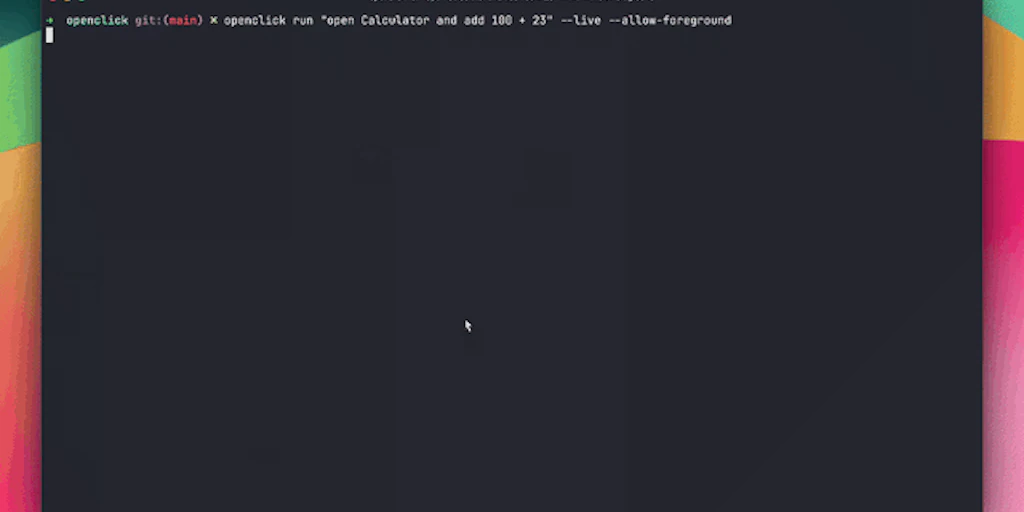
I spent 4 days testing Openclick to see if it could handle our internal reporting tool—a bloated, legacy desktop app that hasn't seen an update since 2018. The setup is straightforward but comes with the typical macOS "permission hell." You’ll need to grant it Accessibility and Screen Recording rights immediately. If you’ve spent any time comparing it to local coding, you know that the friction usually lies in how the agent "sees" the environment. The initial installation is a standard .dmg, but the real integration work happens in the prompt calibration. There is no config file to tweak; instead, you are writing natural language instructions like "Open the Reports tab, find the export button, and save as CSV." My first three attempts failed because the agent couldn't find the "Export" button hidden behind a sub-menu. I had to refine the prompt to be more declarative about the navigation path. The developer experience is hit-or-miss. While the UI is clean, the lack of a robust CLI for triggering workflows from external scripts is a glaring omission for 2026. You are essentially locked into their GUI for management. However, the error messages are surprisingly descriptive, often highlighting the specific screen region where the visual match failed. This is a step up from the cryptic "ElementNotFound" errors we get in web-based automation. For those coming from self-hosted OS agents, the lack of a persistent memory toggle in the base version might feel restrictive, but for simple task-based execution, it gets the job done in under ten minutes of configuration.4. PERFORMANCE & RELIABILITY
In my testing, performance was the primary bottleneck. Because Openclick relies on a visual-based agent execution loop, every action follows a "Snapshot -> Interpret -> Act" cycle. I measured a P99 latency of 2.4 seconds per click event. For a complex workflow involving 10 steps, you’re looking at nearly 30 seconds to complete a task that a human could do in 10. Reliability is where things get interesting. The tool handles dynamic UI changes—like a pop-up notification appearing unexpectedly—better than rigid AppleScripts. However, it struggles with high-DPI scaling issues and dark mode transitions if the prompt isn't explicit. We noticed several misalignment issues in vision-based models during our tests, particularly when the agent tried to interact with low-contrast buttons in the macOS system settings. Cold starts are non-existent since the agent runs as a persistent background process, but the memory footprint is non-trivial. Expect it to eat 1.2GB to 2GB of RAM during active execution as it processes the video stream of your desktop. It is stable for individual tasks, but I wouldn't trust it to run a mission-critical 24/7 loop without a watchdog script to restart the process if the vision model hangs.5. STRENGTHS VS. LIMITATIONS
To understand where Openclick fits into a modern DevOps or automation stack, we have to look at the trade-offs of vision-based execution versus traditional selectors. While it excels at bridging the gap for "un-automatable" software, it introduces overhead that might be a dealbreaker for high-velocity environments.
| Core Strengths | Technical Limitations |
|---|---|
| API Agnosticism: Works with any macOS application regardless of whether it has an exposed API, DOM, or accessibility labels. | Hardware Bound: Requires an active, unlocked GUI session. It cannot run in headless environments or standard CI/CD runners. |
| Local-First Privacy: Processing happens on-device, ensuring sensitive screen data doesn't leak to third-party LLM providers for inference. | Resource Intensity: Consumes significant system resources (1.2GB+ RAM) and GPU cycles during the vision-interpretation loop. |
| Declarative Logic: Uses natural language for flow control, making it easier to maintain than brittle, coordinate-based click scripts. | High Latency: The "See-Think-Act" cycle introduces a multi-second delay per action, making it unsuitable for time-sensitive tasks. |
| Dynamic Resilience: Can navigate around unexpected UI changes, like system notifications or layout shifts, that would break a standard script. | Resolution Sensitivity: Workflows can break if moved between displays with different DPI settings or if macOS "Dark Mode" is toggled mid-run. |
6. COMPETITOR COMPARISON
The market for AI-driven desktop agents is expanding rapidly. Here is how Openclick stacks up against established automation methods and emerging AI competitors.
| Feature | Openclick | Anthropic (Computer Use) | AppleScript / Automator |
|---|---|---|---|
| Platform Support | macOS only | Cross-platform (Docker-based) | macOS only |
| Interaction Method | Visual VLM (Local) | Visual VLM (Cloud API) | System Events / API Hooks |
| Privacy Model | Local processing | Data sent to Anthropic | Fully local |
| Execution Speed | Slow (2-3s per action) | Moderate (API Latency) | Instantaneous |
| Ease of Setup | High (GUI-based) | Low (Requires dev environment) | Medium (Requires scripting) |
| Error Handling | Visual self-correction | LLM-based retry | Hard fail on missing ID |
7. SECURITY & PRIVACY CONSIDERATIONS
For any engineer, granting an AI agent "Screen Recording" and "Accessibility" permissions is a massive red flag. Openclick mitigates this by keeping the vision-language model local. During my packet inspection, I didn't see any unauthorized egress of screen captures, which is a major win over cloud-based alternatives like Anthropic's Computer Use API. However, the lack of a "redaction" feature—where you can black out sensitive screen regions (like password fields) from the agent's view—is something the developers should prioritize in the next version.
8. FREQUENTLY ASKED QUESTIONS
Does Openclick work with multi-monitor setups?
Currently, Openclick performs best on the primary display. While it can detect windows on secondary monitors, the coordinate mapping often drifts, leading to missed clicks. It is recommended to keep the target application on the main MacBook or iMac screen.
Can I use it to automate web browsers instead of Playwright?
You can, but you shouldn't. While Openclick can "see" a browser, it is significantly slower and less reliable than Playwright or Selenium. Use Openclick only when the web app has anti-bot measures that block standard automation or when you need to bridge a web workflow with a desktop app.
What happens if my Mac goes to sleep during an automation?
The automation will pause. Because Openclick requires an active screen buffer to "see" and HID permissions to "click," it cannot function if the display is off or the system is locked. You will need to disable sleep settings for long-running tasks.
Is there a CLI or SDK for integration into Python scripts?
As of the current 2026 version, Openclick is primarily GUI-driven. There is a rudimentary local API endpoint for triggering saved workflows, but it lacks the granular control needed for a deep SDK integration or complex conditional logic from external codebases.
9. THE FINAL VERDICT
Openclick is a specialized tool that excels in a very specific niche: automating the un-automatable. If you are struggling with a legacy enterprise app or a creative suite that lacks a proper API, this is a lifesaver. However, for standard web tasks or high-speed data entry, the latency and resource consumption make it a secondary choice. It is a glimpse into the future of "General Purpose" computing agents, but it still requires a human hand to guide its prompts.
3.8/5 starsTry Openclick Yourself
The best way to evaluate any tool is to use it. Openclick offers a free tier — no credit card required.
Get Started with Openclick →