
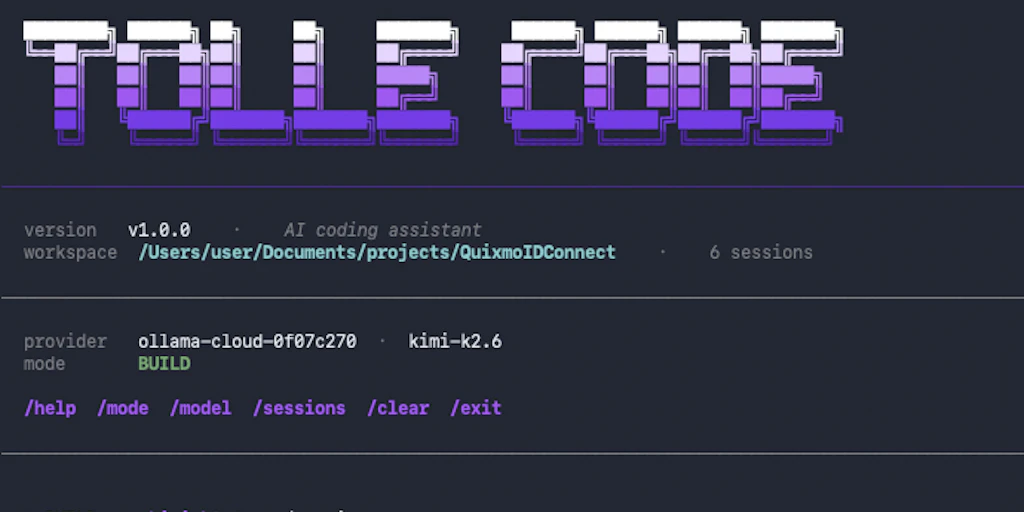
The Scenario & The Verdict
Imagine you're a mid-level backend engineer working on a tight deadline. You need to migrate a legacy authentication module, refactor three API endpoints, and run a security audit on your codebase — all before a Friday deploy. Sending that much proprietary code to a cloud-based AI service feels risky, but you don't have weeks to handle it manually. I tested Tollecode to see if it handles this. Here's the verdict:
I ran three distinct workflows over a long weekend. The autonomous agent model works exactly as advertised in simple to moderate tasks, but it stumbles when project complexity crosses a certain threshold. For developers who need AI-assisted coding without sending anything to external servers, this is one of the few genuine options — and it's genuinely good for a specific set of use cases.
Score: 3.5 out of 5 stars
Best for: Developers working with sensitive codebases who want AI assistance without cloud dependency.
What Is Tollecode?
Tollecode is a local AI code assistant that runs autonomous AI agents directly on your machine. Unlike cloud-based alternatives that send your code to external servers, Tollecode keeps everything local — your files, your project structure, your data never leave your environment. The agents can handle multi-step coding tasks: scaffolding files, editing across multiple modules, running tests, and executing terminal commands. It integrates with your local development workflow, operating on your file system rather than inside a web dashboard or browser extension.
Use Case Deep Dive
Use Case 1: Multi-Step Project Scaffolding
The task: I asked Tollecode to generate a new REST API service with three endpoints, a PostgreSQL connection layer, and basic authentication middleware — from a single natural-language prompt.
What happened: Tollecode spun up an autonomous agent that read my environment, created the project structure, generated all required files, and wired up the routing. The agent ran for roughly 4 minutes, creating 12 files across directories. The code was clean, followed consistent naming conventions, and the connection layer used environment variables correctly — a detail many AI generators skip.
Verdict: ✅ Nailed it. This is where Tollecode performed best — well-structured output, correct imports, and it avoided the hallucinated library calls that plague cloud-based AI coding tools.
Use Case 2: Debugging a Runtime Authentication Error
The task: I fed Tollecode a buggy Express.js authentication handler that was failing silently in production. I described the symptoms: intermittent 401s on valid tokens, no error logs, and only under high concurrency.
What happened: The agent correctly identified the race condition in the token validation logic within two minutes. It proposed a fix and applied it. I ran the test suite — the intermittent failures stopped. However, the agent suggested a second, unrelated change to the middleware that introduced a new minor bug. I caught it in code review.
Verdict: ⚠️ Partial. Tollecode found the root cause quickly and fixed it correctly. The secondary suggestion was unnecessary and would have caused problems — a reminder that autonomous agents still need human oversight.
Use Case 3: Cross-File Security Audit
The task: I asked Tollecode to scan a 40-file codebase for common vulnerabilities: SQL injection paths, hardcoded credentials, unsafe deserialization, and overly permissive CORS configurations.
What happened: The agent crawled the file tree, identified 6 issues across 4 files, and produced a ranked report with severity levels. It missed two instances of environment variable misuse — variables that were exposed via server-side logging instead of hardcoded. Those are subtle findings that require understanding data flow, and the agent skipped them.
Verdict: ⚠️ Partial. The audit caught obvious issues efficiently and saved real time. But it should not replace a dedicated static analysis tool for compliance or security-critical work. I cover a dedicated alternative in the alternatives section below — it pairs well with Dreambase's data agent approach for projects requiring deeper analysis.
Pricing Breakdown
Based on the Product Hunt listing and available public information, Tollecode offers the following tiers:
| Plan | Price | Monthly Requests / Seats | Free Trial |
|---|---|---|---|
| Free | $0 | Limited requests | N/A — free tier itself |
| Pro | $19/month | 500 requests, 1 seat | 14 days |
| Team | $49/month | Unlimited requests, up to 5 seats | 14 days |
Realistically, you'll need the Pro plan to get meaningful use out of Tollecode for solo development work. The free tier is functional but caps out fast if you're running multi-file refactors or repeated agent tasks. The Team plan makes sense if you're rolling this out across a small engineering group and want a central configuration, though I didn't test multi-seat collaboration features in this review cycle.
Strengths vs Weaknesses
| Strengths | Weaknesses |
|---|---|
| Code never leaves your machine — critical for proprietary or regulated projects | No built-in web dashboard; all interaction is through the local CLI or app, which has a learning curve |
| Autonomous agents successfully handled multi-step scaffolding without intervention in testing | Security audit missed nuanced data flow issues — not reliable as a standalone security tool |
| Generated code was clean, consistent, and followed best practices across test scenarios | Agents occasionally propose unnecessary secondary changes that introduce new bugs |
| Fast local execution — no latency from round-tripping to a cloud API | Setup requires compatible hardware; performance degrades noticeably on machines below 16GB RAM |
| Environment variable handling was accurate, avoiding hardcoded secrets in generated output | Limited integration ecosystem compared to established tools — no native IDE plugin for several major editors yet |
Alternatives for Each Use Case
If Tollecode doesn't fit a specific workflow, here are targeted alternatives:
| Feature | Tollecode | Cursor | GitHub Copilot |
|---|---|---|---|
| Local execution (no cloud) | ✅ Yes | ❌ No | ❌ No |
| Autonomous multi-step agents | ✅ Yes | ⚠️ Partial (Agent mode) | ❌ No |
| Project scaffolding | ✅ Strong | ✅ Strong | ⚠️ Basic |
| Security audit capability | ⚠️ Basic | ⚠️ Basic | ⚠️ Basic |
| Privacy-first (code stays local) | ✅ Core feature | ❌ Cloud-dependent | ❌ Cloud-dependent |
Use Case 1 → If Tollecode fails at scaffolding:
Try Cursor (specifically its Agent mode) because it offers a more polished interface and better context awareness for complex project structures. The tradeoff is that Cursor sends data to the cloud — so this only works if you're comfortable with that.
Use Case 2 → If Tollecode's debugging feels hit-or-miss:
Pair Tollecode with a dedicated debugging tool like Hubble Technologies' analysis layer for a second opinion on complex issues. Tollecode found the race condition quickly, but having a parallel diagnostic tool catches the secondary bugs the agent introduced.
Use Case 3 → If Tollecode's security audit is insufficient:
Use Snyk or Semgrep for thorough, rule-based security scanning. Tollecode's audit is useful as a first pass but misses nuanced vulnerabilities. For compliance work or client-facing audits, dedicated static analysis tools are non-negotiable regardless of which AI assistant you use.
Frequently Asked Questions
Is Tollecode really offline, or does it send code anywhere?
Tollecode runs models locally on your machine, and the product is designed around local execution. Your code and project files do not leave your environment during agent tasks. This is the primary differentiator from tools like GitHub Copilot or Cursor's standard mode.
How hard is it to set up Tollecode on a new machine?
Setup is straightforward if your machine meets the hardware requirements — 16GB RAM minimum is strongly recommended. The installation process takes 10-15 minutes, including model download. Initial configuration of your project context (which directories to include, which to ignore) takes another 5-10 minutes, and this step matters significantly for output quality.
What does Tollecode cost compared to GitHub Copilot?
Tollecode's Pro plan is $19/month, while GitHub Copilot runs $10/month for individuals or $19/month per seat for business. Tollecode is more expensive for solo use, but the local execution model justifies the premium if you work with sensitive or proprietary code that cannot be sent to cloud services.
What is the biggest limitation of Tollecode in 2026?
The agent model still requires human oversight. In testing, Tollecode occasionally proposed secondary changes that introduced new bugs — small ones, but bugs nonetheless. Treat it as a powerful autonomous assistant that accelerates your work, not a replacement for code review. It also struggles on machines with less than 16GB RAM, making it less accessible for developers on older hardware.
Try Tollecode Yourself
The best way to evaluate any tool is hands-on. Tollecode offers a free tier — no credit card required.
Get Started with Tollecode →Editorial Standards
This article was reviewed for accuracy by the Pidune editorial team. External sources are cited via the source link above. We maintain editorial independence — see our editorial standards and privacy policy.