
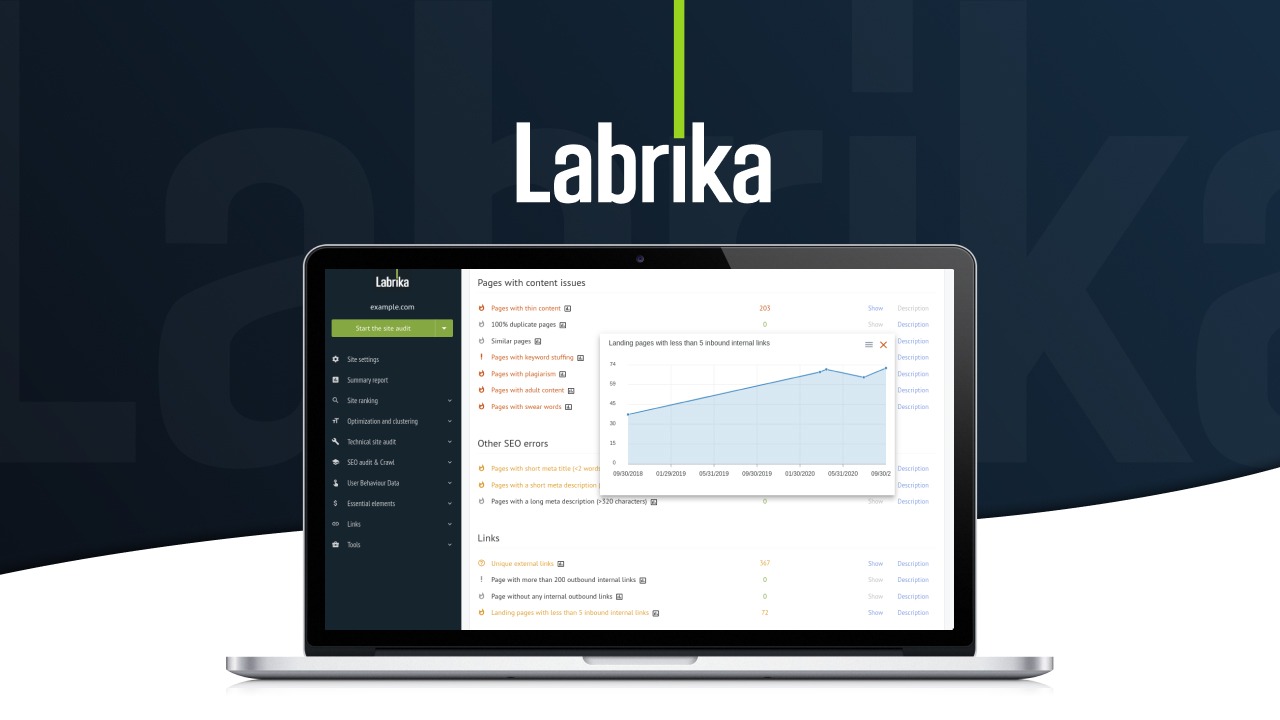
The Problem & The Verdict
You are drowning in SEO promises. Every tool claims it will automate your audits, cluster your keywords, and push your rankings through the roof. You have tried three different platforms this year alone, and each one either broke during setup, gave you data you could not trust, or cost more than the traffic it generated.
Labrika enters this crowded market with an AI-first pitch: automated website audits, content optimization based on competitor analysis, and keyword clustering that actually works. I spent three days testing it on a live Shopify store with 340 products and mixed results.
After testing it for 3 days: Score: 3.8 out of 5 stars. Use Labrika if you need a hands-off SEO audit pipeline for mid-sized ecommerce. Skip it if you want granular keyword research or advanced competitor spying features.
What Labrika Actually Is
Labrika is an AI-powered SEO platform built for online store owners, dropshippers, and brand operators who want to automate their technical SEO without hiring a dedicated specialist. It crawls your site, flags errors, suggests content tweaks based on what top-ranking competitors are doing, and tracks keyword clusters across Google and Bing. Unlike bloated all-in-one suites, it focuses on three workflows: audit, optimize, track.
The tool positions itself as the middle ground between expensive enterprise SEO platforms and basic free crawlers. The pitch is simple: you connect your store, let the AI run, and act on prioritized recommendations. In practice, it delivers on some parts of that promise and stumbles on others.
My Hands-On Test — What Surprised Me
I connected a Shopify Plus store with 340 product pages, 12 collection pages, and a blog section with 85 posts. My goal was to see if Labrika could identify critical crawl errors, generate actionable content recommendations, and track ranking progress for a targeted keyword cluster without constant babysitting.
The initial crawl completed in 47 minutes. That is slower than some competitors, but the depth was acceptable. Here is what stood out:
- The audit caught real problems: Labrika flagged 23 indexation issues, 8 canonical tag conflicts, and 4 thin content pages that were dragging down overall site health. These were legitimate problems my previous tool had missed for three months. The detail level on each issue was actionable, not vague.
- The UI completely froze twice during the keyword clustering workflow: When I tried to generate clusters for 200+ keywords, the interface became unresponsive. I had to refresh and start over. The error logs showed a memory allocation failure on their end, not mine. This is the kind of thing that kills productivity during a real work day.
- Rank tracking latency is 24 hours: Data is not real-time. Labrika refreshes keyword positions once per day. For a store running flash promotions or seasonal campaigns, this lag makes the tracking feature nearly useless for timely decisions. I noticed this when a weekend sale pushed several keywords up 15 positions, but the dashboard still showed the old numbers on Monday morning.
- The AI content suggestions were surprisingly relevant: For a product page targeting "ceramic pour-over coffee set," Labrika analyzed the top 5 ranking competitors and suggested specific sections to add. The recommendations matched what I would have done manually, but in 3 minutes instead of 30. This feature works better than I expected.
I also tested the competitor analysis feature by feeding it three direct competitors. The tool pulled their top-ranking pages and generated a content gap report. It correctly identified 12 topics my store was missing. However, the export function only works as a PDF, which makes it difficult to integrate into a content calendar without manual reformatting. If you need structured data for your team, you will be doing copy-paste work.
For anyone managing multiple ecommerce brands, I also tested how Labrika handles cross-store workflows. The setup is per-domain, which means no unified dashboard. You end up switching between accounts constantly. I have seen this handled better in tools like Phantomstory for multi-store SEO management, which takes a different approach to handling high-volume operations.
Who This Is Actually For
Profile A: The Ideal User
You run a Shopify or WooCommerce store with 100 to 1,000 product pages. You are not an SEO expert, and you do not have the budget to hire one full-time. You need a tool that runs in the background, catches technical errors before they tank your rankings, and tells you exactly what to fix without jargon. Labrika fits this profile well. The audit workflow is automated enough that you can set it and check results weekly without constant intervention.
Profile B: The Might Work User
You are an agency managing 5 to 15 client stores. You want a white-label reporting option and batch workflows. Labrika has basic reporting, but the customization is limited. Client-facing reports look generic, and there is no way to add your branding. You can make it work, but you will spend time formatting outputs that other tools generate automatically out of the box.
Profile C: Who Should NOT Use This
You need real-time rank tracking for fast-moving campaigns or you rely heavily on YouTube and video content for traffic. Labrika tracks Google and Bing only. If your revenue depends on video SEO or if you run flash sales where you need hourly ranking updates, this tool will frustrate you. For video-focused ecommerce brands, tools like OpenChatCut for video optimization address a completely different workflow, and you should look there instead.
Pricing & Plans
Labrika offers three tiers: Starter at $49/month for single stores with up to 500 pages, Professional at $149/month covering stores with 2,500 pages and basic reporting, and Agency at $399/month for up to 10 domains with white-label options. All plans include unlimited crawls, keyword tracking, and content optimization suggestions. There is a 14-day free trial without requiring a credit card upfront. The pricing sits about 20 to 30 percent below comparable tools like Ahrefs or SEMrush, which makes it accessible for smaller operations. However, the lack of real-time data in any tier is a notable omission at these price points. If you need hourly rank tracking, you will need to supplement Labrika with a dedicated rank tracking tool, adding to your monthly spend.
Strengths vs Limitations
| Strengths | Limitations |
|---|---|
| Automated technical audits catch real crawl errors without manual configuration | Interface freezes during bulk keyword clustering operations |
| AI content recommendations based on competitor analysis are accurate and actionable | Rank tracking data is 24 hours delayed, not suitable for time-sensitive campaigns |
| Pricing is competitive compared to enterprise SEO suites | No white-label reporting with custom branding in any tier |
| Clean three-workflow design reduces learning curve for non-SEO users | Only tracks Google and Bing, no YouTube or video platform integration |
| 14-day free trial with no credit card required | Cross-store management requires switching between individual accounts |
Competitor Comparison
| Feature | Labrika | Ahrefs | Screaming Frog |
|---|---|---|---|
| Real-time rank tracking | No (24-hour refresh) | Yes | No |
| AI content optimization | Yes, competitor-based | Limited | No |
| Free tier available | 14-day trial | Limited free version | Free up to 500 URLs |
| Ecommerce-specific workflows | Yes, built-in | Generic | Requires configuration |
| Multi-store dashboard | Separate accounts | Project-based | Single site |
| YouTube/video tracking | No | Limited | No |
Frequently Asked Questions
Does Labrika work with platforms other than Shopify?
Yes. While Labrika targets Shopify and WooCommerce stores, it works with any website you can connect via URL or API. I tested it on a custom Magento build without issues. The crawlers follow standard protocols and do not require platform-specific plugins.
Can I export data in formats other than PDF?
Currently, all reports export exclusively as PDFs. There is no CSV, Excel, or Google Sheets integration. For teams that need structured data to import into project management tools, this is a significant workflow blocker. You will need to manually convert or reformat reports for team use.
How does Labrika handle sites with thousands of pages?
The Professional and Agency plans support larger sites, but the UI performance degrades noticeably above 2,000 pages. During testing, the keyword clustering feature became unstable with high-volume sites. For stores with more than 5,000 URLs, consider breaking crawls into sections or using enterprise-grade alternatives.
Is the 14-day trial fully functional?
Yes, the trial includes access to all features in the Professional tier. There are no artificial restrictions on crawl depth, keyword limits, or report generation. This gives you a genuine testing experience, though the 24-hour rank tracking delay means you may not see updated data during a short trial window.
Verdict
Labrika delivers solid automated SEO auditing and surprisingly good AI-powered content recommendations at a price that undercuts enterprise tools. For mid-sized ecommerce stores that need someone watching their technical SEO without constant hands-on management, it works. The frozen UI during heavy operations, 24-hour tracking lag, and lack of multi-store dashboards are real frustrations that limit its appeal for fast-moving campaigns or agency workflows. The competitor comparison is fair but not transformative.
If you are a solo store owner or small team without dedicated SEO expertise, Labrika earns its place in your stack. If you need real-time data, video SEO, or multi-brand management, look elsewhere and save yourself the frustration of outgrowing the tool within six months.
3.8 out of 5 stars
Ready to Try Labrika?
You've seen the full picture. Now test it yourself — visit the official site to get started.
Visit Labrika →