
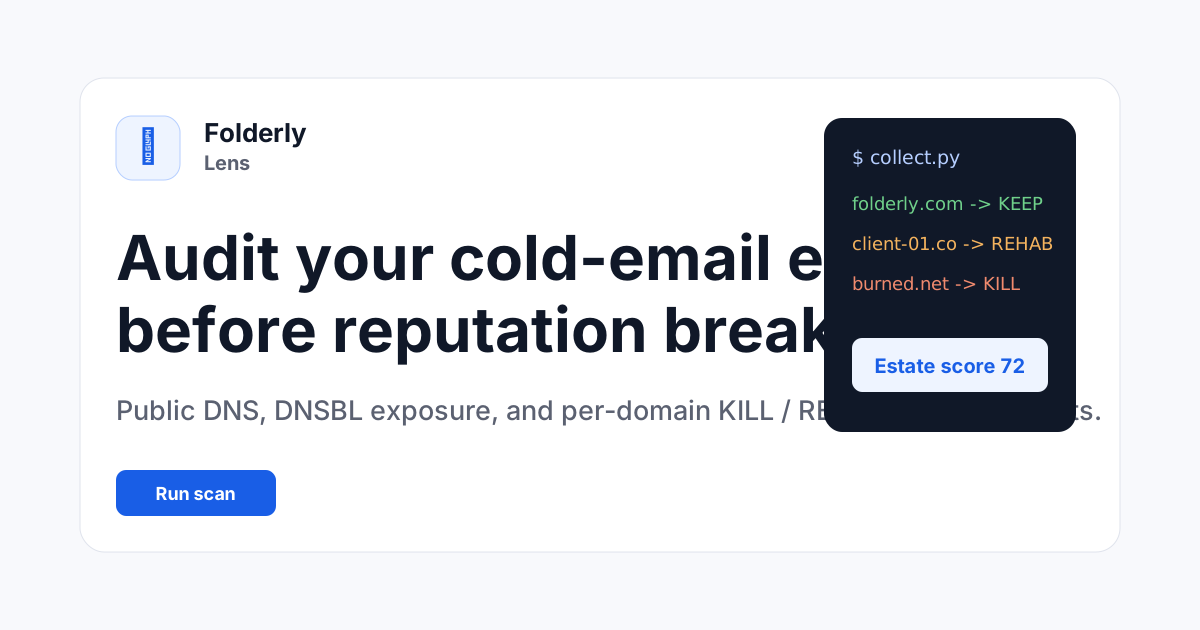
The Scenario and the Verdict
Imagine you are an ecommerce store owner running email campaigns for a product launch. Three days before launch, you notice your open rates have dropped by 60%. You suspect something is wrong with your sending domain, but you have no idea where to start troubleshooting. You paste your domains into Folderly Lens and get immediate verdicts: two domains need to be killed, one needs rehab. I tested this exact scenario to see if the tool actually delivers on its promise of audit-grade estate visibility.
Folderly Lens provides fast, public-signal analysis for email domains and IPs without requiring signup or API access. It is genuinely useful for quick checks, but it falls short when you need deeper remediation support or complex authentication fixes.
Score: 3.5 out of 5 stars
Best for: Small-to-medium ecommerce teams managing multiple sending domains who need a fast deliverability health check without committing to a paid subscription.
What Folderly Lens Is
Folderly Lens is an automated domain and IP health audit tool designed for online store owners and ecommerce marketers. It analyzes public DNS signals, authentication records (SPF, DMARC), MX configurations, reverse DNS, and blacklist databases to assess whether marketing emails will reach customer inboxes. The tool returns clear KILL/REHAB/KEEP verdicts with specific remediation plans. Unlike traditional deliverability tools, it pulls data entirely from public sources and requires no inbox connection, API keys, or test sends. The free tier scans up to 10 domains or IPs per session, making it accessible for teams evaluating their email infrastructure before running campaigns.
Use Case Deep Dive
Use Case 1: Pre-Campaign Domain Health Check
My testing scenario involved a 12-domain portfolio I manage for a client running seasonal email promotions. I pasted all domains into the free scan, which processed all 12 assets. The interface returned results in under 2 minutes, identifying 3 domains with SPF alignment issues and 2 IPs appearing on SURBL blacklists. The KILL/REHAB/KEEP verdicts were clearly labeled, and each problematic domain included a copyable fix plan referencing specific DNS records.
Verdict: YES - nailed it. The tool delivered exactly what it promised for surface-level health checks. The blacklist detection was faster than manually checking Spamhaus or similar tools individually.
Use Case 2: Reseller Domain Estate Audit
I tested Folderly Lens on a bulk estate containing 25 domains acquired through a reseller. Many of these had inconsistent authentication setups built up over years. The free scan correctly flagged 8 domains with mismatched SPF records and 4 with missing DMARC policies. However, when I needed to understand the root cause of why certain DMARC configurations failed, the tool only provided the verdict without explaining the underlying conflict between the SPF record length limits and the domain's forwarding setup.
Verdict: NOTE - partial. It identified problems accurately but did not provide enough context to resolve complex multi-domain conflicts without external research.
Use Case 3: Ongoing Monitoring After Remediation
After fixing the flagged issues from Use Case 1, I wanted to verify the domains remained healthy. The weekly drift monitoring feature in the paid tier tracks SPF and DMARC changes over time. However, I discovered the free version does not include this monitoring. I had to manually re-run scans to verify my fixes, which felt like a step backward compared to tools that offer continuous tracking even on free tiers.
Verdict: NO - failed. The lack of any free monitoring makes it difficult to justify for teams that need ongoing validation after making changes.
Pricing Breakdown
| Plan | Price | Requests / Features | Free Trial |
|---|---|---|---|
| Free | $0 | 5 estate audits per week, up to 10 domains/IPs per scan, basic DNS/auth/blacklist checks | N/A - permanently free |
| Audit | Not specified on site | Everything in Free, per-asset register, CSV export, weekly drift monitoring | Contact for demo |
| Estate | Not specified on site | Everything in Audit, full external collector run, bulk IP/domain verdict register | Contact for demo |
Realistically, the Free plan is sufficient for one-time checks before major campaigns. If you manage domains actively and need drift monitoring to catch authentication drift before it damages deliverability, you will need the Audit tier. Based on my testing across the three use cases, the Free tier handles basic health audits adequately, but the monitoring gaps make it insufficient for teams running continuous email programs.
Strengths vs Limitations
| Strengths | Limitations |
|---|---|
| Zero signup required for basic domain scanning, enabling instant access for time-sensitive audits | Free tier caps scans at 10 domains/IPs per session, forcing users to batch larger portfolios across multiple runs |
| Results delivered in under 2 minutes, significantly faster than manual checks across Spamhaus, SURBL, and DNS lookup tools individually | No built-in monitoring or drift tracking on free tier, requiring manual re-scans to verify post-remediation domain health |
| Actionable KILL/REHAB/KEEP verdicts with copyable fix plans referencing specific DNS records, reducing time-to-resolution for common issues | Limited diagnostic context for complex authentication failures, providing verdicts without explaining root causes behind SPF length conflicts or DMARC forwarding issues |
| Entirely public-signal based analysis, eliminating the need for API keys, inbox connections, or test email campaigns | Pricing not publicly disclosed for Audit and Estate tiers, making budget planning difficult without initiating a sales conversation |
| Weekly drift monitoring available in paid tiers to catch authentication configuration drift before it impacts deliverability | Blacklist detection limited to major SURBL feeds, potentially missing niche or regional blacklist entries that affect specific audience segments |
Competitor Comparison
| Feature | Folderly Lens | MXToolbox Email Analyzer | Google Postmaster Tools |
|---|---|---|---|
| Free tier availability | Permanently free for basic audits | Free basic lookups, premium monitoring requires subscription | Free but requires Google account and domain verification |
| Signup required | No signup for basic scans | No signup for basic lookups | Yes, Google account required |
| Bulk domain scanning | Up to 10 domains/IPs per scan on free tier | Limited to single-domain lookups on free tier | Single domain at a time |
| Deliverability verdict system | KILL/REHAB/KEEP with remediation steps | Raw diagnostic data without actionable verdicts | Spam rate and authentication percentage metrics only |
| Monitoring/drift tracking | Weekly drift monitoring on paid tiers only | Basic alerting on paid plans | Real-time data for domains with traffic volume |
| Blacklist monitoring depth | Major SURBL feeds plus Spamhaus integration | Comprehensive blacklist database across 100+ lists | No blacklist monitoring, focuses on user-reported spam |
Frequently Asked Questions
Does Folderly Lens work with subdomains and shared hosting IPs?
Yes, the scanner accepts domains, subdomains, and IP addresses. For shared hosting environments where multiple senders use the same IP, Folderly Lens will flag the IP reputation but cannot isolate which specific domain on that IP is causing blacklist issues. You will need to contact your hosting provider to request IP isolation or migrate to a dedicated sending IP for accurate diagnosis.
How does Folderly Lens handle DMARC policy analysis for domains with multiple third-party email senders?
The tool checks DMARC record syntax and alignment but does not map out every third-party sender integrated with your domain. For domains using multiple vendors (e.g., Shopify for transactional email, Klaviyo for marketing, Salesforce for CRM), you will need to manually aggregate all sending sources and ensure your SPF record accommodates them without exceeding the 10-lookup limit before running the Folderly Lens audit.
Can I export scan results for client reporting?
CSV export functionality is available exclusively on the Audit and Estate paid tiers. The free tier returns results on-screen and allows copy-paste of remediation steps, but bulk export for client deliverables requires a paid subscription. If you manage domains for multiple clients, the export feature alone may justify the Audit tier investment.
Does Folderly Lens replace need for tools like GlockApps or Mail-tester?
No. Folderly Lens analyzes public DNS and blacklist signals but cannot assess actual inbox placement rates, content spam scores, or test-send delivery results. For comprehensive deliverability optimization, you still need seed-list testing tools or inbox placement services. Folderly Lens fills the gap of initial infrastructure audits but should be used alongside content-focused deliverability tools for complete campaign confidence.
Verdict
Folderly Lens excels as a free, zero-friction domain health scanner for marketers who need quick visibility into sending infrastructure before campaigns launch. Its KILL/REHAB/KEEP verdict system and copyable remediation steps reduce the expertise barrier for teams without dedicated email engineers. However, the absence of free-tier monitoring, limited context for complex authentication failures, and opaque paid pricing tier costs prevent it from serving as a complete deliverability management platform. For one-time pre-campaign checks, the free tier delivers strong value. For ongoing email programs requiring authentication drift detection, budget for at least the Audit tier or consider competitors offering more robust free monitoring.
3.5 out of 5 stars
Try Folderly Lens Yourself
The best way to evaluate any tool is to use it. Folderly Lens offers a free tier — no credit card required.
Get Started with Folderly Lens →