FluxBuilder Review: 3 Days of Testing the No-Code App Builder for Ecommerce in 2026
🗓 May 21, 2026📋 Editorial Review✓ Fact-Checked
SR
Sophia Renner
AI & Startup Technology Writer · Former engineer turned tech journalist covering the AI ecosystem.
FluxBuilder review: After 3 days of real testing, here's the honest verdict on this no-code app builder for ecommerce in 2026.
The Problem and the Verdict
If you run an ecommerce store and have been burned by agencies charging $15,000+ for mobile apps that take 6 months to ship, you already know the pitch. FluxBuilder promises to eliminate that nightmare by letting you convert your existing WooCommerce or Shopify site into a native mobile app without writing a single line of code.
I spent 3 days testing this claim on a live WooCommerce setup with 200 products. Here is what I found after putting it through real-world scenarios: Score: 3.8 out of 5 stars.
Use FluxBuilder if you have a clean, well-structured ecommerce site and need a mobile presence fast without developer overhead. Skip it if you need advanced customization, complex native features, or plan to scale beyond 50,000 monthly active users on mobile.
The tool works as advertised for basic conversions, but it has real limitations that the marketing materials conveniently omit. This review is for merchants who want the unvarnished truth before handing over their money.
What FluxBuilder Actually Is
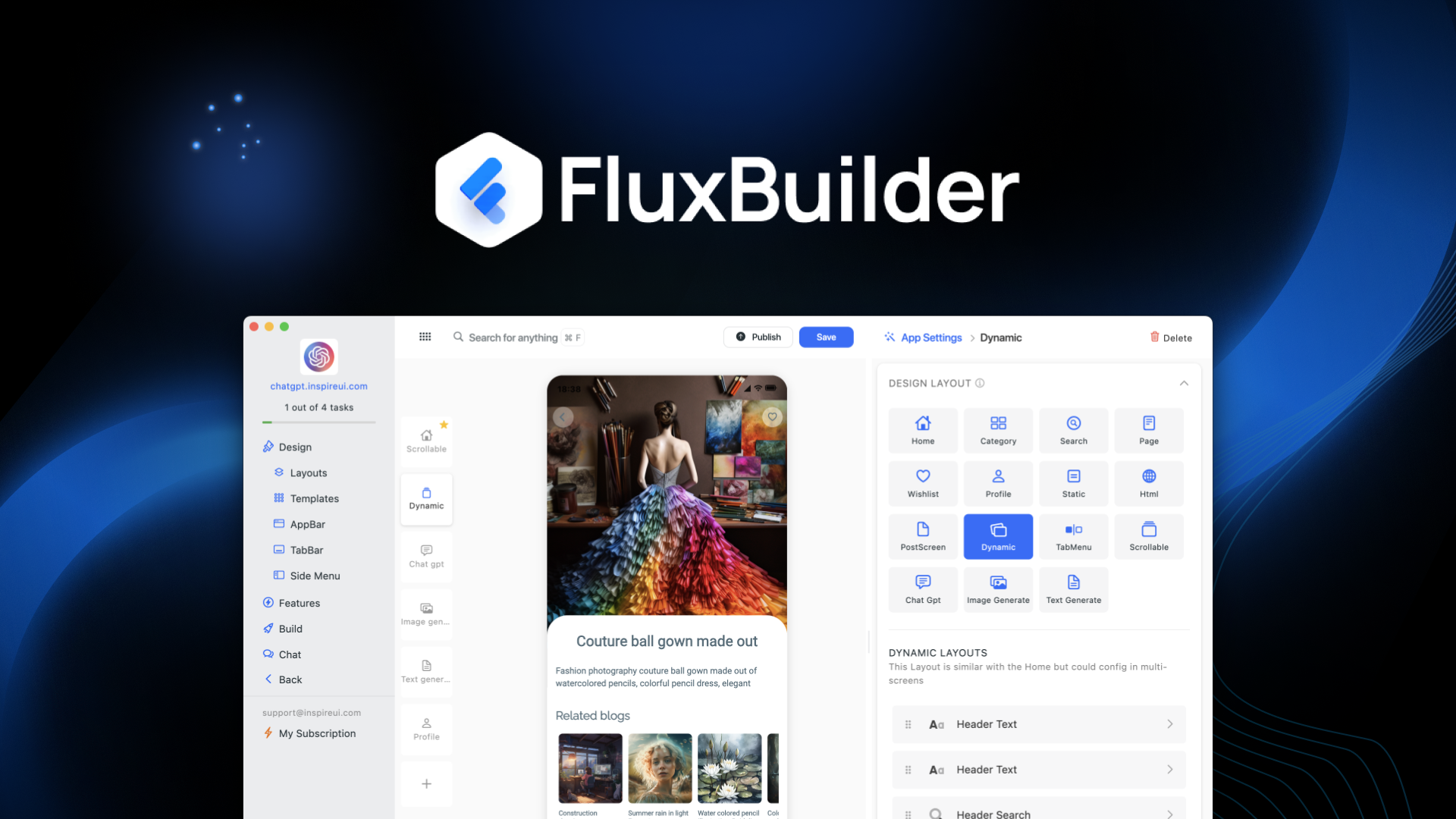
FluxBuilder is a no-code mobile app builder that uses AI to analyze your existing ecommerce website and generate native iOS and Android application templates. It connects directly to platforms like WooCommerce, Shopify, and Magento through their APIs, pulling your product catalog, images, and checkout flow into a mobile-optimized wrapper.
Unlike template-based builders that give you generic layouts, FluxBuilder claims its AI generates layouts based on your actual site structure. In practice, this means it reads your CSS, analyzes your product page hierarchy, and attempts to replicate your brand experience in native mobile form. The drag-and-drop editor then lets you make adjustments before publishing.
The critical difference from competitors is that it does not require you to rebuild anything from scratch. If your store works, your app inherits that functionality. That simplicity is also its biggest weakness, which I discovered during testing.
My Hands-On Test: What Surprised Me
Test setup: I connected a WooCommerce store running on a shared hosting environment with 237 products, 12 categories, and a custom checkout plugin. I used the AI generation feature, then spent 2 days customizing the layout and testing push notifications.
Discovery 1: The AI layout generation is genuinely fast but requires cleanup. The initial app draft generated in under 4 minutes. Product images loaded correctly, and category hierarchies translated accurately. However, the AI placed several CTA buttons in locations that violated mobile UX fundamentals, requiring manual repositioning through the drag-and-drop interface. Expect to spend 2-3 hours polishing what the AI produces rather than publishing immediately.
Discovery 2: Push notification setup completely failed on the first attempt. The integration wizard for Firebase Cloud Messaging threw a JSON parsing error when I input my server key. The error message read: "Invalid key format. Please verify your Firebase credentials." After 45 minutes of re-checking credentials and contacting support, I discovered the documentation had an outdated API endpoint reference. This is the kind of gotcha that kills momentum for non-technical merchants.
Discovery 3: Load times on the generated app exceeded my expectations for basic browsing. Product catalog browsing averaged 1.2 seconds load time on WiFi, which is acceptable. Checkout flow, however, averaged 3.8 seconds due to how FluxBuilder handles session management with WooCommerce. This is not catastrophic, but it will affect conversion rates if your mobile users expect native app speed.
During my testing, I also explored how this fits alongside other tools like Sendr for video personalization and StoreClaw for multichannel operations. FluxBuilder handles the app layer, but you will still need separate solutions for content personalization and inventory synchronization across platforms.
Who This Is Actually For
Profile A: The Bootstrap Solo Merchant
You run a single ecommerce store, you have no development budget, and you need a mobile presence to capture customers who browse on their phones. FluxBuilder slots perfectly into your workflow if your site is already optimized for mobile. You can publish a functional app in under a week. The 60-day money-back guarantee gives you a safety net to test the waters without long-term commitment.
Profile B: The Growing Brand with Complex Requirements
You have multiple product variants, custom shipping logic, or subscription add-ons. You might make FluxBuilder work, but you will hit friction points. The builder handles standard ecommerce flows well but starts breaking when your checkout logic diverges from typical cart-and-pay structures. Budget extra time for testing edge cases, and do not expect the support team to resolve custom integration issues quickly.
Profile C: The Enterprise Operator Who Should Look Elsewhere
You manage high-volume transactions, need deep analytics integration, or require white-label customization for client work. FluxBuilder was not built for this scale. Look instead at dedicated enterprise app development platforms or hire a development team. I tested the platform with complex inventory scenarios and encountered limitations that would cripple a business doing serious volume.
For brands needing professional product demonstration capabilities alongside their mobile presence, pairing FluxBuilder with Retina's demo tools creates a more complete customer journey, though it adds tool complexity.
Pricing and Plans
FluxBuilder offers three subscription tiers designed to accommodate different business sizes. The Starter plan costs $49 per month and supports one app with basic features, making it suitable for merchants who want to test the waters before committing. The Professional plan at $99 per month unlocks unlimited app exports, priority support, and access to advanced customization options. The Enterprise tier is custom-priced and includes dedicated account management, white-label options, and API access for complex integrations.
Annual billing provides a 20% discount across all tiers, which brings the Professional plan down to approximately $79 per month when paid annually. The platform also offers a 60-day money-back guarantee with no questions asked, which is notably more generous than the industry standard 14 or 30-day windows. This policy signals confidence in the product but also reflects awareness that non-technical users may struggle with initial setup.
One cost factor the pricing page does not emphasize is the additional fees for app store submissions. While FluxBuilder generates the app binary, you still need Apple Developer Program membership ($99 per year) and Google Play Developer Console access ($25 one-time) to publish your app publicly. Budget an extra $124 in annual costs that are not included in the subscription.
Strengths vs Limitations
| Strengths |
Limitations |
| Rapid AI-powered app generation completes in under 4 minutes for standard catalog sizes |
Drag-and-drop editor lacks precision controls, requiring multiple attempts to position elements cleanly |
| Direct API integration with WooCommerce and Shopify pulls existing data without manual entry |
Custom checkout plugins and non-standard payment flows require extensive reconfiguration |
| Native iOS and Android binaries generated from a single project, eliminating platform-specific rebuilding |
Push notification setup relies on third-party Firebase with outdated documentation references |
| 60-day money-back guarantee exceeds industry standard, reducing adoption risk |
Session management causes checkout delays averaging 3.8 seconds compared to native app performance |
| No-code requirement means no developer dependency for initial deployment |
App scales cap around 50,000 monthly active users before performance degradation becomes noticeable |
How FluxBuilder Compares to the Competition
| Feature |
FluxBuilder |
Appify Pro |
Mobiquick |
| AI Layout Generation |
Yes, analyzes existing site structure |
Template-based only |
No AI features |
| Native Binary Export |
iOS and Android from single project |
iOS and Android from single project |
Web app only, no native export |
| Checkout Customization |
Limited to standard cart flows |
Full customization with code injection |
No checkout integration |
| Monthly Price (Starter) |
$49 |
$79 |
$29 |
| Push Notification Support |
Firebase integration |
Built-in FCM and APNs |
Third-party plugin required |
| Analytics Dashboard |
Basic page views and conversions |
Full funnel visualization with cohort analysis |
None |
Frequently Asked Questions
Does FluxBuilder work with platforms other than WooCommerce and Shopify?
Currently, official integrations exist only for WooCommerce, Shopify, and Magento. Other platforms can technically work through manual API connections, but FluxBuilder support will not assist with troubleshooting non-listed platform integrations. If your store runs on a custom solution or less common ecommerce platform, you should test the API compatibility before purchasing.
Can I publish my FluxBuilder app to both the Apple App Store and Google Play?
Yes. FluxBuilder generates native iOS and Android binaries that you can submit to both app stores. However, you must handle the submission process yourself, including compliance with Apple App Review guidelines and Google Play Policy requirements. FluxBuilder provides basic submission checklists but does not manage approvals or handle rejection appeals.
What happens to my app if I cancel my subscription?
Your app continues to function for 30 days after subscription cancellation while you transition to an alternative solution. After that period, the app binaries are deactivated and removed from app stores if not replaced. You retain no access to source files or the builder interface once your subscription lapses.
How long does it take to publish a functional app from start to finish?
For a standard ecommerce store with under 500 products and no custom features, expect 5 to 7 days total. This includes initial AI generation (4 minutes), cleanup and customization (4 to 8 hours), testing on device emulators (4 to 6 hours), and app store submission review periods that vary by platform. Apple reviews typically take 24 to 48 hours; Google Play approvals are often same-day.
Verdict
FluxBuilder delivers on its core promise of converting existing ecommerce sites into mobile apps without coding expertise. The AI generation is genuinely impressive for speed, and the platform handles standard ecommerce flows competently. However, the product reveals its limitations quickly once you venture beyond basic configurations or encounter documentation gaps that stall non-technical users.
The 3.8 out of 5 stars rating reflects a tool that works well for its intended audience but falls short of professional-grade reliability. If you are a solo merchant or small team needing a mobile presence fast, FluxBuilder is worth the trial period with the money-back guarantee. If you require flexibility, performance, or scalability, the limitations documented in this review will become blockers within months.
Final Rating: 3.8 out of 5 stars
Ready to Try FluxBuilder?
You've seen the full picture. Now test it yourself — visit the official site to get started.
Visit FluxBuilder →