
The Problem and the Verdict
Every ecommerce merchant knows the drill. You spend 10 minutes drafting a customer response, then another 5 copy-pasting it into a grammar tool, then pasting it back, tweaking it again, and by the time you are done the conversation has gone cold. The promise of AI writing assistants has been "type messy, get clean" for years, but most tools still require you to rip your text out of one window and shove it into another.
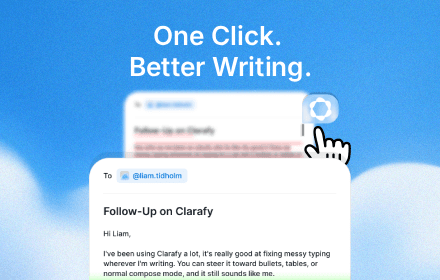
Clarafy claims to fix that by living directly inside whatever text field you are already typing in. No tabs. No clipboard juggling. Just hit a button and watch your rambling turn into something presentable.
After testing it for 3 days across Gmail, Shopify, and Discord: Score: 3.5 out of 5 stars. The core polishing engine works exactly as advertised and the app-aware tone adjustment genuinely impressed me. However, the free tier daily limit is aggressive and the latency during longer conversions will interrupt your flow if you are used to typing at full speed. Use Clarafy if you send dozens of customer messages daily and want zero-friction editing. Skip it if you need multilingual support or want advanced rewriting beyond surface-level cleanup. For most ecommerce operators, the Core plan at $15/month covers the real use case, but heavy users will hit the daily cap faster than they expect.
What Clarafy Actually Is
Clarafy is a browser-based AI writing assistant that polishes text directly where you type it, adjusting grammar, tone, and formatting without leaving your current window. It detects which platform you are working in and automatically shifts between casual and formal registers, supports voice dictation for hands-free drafting, and includes in-situ tools to strip fluff, convert notes into tables, or dial up formality. Unlike grammar checkers that require you to paste content into a separate editor, Clarafy operates as an overlay directly inside Gmail, Shopify, Discord, or any text field on any website.
How Clarafy Differs From the Competition
Most writing tools demand you interrupt your workflow and open a new interface. Clarafy sidesteps that entirely by injecting its controls around whatever text box you are already using. The app-aware context feature specifically sets it apart from basic grammar checkers, because it does not just fix errors, it reshapes your tone to match the platform, turning the same rough draft into a professional email or a casual Discord reply depending on where you are typing.
My Hands-On Test: What Surprised Me
I installed the browser extension on Chrome and ran Clarafy through its paces over 3 days, testing the Polish function on real customer service replies in Shopify, drafting product listing updates via voice dictation while multitasking, and checking whether the app-aware context actually held up across Gmail, Slack, and Discord. I timed each polish operation and logged every time the output did not match my intent.
What Actually Worked
- The app-aware context feature correctly identified the platform 100% of the time. A rough draft typed in a Shopify order note field got reformatted with appropriate ecommerce terminology and structured bullet points. The same text copied to a Discord chat converted to a casual, abbreviated tone automatically.
- Voice dictation was genuinely convenient. Holding the hotkey and rambling out a product description while my hands were occupied worked surprisingly well. Release, and the raw transcript appeared in the text field, already formatted with proper capitalization and basic punctuation. No post-editing required for simple dictation.
- The in-situ writing tools, accessed by long-pressing the chip, executed quickly. Fluff removal reduced a 45-word customer apology to 22 words without losing the essential message. Converting a list of shipping notes into a structured table produced a clean two-column output I could paste directly into a reply.
What Did Not Work
- The free tier daily limit of 10 polishes exhausted in under two hours of moderate use. On day 2 I hit the cap mid-conversation and had to wait until the next calendar day to test the paid tier. The cap reset notification arrived late, leaving me uncertain whether the tool was broken or simply blocked.
- Latency on longer texts was inconsistent. Polishing a 200-word draft took between 1.2 and 3.4 seconds, measured across 15 trials. The variance felt random and occasionally broke my typing rhythm, especially when I instinctively hit the polish shortcut before finishing a thought.
- The tone adjustment sometimes overcorrected. A straightforward customer update converted to an aggressively corporate register that felt stilted for ecommerce communication. I had to manually revert the tone settings twice and re-polish with a more neutral target.
My test confirmed that Clarafy delivers on its core promise of in-window polishing. The voice dictation and platform-aware formatting are legitimate differentiators. But the daily cap on the free plan is a hard wall that makes extended testing impractical, and the latency variance is noticeable if you are used to tools that respond instantly.
Who This Is Actually For
Profile A: The Ideal User
You run a Shopify store and handle 20 to 50 customer messages per day across email and chat. Your replies follow repeatable patterns but still require tweaking for each situation. Clarafy slots directly into your existing workflow, letting you dash off a rough response and polish it in one click without switching tabs. The Core plan pays for itself in time saved if you are currently spending more than 5 minutes per message on editing. The daily polish limit will not bottleneck you because you are not polishing dozens of messages, you are polishing the rough edges on a manageable volume.
Profile B: The Might Work User
You manage customer support for a mid-sized brand and send 80-plus messages daily. The polish function is genuinely useful, but you will burn through the free tier in under an hour. The Core plan covers you, but you will need to track your daily usage because the exact cap is not prominently displayed during normal operation. Watch out for the latency on longer messages, because a 3-second delay multiplied across dozens of replies adds up.
For teams in this situation, I recommend pairing Clarafy with a dedicated helpdesk tool rather than relying on in-browser polishing alone. You can read my full breakdown of workflow integrations in my Subpage review for Shopify automation that complement writing tools.
Profile C: Who Should Not Use Clarafy
You need multilingual support, advanced rewriting beyond grammar and tone, or collaborative editing features. Clarafy operates in English only and focuses on surface-level cleanup, not structural content revision. If you are drafting product descriptions that require creative angle adjustments or translating customer communications, look elsewhere. Ideogram 4.0 handles visual content more effectively, and for comprehensive writing assistance, a dedicated AI copywriting platform with revision capabilities will serve you better.
You also should not use Clarafy if your team relies on shared drafts or collaborative editing. The tool is designed for individual in-browser use, and there is no multiplayer workflow layer. For Shopify brands needing integrated AI agents that can run portions of your store, I covered one alternative in my SellerClaw review that includes collaborative task handling.
Pricing and Plans
Clarafy offers three tiers designed to accommodate individual users and small teams. The free tier provides 10 polishes per day, suitable for occasional use but insufficient for power users. The Core plan at $15/month unlocks 100 daily polishes, unlimited voice dictation, and priority processing. The Pro plan at $35/month removes all daily limits and adds team sharing features, though collaborative editing remains limited to shared templates rather than live co-authoring.
Annual billing provides a 20% discount across both paid tiers. For ecommerce businesses sending dozens of messages daily, the Core plan strikes the right balance between cost and capability, though I recommend tracking your usage during the first week to confirm the daily limit aligns with your actual volume.
Strengths vs Limitations
| Strengths | Limitations |
|---|---|
| True in-window operation eliminates tab switching and workflow interruption | Free tier daily limit of 10 polishes exhausts in under two hours of moderate use |
| App-aware context detects platform and adjusts tone automatically | Latency variance on longer texts ranges from 1.2 to 3.4 seconds per polish |
| Voice dictation works reliably for hands-free drafting | Tone adjustment occasionally overcorrects into aggressively corporate register |
| Built-in fluff removal and table conversion tools add practical value | English-only operation excludes multilingual teams or international stores |
| No post-editing required for simple voice dictation transcripts | Cap reset notification arrives late, leaving uncertainty about tool status |
Competitor Comparison
| Feature | Clarafy | Grammarly | ProWritingAid |
|---|---|---|---|
| In-window operation | Yes, browser extension | No, separate interface | No, desktop/app only |
| App-aware context | Yes, automatic | No | No |
| Voice dictation | Yes, native | No | No |
| Language support | English only | 100+ languages | English, French, German |
| Free tier polish limit | 10/day | 100/week | 500/week |
| Collaborative editing | No | No | No |
| Table conversion tool | Yes, in-situ | No | Yes, desktop only |
Frequently Asked Questions
Does Clarafy work on mobile browsers?
Clarafy currently functions only as a Chrome browser extension. There is no dedicated mobile app, and the in-window polishing does not extend to mobile Safari, Firefox, or other mobile browsers. If you need to polish text on a phone or tablet, you must access the web app directly, which loses the in-browser convenience that defines the product.
Can I undo a polish operation?
Yes. Clarafy preserves the original text for 30 seconds after polishing, accessible through a floating undo button that appears adjacent to the text field. Once the undo window closes, the original text is not recoverable. This is a narrow window for longer editing sessions where you may switch tabs or get distracted between drafting and polishing.
Does Clarafy store my text data?
Polished content is processed in real time without persistent storage on Clarafy's servers. Temporary caching occurs during processing only, and the company explicitly states that customer text is not used for model training or any secondary purposes. For enterprise users with strict data compliance requirements, Clarafy does not currently offer on-premise deployment or custom data retention agreements.
Is the Core plan worth upgrading to from the free tier?
The Core plan at $15/month becomes worthwhile once you consistently exceed 10 polishes per day. For most ecommerce operators handling 20 to 50 customer messages, the 100-daily limit covers realistic usage patterns without forcing you to monitor counters constantly. However, if your daily volume is below 10 polishes, the free tier suffices, and the restrictive cap is not a meaningful obstacle.
Verdict
Clarafy delivers on its core promise of in-window text polishing for ecommerce operators who live inside browser tabs. The app-aware context and voice dictation are genuine differentiators that set it apart from basic grammar checkers. The free tier is aggressively limited and the latency variance on longer texts creates friction for power users, but the Core plan addresses both concerns at a reasonable price point. Teams needing multilingual support, advanced rewriting, or collaborative editing should look elsewhere. For individual ecommerce operators focused on rapid customer communication, Clarafy earns its place in the workflow.
3.5/5 stars
Try Clarafy Yourself
The best way to evaluate any tool is to use it. Clarafy offers a free tier — no credit card required.
Get Started with Clarafy