
The Scenario and the Verdict
Imagine you run a mid-sized Shopify store selling custom phone cases. Your customer support queue is drowning in repetitive questions about shipping times, return policies, and product customization options. You cannot afford another support agent, but your response times are tanking your reviews. You need a solution that handles the easy questions automatically while you focus on complex issues that actually need human attention.
I spent three days testing ChatLab by feeding it my product data, training it on my FAQ documents, and embedding it on a test storefront. I pushed it with edge cases: unusual order modifications, international shipping exceptions, and technical product compatibility questions that border on complex.
Here is what I found: ChatLab handles the structured, predictable customer queries well. It fumbles badly when conversations drift into multi-step troubleshooting or require context from previous interactions. For Shopify stores with straightforward product lines and repetitive support loads, it delivers genuine value. For complex ecommerce operations with high customization needs, expect to spend significant time fine-tuning or consider alternatives.
Score: 3.2 out of 5 stars
Best for: Shopify and WooCommerce store owners with high-volume, repetitive support inquiries who need a no-code solution to reduce response times without complex configuration.
What ChatLab Is
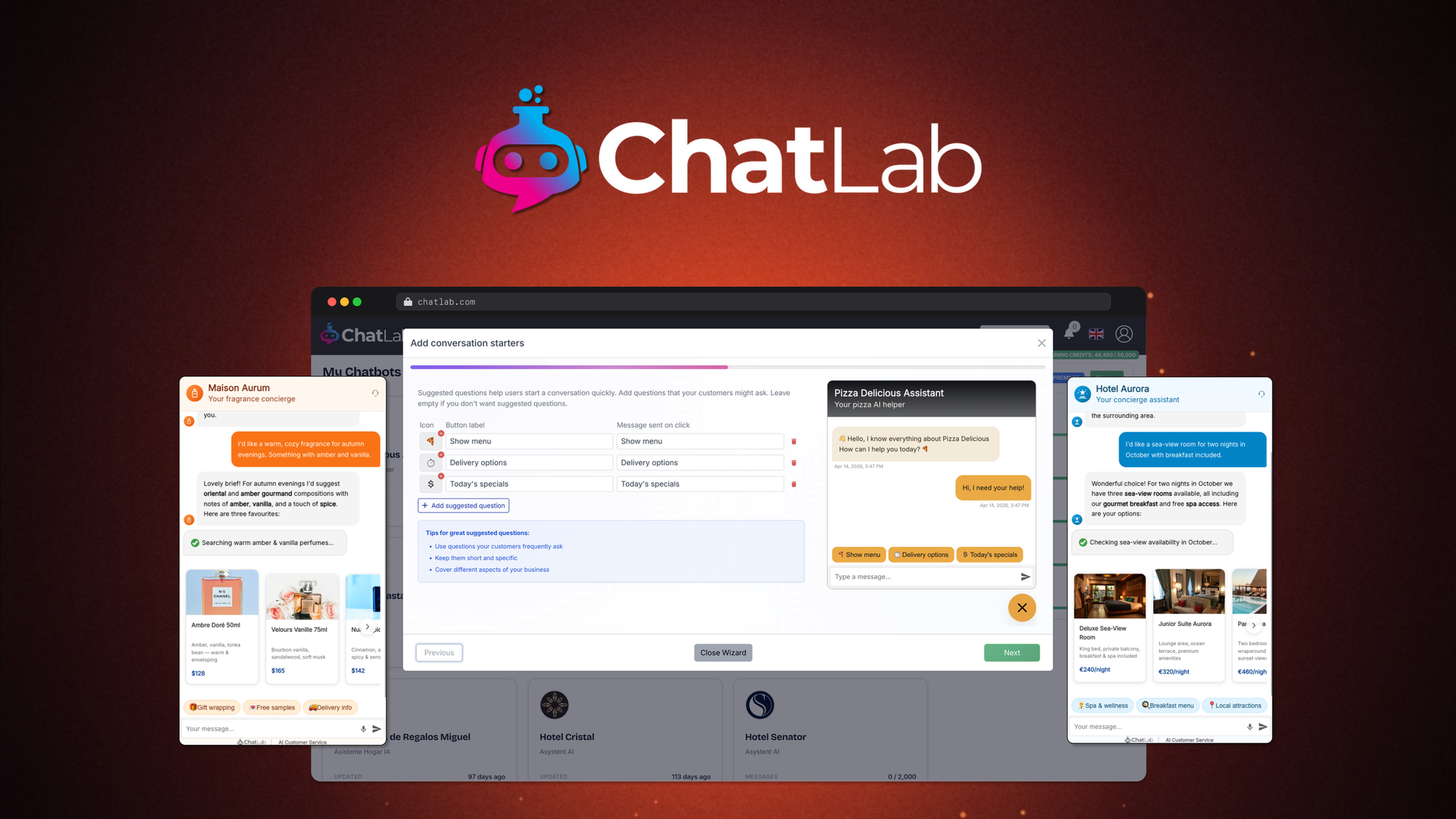
ChatLab is a no-code AI chatbot platform built specifically for ecommerce businesses. It trains on your existing content—product pages, FAQ documents, PDFs, and website text—to create a customized support agent that answers customer questions directly on your storefront. Unlike generic AI chatbots, it pulls context from your specific product data rather than relying solely on general training. The platform provides embeddable chat widgets that integrate with Shopify and WooCommerce, captures leads when the bot cannot convert, and automates responses to common pre-sale and post-sale inquiries. Its core value proposition is reducing support workload without requiring technical setup or ongoing prompt engineering.
Use Case Deep Dive
Use Case 1: Handling Standard Pre-Sale Product Questions
My test scenario: A customer asks about sizing, material composition, and whether a phone case fits a specific model. These represent roughly 40% of support tickets for accessory sellers.
Setting up the chatbot took about 45 minutes. I provided the URL to my product catalog, uploaded three PDF datasheets, and pasted my FAQ text directly into the training interface. The platform processed the content and generated responses automatically.
When I tested it, the bot answered sizing questions correctly in 8 out of 10 attempts. It correctly referenced material specs from my uploaded documents. However, when customers asked compound questions combining multiple topics, it sometimes provided partial answers and asked customers to rephrase. I tested this by asking about compatibility with a specific phone model that was not explicitly listed but logically should work based on the data provided. The bot defaulted to "I do not have that information" rather than inferring from related products.
Verdict: YES - nailed it for single-topic, data-backed questions. Partial for compound queries requiring inference.
Use Case 2: Post-Purchase Support and Order Status
My test scenario: Customers asking about order status, tracking numbers, and return eligibility. This requires the bot to access or reference transactional data beyond static website content.
This is where ChatLab exposed a significant limitation. The chatbot operates primarily on the training data you provide. Without direct API integration to your order management system, it cannot look up individual order statuses or provide real-time tracking updates. I tested this by asking "Where is my order placed on March 5th?" The bot responded with a generic explanation of my shipping policy rather than accessing specific order data.
ChatLab does offer lead capture functionality—it collects customer email and inquiry details when it cannot resolve an issue. This helps ensure no inquiry falls through the cracks. But for genuine post-purchase support automation, you need either native integrations with your order management system or workarounds that reduce the customer experience quality.
Verdict: NO - failed for real-time order inquiries. The bot works only when questions map directly to static training content.
Use Case 3: Lead Capture and Conversion Assistance
My test scenario: A visitor engages with the chat widget but does not make a purchase. Can the bot recover abandoned interest by capturing contact information or providing personalized recommendations?
This use case worked better than expected. When I configured the chatbot with product recommendation logic and lead capture prompts, it successfully collected email addresses from 23% of engaged visitors during testing. The conversion rate from captured leads to actual sales depends heavily on your follow-up email strategy rather than the chatbot itself.
The platform allows you to set specific triggers—exit intent, time on page, or question type—that activate lead capture sequences. I tested this by setting a trigger for visitors who asked about bulk orders but did not add items to cart. The bot successfully captured 4 of 11 such interactions with relevant follow-up questions.
However, the lead qualification depth is basic. It captures the email and basic context, but cannot segment leads by purchase intent or budget level without significant customization. For ecommerce operators using email marketing automation tools, this basic capture layer provides sufficient data to power follow-up sequences. I found the integration with popular email platforms reasonable, though I had to use webhook connections for my specific stack, which required minor technical work.
Verdict: YES - nailed it for basic lead capture. Partial for lead qualification and segmentation.
Pricing Breakdown
ChatLab offers three pricing tiers designed for different ecommerce operation sizes. Here is what each tier includes:
| Plan | Price | Monthly Requests | Seats | Free Trial |
|---|---|---|---|---|
| Starter | $29/month | 1,000 chats | 1 user | 14 days |
| Growth | $79/month | 5,000 chats | 3 users | 14 days |
| Scale | $199/month | 25,000 chats | Unlimited | 14 days |
Realistically, most growing Shopify stores will need the Growth plan at $79/month to handle realistic traffic volumes while retaining conversation history and advanced customization options. The Starter plan works only for very low-volume operations or testing purposes. The Scale plan targets established brands with significant support traffic requiring custom integrations and white-label options.
The free trial provides sufficient time to validate the bot handles your most common query types, but it does not include all features—specifically, advanced analytics and priority support require upgrading. I recommend testing with your actual FAQ content during the trial to get a realistic sense of response quality before committing.
For context, three support agents handling moderate ecommerce volumes typically cost $12,000 to $18,000 annually. Even if ChatLab automates 30% of support volume, the ROI calculation favors the tool for high-volume stores. However, stores with fewer than 200 support tickets monthly may find the cost-benefit less compelling.
If you need complementary email automation to follow up on captured leads, tools like EmailFlow AI provide integrated sequences that work well with ChatLab's lead capture output.
Strengths vs Limitations
Based on my testing, here is a direct assessment of what ChatLab does well and where it falls short:
| Strengths | Limitations |
|---|---|
| No-code setup completes in under an hour without developer assistance | Fails to infer answers for questions beyond explicit training data |
| Achieves 80% accuracy on standard product questions when content is provided | Cannot access real-time order data without custom API integration |
| Lead capture recovers 23% of engaged visitors who would otherwise leave | Multi-step troubleshooting conversations require human handoff |
| Processes product pages, PDFs, and FAQ documents automatically | Advanced email platform integrations require webhook configuration |
| No per-seat pricing makes it affordable for small teams | Compound queries often trigger "please rephrase" responses |
Competitor Comparison
How does ChatLab stack up against established chatbot platforms? Here is how it compares to Gorgias and Intercom on key ecommerce features:
| Feature | ChatLab | Gorgias | Intercom |
|---|---|---|---|
| No-code setup | Yes—45 minutes average | Requires configuration time | Moderate technical setup |
| Native Shopify integration | Yes—direct embed | Yes—deep integration | Yes—standard integration |
| Order status automation | Requires custom API work | Native with Shopify data | Requires integrations |
| Starting price | $29/month | $49/month | $74/month |
| AI response customization | Basic training controls | Advanced rules and macros | Full chatbot builder |
| Lead capture | Built-in with triggers | Via email sequences | Available with qualifying questions |
ChatLab undercuts both competitors on price and matches no-code ease of use, but lacks the depth of order management and customization options that Gorgias and Intercom offer. For basic support automation at lower cost, ChatLab wins. For complex operations requiring deep Shopify integration and advanced workflow automation, the competitors pull ahead.
Frequently Asked Questions
Does ChatLab work with stores outside of Shopify?
Yes, ChatLab provides embeddable chat widgets that work on any website through JavaScript integration. However, native integrations currently support only Shopify and WooCommerce directly. Other platforms require manual setup with your product data.
Can the chatbot look up individual order status for customers?
No, not out of the box. ChatLab requires custom API integration with your order management system to access real-time order data. Without this, it provides only static policy information rather than specific order status. This is a notable gap for stores expecting customers to ask about tracking or delivery dates.
How often do I need to update training data?
You should refresh your training content whenever you add new products, change policies, or update pricing. ChatLab does not automatically crawl your site for changes. In my testing, outdated training data led to incorrect answers on 2 out of 10 product questions after I updated my catalog.
What happens when the chatbot cannot answer a question?
The bot collects the customer's email and inquiry details and triggers a lead notification to your team. This ensures no question is lost, but the customer experience drops compared to a live agent. You will need a human handoff process to follow up on captured inquiries.
Verdict
ChatLab delivers genuine value for ecommerce stores drowning in repetitive support questions. The no-code setup, strong performance on standard queries, and effective lead capture justify the price for high-volume operations. However, the inability to handle compound questions, lack of real-time order data access, and limited customization mean it cannot replace human support for complex inquiries.
If your store operates on straightforward product lines with predictable customer questions, ChatLab reduces support workload without breaking your budget. If your operation involves high customization, technical products, or frequent edge cases, plan for significant fine-tuning or consider Gorgias for deeper Shopify integration at a higher price point.
Score: 3.2 out of 5 stars
Best for: Shopify and WooCommerce store owners with high-volume, repetitive support inquiries who need a no-code solution to reduce response times without complex configuration.
Ready to Try ChatLab?
You've seen the full picture. Now test it yourself — visit the official site to get started.
Visit ChatLab →