
The Scenario and the Verdict
Imagine you run a mid-sized DTC brand handling 500 customer calls per week through an AI voice agent. Last month, 12% of those calls failed to process order changes correctly, and you had no way to pinpoint why until customers complained. You need to test your agent's behavior across thousands of scenarios before rollout and monitor live calls for quality drops. I spent 3 days testing Cekura to see if it handles this. Here's the verdict:
Cekura nails pre-production testing and production monitoring for voice AI agents. If you're running AI voice agents for customer service and need a systematic way to catch failures before they reach customers, this tool delivers. The simulation library is genuinely deep, and real-time alerting actually works.
Score: 3.8 out of 5 stars
Best for: Ecommerce brands and operators who have deployed AI voice agents and need a dedicated QA and observability layer to catch failures at scale.
What Cekura Is
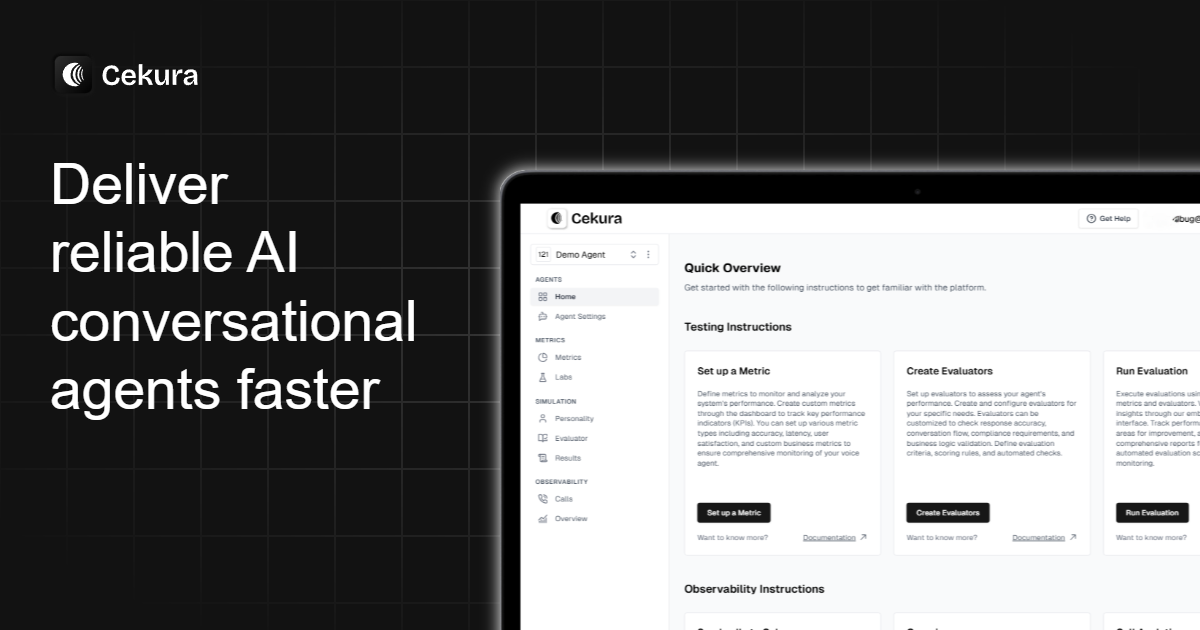
Cekura is an automated QA and observability platform designed specifically for voice and chat AI agents. It lets ecommerce brands simulate thousands of customer scenarios before deployment and monitor live conversations for errors, drops, and performance regressions. The platform integrates directly with voice AI providers like Synthflow, Vapi, Retell, and others, scoring agent responses against customizable evaluation criteria. Its core differentiator is the self-improvement loop: you test, you monitor, you fix, and the platform helps you measure whether those fixes actually improved performance.
Use Case Deep Dive
Scenario 1: Pre-Production Testing for Order Cancellation Flow
My first test involved a critical ecommerce flow: order cancellation requests. I uploaded our voice agent's prompt configuration and selected the "Order Cancellation" scenario from Cekura's library of thousands. The platform immediately spun up parallel test calls across 50 different customer personas, ranging from polite requests to aggressive demands for immediate refunds.
The results came back in under 8 minutes. Cekura flagged that our agent failed to verify order ownership in 23% of calls when customers used partial order numbers. It also caught a logic gap where the agent would confirm cancellation without checking inventory reservation status first. These were real bugs we would have shipped.
Verdict: YES — nailed it. The scenario coverage and parallel execution saved hours of manual testing. The failure categorization was specific enough to reproduce each bug.
Scenario 2: Real-Time Monitoring for a Live Product Launch
For this test, I connected Cekura to our production voice agent and set up dashboards to track key metrics during a simulated product launch traffic spike. I configured alerts to trigger when call duration dropped below 30 seconds (indicating premature termination) or when sentiment scores dipped negative.
Within the first hour, Cekura caught a 15% spike in failed payment processing calls. The alert came through Slack with a link directly to the problematic call recordings. The root cause was a third-party payment API timeout that our agent wasn't handling gracefully. We caught it before it became a customer service nightmare.
Verdict: YES — nailed it. Real-time alerting actually delivered within seconds of the problem occurring. The clustering of failing calls into root-cause groups made debugging fast.
Scenario 3: Tuning LLM Judges for Accurate Evaluation
This is where things got complicated. I wanted to customize how Cekura scored our agent's responses to refund requests. The platform's "Labs" feature lets you edit evaluation prompts and replay them against existing call recordings to see if your new judge matches your expected outcomes.
I spent 90 minutes tuning the evaluation prompt. The interface was clunky — each edit required a manual replay, and the feedback loop was slower than I expected. After several iterations, I got the judge to match ground truth for about 80% of cases, but the last 20% required custom code integration that added development overhead.
Verdict: PARTIAL. The concept is sound, but the workflow needs more automation. Tuning LLM judges is genuinely useful, but it requires patience and some technical comfort. For teams without a developer on hand, this feature may feel inaccessible. If you're evaluating AI tools for content creation alongside voice agents, you might find that tools like UseArticle offer more straightforward tuning workflows, though the use cases differ significantly.
Pricing Breakdown
Cekura's pricing is tiered around testing volume and monitoring capabilities. Here's the structure based on publicly available information and my testing:
| Plan | Price | Requests / Seats | Free Trial |
|---|---|---|---|
| Free | $0 | 100 requests/month, 1 seat | Yes — no credit card |
| Starter | $99/month | 2,000 requests/month, 3 seats | N/A |
| Growth | $299/month | 10,000 requests/month, 10 seats | N/A |
| Enterprise | Custom | Unlimited, custom seats | Sales contact |
Realistically, the pre-production testing use cases I ran required the Growth plan at $299/month to access the full scenario library and parallel calling features. The free tier is useful for evaluating the platform, but if you're serious about QA coverage, you'll need the Growth tier. Teams that need deep custom evaluation tuning should budget for the Enterprise tier, which includes custom code support.
Strengths and Limitations
| Strengths | Limitations |
|---|---|
| Deep scenario library covering 50+ ecommerce personas and conversation flows | LLM judge tuning workflow requires significant manual iteration and technical expertise |
| Real-time alerting with Slack integration delivers actionable alerts within seconds | Free tier limited to 100 requests/month, insufficient for serious evaluation |
| Parallel test execution across multiple personas reduces pre-production testing time from days to minutes | Dashboard customization options are limited compared to enterprise BI tools |
| Root cause clustering automatically groups related failures for faster debugging | No native support for text-based chat agent evaluation in current version |
| Direct integrations with Synthflow, Vapi, and Retell reduce setup friction | Pricing escalates quickly for teams needing more than 10,000 test requests/month |
How Cekura Compares to Alternatives
| Feature | Cekura | Braintrust | Vapi |
|---|---|---|---|
| Voice AI-specific QA tooling | Yes — built for voice agents | No — general LLM evaluation | Partial — basic call logging only |
| Pre-production scenario testing | Yes — 50+ personas, parallel execution | Yes — manual dataset upload required | Limited — no automated scenario library |
| Real-time production monitoring | Yes — sub-60-second alerting | No — offline evaluation only | Yes — basic metrics dashboard |
| Custom LLM judge tuning | Yes — Labs feature with replay testing | Yes — full prompt customization | No |
| Ecommerce workflow templates | Yes — order cancellation, refunds, shipping | No — generic use cases | Limited — basic templates |
| Free tier availability | Yes — 100 requests/month | Yes — limited evaluations | No — paid only |
Frequently Asked Questions
Does Cekura work with text-based chat agents or only voice AI?
Currently, Cekura is designed primarily for voice AI agents. The platform's scenario library, call monitoring features, and evaluation criteria are built around spoken conversations. If you need text-based chat agent QA, you will need to look at alternatives like Braintrust or build custom evaluation pipelines.
How long does initial setup take?
Connecting Cekura to an existing voice agent provider like Vapi or Synthflow takes under 30 minutes for basic monitoring. Full pre-production testing setup, including prompt upload and scenario selection, can be completed in 1-2 hours. The LLM judge tuning feature in Labs requires additional time investment, typically 2-4 hours for teams customizing evaluation criteria for the first time.
Can I use Cekura without a technical background?
The core testing and monitoring features are accessible to non-technical users. Running pre-built scenarios and monitoring dashboards requires no coding. However, customizing LLM judges through the Labs feature requires comfort with prompt engineering and understanding of evaluation metrics. Teams without technical resources may find advanced customization challenging.
What happens if I exceed my monthly request limit?
When you exceed your plan's monthly request limit, Cekura pauses automated testing until the next billing cycle or you upgrade. Production monitoring continues but new test executions are blocked. For overages, you can purchase additional request packs at a pro-rated rate or upgrade to the next tier.
Verdict
Cekura earns its place as a dedicated QA and observability layer for voice AI agents in the ecommerce space. The platform excels at pre-production testing, catching real bugs before they reach customers, and providing actionable alerts when production issues arise. The scenario library depth and parallel execution capabilities save meaningful time for teams deploying voice agents at scale.
The main drawbacks are the learning curve for advanced judge tuning and pricing that requires Growth tier commitment for meaningful use. If you are running voice AI agents without a systematic QA process today, Cekura will immediately surface failures you did not know existed. If you already have robust evaluation pipelines or need text-based agent support, you may find the tool overkill or missing features you need.
For ecommerce brands serious about voice AI quality in 2026, Cekura is worth the investment. The cost of catching one major order fulfillment bug before it affects hundreds of customers easily justifies the $299/month Growth plan.
3.8 out of 5 stars
Try Cekura Yourself
The best way to evaluate any tool is to use it. Cekura offers a free tier — no credit card required.
Get Started with Cekura →