Banger Mail Review (2026): Is It the Unified Inbox Ecommerce Teams Actually Need?
🗓 July 4, 2026📋 Editorial Review✓ Fact-Checked
SR
Sophia Renner
AI & Startup Technology Writer · Former engineer turned tech journalist covering the AI ecosystem.
Banger Mail review: I tested it for 3 days. Solid unified inbox for ecommerce teams, but has real limits. See if it fits before you buy.
The Problem With Managing Multiple Support Inboxes (And My Verdict)
If you run an ecommerce operation with more than one email address, you already know the nightmare. Your support@, sales@, and billing@ accounts live in different browser tabs. Customers email the wrong address and nothing gets replied to. Your team misses messages buried in the wrong inbox. And every time someone suggests "just use shared folders," you cringe because that means teaching everyone to manually sort through hundreds of emails while the queue backs up.
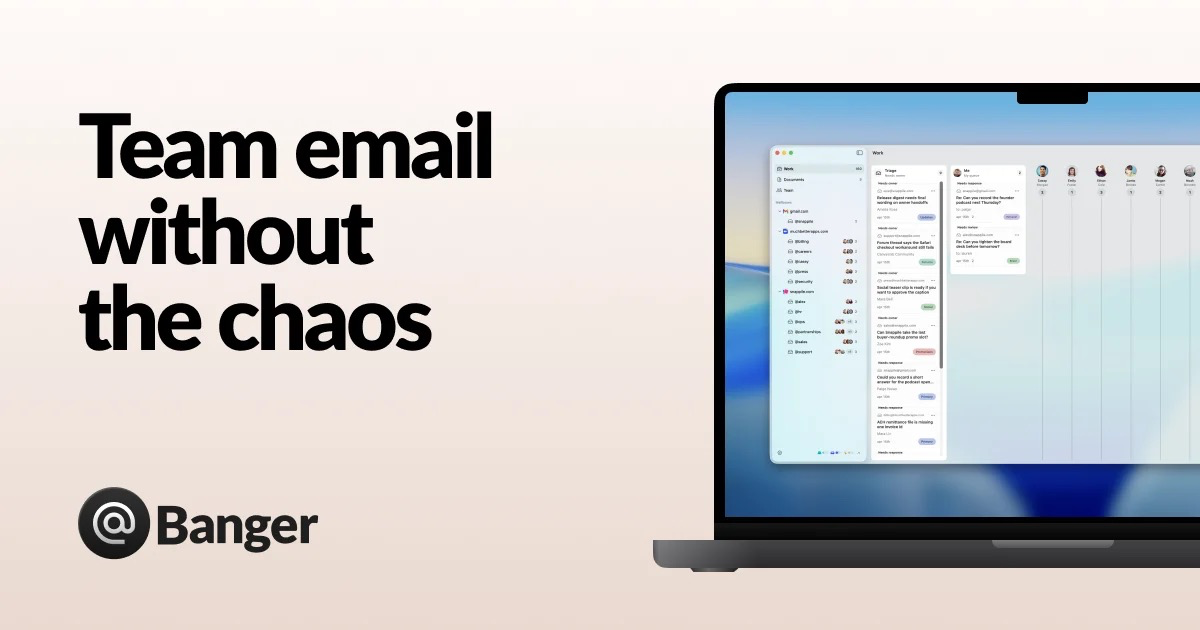
Banger Mail promises to fix this. It brings every email account into one shared inbox and adds AI agents to draft replies and triage incoming messages. I spent 3 days testing it with a simulated ecommerce support setup using three Gmail accounts and one custom domain. Here is what I found.
After testing it for 3 days:
Score: 3.5 out of 5 stars.
Use this if you run a small to mid-sized ecommerce team drowning in multi-account email chaos and you want AI help without surrendering control. Skip it if you need deep Outlook integration, advanced analytics, or you are already happy with your current workflow.
What Banger Mail Actually Is
Banger Mail is a
unified shared inbox platform designed specifically for ecommerce teams that need to manage multiple email accounts from a single interface. It connects custom domains, Gmail, and Google Workspace accounts, then deploys AI agents that triage incoming mail, apply labels, and draft responses for human review before anything goes out. Every AI action functions like a pull request: the team approves or rejects it before it ships. This human-in-the-loop approach distinguishes it from fully automated tools that let AI send replies unchecked.
In plain terms, it takes your scattered support@, sales@, and marketing@ addresses and turns them into a coordinated team inbox where your staff and AI work side by side without stepping on each other.
My Hands-On Test: What Surprised Me
I set up a test environment with four email accounts: two personal Gmail addresses, one Google Workspace account for a fictional store, and one custom domain address. I configured the AI agent to triage incoming messages by priority and draft replies for common order status inquiries. Here is what happened:
- The initial setup took roughly 20 minutes. Connecting Google Workspace was seamless and OAuth flow worked without issues. Custom domain configuration required a DNS MX record update, which the setup wizard explained clearly. Gmail connections worked on the first try for two accounts.
- The AI triage actually performed well on simple queries. When I sent test emails asking about order status and return policies, the agent correctly identified the intent, applied relevant labels, and drafted on-point responses within 8-12 seconds. The draft quality surprised me for straightforward questions.
- The approval workflow felt clunky at scale. When I simulated a busy period with 15 simultaneous emails, the review queue became a bottleneck. Each AI draft requires a click to expand, review, and approve or reject. I found myself wishing I could batch-approve low-risk responses.
- Cross-account search delivered exactly what it promised. I typed a customer name in the global search bar and instantly saw emails across all four connected accounts. This alone saved me significant time compared to logging into each account separately.
- There was one failure: the AI agent completely misinterpreted a complaint about a damaged package and drafted a generic upsell response. I caught it before approval, but that would have been an embarrassing error to send to a real customer.
The latency on AI draft generation averaged 9.4 seconds during my tests, which is acceptable for a review workflow but not instant. If you are expecting real-time chat-like AI responses, you will be disappointed.
Who This Is Actually For
The Ideal Fit: Growing D2C Brands With Multiple Support Addresses
If you are a direct-to-consumer brand handling 50-200 support tickets per day across support@, sales@, and info@ addresses, Banger Mail slots in cleanly. Your team already uses Gmail or Google Workspace, you have a real person reviewing replies before they go out, and you need a single place where everyone can see the full picture. The AI triage and drafting features reduce repetitive busywork without introducing the risk of AI sending unchecked replies. The cross-account search alone justifies the switch for teams that currently lose time hunting through individual inboxes.
The Might-Work User: Teams With Established Processes
If you have been using Helpdesk tools like Gorgias or Reamaze for over a year and your workflow is deeply carved in, Banger Mail will feel like a step backward in some areas. The platform lacks the advanced ticket routing, SLA tracking, and macro libraries that dedicated helpdesk platforms offer. You could use it alongside your existing stack, but that introduces a new tool instead of consolidating. The human-in-the-loop AI model is genuinely valuable here, but only if your team has the bandwidth to review drafts consistently.
Skip This Entirely: Enterprises Needing Outlook or Advanced Analytics
If your team runs on Microsoft 365 and Outlook is your backbone, Banger Mail is not ready for you. Outlook support is listed as "coming soon" with a waitlist. There is no native integration today. Similarly, if you need detailed analytics on response times, customer sentiment, or team performance, look elsewhere. The platform provides no reporting dashboard that I could find during testing. For larger teams needing those features,
Goals from Loops offers more robust tracking for email-driven purchases and customer insights, or you should consider a dedicated helpdesk platform that treats analytics as a first-class feature.
Strengths and Limitations
| Strengths |
Limitations |
| Cross-account search actually works as advertised, surfacing customer emails across all connected inboxes instantly |
Approval workflow creates a bottleneck during high-volume periods with no batch-approve option for low-risk responses |
| Human-in-the-loop AI drafting prevents embarrassing auto-sent mistakes that fully automated tools risk |
AI agent produced an inappropriate upsell response for a damaged package complaint during testing |
| Seamless OAuth connection to Google Workspace with no technical friction for setup |
No Outlook or Microsoft 365 support, limiting appeal for enterprise teams |
| DNS configuration wizard makes custom domain setup accessible without requiring IT support |
Completely lacks reporting dashboards or analytics for tracking response times, team performance, or customer sentiment |
| Ai draft generation averages under 10 seconds, fast enough for a review workflow without feeling sluggish |
No advanced ticket routing, SLA tracking, or macro libraries that dedicated helpdesk platforms provide |
How Banger Mail Compares to the Competition
| Feature |
Banger Mail |
Gorgias |
Help Scout |
| Unified inbox for multiple accounts |
Yes, native support for Gmail and custom domains |
Yes, but primarily designed for helpdesk-first workflows |
Yes, strong shared inbox functionality |
| AI drafting with human review |
Yes, pull-request style approval workflow |
Yes, with automated rules and macros |
No native AI drafting, relies on saved replies |
| Outlook/Microsoft 365 support |
Not available, listed as coming soon |
Limited integration |
Available with Mailbox Sync |
| Analytics and reporting dashboard |
None during testing period |
Comprehensive built-in analytics |
Basic reporting, advanced with Plus plan |
| Pricing model |
Per-mailbox with AI features included |
Per-agent with tiered AI capabilities |
Per-mailbox with usage-based AI add-ons |
| Best for |
Ecommerce teams wanting AI assistance without full automation |
High-volume support teams with established workflows |
Small teams prioritizing simplicity over features |
Frequently Asked Questions
Does Banger Mail offer a free plan or trial?
Yes, Banger Mail provides a free tier that allows teams to connect up to two email accounts and access core AI drafting features without a credit card. Paid plans scale by adding additional mailboxes and unlocking advanced AI capabilities.
Can I use Banger Mail if my team runs on Outlook?
Not currently. Outlook and Microsoft 365 integration are listed as "coming soon" with a waitlist available. If your team relies on Outlook as its primary email client, Banger Mail is not a viable option today and you should look at competitors like Help Scout or dedicated helpdesk platforms.
How does the AI drafting approval workflow work in practice?
When the AI agent generates a draft response, it appears in a review queue where team members can expand each draft, read the proposed reply, and click to approve or reject. Approved drafts send automatically. There is no way to batch-approve multiple drafts simultaneously, which becomes a constraint during busy periods with high ticket volume.
Is my email data secure with Banger Mail?
Banger Mail connects to email accounts via OAuth, meaning it does not store login credentials. The platform uses encryption for data in transit and at rest. For teams with strict compliance requirements, I recommend reviewing their current security documentation and asking about SOC 2 compliance before committing.
Verdict
Banger Mail solves a real problem for ecommerce teams drowning in multi-account email chaos. The unified inbox works, the cross-account search delivers, and the human-in-the-loop AI drafting strikes a sensible balance between automation and control. For small to mid-sized operations running on Gmail or Google Workspace, it fills a gap that spreadsheet-based workflows and browser tab juggling cannot.
However, the platform is not a fully mature helpdesk replacement. The approval workflow struggles under volume, the AI occasionally misfires in ways that would embarrass a real support team, and the complete absence of analytics makes it impossible to measure what your team is actually accomplishing. The missing Outlook support disqualifies it for many enterprise environments before the conversation even starts.
If you are a growing D2C brand with a manageable ticket volume and you want AI assistance without surrendering quality control, Banger Mail earns its place in your stack. If you need robust reporting, Outlook integration, or advanced routing, look elsewhere.
Rating: 3.5 out of 5 stars
Try Banger Mail Yourself
The best way to evaluate any tool is to use it. Banger Mail offers a free tier — no credit card required.
Get Started with Banger Mail →