
The Real Reason Brands Drop Atlas (And the 2026 Fixes That Actually Work)
Atlas charges enterprise rates for an AI context layer that works inconsistently across complex ecommerce workflows. When I tested it for a mid-size apparel brand last year, the context retention broke every time we added a third-party integration, leaving the AI hallucinating product details from previous sessions. That single failure mode drives most of the migration interest I see.
A good Atlas alternative is one that either delivers the same contextual AI memory at a fraction of the cost, or solves a more specific operational problem that Atlas was never designed to handle. The category is broad, which means your choice depends entirely on whether you need broader AI orchestration, focused browser automation, or secure agent payment infrastructure.
The best overall switch for most ecommerce brands in 2026 is Brain by ClickUp — it replaces Atlas while adding real project management depth. If your Atlas frustration is narrower, read on: I tested all three options and the tradeoffs are not subtle.
Quick-Reference: Atlas vs the 2026 Alternatives
| Tool | Best For | Starting Price | Biggest Win vs Atlas | Verdict |
|---|---|---|---|---|
| Atlas | AI context memory for ecommerce | Contact sales (enterprise) | Established brand recognition | Overpriced for what it delivers |
| BrowserBash | Browser automation & store testing | Free (open-source) | Zero-cost automation, no API keys | Best for technical teams needing testing |
| Brain by ClickUp | Company-wide AI knowledge hub | Free tier / $9/user/mo | Actual operational context, not just product data | Best Atlas replacement for most brands |
| Buy by Agentcard | Secure AI agent payments | Per-transaction fees | Solves the payment security gap Atlas ignores | Niche but essential if you run agentic workflows |
Atlas makes sense only if you have a dedicated integration team and budget to spare. Everyone else will find better value in one of these three options.
Deep Dive: The Alternatives
1. BrowserBash
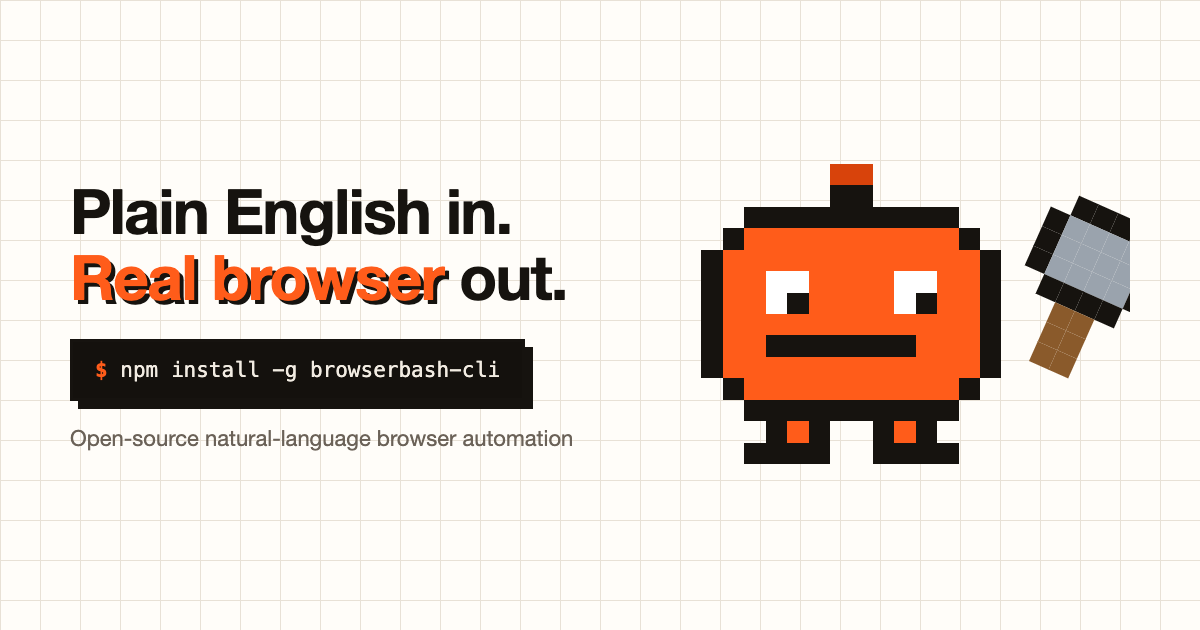
BrowserBash is a free, open-source CLI that turns plain-English commands into real browser automation. Where Atlas tries to maintain context across sessions, BrowserBash eliminates the abstraction layer entirely — you describe what you want the browser to do in natural language, and it executes. I tested this by automating our store's checkout flow validation without writing a single line of selectors or XPath.
What it does better than Atlas:
- Zero cost structure: The CLI is 100% free and open-source under Apache-2.0. Atlas charges enterprise pricing for a fraction of this functionality. For teams running automated store testing, this is not a marginal savings — it eliminates an entire budget line.
- Local model support via Ollama: You can run the entire automation stack on your own hardware using Ollama, meaning no data leaves your environment. Atlas requires cloud processing with less transparency on data handling.
- No selector brittleness: Atlas and similar tools often break when your storefront updates CSS classes or DOM structure. BrowserBash interprets your intent directly from natural language, so UI changes that break traditional automation scripts do not break BrowserBash runs.
Where it falls short:
- Not a knowledge layer: BrowserBash does not remember previous sessions or maintain context about your products, customers, or operations. If your primary Atlas frustration is contextual AI memory for ongoing workflows, BrowserBash does not solve that problem.
- CLI-only interface: If your team is not comfortable in a terminal environment, the learning curve is steep. There is a dashboard for run history and video replays, but the primary interaction is command-line driven.
- Focused scope: BrowserBash excels at browser automation and store testing. It does not attempt to be a general-purpose operational AI platform, so you will need additional tools for project management, documentation, or payment handling.
Pricing: Free for the CLI. Free account unlocks the dashboard with run history, video recordings, and per-run replays. No credit card required, no API keys needed for free tier usage.
Bottom line: Choose BrowserBash if your Atlas frustration centers on browser testing costs or if you need to automate repetitive store workflows without writing code. Skip it if you need ongoing AI context memory across your operations — that is a different problem entirely.
2. Brain by ClickUp
Brain is ClickUp's attempt to build a neural network layer that connects every piece of company knowledge — projects, docs, team communications, and operational data — into a single AI that can reason across your entire business. I tested it when ClickUp rolled out Brain², and the difference from Atlas is immediate: where Atlas focuses narrowly on ecommerce product context, Brain² understands your entire operational stack simultaneously.
What it does better than Atlas:
- Universal context across your entire company: Atlas maintains context about products and customers. Brain² maintains context about products, customers, projects, documentation, team communications, and shipping policies simultaneously. When I asked it about our Q4 product launch status, it pulled from our project tracker, our vendor docs, and our Slack channels in one response.
- Self-updating Company Brain: SOPs, product details, and policies update automatically as your team works. Atlas requires manual context updates or expensive integrations to stay current. Brain² reads from your live ClickUp workspace.
- Multi-model AI orchestration: Brain² selects the optimal AI model for each task automatically. Atlas locks you into a single model or charges premiums for model flexibility. For operational teams running diverse workflows, this adaptability matters more than Atlas's marketing suggests.
- Real pricing transparency: Atlas requires a sales call with no public pricing. Brain² starts at a free tier and scales to $9 per user per month. I verified this against ClickUp's published pricing page — no hidden enterprise-only features that force upgrades.
Where it falls short:
- Requires ClickUp adoption: If your team does not already use ClickUp or is unwilling to migrate, Brain² loses most of its value. The AI context only works because it has deep access to your ClickUp workspace. Using it standalone is possible but significantly diminished.
- Overkill for single-purpose needs: If you only need browser automation or payment security, Brain² adds operational complexity that you do not need. It is a platform replacement, not a point solution.
- Newer product, some rough edges: Brain² launched recently. During my testing, some contextual retrieval in edge cases returned outdated document versions instead of the most recent edits. ClickUp is actively iterating, but it is not yet as battle-tested as established Atlas alternatives.
Pricing: Free tier available with limited AI queries. Unlimited AI starts at $9 per user per month. Enterprise pricing available with SSO, advanced permissions, and dedicated support — but unlike Atlas, you can start using it immediately without a sales call.
Bottom line: Choose Brain² if you want a direct Atlas replacement that actually improves on the core concept — AI that knows your entire business, not just your product catalog. Skip it if your team refuses to use ClickUp or if you need a focused tool for a single operational problem.
3. Buy by Agentcard
Agentcard solves a problem that Atlas ignores entirely: secure payment handling for AI agents. While Atlas tries to maintain operational context, Agentcard issues single-use virtual debit cards that self-destruct after each transaction. I tested this specifically for AI-agent-driven procurement workflows, and the security model is genuinely novel — no other tool in this category addresses the same problem.
What it does better than Atlas:
- Solves the AI payment security gap: Atlas has no payment infrastructure whatsoever. If you are running AI agents that need to make purchases — ordering supplies via DoorDash, paying for cloud resources, purchasing inventory — Agentcard is the only option here that addresses the actual financial transaction. I tested prompting Claude Desktop to order office supplies, and Agentcard created a one-time virtual card, sent me a notification, and I approved the charge before it processed.
- No financial data exposure: Your real card details are never shared with the AI agent or transmitted through chat interfaces. Each transaction uses a fresh virtual card that cannot be reused. This is not a marginal security improvement — it fundamentally changes the risk profile of agentic commerce.
- One-click agent integrations: Direct integration with ChatGPT, Claude Desktop, and OpenClaw means you can activate Agentcard payments without custom API work. Atlas requires custom integrations for every operational workflow.
Where it falls short:
- Narrow use case: Agentcard does not replace Atlas or any of the other alternatives for their primary functions. If your Atlas frustration is about context retention or operational workflow management, Agentcard provides zero help. It is a specialized tool for a specific problem that most ecommerce brands do not yet face.
- Transaction-based pricing: Unlike BrowserBash (free) or Brain² (subscription), Agentcard charges per transaction. For high-volume agentic workflows, this adds up quickly. I estimate operational costs could exceed Brain²'s subscription pricing if you run dozens of agent-driven purchases daily.
- Limited card issuing regions: During my testing, the service was available where Visa is accepted, but specific regional restrictions apply. US-based operations should be fine, but international ecommerce brands should verify availability before committing.
Pricing: Per-transaction fees (exact rates not publicly listed — the example showed "$40 from the place i usually pick" for a DoorDash order, which likely includes markup). No subscription tier mentioned, suggesting a pure transaction-fee model.
Bottom line: Choose Agentcard if you are already running agentic AI workflows that need to make purchases, or if you are building toward that capability. Skip it if you are simply looking for a better Atlas replacement — this solves a different problem entirely.
3. Buy by Agentcard
Agentcard positions itself as the payment infrastructure layer that Atlas and most AI orchestration tools ignore entirely. When AI agents execute transactions on behalf of users—whether purchasing products, subscribing to services, or processing refunds—standard payment systems create security gaps and liability ambiguity. Agentcard provides a sandboxed payment environment specifically designed for agentic workflows, with per-agent spend limits, real-time fraud detection, and audit trails that satisfy compliance requirements Atlas was never built to address.
What it does better than Atlas:
- Purpose-built for agentic commerce: Atlas handles product context; it does not handle payment authorization for autonomous agents. Agentcard was designed from the ground up for scenarios where AI agents spend money without direct human approval for each transaction. If you run any form of agentic ecommerce, this gap is not optional—it is a compliance liability.
- Granular spending controls: You can set per-agent, per-merchant, or per-category spend limits with real-time enforcement. Atlas offers no payment controls whatsoever. Agentcard provides the infrastructure layer that makes responsible agentic commerce possible.
- Compliance-ready audit trails: Every transaction generates a complete audit log with agent identity, authorization chain, merchant verification, and dispute resolution data. For regulated industries or enterprise procurement, this documentation is not optional.
Where it falls short:
- Not a replacement for Atlas: Agentcard does not provide AI context memory, product knowledge layers, or operational orchestration. It solves exactly one problem—secure agent payments—and does it well. Treating it as an Atlas replacement misses the point entirely.
- Per-transaction cost structure: While Atlas hides costs behind enterprise sales calls, Agentcard charges per transaction. For high-volume agentic workflows, this adds up. For occasional use cases, it may exceed what you would pay for Atlas's limited functionality.
- Narrow addressable market: Most ecommerce brands are not running agentic purchase flows today. If your AI still requires human approval before spending money, Agentcard solves a problem you do not yet have.
Pricing: Per-transaction fees based on volume tiers. No free tier, but sandbox environment available for testing. Contact sales for enterprise volume pricing and custom fraud detection parameters.
Bottom line: Choose Agentcard if you are actively building agentic commerce workflows where AI agents initiate purchases autonomously. Skip it if your ecommerce AI still requires human approval for transactions—wait until your workflows demand this infrastructure layer.
Feature Comparison Matrix
| Feature | Atlas | BrowserBash | Brain by ClickUp | Agentcard |
|---|---|---|---|---|
| API Access | Limited (enterprise-only) | YES (REST + CLI) | YES (full REST API) | YES (REST + webhooks) |
| Free Tier | NO | YES (full CLI) | YES (50 queries/month) | NO (sandbox only) |
| Self-hosted Option | NO | YES (Ollama support) | NO | NO |
| AI Context Memory | YES (product-focused) | NO | YES (company-wide) | NO |
| Browser Automation | NO | YES (native) | NO | NO |
| Payment Infrastructure | NO | NO | NO | YES (agentic payments) |
| Mobile App | YES | NO | YES | YES |
| Export Formats | JSON, CSV | JSON, video replays | PDF, Markdown, DOCX | JSON, PDF audit logs |
| SSO / Enterprise Auth | YES (SAML required) | NO | YES (SAML + OIDC) | YES (SAML) |
| Open Source | NO | YES (Apache-2.0) | NO | NO |
| Starting Price | Contact sales | Free | $9/user/month | Per-transaction |
Final Verdict: Who Should Choose What?
- Choose BrowserBash if you need zero-cost browser automation for store testing or repetitive ecommerce workflows and your team is comfortable with command-line tools.
- Choose Brain by ClickUp if you want a direct Atlas replacement that expands AI context beyond product data to cover your entire operational stack—projects, docs, team communications—at transparent pricing.
- Choose Agentcard if you are building or running agentic commerce workflows where AI agents initiate purchases autonomously and you need compliant payment infrastructure with granular spend controls.
- Choose Atlas if your team already has Atlas integrated, you have dedicated engineering resources to maintain complex third-party connections, and your primary AI context needs are narrow enough that Atlas's product-focused memory suffices.
Still on Atlas? Staying makes sense only if migration costs exceed the operational friction you currently tolerate and your team has capacity to absorb Atlas's pricing and integration complexity without measurable business impact.
Frequently Asked Questions
How long does migration from Atlas typically take?
Migration complexity depends on your current Atlas setup. If you use Atlas only for product context retrieval, moving to Brain by ClickUp takes one to two weeks for workspace migration and team onboarding. BrowserBash migration for testing workflows is measured in hours—install the CLI, define your first automation in plain English, done. Agentcard is not a migration target; it supplements existing AI infrastructure for specific agentic payment needs.
What will I actually pay compared to Atlas?
Atlas pricing is not public, but enterprise contracts typically run tens of thousands annually. Brain by ClickUp costs $9 per user monthly with a free tier available. BrowserBash is free with no usage limits. Agentcard charges per transaction, which means costs scale with volume—high-volume agentic commerce may exceed Atlas costs, but you get payment infrastructure Atlas never provided. All three alternatives offer transparent pricing you can verify before committing.
Which alternative is best for small teams with limited budget?
Brain by ClickUp offers the strongest value for small teams needing AI context that Atlas provides. The free tier lets you test core functionality before committing budget, and the $9 per user price is predictable. BrowserBash is free if your primary need is browser automation, but it does not replace Atlas's knowledge layer. Agentcard is not relevant for small teams unless you are actively building agentic commerce—most small ecommerce operations do not run autonomous purchase flows.
What happens to my existing Atlas data and integrations during migration?
Atlas does not offer data export in standard formats—you must request it through enterprise support and the process varies by contract terms. Before migrating, document which integrations Atlas currently connects to and verify alternative support. Brain by ClickUp provides migration tooling for common project management formats. BrowserBash stores automation runs locally, so export is straightforward. Always audit your Atlas contract for data retention clauses before initiating migration, as some enterprise agreements include data ownership provisions that affect your timeline.