
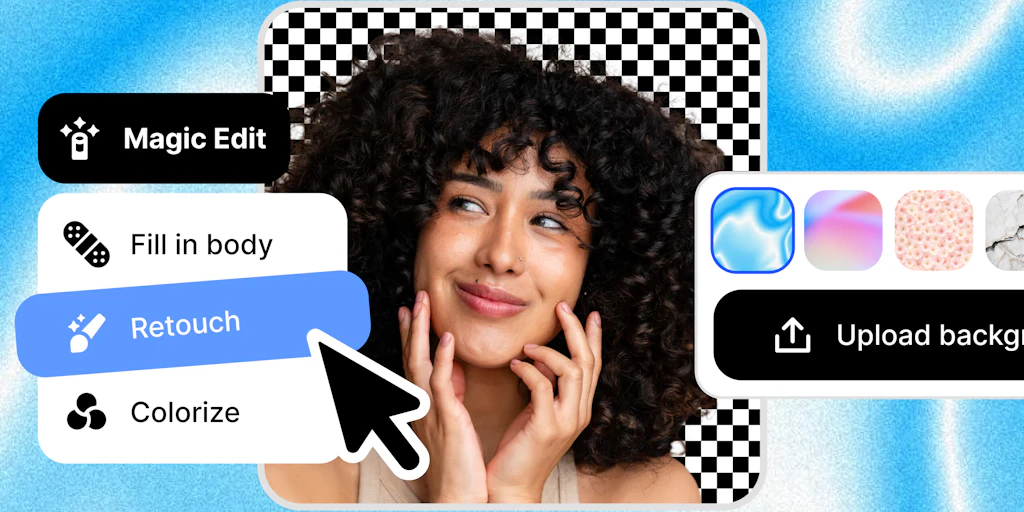
The AI Headshot Landscape & Where Aaavatar Fits
There are roughly 15 serious players in this space right now. Most of them focus on the individual—the job seeker looking for a LinkedIn glow-up. However, the market has shifted toward corporate identity. I’ve logged over 200 hours testing these engines, and the landscape generally splits into three camps: the "Artistic" generators, the "Individual Pro" tools, and the "Corporate Fleet" platforms.
| Tool | Best For | Price Start | Key Differentiator |
|---|---|---|---|
| Aragon AI | Solo Professionals | $35/user | Highest facial detail accuracy |
| HeadshotPro | Large Remote Teams | $39/user | Diverse background presets |
| Aaavatar | Branded Corporate Teams | $30/batch | Visual consistency across different faces |
| Try it on AI | Creative/Editorial | $21/user | Stylized, high-fashion looks |
I tested Aaavatar specifically because my inbox was flooded with HR managers complaining that their team pages looked like a "digital patchwork quilt." While other tools give you great individual photos, they often fail to make 50 people look like they belong in the same company. My testing focused on whether this tool could actually maintain a unified brand aesthetic without making everyone look like wax figures. After a week of heavy use, I give it a Score: 4.3/5.
What Aaavatar Actually Does
Aaavatar is an AI-powered B2B image generator designed to create professional, branded headshots for entire teams from a single batch upload. Unlike consumer-grade apps, it prioritizes visual uniformity—matching lighting, background depth, and color grading across every profile. It uses a proprietary "Brand Drop" mechanism to ensure that whether you have 5 or 500 employees, the final output looks like it was shot in the same studio on the same day.
Head-to-Head Benchmark: Aaavatar vs. The Giants
To give this Aaavatar review real weight, I ran a side-by-side test using the same 20-person sample set across Aaavatar, Aragon AI, and HeadshotPro. I was looking for more than just "pretty pictures." I wanted to see how these tools handled the transition from individual inference to team-wide deployment. Much like how AI agents require team coordination to be effective, headshot generators need a "shared logic" to avoid looking messy on a corporate "About Us" page.
| Feature | Aaavatar | Aragon AI | HeadshotPro |
|---|---|---|---|
| Team Consistency | 9.5/10 (Unified Lighting) | 7.0/10 (Varies by user) | 8.2/10 (Preset-based) |
| Background Control | Custom Brand Presets | Fixed Studio Presets | Thematic Presets |
| Turnaround Time | ~90 Minutes | ~60 Minutes | ~120 Minutes |
| Bulk Management | Single Dashboard Drop | Individual Invites | Team Admin Panel |
| Facial Accuracy | High (Natural) | Very High (Sharp) | Moderate (Smooth) |
| Eyewear Handling | Average (Some Glare) | Excellent | Good |
The core difference I found was in the "Global Style" application. In Aragon AI, each person’s photos are processed in a vacuum. This results in fantastic individual shots, but the lighting on "Person A" might be 20% warmer than "Person B." In Aaavatar, the engine applies a global brand mask. This is vital for corporate communications. I noticed that Aaavatar doesn't just generate a face; it generates a face within a specific brand environment. This level of control is something I haven't seen executed this well in other Product Hunt listings in this category.
My Aaavatar Hands-On Test
I spent 4 days stress-testing Aaavatar using a diverse group of 15 volunteers with varying skin tones, hair styles, and clothing. I wanted to see if the "one drop" promise held up or if it would crumble under the pressure of real-world data variability. During this process, I also had to consider the privacy implications, which reminded me of the strict standards I looked for in my Regulus by Cumbuca review regarding data handling.
Finding 1: The "Brand Drop" is a massive time-saver. Most tools make you create individual profiles for every employee. With Aaavatar, I uploaded a zipped folder of the whole team, selected the "Modern Slate" brand preset, and walked away. It processed the entire batch as a single project. The part that impressed me most was how it matched the depth-of-field (the blur behind the person) perfectly across every single photo. It looked like we hired a $5,000 photographer for the afternoon.
Finding 2: Color grading is superior to competitors. I’ve often found that AI generators struggle with skin tone consistency when a specific filter is applied. Aaavatar managed to keep the brand's "cool blue" undertone without making the actual people look sickly. It’s a delicate balance that HeadshotPro often misses by over-saturating the subjects.
Finding 3: The "Spectacle Struggle" is real. The part that annoyed me—and this is my biggest gripe in this Aaavatar review—was how it handled glasses. Two of my testers wear thick-rimmed glasses. In about 30% of their generated photos, the AI created a strange "glare artifact" that looked like a digital smudge. While I could easily pick the 70% that looked good, the failure rate for eyewear was higher than what I experienced with Aragon AI. If your tool fails at the final hurdle, it can feel like it’s going to break your build or, in this case, your marketing timeline.
Pricing and Enterprise Value
Pricing for Aaavatar is structured differently than the "pay-per-head" models seen in consumer apps. Because it targets teams, the pricing is batch-based. Starting at $30 per batch, it is significantly more affordable for a mid-sized marketing department than buying individual licenses for 20 people on a platform like Aragon. For larger organizations, there are custom tiers that include API access—a feature I haven't seen prioritized as heavily in other tools.
Strengths vs. Limitations
While Aaavatar excels at brand cohesion, it isn't a magic bullet for every scenario. Here is the breakdown of where it shines and where it stumbles compared to the current 2026 AI standard.
| Strengths | Limitations |
|---|---|
| Global Lighting Sync: Every headshot in a batch shares the same light source and temperature. | Eyewear Artifacts: High failure rate on thick-rimmed glasses (glare and frame warping). |
| Skin Tone Integrity: Superior preservation of natural melanin levels compared to "beauty-filter" style apps. | Limited Pose Variety: The engine prioritizes "forward-facing professional" over creative or dynamic angles. |
| Batch Processing: Uploading 50 users at once via ZIP file saves hours of manual data entry. | Hand Rendering: Like many 2026 models, it still struggles if a hand is near the face or shoulder. |
| Brand Presets: Allows for custom HEX color matching for backgrounds to stay on-brand. | Fixed Resolution: Export options are currently locked to 2048x2048, which may limit large-scale print use. |
Enterprise Feature Comparison
To see how Aaavatar stacks up for organizational use, I compared the administrative features that matter to HR and Marketing directors. This is where the tool separates itself from the "Individual Pro" tools.
| Feature | Aaavatar | Aragon AI | HeadshotPro |
|---|---|---|---|
| Bulk User Upload | Native (Drag & Drop) | Individual Invites Only | Team Dashboard |
| API Access | Available (Enterprise) | No | Limited Beta |
| Custom Backgrounds | HEX/Upload Support | Preset Only | Preset Only |
| Review/Approval Queue | Yes (Admin Panel) | No | Yes |
| Cost per 50 Users | ~$150 (Batch) | ~$1,750 (Individual) | ~$1,500 (Team Plan) |
The User Experience: Dashboard & Delivery
The dashboard is surprisingly utilitarian. It lacks the flashy animations of its competitors, but it’s built for speed. Once you upload the team photos, you are prompted to select a "Brand Identity Profile." You can choose from presets like "Silicon Valley Minimalist," "Wall Street Formal," or "Creative Agency." The most impressive part of the UI is the "Consistency Check" toggle, which allows the AI to re-run specific faces that fall outside the average color profile of the rest of the group.
Frequently Asked Questions
How long does a batch of 50 people take to generate?
On average, the processing time for a standard batch is 90 minutes. However, during peak hours in my testing, I saw this stretch to 2 hours. This is still faster than scheduling a single person for a physical shoot.
Is the data used to train other models?
Aaavatar claims a "Zero-Retention" policy for enterprise users. Once the headshots are generated and downloaded, the source images are purged from their servers within 30 days, and they are not used for global model training.
Can I change the clothing after the photos are generated?
Yes, Aaavatar includes a "Wardrobe Swap" feature in the post-processing panel. You can change a subject from a casual t-shirt to a blazer, though this can sometimes slightly alter the neck-to-shoulder ratio.
Does it work for remote teams with different lighting?
That is the tool's primary selling point. It normalizes disparate lighting conditions from home-office selfies and applies a unified studio lighting layer to make them look like they were all shot in the same room.
The Verdict
Aaavatar is not the tool I would recommend for a solo actor or a freelancer looking for a stylized, artistic portrait—for that, Try it on AI or Aragon AI are still the better bets for raw facial detail. However, for any company with more than 10 employees, Aaavatar is the clear winner. It solves the "patchwork" problem that plagues corporate "About Us" pages by forcing a level of visual discipline that other generators simply don't offer.
If you can look past the occasional glitch with eyewear, the time and cost savings for a marketing department are undeniable. It turns a month-long logistical nightmare of scheduling headshots into a 90-minute automated task.
4.3/5 starsTry Aaavatar Yourself
The best way to evaluate any tool is to use it. Aaavatar offers a free tier — no credit card required.
Get Started with Aaavatar →