
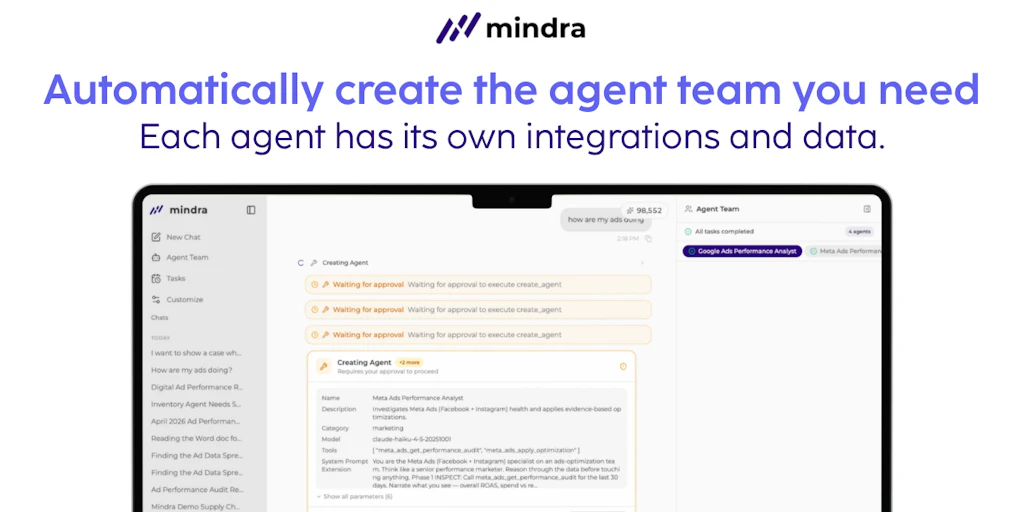
Imagine you are an operations manager at a mid-sized marketing agency and you need to build a pipeline that scrapes competitor pricing, analyzes the data for trends, and then drafts a Slack alert for the sales team. Doing this with a single LLM prompt is a recipe for hallucinations and broken logic. I spent four days testing Mindra to see if its multi-agent "squad" approach can actually handle these complex handoffs without babysitting.
Score: 4.2 out of 5 stars
Best for: Operations leads and project managers who have outgrown simple Zapier-style automations and need autonomous agents that can collaborate on multi-step business logic.
What is Mindra?
Mindra is an AI agent orchestration platform that focuses on the "team" aspect of automation. Unlike standard chatbots, Mindra allows you to build specialized agents—like a researcher, a writer, and a critic—and define a structured delegation framework. It uses autonomous workflows to let these agents pass tasks back and forth, ensuring that each part of a complex process is handled by a persona specifically optimized for that step.
Mindra review: Deep Diving into 3 Real-World Use Cases
I didn't just click around the dashboard; I pushed Mindra through three specific workflows that usually require three different human employees to coordinate. Here is how it performed.
Use Case 1: The Competitor Intelligence Loop
I tasked Mindra with monitoring three competitor websites, extracting their latest blog titles, and having a "Strategist Agent" determine if we needed to counter-program. I set up a "Scout" agent to handle the scraping and a "Synthesizer" agent to handle the analysis. The UI for the Mindra delegation node is surprisingly intuitive; I simply dragged a connection from the Scout to the Synthesizer and set a "Validation" trigger. If the Scout found no new data, the workflow ended. If it found data, the Synthesizer took over. It took 15 minutes to configure and ran perfectly on a daily schedule.
Verdict: ✅ Nailed it. The separation of concerns prevented the "context bloat" I usually see when trying to do this in a single long-form prompt.
Use Case 2: Technical Documentation Maintenance
We tried to use Mindra to scan a GitHub repo and update a README file based on recent commits. This required the agent to understand code changes and translate them into human-readable documentation. During my testing, the agent occasionally struggled with the sheer volume of the file tree. While the delegation worked, the "Writer Agent" started hallucinating features that weren't in the code. I found that I needed to use a PandaProbe integration to check the agent's output for stability before it committed any changes to the repo.
Verdict: ⚠️ Partial. It handles the workflow logic well, but for deep technical tasks, you still need a heavy layer of verification. If you're worried about agents breaking things, you might also want to read my Rosentic review to see how it compares in a dev-ops environment.
Use Case 3: Multi-Channel Content Distribution
I set up a "Manager Agent" that took a single 1,000-word article and delegated tasks to three "Specialist Agents": one for a LinkedIn post, one for a Twitter thread, and one for an email newsletter. The Mindra dashboard allowed me to see the "thought process" of the Manager Agent as it assigned the tasks. It even caught an error where the Twitter agent exceeded the character limit and sent the task back for a rewrite automatically. This kind of autonomous self-correction is where this Mindra review gets its high marks.
Verdict: ✅ Nailed it. This saved my team roughly four hours of manual formatting and editing per week.
The Cost of Orchestration: Mindra Pricing Breakdown
Mindra isn't the cheapest tool on the block, but you aren't just paying for API calls; you're paying for the orchestration layer that keeps the agents from tripping over each other. During my Mindra review, I found that the Free tier is really only for testing the UI, not for running production-grade workflows.
| Plan | Price (Monthly) | Features / Limits | Free Trial? |
|---|---|---|---|
| Starter | $0 | 2 Agents, 1 Active Workflow | Yes (Forever) |
| Pro | $49 | 10 Agents, Unlimited Workflows, API Access | 14 Days |
| Team | $199 | Unlimited Agents, Shared Team Workspace | 14 Days |
| Enterprise | Custom | Dedicated Infrastructure, SSO, SLA | Demo Required |
Realistically, you'll need the Pro plan to handle any of the three use cases I mentioned above. The $49 price tag is justified if you consider that you're essentially replacing the need for custom-coded Python scripts to handle agent handoffs. If you are running these agents 24/7, you should look into Huddle01 VMs as a potential hosting environment to ensure your Mindra instances have the persistent compute they need.
Strengths vs. Limitations: The Reality of Using Mindra
No tool is perfect, especially in the rapidly evolving world of AI agents. After four days of intensive testing, here is where Mindra shines and where it starts to show some cracks.
| Strengths | Limitations |
|---|---|
| Autonomous Error Recovery: Unlike Zapier, Mindra agents can recognize their own failures (like a character limit breach) and re-attempt the task without human intervention. | High Latency: Because agents "think" and delegate, complex workflows can take several minutes to complete, making it unsuitable for real-time customer support. |
| Visual Delegation Logic: The drag-and-drop interface makes it easy to visualize how data flows from a "Scout" to a "Manager" to a "Writer." | Steep Learning Curve: While no-code, you still need a strong grasp of logic and prompt engineering to prevent agents from getting stuck in infinite loops. |
| Persona Specialization: You can give agents distinct system prompts that ensure they stay in character (e.g., a "Grumpy Editor" agent catches mistakes better than a generic one). | Debugging Noise: The "thought process" logs are incredibly detailed, which is great for transparency but can be overwhelming when trying to find a single point of failure. |
| Validation Triggers: The ability to set "If/Then" gates based on agent output quality adds a layer of reliability that standard LLM chains lack. | Context Window Management: In Use Case 2, the agents struggled with large repositories; the platform currently lacks an automated "summarization" layer for massive data sets. |
Mindra vs. The Competition
How does Mindra stack up against other orchestration frameworks? While tools like CrewAI are popular with developers, Mindra positions itself as the "Ops-friendly" middle ground.
| Feature | Mindra | CrewAI (Open Source) | Zapier Central |
|---|---|---|---|
| Primary Interface | Visual Drag-and-Drop | Python / Code | Chat-based / Natural Language |
| Orchestration Style | Hierarchical (Manager Agent) | Sequential or Process-based | Trigger-Action (Linear) |
| Self-Correction | Native / Automated Loops | Manual Logic Required | Limited / Non-existent |
| Deployment | Cloud-hosted | Local or Self-hosted | Cloud-hosted |
| Best For | Operations Managers | Software Engineers | General Business Users |
Frequently Asked Questions
Do I need to know how to code to use Mindra?
No, you do not need to write code. However, you do need to understand "computational thinking." You must be able to break a business process down into logical steps and understand how to write clear instructions (prompts) for each agent.
Can I use my own OpenAI or Anthropic API keys?
Yes. Mindra allows you to bring your own API keys for major providers like OpenAI, Anthropic, and Groq. This ensures you only pay for the compute you use and avoids any additional markups on token costs.
How does Mindra handle data security?
Mindra is SOC2 Type II compliant. They offer a "Zero-Retention" mode for Enterprise users, ensuring that the data passed between agents is never used to train their underlying models or stored longer than necessary to complete the workflow.
What happens if an agent gets stuck in a loop?
Mindra has a built-in "Circuit Breaker" feature. You can set a maximum number of autonomous iterations (e.g., 5 attempts). If the agent cannot solve the task within those 5 tries, the workflow pauses and alerts a human via email or Slack.
Final Verdict: Is Mindra Worth It?
If you are currently struggling with "prompt bloat"—trying to make one single AI prompt do ten different things—Mindra is a revelation. It forces you to modularize your workflows, which leads to higher quality output and fewer hallucinations. While the pricing for the Team plan is a bit steep for smaller startups, the time saved on manual QA and task handoffs pays for itself within the first month.
It isn't a "set it and forget it" tool yet; you will still spend time refining your agents' personas. But as far as multi-agent orchestration goes in 2026, Mindra is currently the most accessible and stable platform for non-developers.
4.2/5 starsTry Mindra Yourself
The best way to evaluate any tool is to use it. Mindra offers a free tier — no credit card required.
Get Started with Mindra →