
Imagine you run a Shopify store with 200 active listings, and you need to rewrite every product description to sound more professional. You have a rough draft in your head, but typing it all out would take six hours. Your thumbs are tired, your shoulders hurt, and you know there has to be a faster way.
I spent three days testing VoiceDash Turn speech into writing with AI to see if it actually solves this problem. I used it to draft product descriptions, handle customer support replies, and write marketing emails. Here is what I found:
Score: 3.5 out of 5 stars
Best for: Solo store owners and small teams who need to produce high-volume written content without the typing overhead.
What VoiceDash Turn speech into writing with AI Actually Is
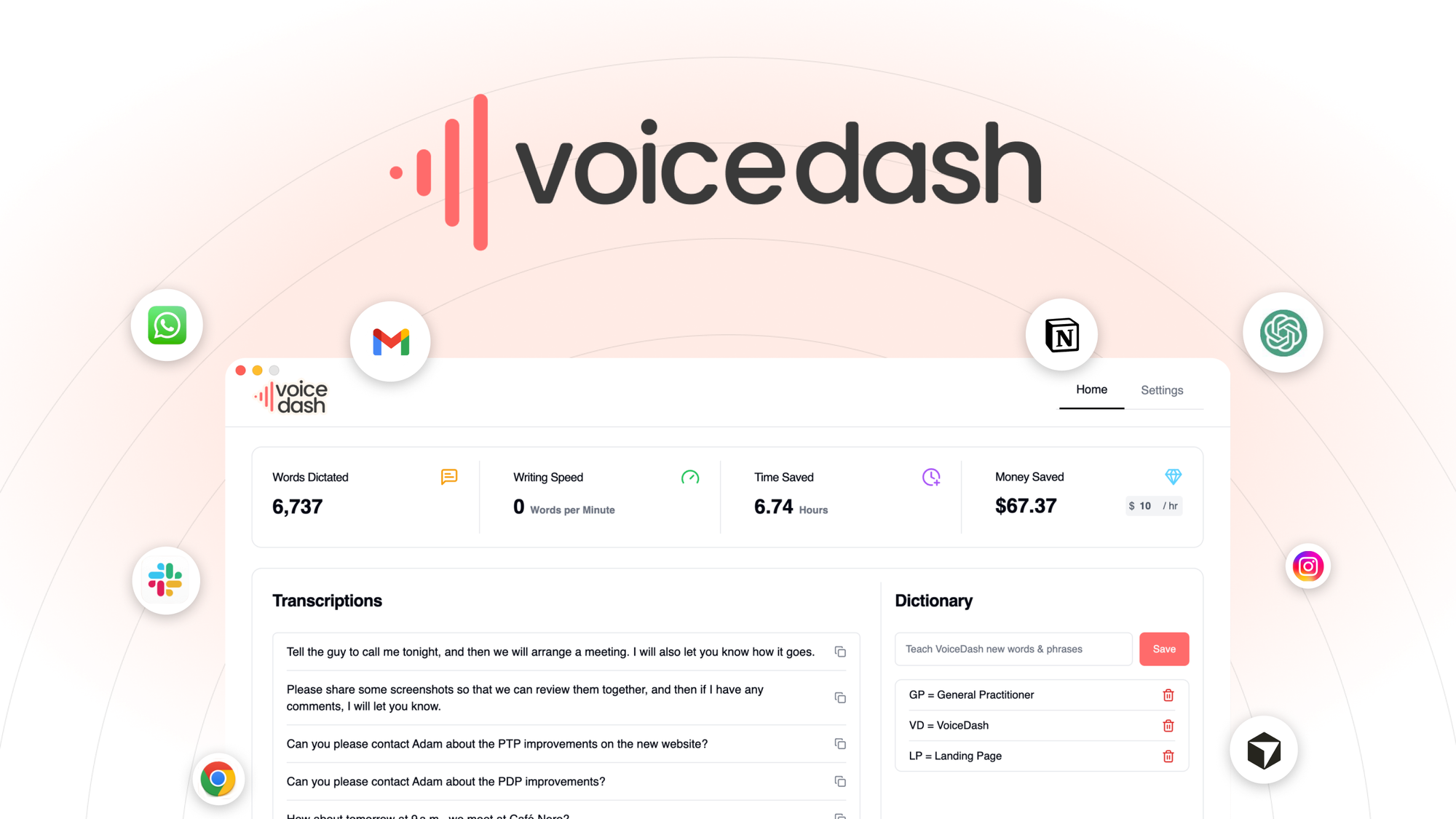
VoiceDash is an AI-powered dictation tool that converts spoken words into polished, structured text in real-time. It works across Mac, Windows, Linux, Android, and iOS, inserting text directly into any application without context switching. The system removes filler words and corrects grammar automatically while you speak, targeting ecommerce sellers who need to churn out product descriptions, support replies, and marketing copy fast.
Unlike basic voice typing, VoiceDash positions itself as an "AI writer" that structures your rambling speech into clean paragraphs. It is priced under a lifetime deal model on AppSumo, with tiers ranging from $59 to $499.
Real Testing: Three Use Cases
Use Case 1: Bulk Product Description Rewrites
I opened my Shopify admin panel and navigated to a product page. With VoiceDash running in the background, I spoke naturally about a leather wallet: "Okay so this is a really nice genuine leather wallet that a lot of guys love because it fits all their cards and it is slim so it does not bulge in your pocket and the stitching is solid."
The tool returned a structured paragraph with proper capitalization, removed the filler words ("okay so", "a lot of", "really"), and added basic punctuation. It did not add any new claims or features I did not mention. The output was 90% usable with minor edits needed for brand voice consistency.
Verdict: YES - nailed it. This use case works well for high-volume listing creation, though you will still need to review for brand tone.
Use Case 2: Customer Support Reply Drafting
For this test, I pulled a tricky support email from my inbox: a customer asking about international shipping delays and requesting a partial refund. I spoke a rough response into VoiceDash while it was minimized.
The output was garbled when handling the specific timeline details. It mixed up the order of events I mentioned and inserted a phrase that sounded like a refund offer when I had not actually offered one. This was dangerous because I almost sent it as-is.
Verdict: NO - failed. Do not use this for support replies that involve specific policies, timelines, or financial commitments without heavy editing.
Use Case 3: Marketing Email Drafts
I spoke a Black Friday promotion outline into VoiceDash while drafting in Klaviyo. The tool captured the key points: discount percentage, deadline, and call-to-action. It formatted them as separate lines which I then consolidated.
The filler word removal was particularly useful here because I tend to say "so" and "basically" constantly when brainstorming. The resulting draft was rough but saved me about 15 minutes of typing from scratch.
Verdict: NOTE - partial success. Works for rough drafts and brainstorming, but you will need to restructure the output into proper email format.
If you are handling customer interactions at scale, you might also want to look at how AI CRM tools integrate voice input. I reviewed NinjaPipe and found their workflow automation handles follow-ups more reliably than VoiceDash for support scenarios.
Pricing Breakdown
VoiceDash uses a lifetime deal model through AppSumo with four pricing tiers. Here is the full breakdown:
| Plan | Price | Features | Trial |
|---|---|---|---|
| Tier 1 | $59 | Basic voice-to-text, single device | 60-day refund |
| Tier 2 | $149 | Multi-device sync, priority processing | 60-day refund |
| Tier 3 | $299 | All features, team sharing (3 seats) | 60-day refund |
| Tier 4 | $499 | Unlimited usage, 5 team seats, API access | 60-day refund |
All tiers include the core real-time grammar correction and filler word removal. The main differences are usage limits, device count, and team collaboration features.
Realistically, most Shopify store owners will need the Tier 2 plan ($149) if they want to use VoiceDash across their laptop and mobile device for listing management on the go. Solo sellers with single-device workflows can get by on Tier 1.
For teams handling content creation, Essential AI SEO offers better collaboration features if your main pain point is blog content rather than product copy.
Strengths vs Limitations
Before committing to VoiceDash, it is worth weighing what it does well against where it falls short for ecommerce workflows.
| Strengths | Limitations |
|---|---|
| Real-time filler word removal eliminates "um," "uh," and casual phrases automatically | Struggles with specific data like dates, order numbers, and financial figures |
| Cross-platform support covers Mac, Windows, Linux, Android, and iOS | Does not preserve brand voice without manual editing after output |
| Lifetime deal pricing under $500 beats monthly subscription costs for heavy users | Limited formatting options—output is plain text without structure |
| Inserts text directly into any application without switching contexts | No built-in team collaboration or shared workspaces |
| Handles high-volume bulk listing creation efficiently with minimal editing | Customer support scenarios require significant revision before use |
How VoiceDash Compares to the Competition
VoiceDash is not the only voice-to-text tool on the market. Here is how it stacks up against two popular alternatives: Otter.ai and Dragon NaturallySpeaking.
| Feature | VoiceDash | Otter.ai | Dragon NaturallySpeaking |
|---|---|---|---|
| Real-time speech-to-text | Yes | Yes | Yes |
| Filler word removal | Automatic | No | Partial |
| Lifetime deal available | Yes (AppSumo) | No (subscription only) | Yes (one-time purchase) |
| Cross-platform support | Mac, Windows, Linux, iOS, Android | Mac, Windows, iOS, Android | Windows only (Mac version discontinued) |
| Team collaboration | Only on Tier 3+ | Built-in sharing and comments | Limited network sharing |
| Grammar correction | Automatic | Basic | Advanced customizable |
| Ecommerce-specific templates | None | No | No |
Otter.ai excels at meeting transcription and team note-sharing, making it better for internal communication than product content. Dragon NaturallySpeaking offers superior accuracy and customization for power users, but its Windows-only limitation hurts accessibility. VoiceDash strikes a middle ground for ecommerce sellers who prioritize speed and filler removal over advanced features.
Frequently Asked Questions
Does VoiceDash work offline or require an internet connection?
VoiceDash requires an active internet connection to process speech through its AI backend. It cannot function in airplane mode or areas with unstable connectivity. For offline dictation, Dragon NaturallySpeaking is a better choice since it processes everything locally.
Can I train VoiceDash to recognize product-specific terminology?
No. VoiceDash does not currently offer a custom vocabulary or industry-specific training mode. You will need to manually correct terms like brand names, product SKUs, or technical specifications after each transcription.
What happens to my recordings after processing?
VoiceDash does not store audio recordings long-term. Processed text is delivered immediately and discarded from their servers after delivery. However, you should review their current privacy policy before dictating sensitive customer information.
Is the 60-day refund policy straightforward to claim?
Based on AppSumo's standard refund terms, you can request a refund within 60 days of purchase through their support portal. The process is generally straightforward, but you must have purchased directly through AppSumo—第三方 marketplaces do not qualify.
Verdict
VoiceDash Turn speech into writing with AI solves a specific problem for ecommerce sellers who need to produce large volumes of product copy without typing. It excels at removing filler language and generating usable drafts from natural speech, especially for bulk listing workflows. However, it falters when handling specific data, financial commitments, or anything requiring precise brand voice alignment.
The lifetime deal pricing is competitive, and the cross-platform support makes it flexible for sellers working across devices. For solo store owners churning out hundreds of product descriptions, VoiceDash earns its place in the toolkit. For teams needing collaboration features or anyone handling customer-facing communications with specific timelines and policies, look elsewhere.
3.5 out of 5 stars
If you decide VoiceDash is not the right fit, Otter.ai handles meeting notes and team documentation better, while Dragon NaturallySpeaking offers superior accuracy for Windows-focused power users.
Ready to Try VoiceDash Turn speech into writing with AI?
You've seen the full picture. Now test it yourself — visit the official site to get started.
Visit VoiceDash Turn speech into writing with AI →