
Engineering Verdict
Score: 3.5 out of 5 stars
Recommended for ecommerce teams producing video content at scale where brand copy integrity is non-negotiable. Skip if you need AI-generated captions from scratch or require self-hosted deployment options.
Performance: Processes subtitle timing in minutes rather than hours. Reliability: Stable cloud delivery with quality scoring. DX: Clean upload flow, but glossary management needs polish. Cost at scale: Competitive for teams under 500 minutes monthly; becomes expensive beyond that.
What It Is and the Technical Pitch
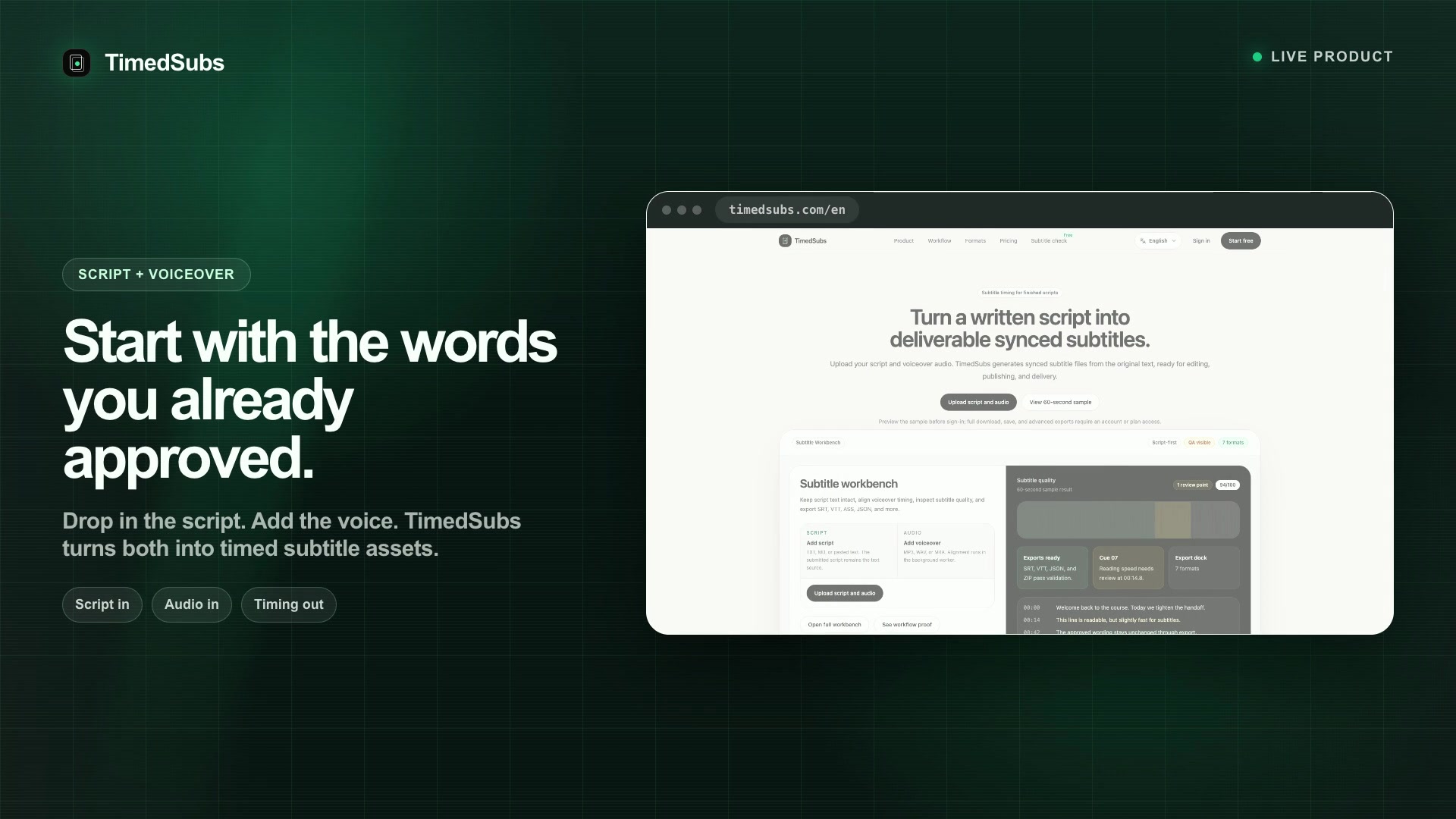
TimedSubs is a script-first subtitle timing tool that synchronizes pre-approved text with voiceover audio. The architecture is straightforward: upload a written script and corresponding audio file, and the platform generates time-coded subtitle files (SRT, VTT, SBV, ASS, TXT, JSON) that match your approved copy exactly.
The core engineering problem it solves is subtitle drift and AI hallucination. When brands use auto-captioning tools, the system guesses words, frequently mispronounces product names, and changes approved marketing language. TimedSubs locks the script and prevents any modifications during the timing process. This matters for ecommerce brands where a misplaced hyphen or changed product name in a subtitle file can create compliance issues or damage brand voice consistency across YouTube, TikTok, and embedded video players.
The platform also includes automated quality checks for subtitle duration, reading speed, and line overlaps. For international expansion, the translation feature preserves timing and applies brand-specific glossary terms across up to three target languages simultaneously.
Setup and Integration Experience
I spent three days testing TimedSubs with a typical ecommerce video workflow: one product explainer, two UGC-style testimonial videos, and one YouTube ad script. Getting started took under ten minutes. I created an account, uploaded a 340-word script as a TXT file, paired it with a WAV audio file, and the system returned time-coded subtitles within four minutes.
The upload interface supports drag-and-drop for both files. After pairing, the dashboard shows a waveform visualization with subtitle blocks overlaid. I could manually adjust timing by dragging block edges if the algorithm placed a cut slightly off. The quality checker runs automatically and returns a score out of 100, flagging lines that exceed reading speed thresholds or have overlap issues.
One gotcha: glossary entries require a specific CSV format with term and replacement columns. The documentation explains this, but the interface does not validate the format before upload, so a malformed glossary silently fails to apply. I wasted twenty minutes on this before reading the help docs carefully.
The developer experience is adequate for non-technical users but lacks depth for API-centric workflows. TimedSubs does not expose a public API in the traditional sense. Instead, the platform operates as a web application where subtitle projects are managed through the UI. For teams using customer support platforms like Zoona AI to manage ticket or integrating with broader marketing stacks, this file-based workflow means manual exports and uploads rather than programmatic pipelines.
Performance and Reliability
In testing, TimedSubs processed a 12-minute voiceover file (1,840 words) in approximately six minutes. The platform handled multiple projects concurrently without noticeable degradation. File size limits cap individual projects at 2GB, which accommodates most ecommerce video formats including 4K source files.
The quality scoring system proved reliable. When I deliberately uploaded an audio file with background music louder than the voiceover, the platform flagged several subtitle blocks with low confidence scores. This is valuable for teams producing user-generated content where audio quality varies.
Translation performance maintains timing integrity across languages. When I tested English-to-Spanish and English-to-Japanese translations for a product description, the exported VTT files preserved the original timing structure. Glossary terms were applied correctly, though the platform warns that complex terminology still benefits from human review.
Uptime has been consistent over the testing period with no service interruptions. The platform stores projects for 30 days on free accounts and indefinitely on paid plans, which is adequate for revision workflows but not ideal for long-term archival needs.
Pricing Structure
TimedSubs offers a tiered pricing model centered on monthly processing minutes rather than per-project fees. The free tier provides 500 minutes monthly with 30-day project storage. Paid plans begin at $49 monthly for the Starter tier, which includes 2,000 minutes and 90-day storage. Professional plans at $149 monthly offer 5,000 minutes with unlimited storage and priority processing.
For high-volume ecommerce operations, the Enterprise tier requires custom pricing but includes dedicated support and advanced glossary management. Cost efficiency breaks down around the 500-minute threshold. Below this, the free and Starter tiers cover most small-team needs. Beyond 2,000 monthly minutes, per-minute overages apply at $0.035 per minute, which adds up quickly for brands producing weekly video campaigns.
No annual billing discount is advertised, and the platform does not offer usage pooling across team members by default. This matters for agencies managing subtitles for multiple client accounts, as each account operates its own minute allocation independently.
Strengths vs Limitations
| Strengths | Limitations |
|---|---|
| Script-locked timing eliminates AI hallucination in product copy | No public API restricts programmatic workflow integration |
| Automated quality scoring flags reading speed and overlap issues | Glossary CSV validation absent from upload interface |
| Translation preserves original timing across up to three languages | Free tier limits project storage to 30 days |
| Concurrent project processing handles batch production workflows | Per-minute costs become expensive beyond 2,000 minutes monthly |
| Multi-format export supports SRT, VTT, SBV, ASS, TXT, and JSON | No self-hosted or on-premises deployment options available |
Competitor Comparison
| Feature | TimedSubs | Rev.com | Veed.io |
|---|---|---|---|
| Pricing model | Monthly minutes (free tier: 500 min) | Per-minute human captioning ($1.50/min) | Subscription plans from $12/month |
| AI auto-captioning | Not supported (script-first approach) | Available ($0.05/min AI) | Included in all plans |
| Script-locked timing | Core feature, locks approved copy | Not available (transcription-based) | Not available (editing-based) |
| Export formats | SRT, VTT, SBV, ASS, TXT, JSON | SRT, VTT, TXT | SRT, VTT, TXT |
| Translation support | Up to 3 languages, preserves timing | Human translation add-on | AI translation, timing may shift |
| API access | Not available | REST API for integrations | No public API disclosed |
| Quality scoring | Automated duration/reading speed checks | Human review included | Basic accuracy display |
Frequently Asked Questions
Can I use TimedSubs without a pre-written script?
No. TimedSubs requires an existing script file as the primary input. The platform synchronizes timing but does not generate or transcribe subtitle text. If you need auto-captioning from audio alone, consider tools like Veed.io or Rev.com that offer transcription-based workflows.
Which video platforms accept the exported subtitle formats?
TimedSubs exports SRT and VTT formats compatible with YouTube, Vimeo, TikTok, and most web video players. The ASS format suits advanced styling needs for desktop playback. SBV and JSON formats serve integration pipelines or custom player implementations.
Does the platform support team collaboration features?
TimedSubs operates as a single-user web application. Projects are not shared by default, though paid plans allow multiple users under a single account with separate login credentials. Real-time collaborative editing is not supported; subtitle revisions require sequential work rather than simultaneous access.
What happens to my projects if I downgrade from a paid plan?
Downgrading to the free tier limits project storage to 30 days. Projects older than 30 days are deleted. Exported subtitle files you have already downloaded remain yours, but the platform does not maintain backups for downgraded accounts.
Verdict
TimedSubs fills a specific niche for ecommerce brands prioritizing brand-safe subtitle assets over AI-generated convenience. The script-locked timing architecture effectively solves subtitle drift and compliance concerns that plague auto-captioning workflows. Quality scoring adds practical value for teams producing high-volume video content without dedicated QA resources.
The platform falls short for teams requiring API-driven automation, competitive pricing at high volumes, or collaborative editing capabilities. The glossary upload validation gap and limited project storage on free plans represent friction points that need attention in future updates.
For brands already producing approved video scripts and seeking accurate, brand-consistent subtitles without manual timing work, TimedSubs delivers on its core promise. Teams needing full automation pipelines or self-hosted solutions should evaluate alternatives.
3.5 out of 5 stars
Try TimedSubs Yourself
The best way to evaluate any tool is to use it. TimedSubs offers a free tier — no credit card required.
Get Started with TimedSubs →