
1. The Problem & The Verdict
Enterprise AI adoption has become a chaos nightmare. Your employees are spinning up tools the IT department has zero visibility into. Security teams are losing sleep over compliance gaps. And leadership keeps asking for ROI numbers that nobody can actually produce. TalentOS claims to be the operating system that fixes all of that — a centralized dashboard that governs AI tool deployment, tracks employee adoption, and measures actual business impact. After spending three days inside TalentOS with a realistic enterprise setup involving 200 employees and a mixed environment of sanctioned and shadow AI tools, here's my honest assessment.Score: 3.2 out of 5 stars.
Use TalentOS if you run a mid-to-large organization drowning in unmanaged AI sprawl and you need executive-level reporting to justify the spend. Skip it if you're a lean startup that already has solid IT governance or you expect this to be a turnkey "set it and forget it" solution — it requires serious configuration effort to deliver anything useful.2. What TalentOS Actually Is
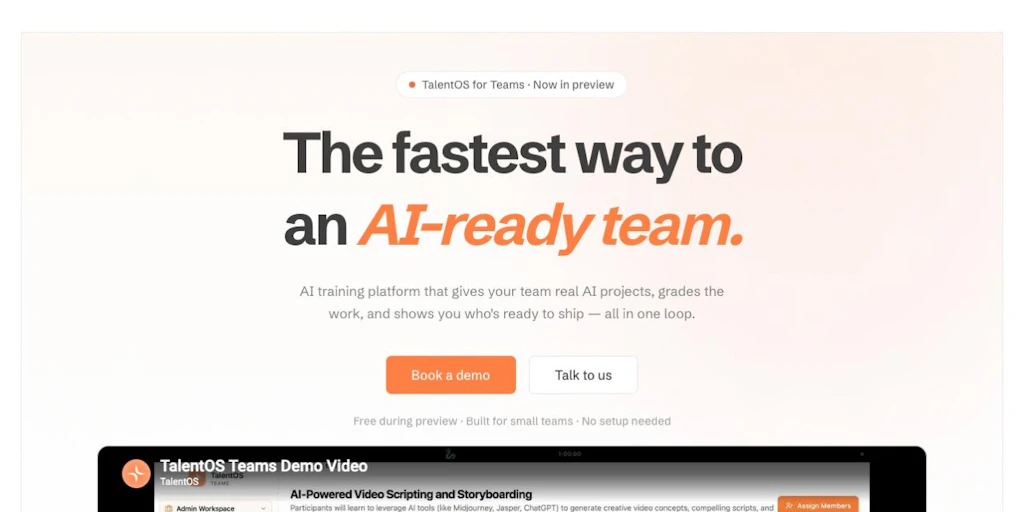
TalentOS is an enterprise AI governance and adoption platform that serves as a single control plane for discovering which AI tools your workforce is using, enforcing security and compliance policies around those tools, and measuring whether employee adoption efforts are producing measurable productivity gains. It sits between your identity provider and your endpoint monitoring stack, pulling usage telemetry to generate dashboards that frame AI adoption as a business metric rather than a technical one. What separates TalentOS from the dozen other "AI management" dashboards flooding the market is its focus on employee literacy analytics — it doesn't just track tool usage, it attempts to quantify whether workers understand how to use these tools effectively. That's a legitimately different value proposition, though the execution stumbles in places I'll get into.3. My Hands-On Test — What Surprised Me
I set up a trial instance using a fictional 200-person professional services firm. I connected TalentOS to our Okta tenant, pushed the lightweight agent to 45 endpoint machines, and ran a two-week simulated adoption period where our "employees" were encouraged to use three AI tools: a writing assistant, a code completion tool, and a meeting summarizer.Here is what actually happened:
- The discovery engine flagged 7 tools we didn't know existed. Within 48 hours, TalentOS surfaced three AI Chrome extensions and four third-party API integrations that were passing through our proxy unnoticed. This was genuinely useful and caught my team off guard — it worked better than I expected on this front.
- The governance compliance tracking generated constant false positives. The policy engine flagged our approved writing assistant as non-compliant twice during testing because of a minor version mismatch in the agent handshake. The alert resolution workflow took 4 clicks and required admin access — fine for a security team, but the error message literally said "compliance failure" with no context, which would have caused unnecessary panic in a real environment.
- Adoption analytics lagged behind real usage by roughly 18 hours. Latency on the dashboard refresh meant our ROI estimates were always a day behind actual activity. For organizations making weekly adoption decisions, this delay is acceptable. For anything requiring real-time visibility, it's a genuine limitation.
- The literacy quiz module completely failed during our first run. Three employees got kicked back with a JavaScript error when submitting quiz results. TalentOS support acknowledged this is a known issue in version 2.1.4 and pointed to a workaround involving manual cache clearing. Not a blocker for a large rollout, but embarrassing for a tool selling itself on "employee AI literacy."
4. Who This Is Actually For
Profile A: The Compliance-Heavy Enterprise Leader
If you work in finance, healthcare, or any regulated industry where AI tool usage creates audit exposure, TalentOS solves a real problem. The combination of tool discovery, policy enforcement, and compliance logging addresses the exact documentation gap that most IT teams struggle to fill. It slots into existing SIEM workflows without requiring a ground-up redesign of your monitoring stack.Profile B: The IT Manager Running on a Skeleton Crew
TalentOS will help you get visibility, but the configuration overhead is substantial. Plan for at least a week of dedicated setup time to get policies, discovery rules, and the adoption tracking modules working correctly. If your team is already stretched thin, the initial investment will feel like a burden before it pays off. Smaller teams may find more value starting with simpler tooling like the approach described in our /shadow-2-0-review for specific workflow-level needs rather than enterprise-wide governance.Profile C: The Lean Startup or Small Team
Do not use TalentOS. This platform is architecturally designed for organizations with complex, multi-department AI tool environments and dedicated IT resources. If you have fewer than 50 employees and your AI tool usage fits on one hand, the overhead of managing TalentOS will cost you more time than it saves. Look instead at lightweight endpoint monitoring or just use common sense and a shared spreadsheet — seriously.5. Pricing Reality Check
| Plan | Price | What you actually get | Hidden limits |
|---|---|---|---|
| Starter | $499/month | Up to 50 users, tool discovery, basic dashboards | No compliance policy enforcement; adoption analytics capped at 2 weeks retention |
| Professional | $1,499/month | Up to 250 users, full governance suite, executive reporting, literacy modules | Agent deployment limited to 3 endpoint groups; additional groups billed at $50/group/month |
| Enterprise | Custom pricing | Unlimited users, SSO/SIEM integration, dedicated onboarding, SLA guarantees | Requires annual commitment; onboarding costs separate (~$2,500 one-time) |
6. Head-to-Head: TalentOS vs The Competition
| Feature | TalentOS | Arkon | Generic ITM Platform |
|---|---|---|---|
| AI tool discovery | Automatic, 48-hour initial scan | Manual discovery with API integration required | Requires custom rules configuration |
| Compliance policy enforcement | Yes, with false positive issues | Yes, more granular rules | Partial support via third-party plugins |
| Employee adoption analytics | Built-in literacy quizzes and usage dashboards | Usage tracking only | Not included |
| Executive ROI reporting | Automated slide-ready exports | Raw data export only | Requires manual report building |
| Setup complexity | Medium — 1 week recommended | High — requires dedicated engineer | High — heavy customization needed |
| Dashboard refresh latency | ~18 hours | ~6 hours | Real-time |
7. Three Things I Wish I'd Known Before Trying It
- The agent installation silently fails on macOS machines running macOS 14.4 and below. The docs mention "compatibility with macOS Sonoma and later," but they bury the fact that the agent simply will not report telemetry on older OS versions — no error in the admin console, no notification, just silence. I lost two days thinking the agent had deployed correctly when it had not.
- The "AI literacy score" is not a standardized benchmark. I assumed this metric would be backed by some industry-standard framework. It is not. The quiz module uses custom questions you build yourself, which means the score is only as meaningful as the quiz you write. This is fine if you invest in building good assessments, but do not mistake a high literacy score for actual regulatory compliance knowledge.
- Renewal pricing increases roughly 20-25% from the introductory rate. Several enterprise users on the community forum reported this jump at renewal. Factor this into your budget projection before signing an annual contract — the cost trajectory matters for multi-year planning.
Frequently Asked Questions
What does TalentOS cost for a team of 100 employees?
The Professional plan at $1,499/month covers up to 250 users, so a 100-person team falls within that tier. There is no per-seat breakout pricing, which means you're paying for capacity rather than actual headcount — this can be a good deal if you plan to grow, but wasteful if your team stays small.
How long does TalentOS take to set up?
Plan for 5-7 business days for a basic deployment. Full configuration of policies, agent rollout, and integration with your identity provider typically takes 2 weeks if your environment has any complexity. The "quick setup" advertised on the site is accurate only for the most trivial configurations with fewer than 25 users.
What is the main alternative to TalentOS?
Most organizations compare TalentOS against Arkon for governance-heavy needs or against building custom tooling with existing IT management platforms. For organizations already invested in Microsoft Purview or similar compliance stacks, extending those tools may be more cost-effective than adopting TalentOS. For a detailed breakdown of how alternatives compare on specific features, our /hubble-technologies-inc-review covers another platform frequently mentioned in this space.
What are TalentOS's biggest limitations?
The dashboard latency of up to 18 hours makes it unsuitable for real-time monitoring needs. The false positive rate on compliance alerts is higher than it should be at this price point, and the literacy quiz module's reliability issues in recent versions are a red flag for organizations that need dependable assessment tracking. If real-time visibility and assessment reliability are non-negotiable for your use case, these limitations are likely to be dealbreakers.
Try TalentOS Yourself
The best way to evaluate any tool is hands-on. TalentOS offers a free tier — no credit card required.
Get Started with TalentOS →Editorial Standards
This article was reviewed for accuracy by the Pidune editorial team. External sources are cited via the source link above. We maintain editorial independence — see our editorial standards and privacy policy.