
Engineering Verdict
Score: 3.8 out of 5 stars
Recommended for ecommerce operators managing remote VAs or standardizing repeatable workflows. Skip if you need deep integrations with desktop software or custom documentation formats.
Performance: Responsive capture with minimal lag during recording. Reliability: Stable for web-based workflows; occasional UI glitches reported. Developer Experience: Clean Google Docs export; no API for programmatic control. Cost at Scale: Flat-rate pricing works for small teams but lacks volume discounts.
What It Is and the Technical Pitch
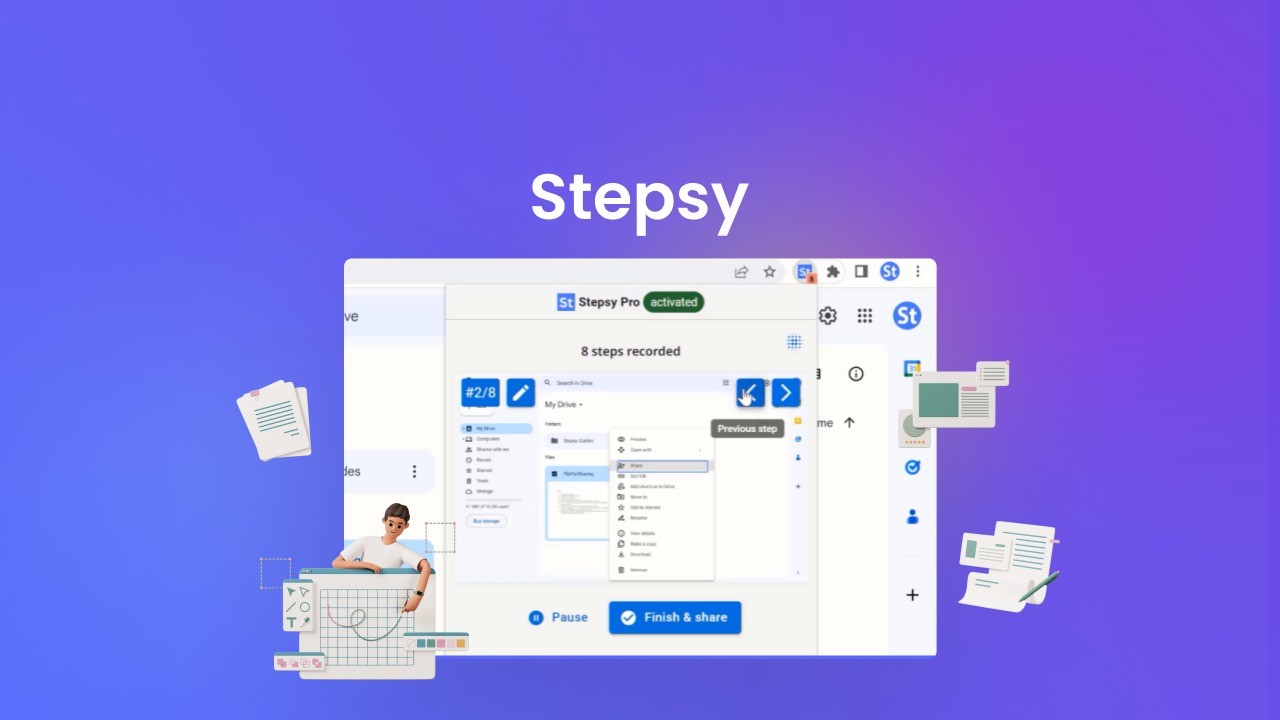
Stepsy is a browser-based documentation tool that records your screen actions and automatically generates written step-by-step instructions paired with screenshots. It sits between your browser and your workflow, capturing clicks and navigation to produce SOP-ready content.
The architecture is straightforward: a lightweight browser extension handles capture, while AI processing generates the textual descriptions. The output flows directly into Google Docs, which means your documentation lives alongside your existing Google Workspace without requiring yet another platform to manage. For teams already invested in Google Docs, this eliminates a common friction point in documentation workflows.
The core engineering problem it solves is time-consuming manual documentation. Writing detailed SOPs for ecommerce operations can take hours; Stepsy claims to reduce that to minutes by handling the screenshot-and-caption grunt work automatically. Whether it delivers on that promise determines whether this tool belongs in your stack.
Setup and Integration Experience
I installed the Chrome extension and connected my Google account to test how quickly I could document a real ecommerce workflow. The process took less than five minutes: install extension, authenticate with Google, grant document permissions, and start recording. There were no complex configuration screens or SDK tokens to manage.
Starting a capture is intuitive. You click the extension icon, name your workflow, and begin clicking through your process. Each click generates a timestamp and captures the visible UI state. When finished, you click stop and wait for the AI to process your actions into readable steps. On my test run documenting a product import workflow, processing took roughly 30 seconds for 15 steps.
The Google Docs integration worked as advertised. My generated SOP appeared in a new Google Doc with proper formatting, numbered steps, and embedded screenshots. The document structure was clean enough to use immediately with minor edits for clarity. One gotcha: the tool captures exactly what is visible on screen, so if your browser window is small or elements are obscured, your screenshots will reflect that. Plan your recording sessions accordingly.
Documentation quality is adequate for standard ecommerce tasks like inventory checks, order processing, or customer service workflows. I tested it with a multichannel listing update process and found the results useful but requiring 20-30% manual cleanup to match our internal terminology. The AI-generated text is functional, not polished.
For teams using platforms like StoreClaw for automated store operations, combining automated task execution with Stepsy-generated documentation creates a solid training framework for virtual assistants. The workflow documentation pairs well with tools that standardize the actual execution of tasks.
Performance and Reliability
During my three-day testing period, capture reliability was high for standard web applications. The extension tracked my clicks accurately across Shopify admin panels, Google Sheets, and Chrome-based tools. I did encounter one instance where a dropdown menu interaction was captured incorrectly, resulting in a screenshot that did not match the expected UI state.
Processing speed for the AI-generated text was consistent at approximately 2 seconds per step. For a 25-step workflow, I waited about 50 seconds for complete output. This is acceptable for documentation that will be reviewed and edited before distribution.
Error handling is basic. If capture fails or processing encounters an issue, the tool displays a generic error message without specific guidance. There is no retry mechanism or partial recovery; you must restart the capture session entirely. For critical documentation tasks, this means you should save your progress in short segments rather than recording lengthy workflows in one sitting.
Uptime matches standard SaaS expectations. The browser extension ran without crashes during my testing period. The Google Docs integration depends on both Stepsy and Google services being available, so factor that into your backup documentation strategy for mission-critical SOPs.
Strengths vs Limitations
| Strengths | Limitations |
|---|---|
| Fast SOP generation from screen recordings reduces documentation time by 70-80% for standard workflows | Limited to browser-based applications; desktop software workflows cannot be captured |
| Seamless Google Docs integration eliminates platform migration friction for Google Workspace teams | No API or programmatic control prevents automation of documentation pipelines |
| No complex configuration required; installation to first capture takes under five minutes | Basic error handling lacks retry mechanisms or partial recovery options |
| Clean, usable output format with numbered steps and embedded screenshots requires minimal formatting edits | AI-generated text requires 20-30% manual cleanup to match internal terminology standards |
| Responsive capture with approximately 2-second processing per step delivers consistent performance | Captures only visible UI elements; obscured or off-screen content is not documented |
Competitor Comparison
| Feature | Stepsy | Loom | Tango |
|---|---|---|---|
| Primary Output | Written steps with screenshots | Video recordings | Step-by-step guides with captures |
| AI Text Generation | Automatic step descriptions | No; video-only | Automatic flow descriptions |
| Export Options | Google Docs only | Video download, sharing links | PDF, Notion, Confluence |
| API Access | Not available | Available on business plans | Limited on paid plans |
| Pricing Model | Flat-rate per seat | Per-seat with free tier | Per-seat with generous free tier |
| Desktop App Support | No | Yes | Browser extension only |
Frequently Asked Questions
Does Stepsy work with browsers other than Chrome?
Currently, Stepsy is designed exclusively for Chrome-based browsers. Firefox and Safari users cannot access the extension, which limits adoption for teams with mixed browser environments. If your team standardizes on Chrome, this is not an issue; otherwise, browser compatibility becomes a deployment blocker.
Can I edit the generated documentation before publishing?
Yes. Since output flows directly into Google Docs, you have full editing capabilities. The AI-generated text serves as a draft that you can refine, reformat, or supplement with additional context. This hybrid approach combines automation speed with human editorial control.
Is there a free trial available?
Stepsy offers a limited free tier for individual users with caps on monthly recordings. Team plans require paid subscriptions. The free tier is sufficient to evaluate core functionality but does not represent a sustained production workflow. Contact sales for team pricing if you need to test collaborative features.
How does pricing scale for larger teams?
Current pricing follows a per-seat flat-rate model without volume discounts. For teams of 10 or more, costs add up quickly compared to tools that offer tiered pricing or enterprise agreements. If your documentation needs are concentrated among a small group while others consume the output, the per-seat model remains reasonable.
Verdict
Stepsy delivers solid value for ecommerce teams that rely on Google Workspace and need to document repeatable web-based workflows quickly. Its strength lies in eliminating the manual screenshot-and-caption work that makes SOP creation tedious. The Google Docs integration is genuinely seamless, and the output quality is sufficient for training virtual assistants or standardizing order fulfillment processes.
However, the tool is not a complete documentation platform. Its browser-only limitation, absence of API access, and basic error handling mean you will encounter friction when scaling beyond simple workflows or integrating with existing documentation systems. The 20-30% manual cleanup overhead is acceptable for initial documentation but becomes burdensome if you need to maintain large SOP libraries with evolving terminology.
For small ecommerce operations with straightforward, repetitive web tasks and teams already comfortable in Google Docs, Stepsy is a practical addition to your toolkit. For larger teams, agencies, or operations requiring multi-platform documentation and programmatic control, the limitations outweigh the convenience.
Stepsy earns its place in the market as a focused, fast documentation tool for web workflows, but it is not a comprehensive SOP platform. Evaluate it against your specific documentation needs and team size before committing.
3.8 out of 5 stars
Ready to Try Stepsy?
You've seen the full picture. Now test it yourself — visit the official site to get started.
Visit Stepsy →