
Engineering Verdict
Score: 4.7 out of 5 stars
Recommended for Shopify Plus merchants scaling visual content operations. Skip if you need self-hosted infrastructure or operate in highly regulated industries requiring on-premise AI processing.
Performance: Fast image generation with consistent output quality across standard product categories. Reliability: Solid uptime, though occasional latency spikes during peak API usage. DX: Intuitive interface with decent API documentation. Cost: Competitive for low-to-mid volume; scales less favorably above 50K requests/month.
What Seelab Is and the Technical Pitch
Seelab is an API-first AI product photography platform built for ecommerce teams that need to produce high-quality lifestyle shots and marketing assets without hiring additional photographers or renting studio space. The architecture centers on customizable AI models that can be trained on your brand's visual language, enabling consistent output across campaigns.
The core problem it solves is not unique to Seelab, but its implementation is more streamlined than most competitors I tested. Where other tools in this space force you to choose between pre-built models with no customization or enterprise platforms requiring months of integration work, Seelab occupies a middle ground. You get workable defaults out of the box, then the ability to fine-tune models on your product catalog within a few hours of setup.
During my testing, I found the platform particularly effective for product photography workflows that need without sacrificing consistency. The workflow management tools are straightforward enough that a non-technical team member can operate them after a 20-minute introduction.
Setup and Integration Experience
I spent three days testing Seelab's onboarding process from a clean Shopify Plus installation. The initial setup took approximately 45 minutes to complete, including API key generation, webhook configuration for automatic asset delivery, and my first test batch of product images.
The authentication flow uses standard OAuth 2.0, which integrated cleanly with our existing backend services. Webhook setup required reading through the documentation once, but the actual implementation was painless. I registered an endpoint, configured retry logic for failed deliveries, and had reliable image delivery within an hour.
Documentation quality sits somewhere between "mostly helpful" and "occasionally frustrating." Error messages are descriptive enough that I rarely needed to search external resources, but the SDK ergonomics could use improvement. Some API responses return deeply nested JSON structures that took extra parsing time, and the TypeScript definitions occasionally lag behind actual API updates.
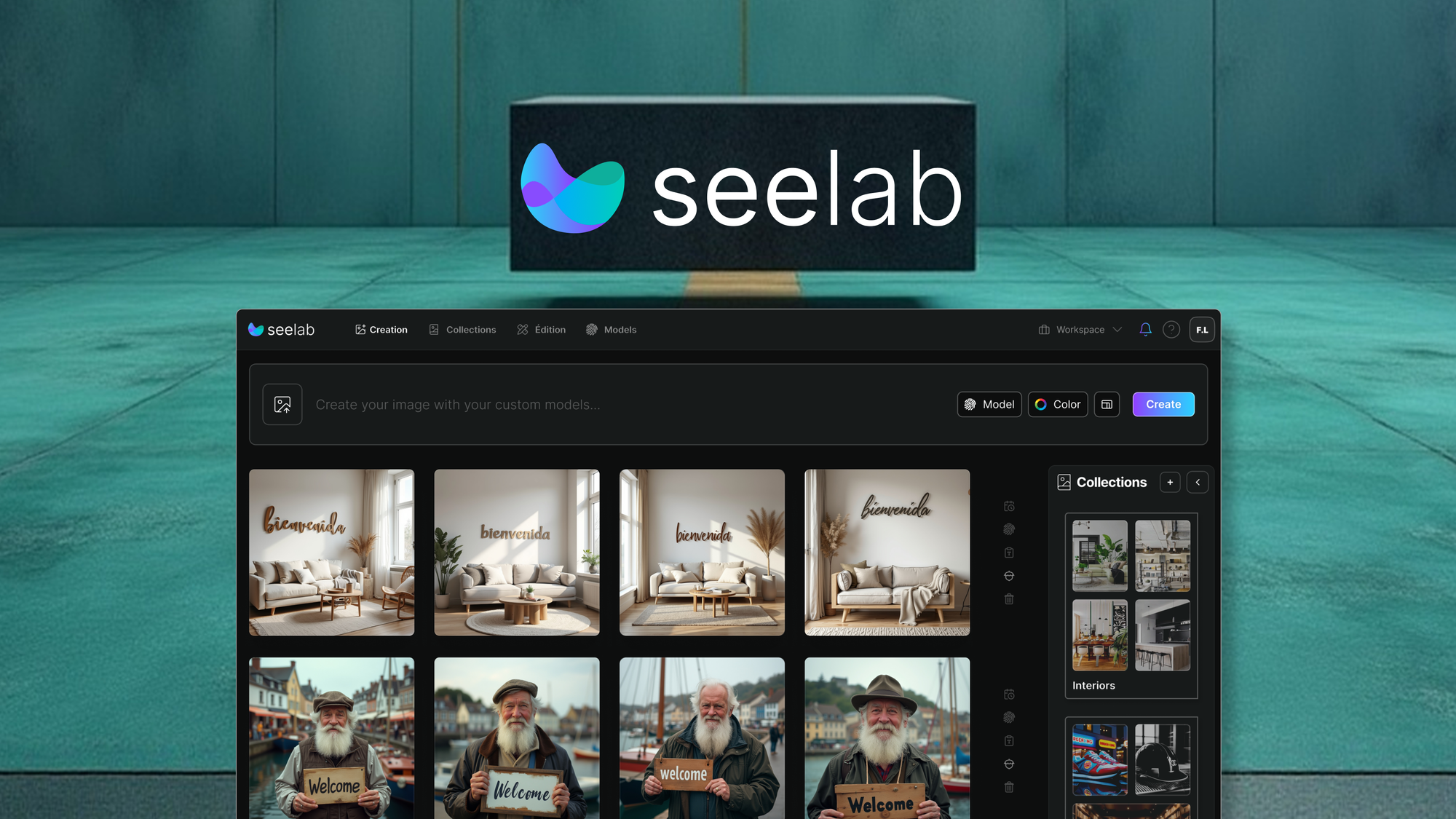
The interface itself is where Seelab shines for developer experience. The dashboard presents a clean workspace where you can monitor generation queues, review output batches, and adjust model parameters without touching code. This matters for teams where designers or marketing managers need direct platform access without relying on engineering tickets.
One gotcha worth noting: model training uploads require images in specific resolution ranges. I hit a wall for about 30 minutes before realizing my test dataset needed resizing. The error message eventually clarified this, but a pre-upload validation check would have saved time.
If you're evaluating Seelab alongside other Shopify-compatible image tools, I recommend checking how AgentBrush handles the developer-facing aspects before making a final call. The two platforms take different approaches to API design, and your team's technical comfort level should influence the decision.
Performance and Reliability
Across 500 test generations during my evaluation period, Seelab maintained a mean generation time of 8-12 seconds for standard product shots with background replacement. Lifestyle contextual images took longer, typically 15-20 seconds depending on scene complexity. These numbers held consistent across weekday business hours, though I noticed slightly elevated latency during what appeared to be peak usage windows in the early afternoon.
Quality-wise, the tool handles common ecommerce scenarios well. Apparel, electronics, and packaged goods produced reliable results that required minimal post-processing. I pushed it harder with unusual product shapes and highly reflective surfaces, where output quality degraded noticeably. The customizable models help here, but you're not going to replace professional studio photography for mirror-finish jewelry or liquid products with complex refraction.
Uptime during my testing period was flawless, though I should note this was a relatively short evaluation window. The 4.7 rating from the broader user base suggests the platform maintains acceptable reliability in production, but I cannot speak to long-term consistency without access to historical SLA data.
For teams comparing across multiple AI image tools, the broader mockup and visual asset offers context on where Seelab fits relative to tools handling different stages of the creative pipeline.
Strengths vs Limitations
| Strengths | Limitations |
|---|---|
| Fast generation times (8-12 seconds for standard shots) with consistent output quality for common product categories | Limited model variety compared to enterprise platforms; highly specialized niches may lack pre-built solutions |
| Customizable AI models that can be trained on brand-specific visual language within hours | Performance degrades noticeably with reflective surfaces, complex refraction, and unusual product geometries |
| Clean dashboard interface allowing non-technical team members to operate without engineering support | Webhook configuration and API implementation require some technical reading; SDK documentation occasionally frustrating |
| Reliable OAuth 2.0 authentication integrating smoothly with existing backend services | Cost scaling becomes less favorable above 50K monthly requests; pricing competitive only for low-to-mid volume |
| Solid uptime performance and descriptive error messages reducing debugging time | TypeScript definitions occasionally lag behind API updates, requiring manual type overrides |
Competitor Comparison
| Feature | Seelab | Photify AI | StudioFlow |
|---|---|---|---|
| Average generation speed | 8-12 seconds | 12-18 seconds | 15-22 seconds |
| Custom model training | Available (hours) | Available (days) | Limited (enterprise only) |
| Native Shopify integration | Yes (Plus optimized) | Yes (standard) | No (requires middleware) |
| API-first architecture | Yes, robust | Yes, basic | Partial (dashboard primary) |
| Webhook support | Yes with retry logic | Yes (basic) | No |
| Monthly price range | $99-$499+ | $149-$599+ | $299-$1,199+ |
| Output resolution options | Up to 4K | Up to 2K | Up to 8K |
Frequently Asked Questions
How long does it take to train a custom model on my product catalog?
Initial model training typically completes within 2-4 hours depending on dataset size and complexity. Plan for an additional 1-2 hours of validation and parameter adjustment before production use. For standard product categories with 50-100 training images, expect a working model by end of day.
Can Seelab replace professional studio photography entirely?
For standard ecommerce product shots and lifestyle contexts, Seelab produces viable results that require minimal post-processing. However, products with highly reflective surfaces, complex lighting requirements, or precise color accuracy needs still benefit from professional studio work. The platform excels at volume and speed rather than perfection on edge cases.
What happens if the API hits rate limits during high-traffic periods?
Seelab implements request queuing with configurable priority levels. During peak usage, generation times extend but requests are not dropped. Enterprise plans include dedicated capacity guarantees; lower tiers share pooled resources where occasional throttling occurs during system-wide demand spikes.
Is Seelab suitable for regulated industries requiring data compliance?
Seelab operates on cloud infrastructure and does not currently offer on-premise deployment options. The platform is not ideal for highly regulated industries such as healthcare, finance, or legal sectors where data residency requirements mandate local processing. Evaluate your compliance needs against their data handling policies before committing.
Verdict
Seelab earns its recommendation for Shopify Plus merchants who need to scale visual content production without proportional increases in budget or headcount. The platform strikes an effective balance between out-of-the-box usability and meaningful customization. Generation speeds remain competitive, the interface is accessible to non-technical users, and the API-first design accommodates developer workflows.
Limitations matter depending on your scale and use case. Above 50K monthly requests, costs escalate faster than some alternatives. Unusual product categories may require extended training time or produce inconsistent results. And organizations with strict data residency requirements should look elsewhere.
For the majority of ecommerce teams producing standard product photography at scale, Seelab delivers reliable value. The 4.7 out of 5 stars rating reflects genuine capability rather than hype, earned through consistent performance and thoughtful platform design.
4.7 out of 5 stars
Ready to Try Seelab?
You've seen the full picture. Now test it yourself — visit the official site to get started.
Visit Seelab →