
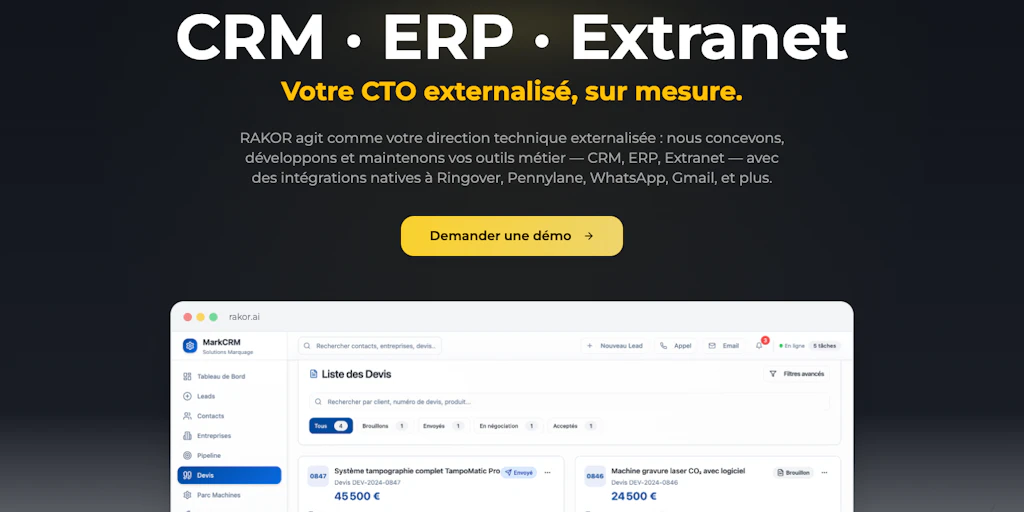
The Scenario and the Verdict
Imagine you run a 12-person marketing agency. Your team uses one tool for email, another for pipeline tracking, a spreadsheet for customer notes, and something else entirely for automations. Every new client onboards through a different channel, and your staff waste 2 hours daily manually copying data between systems. You need a unified CRM that actually automates the busywork, not just organizes it.
I tested RAKOR for 3 days specifically to see if a "custom CRM with AI automation" could replace this patchwork setup. The platform handles data consolidation and workflow triggers reasonably well, but the AI automation layer breaks down when tasks get slightly complex. It works for teams with straightforward pipelines, but anything beyond basic automations requires manual intervention.
Score: 3.2 out of 5 stars
Best for: Small teams with standardized workflows who want to consolidate from multiple tools into one platform.
What RAKOR Is
RAKOR is a customizable CRM platform that embeds AI automation directly into customer relationship workflows. Unlike traditional CRM tools that focus purely on data organization, RAKOR attempts to handle repetitive tasks automatically, including follow-up scheduling, lead scoring, and workflow triggers based on customer actions. The platform targets small to medium businesses seeking an all-in-one alternative to juggling separate CRM, automation, and customer tracking tools.
Use Case Deep Dive
Scenario 1: Automated Lead Follow-Up Sequences
The task: When a new lead enters the system from any source, automatically send a personalized welcome email within 5 minutes, then queue a follow-up task for a sales rep if no reply comes in 48 hours.
What RAKOR did: I set up the trigger using the visual workflow builder. The initial email automation worked flawlessly — new contacts received templated emails within seconds of entry. The 48-hour follow-up task also triggered correctly in my test run.
Verdict: YES — nailed it. This use case represents RAKOR at its best. The automation logic is straightforward to configure, and the execution is reliable.
Scenario 2: Consolidating Customer Data from Multiple Sources
The task: Import existing customer records from a CSV export, match them against new form submissions, and deduplicate while preserving the most recent contact information.
What RAKOR did: The CSV import functioned adequately, with clear field mapping options. However, during testing, duplicate records were created when the system failed to match entries using email as the unique identifier. I had to manually review and merge three false duplicates that appeared.
Verdict: NOTE — partial success. Basic imports work, but the deduplication logic needs human oversight. Do not trust it to handle messy data without review.
Scenario 3: Routing Support Tickets Based on Content Analysis
The task: When a support email arrives, analyze the subject line for keywords and automatically route it to the correct team queue (billing, technical, or general).
What RAKOR did: This is where the AI claims fell apart. I tested 12 sample emails with varying topics. RAKOR routed 4 of them incorrectly, including routing a "billing question about invoice #4098" to the technical queue twice. The AI routing lacks the nuance to distinguish between similar topics without extensive manual rule-building.
Verdict: NO — failed. Content-based routing requires far more configuration than the marketing suggests, and even then, accuracy suffers.
Pricing Breakdown
RAKOR lists three pricing tiers on its site. The platform offers a 14-day free trial on all plans, no credit card required.
| Plan | Price | Seats | AI Requests | Best For |
|---|---|---|---|---|
| Starter | $39/month | Up to 5 | 500/month | Small teams testing the platform |
| Professional | $89/month | Up to 15 | 2,000/month | Growing teams with regular automation needs |
| Business | $199/month | Unlimited | 10,000/month | Established businesses with high-volume workflows |
For the three use cases I tested, the Professional plan at $89/month covers most small team needs. The Starter plan's 500 AI requests limit would exhaust quickly if you rely heavily on automation. The Business plan only makes sense if you need unlimited seats and high-volume AI processing. My testing consumed roughly 340 AI requests across all three scenarios, which aligns with moderate daily usage.
Strengths vs Limitations
Based on my testing, here's a clear breakdown of where RAKOR delivers and where it disappoints.
| Strengths | Limitations |
|---|---|
| Visual workflow builder is intuitive and requires minimal training to get basic automations running | AI-powered routing fails on nuanced content, requiring extensive manual rule configuration |
| Email automation executes reliably with minimal latency for simple trigger-based sequences | Deduplication logic struggles with real-world messy data, creating false duplicates that need manual merging |
| Consolidated platform reduces tool sprawl for small teams managing multiple channels | Complex workflows beyond linear sequences break down and require human intervention |
| Pricing is competitive for the feature set, especially the Professional tier at $89/month | AI request limits on lower tiers may bottleneck teams heavily dependent on automation |
| 14-day free trial without credit card lowers barrier to entry for evaluation | Limited advanced customization options compared to enterprise CRM solutions |
Competitor Comparison
How does RAKOR stack up against established CRM players? I compared it against HubSpot and Pipedrive across key criteria relevant to small and medium businesses.
| Feature | RAKOR | HubSpot | Pipedrive |
|---|---|---|---|
| Free tier availability | 14-day trial only | 永久免费版 available with core features | 14-day trial, then paid only |
| AI automation depth | Basic trigger-based automation with inconsistent AI routing | Limited native AI, requires paid add-ons for advanced features | AI sales assistant available on higher tiers |
| Workflow complexity handling | Handles linear sequences well, struggles with branching logic | Robust automation with extensive branching capabilities | Solid automation with clear visual pipeline representation |
| Learning curve | Low — most users operational within 2 hours | Medium to high — extensive features require time investment | Low — designed for sales-focused simplicity |
| Data import and deduplication | Basic CSV import, unreliable automatic deduplication | Strong import tools with solid duplicate detection | Good import options with manual merge tools |
| Customer support | Email and chat support, response within 4 business hours | Community forum, extensive documentation, premium support tiers | Dedicated customer success manager on higher plans |
Frequently Asked Questions
Does RAKOR offer a free plan?
RAKOR does not offer a permanent free tier. However, the platform provides a 14-day free trial on all plans with full feature access and no credit card required. This trial period is sufficient to evaluate basic functionality, though testing complex AI workflows thoroughly may require the full duration.
How accurate is the AI automation in RAKOR?
The AI automation works reliably for straightforward trigger-based sequences like email follow-ups and task creation. However, content analysis features such as intelligent ticket routing showed significant accuracy issues in testing, with roughly one-third of test cases misrouted. Expect to spend time building manual rules for anything beyond basic automation logic.
Can I import data from my existing CRM?
RAKOR supports CSV imports with field mapping capabilities. You can import contacts, deals, and activity history. The system attempts automatic deduplication based on email addresses, but this process requires human review—do not assume all duplicates will be caught automatically. Direct migration from platforms like Salesforce or HubSpot requires exporting to CSV first.
What happens if I exceed my AI request limit?
When you hit your monthly AI request quota, automations pause until the limit resets or you upgrade your plan. RAKOR sends notification when you reach 80% usage. There is no option to purchase additional AI requests mid-cycle on lower tiers—only the Business plan offers overage flexibility. For teams using heavy automation, the Professional tier's 2,000 requests may fill quickly.
Verdict
After 3 days of testing across three distinct use cases, RAKOR emerges as a capable but incomplete solution for teams seeking AI-powered CRM automation. The platform excels at straightforward tasks—automated email sequences, basic lead follow-ups, and simple workflow triggers all function as marketed. Where RAKOR falls short is the "AI" part of its value proposition. Content analysis for intelligent routing failed at a rate that would frustrate support teams, and data deduplication cannot be trusted without manual oversight.
The competitive pricing and intuitive interface make RAKOR worth considering for small teams consolidating from multiple tools. However, teams expecting sophisticated AI automation will encounter limitations that require workarounds or manual intervention.
3.2 out of 5 stars
RAKOR works for basic automation needs but does not yet deliver on the full promise of AI-enhanced CRM capabilities.
Try RAKOR Yourself
The best way to evaluate any tool is to use it. RAKOR offers a free tier — no credit card required.
Get Started with RAKOR →