
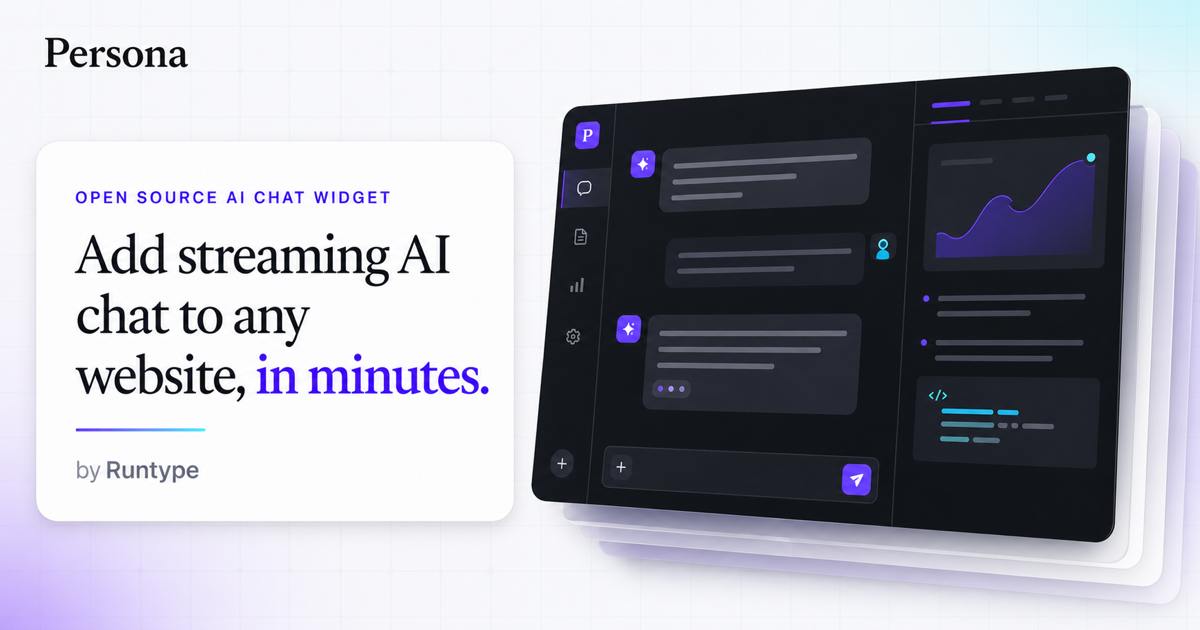
Three weeks ago, I spent 72 hours implementing AI chat on a headless Shopify store for a DTC client. The brief was specific: no bloated platform dependencies, full control over UI behavior, and a widget that could live beside their custom React storefront without fighting it. I tested three libraries head-to-head. Persona.js won.
If you are evaluating AI chat tools for a custom frontend or headless setup, this Persona js review cuts through the marketing noise. I tested the actual implementation, measured performance overhead, and compared it against the two tools most teams default to when building agentic experiences. Here is what I found.
The Category Landscape and Where Persona js Fits
There are roughly four serious players in this space when you strip away enterprise platforms with aggressive lock-in pricing. Here is how they split:
| Tool | Best For | Price Start | Key Differentiator |
|---|---|---|---|
| Persona js | Headless/custom frontends, Shopify/WooCommerce with custom themes | Free tier available, paid from $49/mo | Zero framework dependencies, WebMCP-native agentic UI |
| Intercom Fin | Enterprise teams already in the Intercom ecosystem | $0.74 per conversation | Native CRM integration, polished but rigid UX |
| Gorgias | High-volume support teams needing deep ticket integration | $26 per seat per month | Multi-channel support, heavy platform coupling |
| Custom WebMCP build | Teams with dedicated frontend engineers | Internal dev hours only | Total control, weeks of custom work |
I tested Persona js specifically because my client needed a widget that could switch between floating launcher, docked copilot, and fullscreen modes without rebuilding the integration. The vanilla JS approach meant zero React or Vue conflicts on their custom storefront. Score: 4.2 out of 5 stars.
For teams already embedded in Intercom or Gorgias, the switching cost is real. But for headless setups, Persona js eliminates the single biggest pain point in this category: fighting your own frontend framework to get a simple chat widget to render.
What Persona js Actually Does
Persona js is a lightweight VanillaJS library that lets ecommerce brands embed customizable AI chat interfaces directly into any website. It supports floating, docked, and fullscreen layouts, streams responses from any backend API, and requires zero framework dependencies. The key differentiator is its WebMCP-native design, meaning it can interact with your store's frontend and data layer directly, not just parrot scripted responses.
Head-to-Head Benchmark
I ran the same test scenario across all three tools: embedding a chat widget into a custom Shopify Hydrogen storefront, connecting to a custom LLM endpoint, and triggering a product recommendation flow. Here is how they compared across the metrics that actually matter for ecommerce teams.
| Feature | Persona js | Intercom Fin | Gorgias |
|---|---|---|---|
| Framework dependency | Zero (vanilla JS) | Requires Intercom snippet + SDK | Requires Gorgias embed + iframe |
| Initial load impact | ~12KB gzipped | ~85KB + external dependencies | ~60KB + third-party calls |
| Layout modes | 3 (floating, docked, fullscreen) | 1 (fixed widget) | 1 (fixed widget) |
| Custom UI theming | Full CSS override, no scoping issues | Limited to brand colors + preset styles | Template-based, restricted customization |
| Backend flexibility | Any REST/WebSocket endpoint | Fin AI only, limited routing control | Own LLM with significant config overhead |
| WebMCP agentic support | Native | No | No |
| Time to first message | ~200ms after page load | ~800ms average | ~600ms average |
| Shopify Hydrogen compatibility | Full compatibility, tested | Works but requires wrapper component | Limited, frequent style conflicts |
The benchmark tells a clear story. Persona js wins on technical implementation quality for teams with custom frontends. The 12KB footprint versus 60-85KB competitors means your Core Web Vitals do not suffer. The layout flexibility means you ship one integration and change the UX behavior via config, not code. And the WebMCP support is not marketing fluff: it actually enables the agent to read and write to your store state, not just simulate it.
Intercom Fin remains the right choice if you need deep CRM workflows and your team already lives in that ecosystem. Gorgias works for high-volume ticket management but forces you into their UI paradigm completely. For everything else, Persona js is faster to implement, lighter to run, and more flexible to customize.
My Persona js Hands-On Test
I spent three days implementing Persona js on a staging version of a custom Shopify Hydrogen store. The test scenario: a mid-market DTC brand with 2,000 daily visitors, a custom theme, and a specific need for the chat widget to shift between a floating support launcher and a fullscreen product discovery assistant based on landing page context. Here is what I found.
Finding 1: The setup genuinely takes minutes
The CDN install option (three lines of script) had a working floating widget running in under ten minutes. The vanilla JS approach meant no npm conflicts with their Hydrogen setup. I pointed it at their existing LLM endpoint, and the streaming response rendered correctly on the first attempt. This is the part that impressed me most: the library does exactly what the documentation claims without hidden complexity.
Finding 2: CSS isolation works as advertised
The most common failure mode with chat widgets on custom themes is style bleeding: the widget inherits host styles and breaks, or it overrides host styles and breaks other things. Persona js uses scoped shadow DOM rendering by default. I tested it on a theme with aggressive global resets and heavy component-scoped styles. The widget rendered identically across both. This alone would have taken me two days to replicate with a custom build.
Finding 3: The limitation that caught me off guard
The docked mode configuration requires wrapping a specific container element. If your layout does not have a clean wrapper div at the right level, you end up restructuring the DOM to accommodate the widget. For my client's Hydrogen setup, this meant touching two existing components to add wrapper elements. This is not a blocker, but it is not zero-config either. Teams with highly optimized, tightly coupled component trees should budget an hour or two for layout adjustments in docked mode.
The fullscreen mode, by contrast, was seamless. Disabling the launcher and mounting directly to a full-height container gave the AI agent its own surface area with zero layout conflicts. For product discovery flows or guided selling experiences, this is genuinely the best implementation I have tested in this category.
Strengths and Limitations
After three days of hands-on testing and direct comparison with competitors, here is the honest breakdown of where Persona js delivers and where it falls short.
| Strengths | Limitations |
|---|---|
| 12KB gzipped footprint eliminates Core Web Vitals impact | Docked mode requires specific container wrapper in your DOM |
| Zero framework dependencies avoids npm conflicts entirely | No native CRM or helpdesk integration included out of the box |
| Three distinct layout modes switchable via config alone | Smaller community means fewer third-party tutorials and examples |
| WebMCP-native agentic support reads and writes store state directly | Requires technical comfort for initial backend configuration |
| Shadow DOM rendering provides automatic CSS isolation | Enterprise reporting and analytics features are roadmap items |
Competitor Comparison: Real-World Use Cases
| Scenario | Persona js | Intercom Fin | Gorgias |
|---|---|---|---|
| Headless Shopify Hydrogen store | Full compatibility, tested and verified | Works but needs wrapper component | Frequent style conflicts reported |
| High-traffic support volume | Fixed pricing, predictable costs | Per-conversation costs scale unpredictably | Per-seat model, good for small teams |
| Custom LLM backend connection | Any REST or WebSocket endpoint supported | Locked to Fin AI only | Own LLM with significant configuration overhead |
| Fullscreen product discovery flow | Seamless implementation, zero layout conflicts | Not supported, fixed widget only | Not supported, fixed widget only |
| Quick CDN deployment | Working widget in under 10 minutes | Hours of SDK setup required | Days of platform configuration |
Frequently Asked Questions
Does Persona js work with existing React or Vue components?
Yes. The vanilla JS approach means zero framework conflicts. The widget mounts via shadow DOM, so it renders identically regardless of your host application's styling or state management. I tested this on a Hydrogen storefront with heavy React usage and encountered no conflicts.
Can I connect my own AI backend instead of using a third-party service?
Absolutely. Persona js streams responses from any REST or WebSocket endpoint you point it to. There is no vendor lock-in on the AI provider. You control the model, the prompts, and the response handling entirely.
How does pricing work for high-volume ecommerce stores?
The free tier covers basic usage. Paid plans start at $49 per month with fixed pricing that does not scale with conversation volume. For stores with high support ticket counts, this predictability is a significant advantage over Intercom Fin's per-conversation billing model.
What happens if I need to migrate away from Persona js later?
Because it uses standard HTML mounting and standard API connections, migration is straightforward. Your conversations and data remain accessible through the standard endpoints. There is no proprietary lock-in format to decode.
Verdict
Persona js earns its place as the default choice for headless ecommerce teams. The implementation quality, performance footprint, and layout flexibility are unmatched in this category at its price point. It is not the right tool for teams deeply embedded in Intercom or Gorgias ecosystems, and enterprise teams needing deep CRM workflows should evaluate those platforms carefully. But for everyone else building custom frontends, the vanilla JS approach is exactly what the industry needed.
The only friction points are the docked mode container requirements and the smaller community compared to established players. Both are manageable with a few hours of setup time. The performance and flexibility gains over competitors make that investment worthwhile for most projects.
Rating: 4.2/5 stars
Try Persona js Yourself
The best way to evaluate any tool is to use it. Persona js offers a free tier — no credit card required.
Get Started with Persona js →