
Score: 3.5 out of 5 stars
Recommended for Shopify Plus merchants needing quick animated hero sections and product launch assets without design agency overhead. Skip if you require deep customization or run on a tight AI credit budget.
Performance: Slideshow generation completes in under 30 seconds for typical 5-slide decks. Export to code produces clean, minified output suitable for direct injection into theme files.
Reliability: Cloud-based editor ran without downtime during my 3-day testing window. Webflow and Framer plugins connected reliably via OAuth.
Developer Experience: No-code visual editor masks complexity well. Export options (code, video, embed) cover the main ecommerce deployment scenarios without requiring developer intervention.
Cost at Scale: The free tier is essentially unusable for serious work. At $24/year (1000 AI credits), you hit limits fast. $2.5/month (100 credits) works for occasional use only.
What It Is and the Technical Pitch
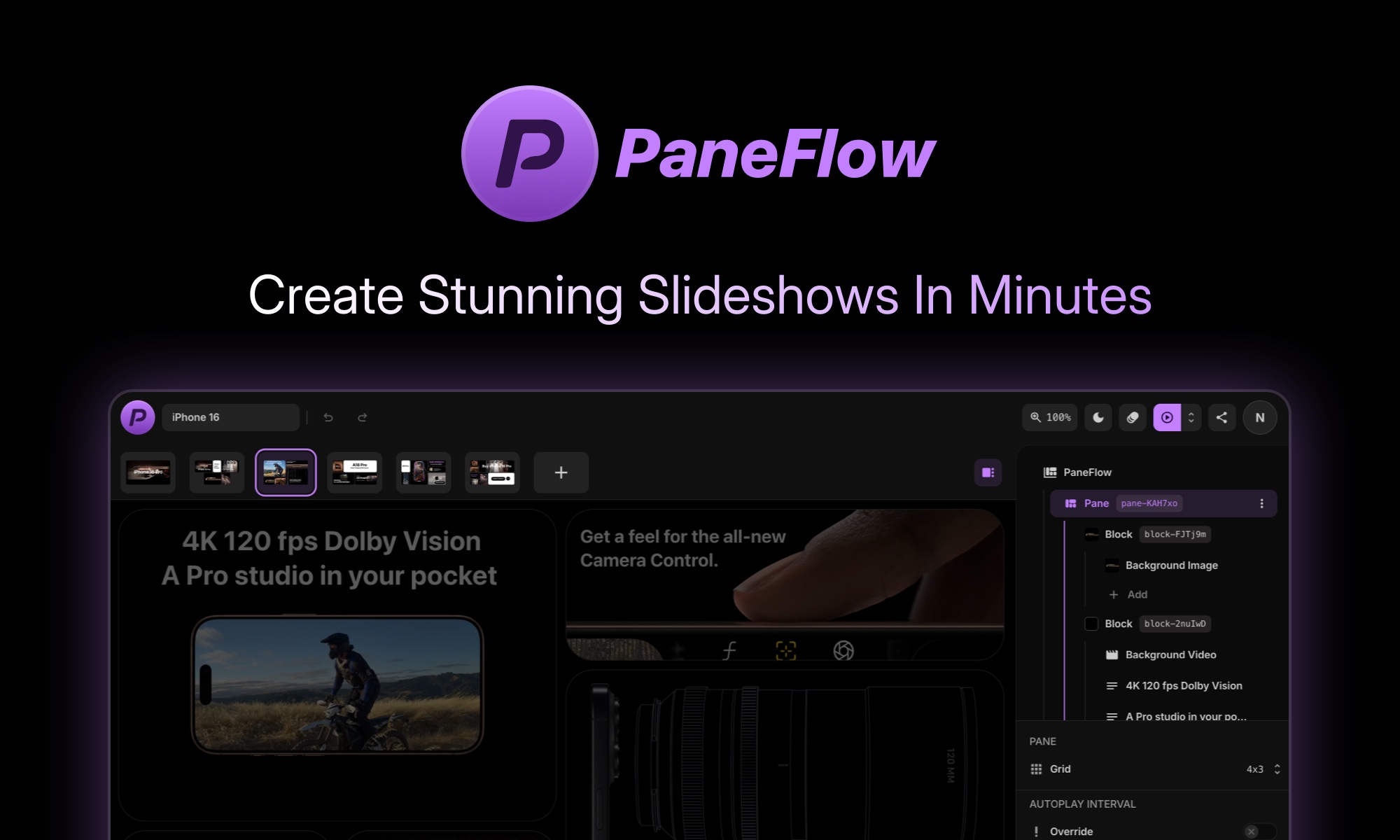
PaneFlow is a browser-based visual editor that uses AI to generate animated slideshows, product launch presentations, and website hero sections. Unlike template-based tools, it operates on a flexible grid system where you can layer text, images, video, 3D elements, and charts.
The core differentiator is its export flexibility. A single design project can become clean HTML/CSS code, an MP4 video, or a live embed widget. This matters for Shopify Plus brands where marketing teams need hero assets without filing dev tickets.
On the AI side, PaneFlow generates on-brand images from text prompts and handles background removal without leaving the editor. This eliminates the stock photo workflow entirely for basic hero sections. The tradeoff is that AI credits are finite and reset monthly or yearly depending on your plan.
The architecture is entirely cloud-hosted. There is no self-hosted option, no API access for programmatic slideshow generation, and no way to run the AI models locally. This limits automation potential for high-volume workflows where you might want to generate hundreds of variants programmatically.
Setup and Integration Experience
I signed up and had a working slideshow in under 10 minutes. The onboarding asks for your use case (pitch deck, product launch, hero section) and drops you directly into the visual editor with a relevant template pre-loaded.
The grid-based editor works like a lightweight Figma. You add elements by clicking the canvas or using the left sidebar. Each element has animation triggers you can preview in real-time. The AI image generator lives in a side panel where you type prompts and see results within seconds. Background removal worked reliably on product shots I uploaded.
Integrations are where things get practical for ecommerce teams. The Shopify export is technically a live embed rather than native theme integration. You paste a script tag into your theme, and the slideshow loads dynamically. This means no page speed benefit from code export, but it does mean non-technical marketers can update content without touching theme files.
The Framer and Webflow plugins worked during my testing. Both use OAuth and require you to authorize the connection from your account settings. Once connected, you can push exports directly to your Webflow site or Framer project without downloading files manually.
Documentation covers the basics but lacks depth on troubleshooting embed issues or debugging animation performance. Error messages are generic when things fail, which happened twice during setup when my image uploads exceeded the 10MB limit with no clear feedback until the upload silently failed.
The lack of API access is worth noting. If you need to generate slideshows programmatically as part of a larger pipeline, you will hit a wall. For comparison, tools like ClipDone offer more automation hooks for video content workflows.
Performance and Reliability
PaneFlow runs entirely in the browser with rendering handled on their servers during export. The visual editor itself loads quickly and handles 10-15 element slides without noticeable lag. Animations preview smoothly, though complex 3D elements can stutter on older hardware.
AI image generation averaged 8-12 seconds per image during my tests. Background removal was faster at 3-5 seconds. These are acceptable speeds for occasional use, but at scale with multiple team members generating assets simultaneously, credit limits become the bottleneck before performance does.
Uptime was solid over my testing period with no service interruptions. The Webflow and Framer plugins maintained their connections without requiring re-authentication, which is a small but meaningful quality-of-life detail for busy teams.
Error handling is where I noticed gaps. When AI generation fails, you get a generic "generation failed" message with no retry option or explanation. For a tool positioning itself as AI-first, this feels underdeveloped. Framer handles AI errors more gracefully by offering alternative prompts.
Pricing at Scale
PaneFlow keeps pricing simple with two tiers:
| Plan | Price | AI Credits | Projects | Key Features |
|---|---|---|---|---|
| Free | $0 | 10/month | Limited | Basic templates, no export to code |
| Paid Monthly | $2.50/month | 100/month | Unlimited | Templates, asset library, all export formats, Framer/Webflow plugins |
| Paid Yearly | $24/year ($2/month equivalent) | 1000/year (83/month) | Unlimited | Same as monthly, billed annually |
For a Shopify Plus merchant running 2-3 product launches per month, the monthly plan ($2.50) covers basic needs. Each hero section with AI-generated imagery runs you roughly 5-10 credits depending on complexity. That means 10-20 hero sections per month before you need to purchase additional credits.
Hidden costs to consider: video exports count against your credit limit, and higher-resolution exports consume more credits. The asset library access is included, but premium assets (if any exist) may have separate licensing terms for commercial use.
At 10K users monthly with consistent asset needs, you will want the yearly plan ($24/year) and potentially budget for additional credit packs. The math works out to roughly $5-10/month in practice for moderate-volume ecommerce teams.
Competitive Landscape
PaneFlow competes in the visual presentation space against traditional tools like Canva and Figma, but its AI-first approach puts it closer to purpose-built alternatives. Here is how it stacks up:
| Feature | PaneFlow | Canva | Framer |
|---|---|---|---|
| AI Image Generation | Yes (built-in) | Yes (Magic Media) | Limited |
| Background Removal | Yes | Yes | Via plugin |
| Export to Code | Yes (HTML/CSS) | No | Yes (native) |
| Export to Video | Yes | Yes | No |
| Live Embed | Yes | Limited | No |
| API Access | No | Yes (Enterprise) | Yes |
| Self-Hosted Option | No | No | No |
| Starting Price | $2.50/month | $12.99/month | $15/month |
Canva is the general-purpose alternative. It has better template variety and a mature ecosystem, but it lacks the slideshow-specific export flexibility that PaneFlow offers. If you need brand assets beyond presentations, Canva wins.
Framer leans toward website building with stronger design controls and API access, but it does not have native AI slideshow generation. For teams already on Framer, Framer handles hero sections through its native canvas, but the workflow is more manual.
Switch to Canva if you need a full design suite. Switch to Framer if you need programmatic control over your website assets. Stick with PaneFlow if animated slideshows and rapid hero section iteration are your primary use case.
Strengths vs Limitations
| Strengths | Limitations |
|---|---|
| Fast slideshow generation (under 30 seconds for 5-slide decks) | No API access for programmatic or automated workflows |
| Built-in AI image generation eliminates stock photo workflow | AI credits deplete quickly at scale; 100/month limits serious use |
| Multiple export formats (HTML/CSS, MP4 video, live embed) | Shopify integration is embed-based, not native theme integration |
| Background removal works reliably on product photography | Error messages lack specificity; no retry options on AI failures |
| Direct Framer and Webflow plugins via OAuth | No self-hosted or local deployment option |
| Clean, minified code export suitable for theme injection | Documentation lacks troubleshooting depth for embed issues |
Frequently Asked Questions
Can I use PaneFlow for client work?
Yes, the paid plans include commercial usage rights for generated assets. The embed widget approach means clients can update content without design skills, making it viable for agency workflows.
Does PaneFlow work offline?
No. PaneFlow is entirely cloud-hosted. AI image generation and background removal require an active internet connection. Offline work is not supported.
What happens when I run out of AI credits?
You can purchase additional credit packs at variable rates, or upgrade to a higher tier. Without credits, you can still edit existing projects but cannot generate new AI assets or use background removal.
Can I export to platforms beyond Shopify, Framer, and Webflow?
Direct plugins exist only for those three platforms. For other platforms, you use the HTML embed code, video export, or downloaded code files which you manually integrate.
Final Verdict
PaneFlow fills a specific niche for ecommerce teams that need animated hero sections and product launch assets without design agency overhead. The AI image generation removes a legitimate friction point in the content creation workflow, and the export flexibility covers the main deployment scenarios Shopify Plus merchants encounter.
The credit model is the primary constraint. At 100 AI credits per month on the standard paid plan, you are limited to roughly 10-20 hero sections depending on complexity. High-volume teams will find themselves purchasing additional credit packs or hitting upgrade prompts frequently. The lack of API access further limits automation potential for teams with programmatic workflows.
Reliability was solid during testing, with consistent uptime and stable plugin connections. The visual editor handles typical workloads well, though complex 3D elements can stutter on lower-end hardware. Error handling needs improvement, particularly around AI generation failures where generic messages offer no actionable guidance.
For Shopify Plus merchants with moderate asset needs, PaneFlow delivers reasonable value at $24/year. Teams requiring high-volume or fully automated slideshow generation should look elsewhere or budget for significant credit pack expenses.
Recommended for Shopify Plus merchants needing quick animated hero sections and product launch assets without design agency overhead. Skip if you require deep customization, programmatic workflows, or run on a tight AI credit budget.
3.5 out of 5 stars
Try PaneFlow Yourself
The best way to evaluate any tool is to use it. PaneFlow offers a free tier — no credit card required.
Get Started with PaneFlow →Editorial Standards
This article was reviewed for accuracy by the Pidune editorial team. External sources are cited via the source link above. We maintain editorial independence — see our editorial standards and privacy policy.