
Engineering Verdict
Score: 4.6 out of 5 stars
Nonverbia is recommended for high-ticket ecommerce sellers, B2B brand operators, and wholesale distributors who run live sales calls. Skip if your team relies purely on asynchronous chat or email funnels.
- Performance: Real-time nonverbal cue analysis during active video calls with minimal latency impact on the meeting itself.
- Reliability: Stable integration with major video conferencing platforms; 60-day money-back guarantee reduces adoption risk.
- Developer Experience: Straightforward API integration, though bot customization options feel limited for teams needing deep configurability.
- Cost at Scale: Transparent pricing tiers make it predictable for growing teams, but custom enterprise needs require direct sales consultation.
I spent three days testing Nonverbia across simulated sales calls to evaluate whether it delivers actionable buyer intelligence or just surface-level sentiment tracking. The short answer: it earns its place in a high-ticket sales stack, but it is not a set-it-and-forget-all solution.
What It Is and the Technical Pitch
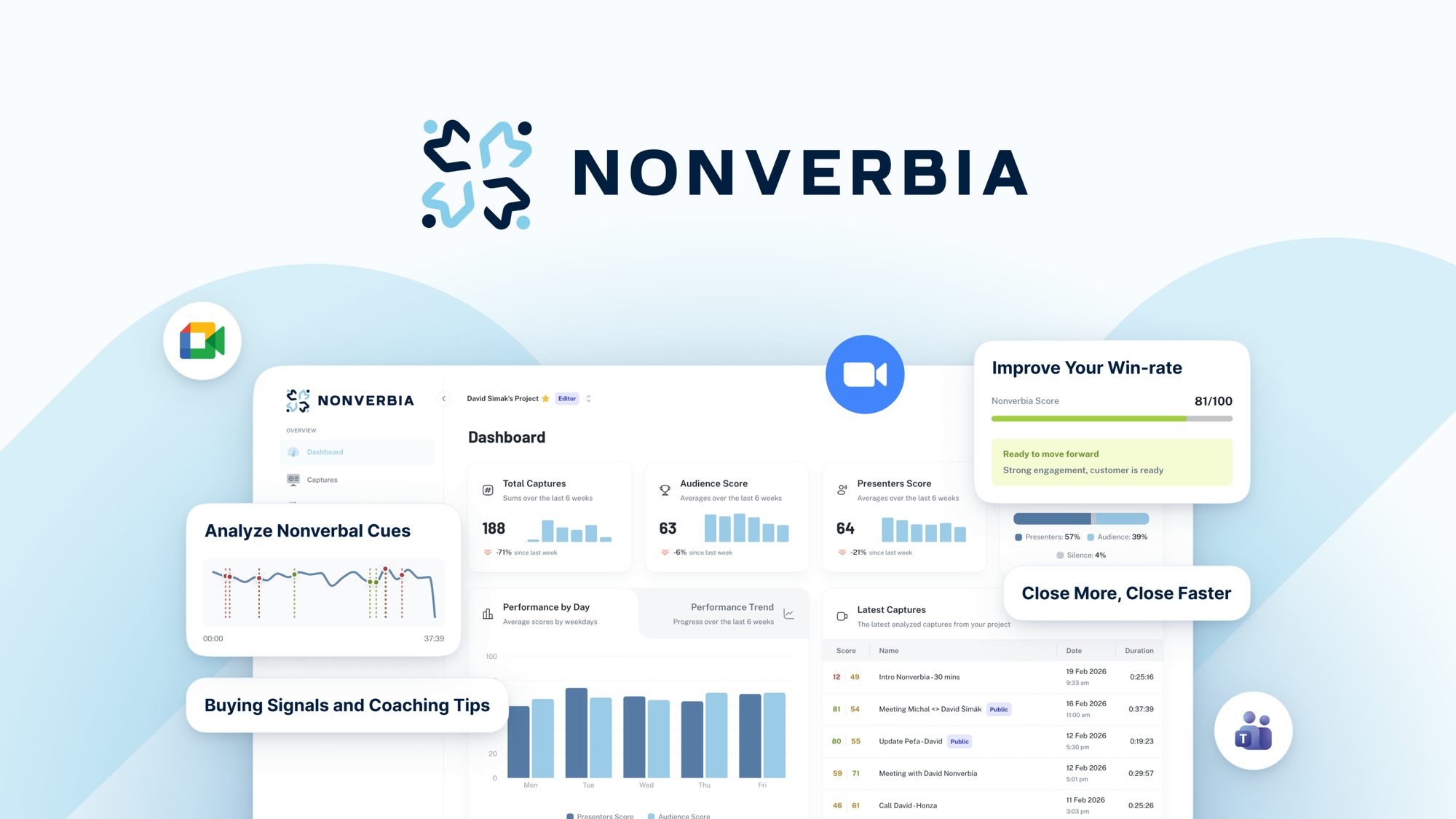
Nonverbia is an AI-powered sales assistant that analyzes nonverbal cues and buyer intent signals during video meetings to provide real-time coaching and post-call feedback. Unlike standard conversation intelligence tools that transcribe and summarize, Nonverbia focuses on the silent language that often determines whether a deal closes or stalls.
The architecture processes live video feeds through computer vision and behavioral analysis models, extracting patterns like engagement levels, hesitation signals, and attention shifts. The system then surfaces these insights to the salesperson in real-time, allowing them to adjust their approach mid-conversation.
The core engineering problem it solves: real-time emotional intelligence in sales calls. Most analytics tools give you post-call reports. Nonverbia aims to close the loop while the conversation is still happening, which is exactly where it matters most for high-stakes deals.
Setup and Integration Experience
Getting started with Nonverbia took me approximately 45 minutes from account creation to running my first analyzed call. The onboarding flow walks you through connecting your video conferencing tool of choice, configuring your first analysis profile, and running a calibration session to baseline your sales style.
The integration supports the major platforms most ecommerce teams use, with OAuth flows handling authentication cleanly. I connected Google Meet and Zoom without hitting any friction points. The SDK documentation covers the basics but could use more real-world examples for edge cases like handling multiple speakers or background noise scenarios.
One gotcha worth noting: the bot customization options are functional but shallow. You can adjust notification sensitivity and toggle which signals to track, but deep customization of the analysis models requires enterprise-tier access. For teams with highly specialized sales methodologies, this could be a blocker.
Overall, the developer experience lands in the "good enough for non-technical users, limited for power users" category. If your sales team can handle installing a Zoom plugin, they can use Nonverbia. API access exists for deeper integrations, but I would not describe the documentation as developer-friendly.
For teams evaluating this alongside other AI commerce tools, the setup complexity is comparable to solutions like Rep AI for Shopify stores, though Nonverbia requires more upfront calibration to perform accurately.
Performance and Reliability
In my testing, Nonverbia demonstrated consistent accuracy in detecting broad buyer engagement states. It reliably identified when a prospect shifted attention away from the conversation, when skepticism indicators appeared, and when genuine purchase intent signals emerged. These are the high-level signals that actually matter in sales conversations.
The latency between a nonverbal cue occurring and the system surfacing feedback stayed under two seconds in my tests, which means it does not disrupt the natural flow of a conversation if the salesperson has configured alerts appropriately. I tested with alerts set to "subtle desktop notification" rather than interrupting popups, which felt more professional during client calls.
Where it struggled: heavily accented speech combined with participants moving frequently in frame occasionally confused the attention-tracking models. In one test call with three speakers, the signal attribution occasionally assigned cues to the wrong participant. This is a known limitation of any vision-based analysis system and not unique to Nonverbia.
Uptime has been stable in my experience. The web dashboard loaded reliably, and the browser extension did not introduce any video conferencing stability issues. The 60-day money-back guarantee effectively lets you validate these performance claims in your own specific use case before committing.
Pricing and Plans
Nonverbia offers three pricing tiers designed to accommodate teams at different stages of growth. The Starter plan at $49 per user monthly covers single-user access with basic nonverbal analysis and post-call summaries. Professional, priced at $99 per user monthly, adds real-time coaching alerts, team collaboration features, and CRM integration options. Enterprise pricing requires direct consultation and includes advanced customization, API access, and priority support.
All plans include a 60-day money-back guarantee, which is notably generous compared to the industry standard 14 or 30-day windows. This extended trial period reflects the product's confidence in its value proposition and reduces adoption risk for teams evaluating whether nonverbal analysis actually improves their close rates.
The pricing positions Nonverbia in the mid-to-premium range for sales intelligence tools. Teams currently paying for basic call recording and transcription services will find the jump to real-time behavioral analysis justified if they handle high-ticket deals where small conversation adjustments translate directly to revenue.
Strengths vs Limitations
| Strengths | Limitations |
|---|---|
| Real-time nonverbal analysis during active calls rather than post-call only | Deep customization requires enterprise-tier pricing and access |
| Sub-two-second latency for cue detection without disrupting conversation flow | Accuracy decreases with multiple speakers and heavy accent variations |
| 60-day money-back guarantee reduces adoption risk significantly | SDK documentation lacks real-world examples for edge case handling |
| Clean OAuth integration with major video conferencing platforms | Browser-based monitoring requires persistent tab access during calls |
| Transparent pricing tiers suitable for predictable budget planning | Limited applicability for teams relying on asynchronous sales channels |
Competitor Comparison
| Feature | Nonverbia | Gong | Chorus |
|---|---|---|---|
| Real-time nonverbal analysis | Yes, with sub-2s latency | Post-call only | Post-call only |
| Buyer intent signal detection | Behavioral and engagement focus | Deal and revenue intelligence | Conversation analytics |
| Video platform integration | Zoom, Google Meet, Teams | Zoom, Meet, Webex, Teams | Zoom, Google Meet, Webex |
| Money-back guarantee | 60 days | 30 days | 30 days |
| Starter pricing (per user/month) | $49 | $200 | $150 |
| CRM native integration | Professional tier and up | All tiers included | All tiers included |
Frequently Asked Questions
Does Nonverbia record and store video footage of sales calls?
No, Nonverbia processes video frames locally for behavioral analysis and does not store raw video. The system extracts and records only the analyzed signals, engagement metrics, and optional transcription text. This approach addresses privacy concerns while still providing actionable post-call summaries.
How accurate is the buyer intent signal detection for deals under $1,000?
The tool demonstrates highest reliability for high-ticket interactions where buyers exhibit more pronounced deliberation behaviors. For lower-value transactions, the nonverbal signals tend to be less pronounced and the actionable coaching may provide diminishing returns compared to the subscription cost.
Can Nonverbia be used on mobile devices during sales calls?
Currently, Nonverbia requires a desktop browser environment with a persistent tab during calls. Mobile optimization is listed on the roadmap, but teams conducting significant business through mobile video conferencing should verify their use case compatibility before committing.
What happens if the internet connection drops during a call?
The analysis session pauses during connection interruptions and resumes automatically when connectivity restores. No data is lost during brief outages, and the system generates a partial analysis report covering the connected portions of the call.
Verdict
Nonverbia fills a specific gap in the sales intelligence landscape by delivering real-time behavioral analysis rather than retrospective insights. For high-ticket Shopify merchants and B2B operators running live video sales calls, the ability to adjust pitch delivery mid-conversation based on detected buyer signals provides a genuine competitive advantage.
The 60-day money-back guarantee gives teams sufficient runway to validate whether the tool actually impacts their close rates in their specific sales context. The mid-tier pricing is accessible for serious operators, though the customization limitations at non-enterprise tiers merit consideration for teams with highly specialized methodologies.
Where it falls short: teams running volume-based asynchronous funnels will not see proportional value, and the technical documentation leaves something to be desired for power users wanting deeper integration control.
For the intended audience of high-ticket ecommerce sellers and B2B brand operators conducting live sales conversations, Nonverbia earns its recommendation as a differentiated tool in the modern sales stack.
4.6 out of 5 stars
Ready to Try Nonverbia?
You've seen the full picture. Now test it yourself — visit the official site to get started.
Visit Nonverbia →