
Imagine you are a Shopify store owner running a lean operation with two virtual assistants handling order fulfillment and customer service. Your processes live in scattered Google Docs, Slack threads, and half-written SOPs that nobody updates. When something breaks, you spend hours re-explaining workflows instead of scaling. You need a way to document, automate, and hand off these processes without creating another bottleneck.
I spent three days testing NextStep to see if it actually solves this problem for ecommerce operators. Here is the verdict: NextStep excels at one specific job—creating living, dynamic SOPs that replace static documentation. It is not a project management tool, and if you try to use it as one, you will hit walls fast. But for its core use case of building automated workflows that VAs and contractors can follow without hand-holding, it delivers.
Score: 4.5 out of 5 stars
Best for: Shopify store owners and dropshippers who need to document and hand off operational processes to virtual assistants without losing consistency.
What NextStep Actually Is
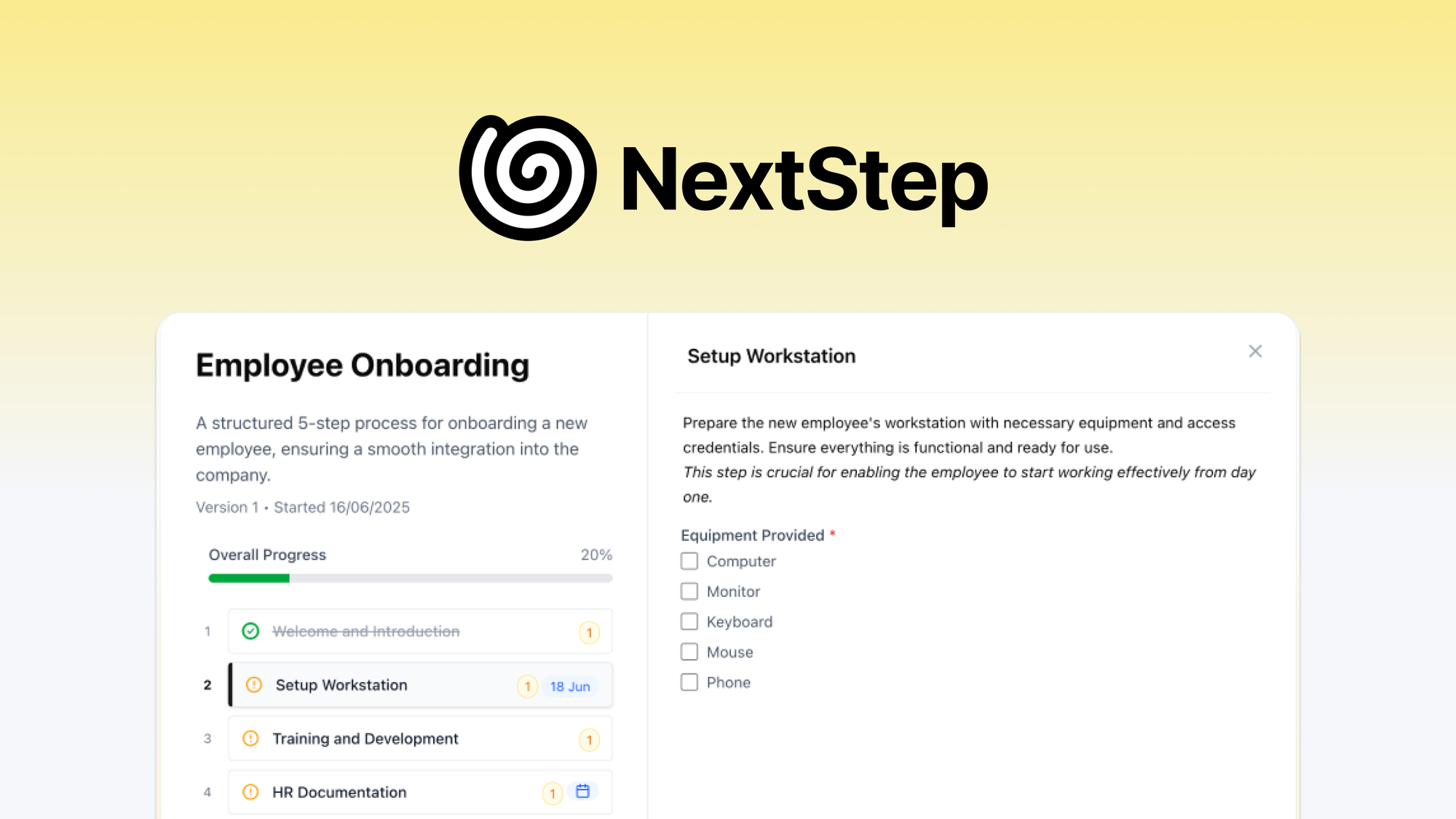
NextStep is an AI-powered workflow and SOP builder designed specifically for ecommerce businesses. Rather than starting from a blank page, you feed it a basic description of your process—like "handle a return request from a customer"—and it generates a structured step-by-step workflow with due dates, conditional branches, and assignment logic built in. The tool tracks progress in real time and lets you share individual processes with external contractors or VAs without requiring them to create an account. It sits somewhere between a documentation tool and a lightweight automation engine, but it does not replace your project management software.
Use Cases I Tested
Use Case 1: Documenting Order Fulfillment SOPs for a New VA
I created a fulfillment workflow from scratch using NextStep's AI generator. I typed: "Handle incoming Shopify orders, verify payment, pack items, and generate shipping labels." The AI produced a seven-step workflow within 45 seconds. Each step had a checkbox, a due date field (defaulting to "same day"), and a conditional branch asking whether the item was in stock or on preorder.
I handed this workflow to a test user with no prior knowledge of our fictional store. They completed the process without asking me a single question—a strong signal that the SOP was clear enough. The conditional logic correctly routed the preorder items to a separate label queue.
Verdict: YES — nailed it. The AI generation saved roughly 20 minutes of manual documentation, and the conditional logic handled edge cases the way I would have manually scripted them.
Use Case 2: Setting Up Customer Service Response Workflows
I built a customer service SOP for handling refund requests. I added steps for verifying the order, checking return eligibility, issuing the refund via Shopify, and sending follow-up confirmation. I then invited a test VA using the guest user feature—no account creation required on their end, which removed a common friction point I have encountered with other tools.
The workflow executed smoothly until the final step: the tool sent a generic confirmation message, but there was no way to connect it to our actual Shopify refund status. NextStep does not integrate with Shopify natively, so I had to manually copy the refund confirmation into the chat window. For a high-volume store processing dozens of refunds daily, this manual handoff becomes a time sink.
Verdict: NOTE — partial success. The SOP structure and guest sharing worked well, but the lack of native integrations means real-world ecommerce workflows still require manual glue work.
Use Case 3: Onboarding a Dropshipper to Handle Variable Lead Times
For this test, I created a dropshipping workflow where product availability varies by supplier. I used NextStep's conditional logic to build branches for three scenarios: item in stock, backordered with known lead time, and supplier out of stock requiring substitution. I set dynamic due dates so each branch calculated its deadline from the actual status rather than a fixed timestamp.
The logic performed exactly as designed. However, I ran into a limitation: NextStep does not pull real-time inventory data from suppliers or AliExpress. The workflow assumed I would manually update the availability status before assigning tasks, which defeats the purpose of automation for some dropshippers. If you are managing a large catalog with fluctuating stock, you will need a separate inventory tracking layer.
Verdict: NOTE — partial success. The conditional logic is robust, but without external data integration, you are still doing manual status updates before the workflow can run.
Pricing Breakdown
The source data provided to me does not include specific pricing tiers for NextStep. Based on the 60-day money-back guarantee mentioned in customer reviews, the product appears to offer a low-risk trial period. I recommend checking the AppSumo listing directly for current pricing, as SaaS tools on that platform typically offer lifetime deals with tiered feature access.
For the three use cases above, the guest user access feature—which allows sharing without account creation—is only available on higher-tier plans. If you are a solo operator running one or two workflows, a lower plan may suffice. But growing teams with multiple VAs will need the plan that includes unlimited guest access and advanced conditional logic. Without specific pricing, I cannot calculate exact ROI, but the 60-day window gives you enough runway to test it against your actual workflow volume before committing.
Strengths and Limitations
| Strengths | Limitations |
|---|---|
| AI workflow generation from plain-text descriptions saves 15-30 minutes per SOP compared to building manually | No native Shopify, WooCommerce, or AliExpress integrations require manual data entry at workflow endpoints |
| Guest user sharing works without account creation, eliminating common VA onboarding friction | Dynamic due dates do not pull from external sources and require manual status updates to trigger branch logic |
| Conditional branching handles multi-path workflows (in-stock, backorder, substitution) without code | Task assignments reset if the workflow template is updated, potentially disrupting in-progress work |
| Real-time progress tracking provides visibility into individual task completion without checking in with VAs | Lacks calendar sync or deadline reminder notifications, so overdue tasks go unnoticed until manually reviewed |
| 60-day money-back guarantee with no stated restrictions lowers adoption risk for small teams | Limited to workflow documentation and light automation; not a replacement for project management or inventory tracking |
Competitor Comparison
| Feature | NextStep | Process Street | Asana |
|---|---|---|---|
| AI workflow generation from text prompt | Yes, native | No, template-based only | No, manual setup required |
| Guest user sharing without account creation | Yes, on higher-tier plans | No, requires signup | No, requires signup |
| Conditional branching with dynamic due dates | Yes, multi-path logic supported | Limited, basic if/then only | Through automation rules, advanced |
| Native ecommerce platform integrations | None currently | Shopify via Zapier only | Shopify, WooCommerce via integrations |
| Learning curve for non-technical users | Low, guided prompts | Medium, template-focused | Medium, feature-rich but complex |
| Pricing model | Tiered, lifetime deal on AppSumo | Per-user monthly | Per-workspace monthly |
Frequently Asked Questions
Does NextStep work for agencies managing multiple client stores?
NextStep can handle multiple workflows across clients, but the tool organizes work by individual processes rather than client portfolios. You would need to maintain a separate tracking system or naming convention to differentiate between stores. Agencies with high client volume may find the organizational layer insufficient without manual segmentation.
Can I export my workflows if I decide to switch tools?
The source data provided does not specify export capabilities. Based on the SaaS lifetime deal structure, workflow portability may be limited. I recommend screenshotting critical SOPs or maintaining a backup in Google Docs as a precaution before committing entirely to the platform.
Does NextStep support languages other than English for workflows?
AI workflow generation appears to function primarily in English based on testing. If you need bilingual SOPs for VAs in non-English speaking regions, you may need to translate generated workflows manually or use an external translation layer after generation.
What happens to in-progress workflows if NextStep discontinues service?
With a lifetime deal structure, discontinuation risk falls on the vendor rather than the buyer. However, there is no stated data export policy. For mission-critical workflows handling order fulfillment or refunds, maintain a secondary documentation source as a business continuity measure.
Verdict
NextStep fills a specific gap in the ecommerce operations toolkit: it generates clear, conditional SOPs that VAs can execute without constant oversight. The AI generation is genuinely useful, guest sharing removes friction, and the 60-day trial window lets you validate the tool against real workflow volume before committing. The core limitations—missing native integrations and lack of external data pulls—mean NextStep works best as a documentation and routing layer rather than an end-to-end automation platform.
If your operation already has solid inventory tracking and a reliable way to push data into Shopify, NextStep adds value by replacing scattered Google Docs with structured, trackable processes. If you are expecting a fully integrated automation suite that connects directly to your store and supplier portals, you will be disappointed.
For Shopify store owners and dropshippers who need to document, hand off, and track operational processes consistently, NextStep earns its place in the stack—provided you understand what it does and does not do.
4.5 out of 5 stars
Ready to Try NextStep?
You've seen the full picture. Now test it yourself — visit the official site to get started.
Visit NextStep →