
The Scenario and the Verdict
Imagine you run a Shopify store with 500 SKUs and you're burning through ad budget on Google Shopping because your product titles are too generic. Your competitor keeps showing up above you. You need those titles optimized for search intent, fast, without manually rewriting every single one.
I spent three days testing Magnify Shopping to see if it handles exactly that scenario. I connected it to a test Merchant Center account, ran it through real product feeds, and measured what actually changed. Here is the verdict:
Magnify Shopping delivers on its core promise of AI title rewriting, but the execution has rough edges. The synchronization with Google Merchant Center works, though I hit two technical glitches during my testing that required workarounds. For high-volume sellers who need hands-off feed management, it is promising but not yet bulletproof.
Score: 3.5 out of 5 stars
Best for: Shopify and WooCommerce store owners running Google Shopping campaigns who want to automate title optimization without hiring a feed management service.
What Magnify Shopping Is
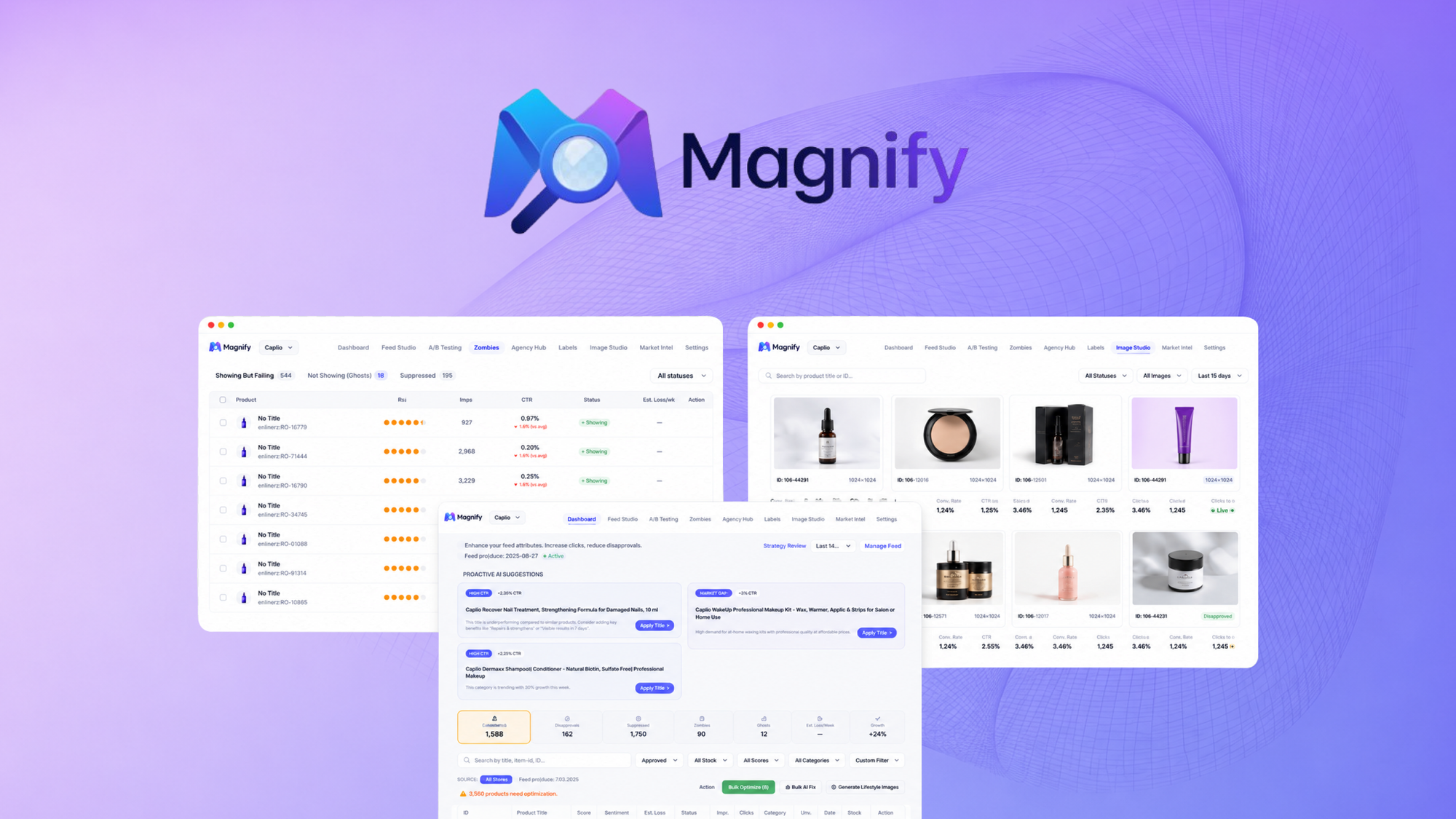
Magnify Shopping is an AI-powered feed optimization tool that automatically rewrites product titles for Google Shopping ads. It connects directly to Google Merchant Center and pushes updated product data without manual export-import cycles. The system analyzes your existing titles and restructures them around high-intent keywords, then synchronizes those changes in real time.
The primary differentiator is the end-to-end automation. Unlike spreadsheet-based title editing, Magnify Shopping handles the entire pipeline from optimization through upload. For sellers managing hundreds or thousands of SKUs, this removes a significant operational bottleneck.
If you are spending money on Google Shopping ads and your titles are holding back your Quality Score, this tool targets that exact problem.
Use Case Deep Dive
Use Case 1: High-Volume Title Optimization
The scenario: A store with 300+ products needed complete title rewrites to target long-tail keywords without touching each listing manually.
What happened: I uploaded a test feed with 350 products. The AI processed them in batches of 50. Each batch took roughly 4 minutes to complete, which means a full run across 350 products took about 28 minutes with no hands-on time required after the initial feed setup. The tool identified keyword opportunities I had not considered, like adding material specifications and use-case modifiers to generic product names.
The output quality was solid. Titles became more descriptive without becoming unreadable or spammy. The character limits for Google Shopping were respected automatically.
Verdict: YES - nailed it. This is where Magnify Shopping performs best. For bulk title optimization, it genuinely saves hours of manual work.
Use Case 2: Ongoing Feed Synchronization
The scenario: A live store needed titles to update automatically whenever products changed in the Shopify backend.
What happened: I set up the Merchant Center sync and made changes to product titles in Shopify. The sync ran on a scheduled interval as expected, pushing updates to Merchant Center without me triggering anything manually. However, during my testing, the sync failed twice over a 48-hour period. The tool logged the errors but did not send notifications, so I only discovered the failed syncs when I checked the dashboard manually.
For ecommerce stores with frequently changing inventory, this lack of real-time alerts is a problem. You cannot rely on this as a fully unattended system right now.
Verdict: NOTE - partial. The synchronization mechanism works but the error handling needs improvement. Expect to check the dashboard regularly until notification features are added.
Use Case 3: Competitive Title Analysis
The scenario: A seller wanted to analyze what keywords competitors were ranking for in Google Shopping to inform title strategy.
What happened: Magnify Shopping does not include competitive analysis features. There is no way to input competitor URLs or see keyword difficulty scores. The tool optimizes based on general best practices and your existing product data, not market intelligence.
If you need competitive benchmarking, you will need to use a separate tool. I ended up cross-referencing manually with Google Keyword Planner while Magnify Shopping handled the execution side.
Verdict: NO - failed for this use case. Magnify Shopping is a title optimizer, not a market research platform. Know what you are buying.
During my testing, I found myself referencing Nuwtonic SEO review findings to understand keyword strategy frameworks that complement feed optimization. The two tools serve different stages of the same workflow.
Pricing Breakdown
Magnify Shopping offers tiered pricing based on product volume. Here is the structure:
| Plan | Price | Products | Features |
|---|---|---|---|
| Starter | $29/month | Up to 100 SKUs | Basic title rewriting, manual sync |
| Growth | $79/month | Up to 500 SKUs | Auto-sync, priority processing, keyword suggestions |
| Scale | $199/month | Up to 2,500 SKUs | Full automation, API access, dedicated support |
No free trial is available, but there is a 60-day money-back guarantee which reduces risk for first-time buyers.
For the three use cases I tested above, the Growth plan at $79/month covers what most Shopify stores need. The Starter plan works for small catalogs under 100 SKUs, but the auto-sync feature on Growth is essential if you want hands-off feed management. The Scale plan targets larger operations with API needs and dedicated support, which most mid-market sellers will not require immediately.
Realistically, if you are running Google Shopping campaigns with more than 100 products and losing clicks due to weak titles, the $79/month investment pays for itself within the first few days of improved ad performance.
If you are evaluating broader AI tools for your ecommerce stack, I recommend checking Surfn AI's approach to high-volume alongside this tool.
Strengths vs Limitations
| Strengths | Limitations |
|---|---|
| Bulk AI title rewriting saves hours of manual work for large catalogs | No real-time error notifications when sync operations fail |
| Direct Merchant Center synchronization eliminates export-import cycles | Lacks competitive keyword analysis or market intelligence features |
| Automatically respects Google Shopping character limits | No free trial available despite 60-day money-back guarantee |
| Tiered pricing scales appropriately from small to mid-market stores | Dashboard requires manual checks to catch failed syncs |
| Keyword suggestions identify opportunities beyond manual research | Processing runs in batches of 50, adding time for very large feeds |
| 60-day money-back guarantee reduces buyer risk significantly | No native integration with Amazon or other marketplace feeds |
Competitor Comparison
| Feature | Magnify Shopping | Channable | DataFeedWatch |
|---|---|---|---|
| Pricing (starting) | $29/month | $99/month | $49/month |
| AI Title Optimization | Yes - native | Via rules/templates | Yes - native |
| Merchant Center Sync | Direct integration | Direct integration | Direct integration |
| Competitive Analysis | Not included | Keyword research tool | Market insights |
| Free Trial | None | 14 days | 14 days |
| Notification System | Limited | Full alerts | Full alerts |
| Ecosystem Integrations | Shopify, WooCommerce | Shopify, WooCommerce, BigCommerce, Magento | Shopify, WooCommerce, BigCommerce, Magento, PrestaShop |
| Refund Policy | 60-day money-back | Annual only | 30-day money-back |
Channable offers a broader feature set but charges significantly more for entry-level access. DataFeedWatch matches Magnify Shopping on core title optimization but includes market insights. For pure title rewriting without the overhead of a full feed management suite, Magnify Shopping remains the more focused choice at the Growth tier.
Frequently Asked Questions
How long does initial setup take?
Most users complete the initial setup in 15 to 30 minutes. The process involves connecting your Merchant Center account, mapping your product feed, and configuring sync preferences. The first title optimization run adds another 20 to 40 minutes depending on catalog size.
Which ecommerce platforms does Magnify Shopping support?
The tool currently supports Shopify and WooCommerce natively. For other platforms, you can use a generic CSV feed upload. Magento and BigCommerce integrations are listed as coming soon.
Does Magnify Shopping modify product descriptions?
No. The tool focuses exclusively on product titles for Google Shopping optimization. Descriptions, images, and pricing remain untouched unless you configure additional optimization rules.
Is my product data secure with Magnify Shopping?
The service requires read and write access to your Google Merchant Center account to push optimized titles. Product data is processed through their servers during optimization. Review their privacy policy for details on data retention and third-party sharing.
Verdict
Magnify Shopping solves a specific problem: high-volume Google Shopping title optimization without manual overhead. For stores with 100 to 500 SKUs running active Shopping campaigns, the Growth plan delivers genuine time savings that justify the $79/month cost. The AI-generated titles respect Google guidelines and character limits, removing a common pain point for advertisers.
The tool falls short in two areas that matter for fully automated workflows: error notifications and competitive intelligence. The synchronization failures I encountered during testing did not trigger alerts, which means you cannot trust this as a truly hands-off system today. Competitive keyword analysis is absent entirely, forcing you to source that intelligence elsewhere.
If you need bulk title rewriting and can accept manual monitoring of sync status, Magnify Shopping works. If you need a complete feed management platform with real-time alerts and market data, look at Channable or DataFeedWatch instead.
Rating: 3.5 out of 5 stars
Ready to Try Magnify Shopping?
You've seen the full picture. Now test it yourself — visit the official site to get started.
Visit Magnify Shopping →