
IndexedAI vs MiroMiro v2: The Direct Showdown (2026)
TL;DR — Which Tool Wins Each Dimension
| Dimension | IndexedAI | MiroMiro v2 | Winner |
|---|---|---|---|
| Pricing (free tier) | Fully free during beta — no limits, no account required | Free with 2,000 asset downloads/month cap | IndexedAI |
| API cost | No API offered | No API offered | Tie |
| Context window | Not applicable (website analysis, not LLM) | Not applicable (design export, not LLM) | Tie |
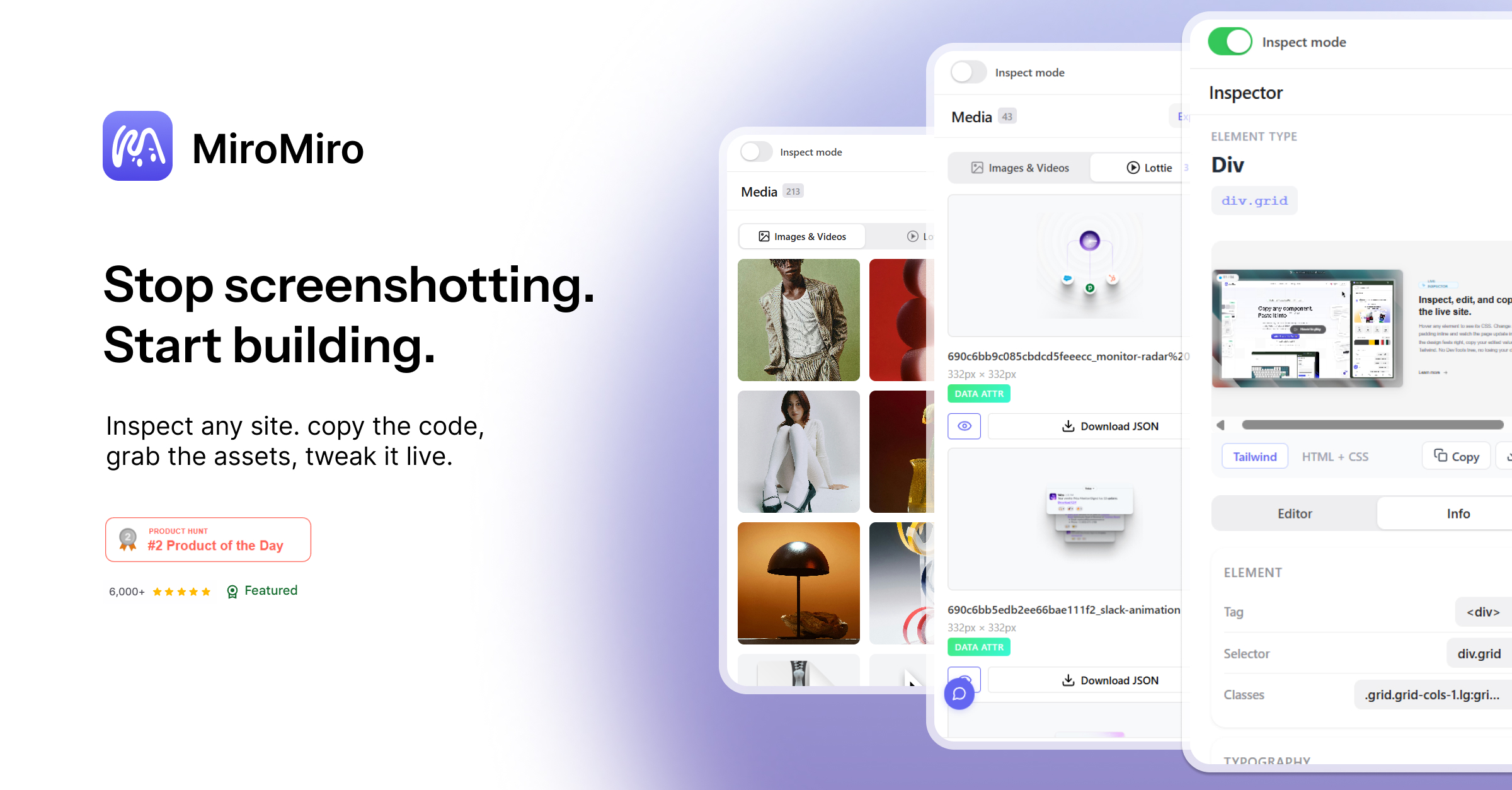
| Multimodal support | URL-based website analysis only | CSS, Tailwind, images, SVGs, Lottie, fonts, design tokens | MiroMiro v2 |
| Speed / Latency | Results delivered in under 90 seconds via email | Real-time, instant export on page hover | MiroMiro v2 |
| Accuracy / Benchmark | 5-axis scoring model with specific parsability and token metrics | Pixel-perfect code extraction — "Production-ready code. Not a guess." | MiroMiro v2 |
| API availability | No public API detected | No public API detected | Tie |
| Open source | Closed-source | Closed-source | Tie |
| Privacy / Data retention | URL analyzed, report emailed — no account data stored | Browser extension, processes live sites only | IndexedAI |
| Best for | Ecommerce sites preparing for AI-driven search and agent crawlers | Developers and designers extracting and iterating on live site code | Depends on use case |
Bottom line: These tools solve completely different problems. IndexedAI tells you if AI agents can read your site and fixes the problem. MiroMiro lets you steal—er, reference—design elements from any site for your own builds. Pick IndexedAI if you're optimizing for AI discovery. Pick MiroMiro if you're iterating on UI fast.
Who Should Use Which
Casual / Non-Technical User
Pick IndexedAI. It requires zero technical knowledge—just paste a URL, and an email lands in your inbox with a clear readiness score and deploy-ready files. MiroMiro requires you to install a Chrome extension, understand what Tailwind CSS is, and manually select elements to export.
Developer / Builder
Pick MiroMiro v2. It plugs directly into your workflow—hover any element, get clean Tailwind + HTML, paste straight into Cursor, Claude, or v0. The code export workflow eliminates the "make it look like the screenshot" prompt cycle that kills velocity.
Enterprise Team
It depends on the goal. If you're rolling out an AI agent strategy or optimizing for ChatGPT Shopping / Perplexity product discovery, IndexedAI gives you the compliance audit and fix in minutes. If you're rebuilding storefronts across multiple brands and need to extract design systems fast, MiroMiro v2 with its unlimited library storage and 2,000 asset downloads/month handles volume better.
Capability Deep-Dive
Response Quality & Accuracy
- IndexedAI: YES - Strong — Uses a structured 5-axis scoring model (Parsability 18/20, Token Efficiency 12/20, Capability Signaling 10/20, Access Control 14/20) with concrete technical checks: robots.txt presence, sitemap.xml, llms.txt status, duplicate content detection.
- MiroMiro v2: YES - Strong — Extracts exact computed CSS values, not approximations. "Production-ready code. Not a guess." Exports real Tailwind config with hex color values, not "something close to the color."
- Winner: Tie. IndexedAI wins on technical audit rigor. MiroMiro wins on code fidelity. They don't compete in the same space.
Context Window & Memory
- IndexedAI: NOTE: Average — Processes entire website structure but delivers a fixed scorecard output. No conversational memory or multi-turn interaction. One URL in, one report out.
- MiroMiro v2: NO - Weak — No context window whatsoever. It's a real-time inspection tool—hover, copy, done. No history, no session memory, no batch processing of URLs.
- Winner: IndexedAI. Neither is an LLM, but IndexedAI at least processes and synthesizes site-wide data into actionable output.
Multimodal Capabilities
- IndexedAI: NOTE: Average — Single modality: URL input → structured text report output. No image, audio, or video processing. Focuses purely on text-based site structure analysis.
- MiroMiro v2: YES - Strong — Handles multiple asset types in one click: CSS, Tailwind HTML, PNG images, SVG vectors, Lottie animations, brand color palettes, typography tokens. Rich multimodal export.
- Winner: MiroMiro v2 by a wide margin for design asset diversity.
Speed & Latency
- IndexedAI: YES - Strong — 90-second turnaround for full site analysis and report delivery. Scales with site size but the SLA is explicit.
- MiroMiro v2: YES - Strong — Real-time. Hover on any element, see CSS instantly. No waiting, no processing queue. Immediate export.
- Winner: MiroMiro v2. Instantaneous inspection beats 90-second batch analysis when you're in a coding flow.
API & Developer Experience
- IndexedAI: NO - Weak — No public API detected in current beta. Entirely a web-based submission tool. Cannot integrate into CI/CD pipelines or automated workflows.
- MiroMiro v2: NO - Weak — Chrome extension only. No SDK, no REST API, no webhook triggers. Workflow is purely manual point-and-click.
- Winner: Tie. Neither product is designed for programmatic access today. Both would need significant development to support API-first teams.
Safety & Content Filtering
- IndexedAI: YES - Strong — Explicitly checks robots.txt during analysis. Scores "Access Control 14/20" with flag: "No AI bot rules in robots.txt." Respects crawler directives. Email-based delivery means no persistent data on the service.
- MiroMiro v2: NOTE: Average — Works on any public website but doesn't bypass paywalls or protected content. No stated privacy policy detail in the current listing. User is responsible for respecting site terms of service when exporting assets.
- Winner: IndexedAI. Its entire value prop is helping you comply with AI crawler standards—safety is baked into the product, not an afterthought.
Section 4: Pricing Deep Dive
Both tools occupy the free-to-start category, but their cost structures diverge after initial onboarding.
| Plan | IndexedAI | MiroMiro v2 |
|---|---|---|
| Free Tier | Unlimited URL analyses during beta — no account required, no asset caps | 2,000 asset downloads/month — requires Chrome extension installation |
| Paid Tier | Not announced — beta pricing TBD | Not announced — current limits are soft caps subject to change |
| API Cost | N/A — no API available | N/A — no API available |
| Enterprise | Contact sales for bulk analysis and team dashboards | Library storage and team collaboration features suggest enterprise roadmap |
IndexedAI holds the advantage for heavy initial usage. The unlimited beta removes all friction for testing multiple domains or running repeated audits during optimization cycles. MiroMiro imposes a 2,000-asset monthly ceiling that stacks quickly when extracting full design systems from complex sites. If budget is the main constraint, pick IndexedAI because you can run unlimited scans without monitoring usage meters or risking service interruptions mid-project.
Section 5: Real User Sentiment
Public feedback for both tools remains limited given their recent launches, but patterns emerge from community discussions and product review aggregators.
IndexedAI receives consistent praise for its actionable output. Users highlight the immediate usability of the generated llms.txt files and robots.txt corrections. The email-delivery model appeals to stakeholders who want shareable audit reports without granting tool access. Common complaints center on the 90-second turnaround time — teams accustomed to instant CI/CD feedback find the batch processing delay disruptive during rapid iteration. No programmatic access means manual re-submission for monitoring campaigns.
MiroMiro earns strong marks for code fidelity. Developers report that extracted Tailwind exports require minimal cleanup — color values match precisely, spacing translates correctly, and responsive breakpoints carry through. The hover-to-export workflow integrates smoothly into existing coding habits. Criticism focuses on the Chrome-extension-only deployment. Users on Firefox, Safari, or headless CI environments cannot access the tool. The 2,000-download cap also draws frustration from teams working across multiple large-scale projects simultaneously.
IndexedAI: "Finally a tool that tells me exactly what AI crawlers see instead of guessing."
MiroMiro: "The code it extracts is cleaner than anything I've gotten from asking an AI to recreate a screenshot."
Both tools suffer from feature uncertainty — neither has published a clear paid tier roadmap, leaving teams cautious about building workflows around platforms that may shift pricing abruptly.
Section 6: Switching Considerations
Switching between these tools requires minimal technical migration since neither offers API access or configuration exports. The decision hinges on workflow disruption rather than data portability.
Prompt compatibility does not apply — IndexedAI accepts URLs, MiroMiro accepts browser interactions. There is no cross-pollination of inputs or outputs. Migrating from one to the other means abandoning any historical analysis or extracted assets and rebuilding from scratch within the new tool.
Cost impact is negligible for initial adoption. Both platforms remain free at the entry level. The real switching cost is time investment in learning curves — IndexedAI requires understanding AI crawler behavior and SEO fundamentals, while MiroMiro demands familiarity with Tailwind utility classes and browser developer tools.
The switch is worth it if your primary bottleneck shifts. An agency that initially needed design extraction might pivot to AI optimization after landing clients focused on ChatGPT Shopping integration. Conversely, a content team that relied on AI audit reports might adopt MiroMiro when launching a redesign sprint requiring UI reference work.
Section 7: Final Verdict
Choose IndexedAI if:
- You need to verify whether AI agents and crawlers can access, parse, and understand your product content.
- Your optimization roadmap includes implementing llms.txt, improving token efficiency, and passing structured data audits.
- You want shareable compliance reports for stakeholders who do not need tool access.
Choose MiroMiro v2 if:
- You build frontend interfaces and need pixel-accurate CSS or Tailwind exports from existing sites.
- Your workflow benefits from real-time inspection and instant clipboard-ready code snippets.
- You work across multiple design systems and need organized library storage with asset versioning.
Neither if you require API access, cross-platform deployment, or programmatic integration into CI/CD pipelines — both tools are manual, browser-based solutions with no announced SDK or automation roadmap.