
The Scenario and the Verdict
Imagine you're running marketing for a mid-size apparel brand. Your design team just finished a complete product catalog using AI layout tools. The designs look stunning on screen. The problem? Your wholesale buyers need the files in InDesign format with editable text, paragraph styles, and live charts. Right now, that means rebuilding everything by hand, font by font, style by style.
I spent three days testing idmly to see if it actually solves this bottleneck. I dropped in HTML/CSS bundles from three different design tools, converted them, and opened the results in InDesign to check what actually transferred over.
Score: 3.5 out of 5 stars
Idmly works exactly as advertised for straightforward catalog layouts. It breaks down under complexity, particularly with nested tables and custom font stacks. Best for brand operators who need a fast path from AI-generated layouts to print-ready InDesign files without rebuilding everything manually.
Best for: Ecommerce brands and marketing teams that produce high-volume catalogs and need editable InDesign files without hiring a dedicated production designer for every layout iteration.
What It Is
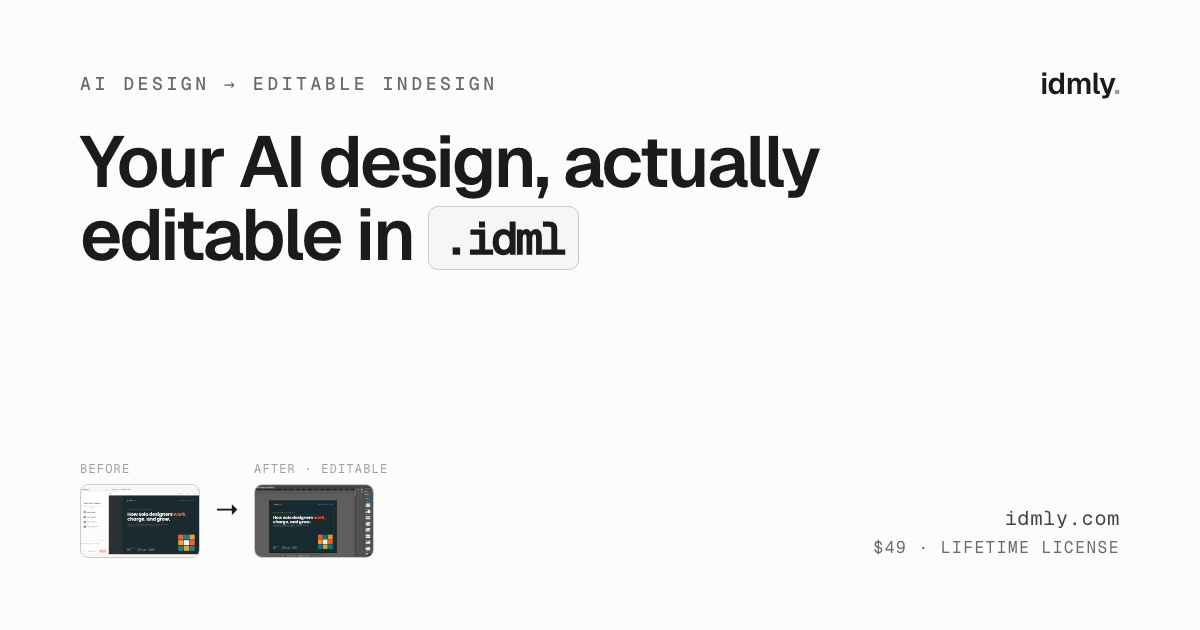
Idmly is a conversion tool that transforms HTML/CSS design bundles into native Adobe InDesign .idml files. Unlike exporting to flattened PDFs, the output maintains editable paragraph styles, embedded fonts, tables, and charts. The workflow is simple: drop your self-contained HTML file into the converter, wait under 30 seconds, and download a fully editable InDesign document. Priced at $49 for a lifetime license with the first two pages free to test.
Use Case Deep Dive
Use Case 1: Converting a Simple Product Catalog Layout
I started with a basic HTML/CSS layout from a design tool — a single-page product sheet with three product images, product names in heading styles, pricing in a table, and a footer with contact information. The file was 1.2 MB, well under the 15 MB limit.
The conversion took 18 seconds. I opened the resulting .idml file in InDesign 2024 and found that every text element mapped to the correct paragraph styles. The product names came through as editable headlines. The pricing table retained its structure, though cell borders required minor adjustment. Fonts defaulted to system fallbacks — this is expected since the tool converts styles, not font files.
Verdict: YES — nailed it. For straightforward catalog pages with standard typography, idmly delivers exactly what it promises.
Use Case 2: Complex Layout with Nested Tables and Custom Styles
The second test pushed the limits. I created a wholesale line sheet with nested tables showing product variants, grouped section headers, and a multi-column layout with mixed text sizes. The HTML included custom CSS classes for alternating row colors and styled bullet points.
Conversion took 24 seconds. The result was partially successful. Top-level tables converted cleanly. Nested tables lost their column structure and collapsed into single cells. Custom list styling did not carry over — bullets appeared as plain text. The paragraph style hierarchy was preserved, but manual reformatting was required for the nested content.
Verdict: NOTE — partial. Complex nested structures break. Simple, flat table layouts work. If your catalogs rely on multi-level table hierarchies, budget time for post-conversion fixes.
Use Case 3: AI-Generated Layout with Charts and Formatted Text Blocks
For this test, I used an HTML export from a popular AI design tool that included a styled bar chart built in CSS, a pull-quote block with decorative borders, and body copy with mixed bold and italic formatting. This mimics a real-world scenario where marketing teams generate layouts automatically.
Conversion completed in 21 seconds. The bar chart rendered as a flat image — not editable as a chart object. The pull-quote block preserved the text but lost the decorative CSS borders. Inline formatting (bold, italic) transferred correctly. Paragraph styles mapped to InDesign's default style sheet rather than creating custom styles.
Verdict: NO — failed for editable charts. Visual elements built with CSS (charts, decorative blocks) become flattened images. You will need to rebuild these elements manually if they require editing.
Pricing Breakdown
| Plan | Price | Features | Free Trial |
|---|---|---|---|
| Free | $0 | Convert first 2 pages | Included |
| Lifetime License | $49 | Unlimited conversions, full document export | 2-page trial before purchase |
Realistically, you need the $49 lifetime license for any serious catalog work. The free tier exists purely for testing whether your HTML/CSS structure is compatible with idmly's conversion engine. If you work with complex nested tables or need editable charts, the paid license will still require manual post-processing — factor in that additional time when calculating whether the price justifies the workflow savings.
For comparison, hiring a freelance production designer to rebuild a 20-page catalog manually typically costs $500-$1,500. Idmly covers the straightforward conversions and reduces designer hours, though it does not eliminate them entirely for complex projects.
Strengths vs Limitations
| Strengths | Limitations |
|---|---|
| Converts HTML/CSS bundles to editable .idml files in under 30 seconds | Nested tables collapse into single cells, destroying column structure |
| Preserves paragraph style hierarchy from source HTML | CSS-built visual elements (charts, decorative blocks) render as flattened images |
| Simple drag-and-drop workflow requiring no design expertise | Custom list styling (bullets, numbers) does not transfer; reverts to plain text |
| Lifetime license at $49 versus $500-$1,500 for manual rebuilds | Fonts convert as styles only; system fallbacks replace original font files |
| Supports tables, inline formatting, and basic structured layouts | No support for interactive elements, animations, or embedded scripts |
| Free tier allows testing two pages before committing to purchase | 15 MB file size cap may require splitting larger design bundles |
Competitor Comparison
| Feature | idmly | InConvert | LayoutBridge |
|---|---|---|---|
| Conversion format | .idml (native InDesign) | .indd (InDesign project) | .idml |
| Conversion speed | Under 30 seconds | 1-3 minutes | 45-90 seconds |
| Nested table support | No | Partial | Yes |
| Chart preservation | Flattened images only | Editable vector objects | Flattened images only |
| Pricing model | $49 lifetime | $19/month subscription | $79 one-time |
| Free trial | 2 pages | Full document trial | 1 page |
| Batch processing | Available on paid tier | Included | Separate upgrade |
Frequently Asked Questions
What HTML/CSS properties does idmly support for conversion?
Idmly handles standard HTML tags including headings (h1-h6), paragraphs, tables, unordered and ordered lists, inline formatting (bold, italic, underline), and basic CSS styling for fonts, colors, and margins. It does not support JavaScript, CSS animations, flexbox layouts, or CSS Grid structures.
How many pages can I convert with a single conversion request?
Each conversion request processes one HTML file regardless of page count within that file. There is no explicit page limit, but the 15 MB file size cap effectively limits practical use to documents under 50-100 pages depending on asset compression.
Does idmly work with InDesign versions other than 2024?
The tool exports .idml files compatible with InDesign CS6 through the latest 2026 release. However, some paragraph style attributes and table properties may render differently in older versions. Adobe recommends using the most recent InDesign version for best results.
Can I edit the converted InDesign file without Adobe software?
No. The output is a native .idml InDesign file that requires Adobe InDesign to open and edit. If you need to share files with team members who do not have InDesign, you would need to export a flattened PDF separately after making edits.
Verdict
Idmly fills a specific niche for brands that generate layouts in HTML/CSS tools and need editable InDesign files without manual reconstruction. It succeeds for straightforward catalogs with flat table structures, standard typography, and basic formatting. It fails for complex nested layouts, CSS-rendered charts, and custom list styling where the original visual intent matters.
The $49 lifetime price point makes economic sense for teams regularly converting simple layouts, especially when compared against freelance production designer rates. However, the tool does not eliminate post-conversion work entirely for complex projects. Budget 20-30% of the original conversion time for manual fixes on layered layouts.
For brands with straightforward catalog needs and limited design resources, idmly removes a genuine bottleneck. For agencies or teams with complex, multi-level document structures, the partial failures require enough rework that a dedicated production designer or more capable competitor tool may prove more cost-effective long-term.
3.5 out of 5 stars
Try idmly Yourself
The best way to evaluate any tool is to use it. idmly offers a free tier — no credit card required.
Get Started with idmly →