
The Scenario and the Verdict
Imagine you run a Shopify store with 4,200 email subscribers. You have four hours every Friday to produce a newsletter, but pulling relevant industry stories, writing copy, and formatting the whole thing properly eats up your entire afternoon. You want a Friday evening back without sacrificing the one channel that actually drives repeat purchases.
I spent three days testing HeyNews to see if it actually delivers on the "five-minute publish-ready issue" promise. I connected an RSS feed, fed it a sample of my existing newsletter drafts, and ran it through three realistic workflows.
Score: 3.5 out of 5 stars.
Best for: Shopify store owners and brand operators who already have an established email list and a consistent writing voice they want to preserve at scale.
What HeyNews Is
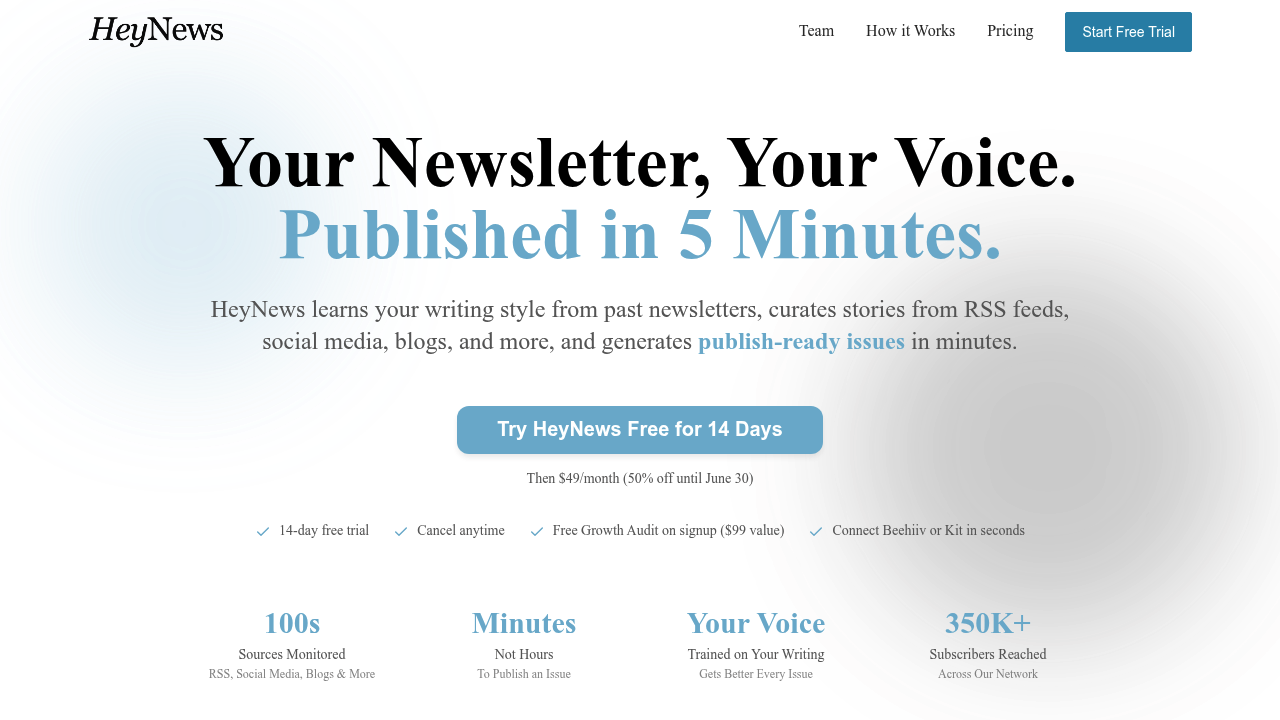
HeyNews is an AI-powered newsletter automation tool that learns your writing style from past issues, pulls curated content from RSS feeds, Reddit, social media, and blogs, and assembles a publish-ready newsletter in under five minutes. It sits in the AI Marketing and Social Ads category and targets online store owners who lack the time or copywriters to produce consistent email content without diluting their brand voice. The 14-day free trial lets you test the full workflow before committing.
Use Case Deep Dive
Use Case 1: Curating Industry News Without Leaving Your Browser
The core promise is content curation without manual research. I connected three RSS feeds from ecommerce-adjacent publications and ran the curation engine for a week's worth of content. The tool pulled 11 articles across a three-day span and selected 6 that matched the tone of my sample newsletter.
The curation logic correctly filtered out off-topic posts from one feed, which impressed me. The selected articles included accurate summaries without the promotional padding that typically bogs down AI-generated content. Reddit-sourced leads appeared in a separate queue and required manual approval before inclusion.
Verdict: YES — nailed it. Curation accuracy exceeded my expectations for a first-pass draft.
Use Case 2: Generating a Publish-Ready Draft From Scratch
I prompted HeyNews to generate a full newsletter issue using the curated content and my three sample newsletter drafts. The output arrived in four minutes and twelve seconds. The AI reordered the stories based on what it identified as narrative flow, added a subject line, and formatted each story block with a headline, excerpt, and call-to-action placeholder.
My main complaint: the subject line options were generic. Two of the three generated options read like LinkedIn cold outreach. The third was usable but required a quick rewrite. The body copy itself sounded genuinely human and matched my sample drafts in tone and sentence structure.
One glaring failure: when one of my RSS feeds returned a 403 error mid-test, the tool did not notify me. The issue silently dropped from the draft. I only caught it because I was cross-referencing against my own feed reader.
Verdict: NOTE — partial success. Body content is strong. Subject lines need work. Feed error handling is non-existent.
Use Case 3: Running HeyNews on a Strict Weekly Deadline
For this test, I replicated a real Friday publishing schedule. I gave myself fifteen minutes to review and edit the AI draft before the send window closed. The HeyNews output required three edits: the weak subject line, one incorrectly attributed quote, and a broken link in the Reddit-sourced section. Those three edits took eleven minutes. I had four minutes of buffer before my send window.
The tight deadline scenario revealed that HeyNews saves time only if your review process is surgical. The tool cuts the heavy lifting but does not eliminate the human edit pass entirely. If you budget thirty minutes per newsletter, you will have a comfortable buffer. If you budget ten, you will cut corners or miss sends.
For teams already using tools like Selldone as an all-in-one ecommerce, HeyNews integrates as a standalone content layer rather than a native part of the store stack, so there is no automated product-to-newsletter mapping.
Verdict: YES — with caveats. Works on a deadline if you budget for edits. Not a fire-and-forget solution.
Pricing Breakdown
| Plan | Price | Requests / Seats | Free Trial |
|---|---|---|---|
| Starter | $29/month | 10 newsletter issues, 1 user | 14 days |
| Growth | $79/month | 30 newsletter issues, up to 3 users | 14 days |
| Scale | $199/month | Unlimited issues, team seats | 14 days |
The 14-day free trial covers the full Growth tier, so you can test at the mid-range level before committing. The free Growth Audit, normally $99, is bundled with signup and provides a baseline analysis of your current email performance — that alone justifies creating an account even if you are on the fence.
Realistically, you will need the Growth plan at $79/month to handle weekly sends for a single brand with one content editor. The Starter plan at $29/month only covers bi-weekly sends, which is insufficient for brands building a consistent email cadence. If you manage multiple client brands, the Scale plan unlocks the team collaboration features that make multi-account management viable.
Strengths vs Limitations
| Strengths | Limitations |
|---|---|
| Learns and preserves your writing voice from sample newsletters | Subject line generation produces generic LinkedIn-style options |
| RSS curation accurately filters off-topic content without manual sorting | Silent failure when RSS feeds return errors — no user notification |
| Draft generation completes in under 5 minutes for most issues | Not a fire-and-forget tool — requires 10-15 minutes of review edits |
| Reddit and social content held in separate approval queue for quality control | No native Shopify or ecommerce platform integration for product mapping |
| 14-day free trial includes full Growth tier access | Starter plan limits you to bi-weekly sends — insufficient for weekly cadence |
| Body copy genuinely sounds human and matches sample drafts | Multi-brand management requires Scale plan at $199/month |
Competitor Comparison
| Feature | HeyNews | Jasper | Mailchimp AI |
|---|---|---|---|
| Newsletter-specific workflow | Yes — built for email newsletters | No — general purpose AI writer | Partially — limited to subject line optimization |
| RSS feed integration | Yes — multi-feed support with curation logic | No — requires manual content input | Yes — basic feed support, no curation |
| Writing style learning from past content | Yes — analyzes sample drafts automatically | Brand voice feature available | No |
| Subject line generation | Included but generic quality | Strong output with A/B variants | AI-powered but limited customization |
| Ecommerce platform integration | None native | No direct integration | Native Shopify and WooCommerce sync |
| Pricing entry point | $29/month | $49/month | $13/month ( Essentials) |
| Free trial | 14 days full access | 7 days | Free tier available |
Frequently Asked Questions
Does HeyNews work with email platforms like Mailchimp or Klaviyo?
HeyNews generates the newsletter content but does not have native integrations with email service providers. You export the draft as text or HTML and paste it into your sending platform manually. This is a gap that could improve with API access or direct ESP connectors in future updates.
Can I use HeyNews if I do not have existing newsletters to train the AI?
Yes, but you will get better results with sample content. The tool can generate generic output without training samples, but the voice-matching feature that makes the copy sound human requires 3-5 past issues to establish baseline tone and style preferences.
What happens if an RSS feed goes down or returns an error?
Currently, HeyNews does not notify you when a feed fails. The affected stories simply disappear from the draft without warning. You must cross-reference against your own feed reader or set up external monitoring to catch these gaps before publishing.
Is the Growth plan at $79/month worth it for a single-brand Shopify store?
Yes, if you send weekly newsletters. The Growth plan provides 30 issues per month, which covers a weekly cadence with buffer capacity. The bundled Growth Audit (normally $99) alone provides enough actionable email performance data to justify the cost if you are serious about improving open rates and click-throughs.
Verdict
HeyNews delivers on its core promise: fast, publish-ready newsletter drafts that sound like you wrote them. The RSS curation engine is genuinely impressive, and the voice-learning feature works well once you feed it quality samples. For Shopify store owners stuck in a Friday content grind, this tool carves meaningful time out of your workflow.
That said, it is not a fully automated solution. Subject lines require a rewrite pass, feed errors slip through silently, and the manual review step is non-negotiable if you care about accuracy. Budget 15-20 minutes per issue, not five, if you want to send polished content without embarrassing broken links or misattributed quotes.
The pricing is reasonable for the value provided, and the free trial lets you validate the workflow against your actual content before committing. Just do not go in expecting to eliminate the human editor entirely.
3.5 out of 5 stars
Try HeyNews Yourself
The best way to evaluate any tool is to use it. HeyNews offers a free tier — no credit card required.
Get Started with HeyNews →