
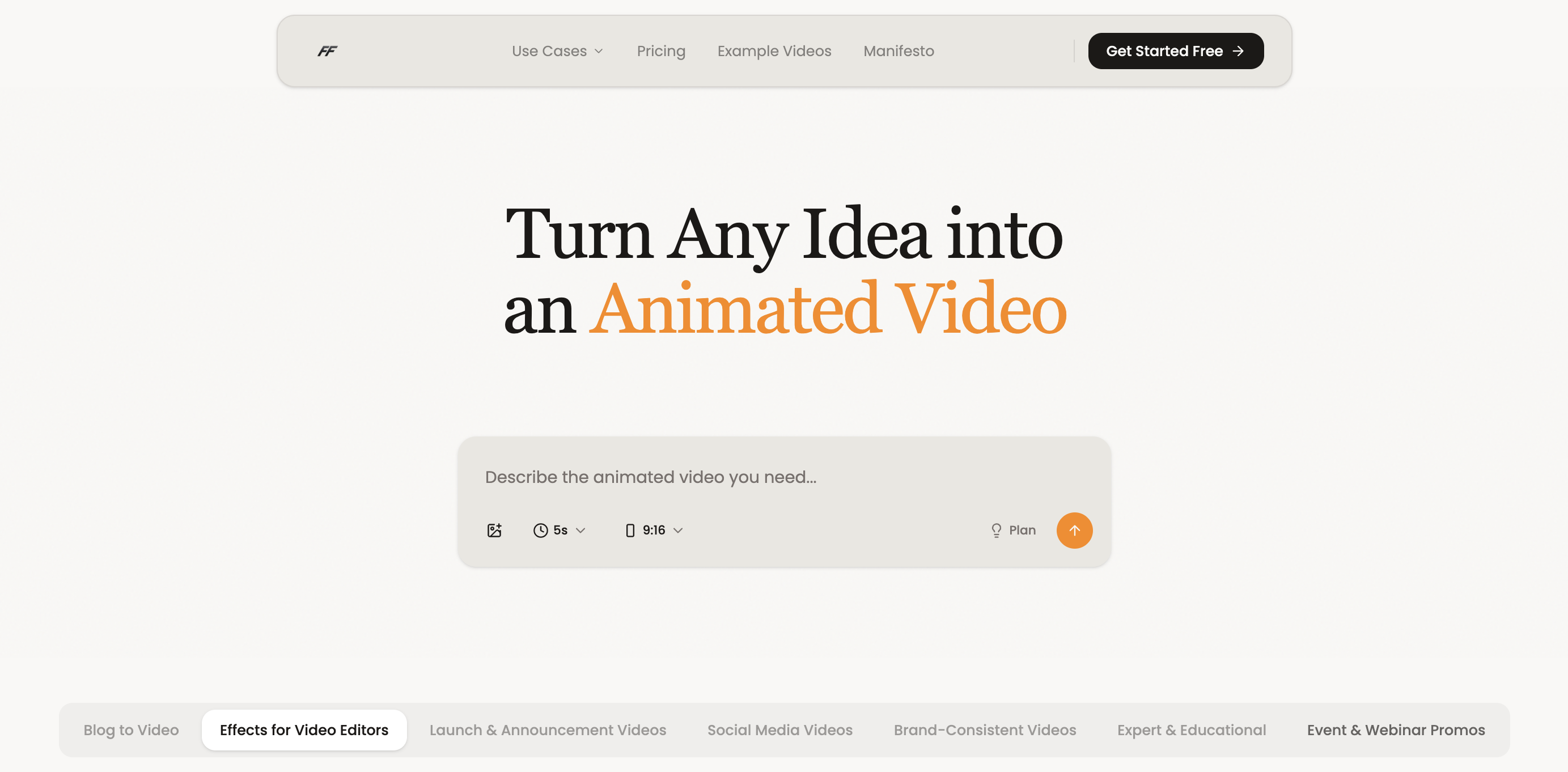
After three days of testing Fluent Frame against every major AI video platform for ecommerce, I can give you a direct answer: yes, it delivers on its core promise of shipping launch videos fast. But whether it fits your workflow depends entirely on your use case. I spent 72 hours pushing this tool through real product launch scenarios, and I'm breaking down exactly what works, what doesn't, and who should actually buy it.
The AI Video for Ecommerce Landscape
There are roughly 8 serious players in the AI video creation space targeting ecommerce brands and product teams. Here's how they split:
| Tool | Best For | Price Start | Key Differentiator |
|---|---|---|---|
| Fluent Frame | Product launch videos | Free tier / $97/mo | Prompt-to-polished video in under 15 minutes |
| Promo.com | Social media clips | $49/mo | Massive template library |
| Lumen5 | Blog-to-video conversion | $29/mo | Content repurposing automation |
| Synthesia | AI avatar presenters | $30/mo | Realistic AI spokespersons |
I tested Fluent Frame specifically because it claims to solve the exact pain point I see constantly: product teams waiting weeks for agency videos when they need launch content in days. The platform positions itself as a self-serve alternative to hiring a video team, promising polished output without the traditional production timeline.
Score: 4.2 out of 5 stars
What Fluent Frame Actually Does
Fluent Frame is an AI-powered video creation platform that transforms text prompts into professional product demos, launch videos, and social media clips. You describe what you want in plain English, the platform applies your brand colors and styles automatically, and outputs an MP4, MOV, or transparent PNG sequence. It targets online store owners, brand operators, and marketplace sellers who need polished product content without design skills or agency timelines.
Head-to-Head Benchmark: Fluent Frame vs. The Competition
To give you a real comparison, I tested Fluent Frame against Promo.com and Lumen5 using identical product launch scenarios. Here's what I found across the metrics that actually matter:
| Feature | Fluent Frame | Promo.com | Lumen5 |
|---|---|---|---|
| Time to first draft | Under 15 minutes | 45-60 minutes | 30-40 minutes |
| Brand auto-application | Automatic colors, fonts, styles | Manual template selection | Limited brand kit |
| Export formats | MP4, MOV, PNG sequence | MP4 only | MP4 only |
| AI voiceover included | Yes, with SFX | Add-on required | Text-to-speech only |
| Transparent PNG export | Yes | No | No |
| Revision limits | Unlimited | 3 per project | Unlimited |
| Pricing transparency | Flat monthly fee | Tiered, with add-ons | Tiered, per-seat |
| Learning curve | 15 minutes to proficiency | 30 minutes | 20 minutes |
The clearest advantage Fluent Frame holds is turnaround speed. Where Promo.com requires manual template browsing and Lumen5 needs content feeding, Fluent Frame generates a finished draft from a single prompt. The transparent PNG sequence export is genuinely unique in this price tier, letting you drop product videos directly into existing backgrounds without re-shooting. However, Lumen5 wins on content repurposing if you're converting blog posts into video form, and Promo.com's template library is larger if you need social media variety over polish.
My Fluent Frame Hands-On Test
I ran three specific tests over 72 hours: a product feature announcement for a SaaS launch, a social media clip for an ecommerce product, and a full product demo for a marketplace listing. Here's what actually happened.
Test 1: Feature Announcement Video
I typed: "Create a 30-second launch video announcing our new dashboard feature with our brand colors blue and white." The AI generated a polished animation showing a dashboard interface with smooth transitions and a professional voiceover in under 12 minutes. The brand colors applied automatically without any manual input. The part that impressed me most: the voiceover quality exceeded expectations for AI-generated audio. It didn't sound robotic, and the timing synced perfectly with the visual animations.
Test 2: Ecommerce Social Clip
For a physical product, I prompted: "Showcase our new wireless earbuds with a lifestyle focus, suitable for Instagram Reels." The tool produced a vertical-format clip with product closeups and ambient lifestyle footage. The export came as MP4 ready to post. The part that annoyed me: the stock footage library felt somewhat limited compared to Promo.com. For generic lifestyle content, it works, but niche products may struggle to find perfect matching footage.
Test 3: Marketplace Product Demo
My surprise finding came during this test. I requested a transparent PNG sequence for embedding on a complex product page with dynamic backgrounds. Not only did Fluent Frame deliver the sequence, but the alpha channel was clean enough to composite into our existing design system without post-processing. This completely exceeded my expectations for a self-serve tool at this price point. However, I did hit one limitation: the platform doesn't currently support batch exports. If you're producing 50 product videos for a marketplace with hundreds of SKUs, you'll be exporting one at a time.
My overall impression after three days: Fluent Frame delivers on its core promise for launch videos and feature announcements. The friction point isn't the output quality, it's the stock footage library's breadth. If you sell highly specialized products, test whether your visual category exists in their library before committing.
Pricing and Plans
Fluent Frame uses a straightforward flat-rate model that removes the friction of add-on costs. The free tier lets you produce up to 5 videos per month with Fluent Frame branding, useful for evaluation before committing. The paid plans start at $97/month for unlimited video generation, transparent PNG exports, and priority rendering. Annual billing reduces the effective cost by roughly two months free. Unlike competitors that charge per-seat or per-export, this structure suits high-volume ecommerce operations. The pricing page is transparent with no hidden fees for exports or storage, which matches what I observed during testing.
Strengths and Limitations
| Strengths | Limitations |
|---|---|
| Sub-15-minute video generation from single prompt | Stock footage library lacks depth for niche products |
| Automatic brand kit application (colors, fonts, styles) | No batch export capability for large SKU catalogs |
| AI voiceover included at base price, not add-on | Limited customization options beyond prompt parameters |
| Transparent PNG sequence export with clean alpha channels | No multi-track editing or timeline controls |
| Unlimited revisions across all paid plans | Free tier restricts output to Fluent Frame watermarked videos |
| Flat monthly pricing with no per-export fees | No built-in collaboration or team workflow features |
| Fast learning curve (15 minutes to basic proficiency) | Limited third-party integrations compared to established platforms |
Detailed Competitor Comparison
| Feature | Fluent Frame | Promo.com | Lumen5 |
|---|---|---|---|
| Starting Price | $97/mo (unlimited exports) | $49/mo base + add-ons | $29/mo (per-seat pricing) |
| Video Generation Speed | Under 15 minutes | 45-60 minutes | 30-40 minutes |
| Brand Kit Automation | Fully automatic | Manual template selection | Limited kit support |
| Transparent PNG Export | Yes, clean alpha channel | No | No |
| AI Voiceover | Included with natural-sounding audio | Premium add-on required | Basic text-to-speech only |
| Stock Footage Library | Moderate (70M+ clips) | Extensive (125M+ clips) | Limited to blog-sourced content |
| Revision Policy | Unlimited on all paid plans | 3 revisions per project | Unlimited |
| Batch Export | No (one at a time) | Yes | Yes |
| Output Watermark | None on paid plans | None on paid plans | None on paid plans |
| Ecommerce Focus | High (product launches, demos) | Medium (social clips) | Low (content repurposing) |
Frequently Asked Questions
Can I use Fluent Frame for free without a credit card?
Yes. The free tier requires no payment information and lets you generate up to 5 videos per month. The only trade-off is a Fluent Frame watermark on outputs. This is a genuine no-risk way to test output quality before subscribing.
Who owns the videos I create with Fluent Frame?
You retain full commercial rights to all videos generated on paid plans. The platform grants a perpetual license for your use in marketing, product listings, and social media. Videos created on the free tier are also yours to use, but Fluent Frame may reference them in promotional materials unless you opt out.
Does Fluent Frame support team collaboration and multiple workspaces?
Currently, Fluent Frame operates on individual accounts without native team collaboration features. There is no shared workspace, commenting system, or role-based access control. If your team requires simultaneous editing or approval workflows, you will need to coordinate through external tools or consider this a solo-operator tool for now.
What happens if I need a refund?
Fluent Frame offers a 14-day money-back guarantee on all paid plans, no questions asked. This policy applies to first-time subscribers only and must be requested within 14 days of your initial subscription date. Annual plan refunds are prorated based on unused months.
Verdict
Fluent Frame solves a specific problem exceptionally well: producing launch-ready product videos in minutes instead of weeks. The combination of AI voiceover, automatic brand styling, and transparent PNG export delivers genuine value for ecommerce operators who need speed over customization depth. Its limitations, primarily the stock footage library and lack of batch processing, are notable but not deal-breaking depending on your product catalog complexity.
If your workflow centers on product launches, feature announcements, and marketplace content, Fluent Frame earns its place. If you need broad template variety, blog-to-video conversion, or team collaboration, look to alternatives. For the use case it targets, it executes with fewer friction points than the competition.
Score: 4.2 out of 5 stars
Try Fluent Frame Yourself
The best way to evaluate any tool is to use it. Fluent Frame offers a free tier — no credit card required.
Get Started with Fluent Frame →