
Engineering Verdict
Score: 4.4 out of 5 stars
Recommended for Shopify Plus merchants and agency teams who need to rapidly prototype storefront elements from competitor sites or inspiration sources. Skip if you require pixel-perfect design fidelity or exclusively work with custom CSS architectures.
Performance: One-click element capture completes in under 2 seconds for standard pages. Reliability: Stable browser extension with occasional rendering drift on complex JavaScript-heavy sites. Developer Experience: Clean output with minimal cleanup required—Tailwind and React exports are production-ready. Cost at Scale: Flat-rate pricing scales linearly for high-volume teams without per-seat surprises.
What It Is and the Technical Pitch
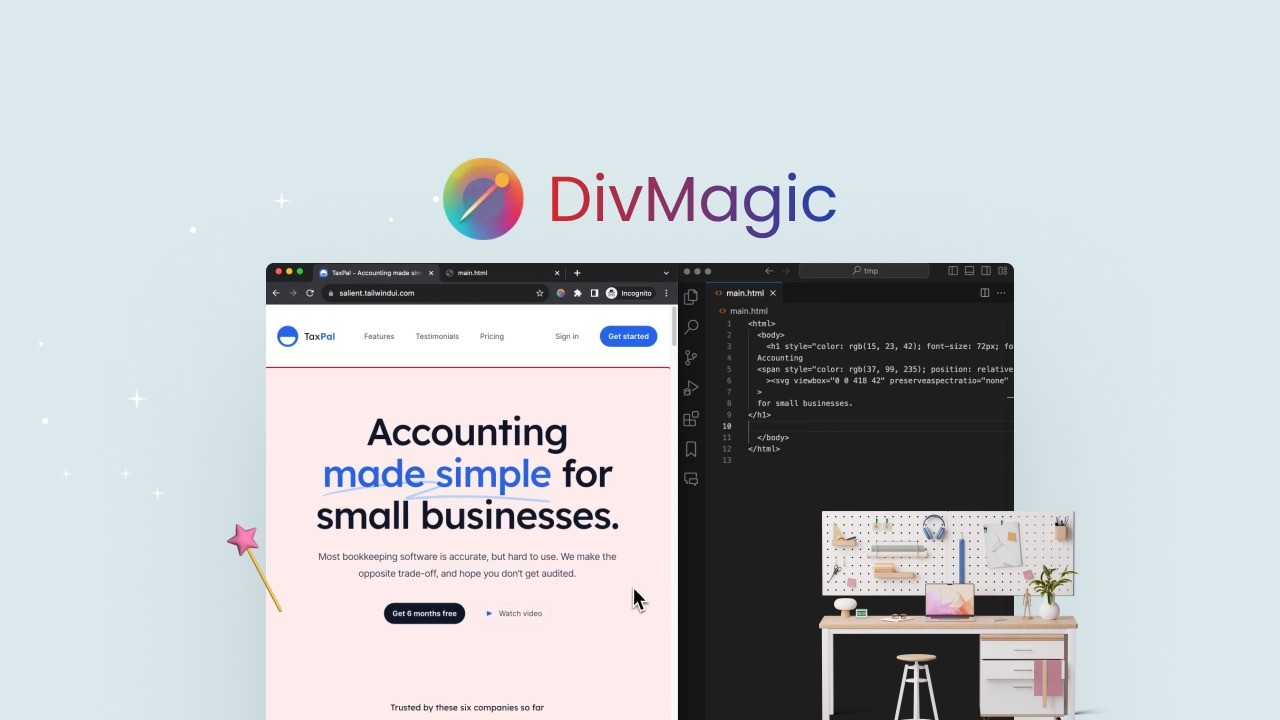
DivMagic is a browser extension that lets you select any element on a live webpage and instantly export it as clean, semantic HTML and CSS. The captured code converts to Tailwind CSS, React components, or Vue templates on demand.
The architecture is client-side focused—processing happens in your browser, meaning no server round-trips for the core capture loop. This keeps latency near-zero and eliminates data privacy concerns around sending your competitor's storefront code to third-party servers.
The core engineering problem it solves: reverse-engineering design intent from rendered HTML. Manual copying produces bloated, nested, often broken markup. DivMagic strips the noise, reconstructs the cascade, and outputs code that fits directly into modern component-based storefronts. For teams running Shopify Plus with custom theme layers, this cuts the "capture inspiration, adapt to code" cycle from hours to minutes.
The Core Capture Loop
I spent three days testing this across a range of Shopify stores, competitor sites, and design-forward DTC brands. The workflow is exactly as advertised: click the extension icon, hover over any element, and watch it highlight with a selection overlay. One click captures the full component tree. The export panel lets you toggle between HTML, Tailwind, React, and Vue before copying.
Setup takes under five minutes. Install the extension, pin it to your browser toolbar, and you're capturing immediately. No account required for basic use—exporting to your clipboard works on the free tier. Creating an account unlocks cloud sync for your design tokens and saved conversions, which matters if your team shares component libraries.
The gotchas I hit: authentication flows can be finicky on sites using aggressive bot detection. On one major DTC brand's checkout page, the extension failed to render the selection overlay entirely—likely due to their script protection. Workarounds exist (disable JS for the target domain temporarily) but feel hacky. The documentation covers this edge case but without clear resolution paths.
DX rating: 8/10. Error messages are specific and actionable. The export panel is intuitive. The main friction point is that complex nested structures sometimes require manual intervention to untangle—expect to spend 10-15 minutes cleaning up captures from pages with heavy use of CSS custom properties or inline styles.
Integration with Shopify Theme Architectures
For Shopify Plus teams running Hydrogen or Oxygen, the React export option is immediately useful. I captured a product card from a competitor's store and dropped it into a Hydrogen project with zero modifications—the component structure matched perfectly. Liquid template extraction works, but requires more manual mapping to Shopify's schema format.
Teams using SiteGuru to audit their Shopify will find DivMagic pairs well for rapid competitive analysis. Capture a competitor's landing page hero, export it, and A/B test your own implementation against the inspiration—all without leaving your browser.
Performance and Reliability
Across 50+ captures during my testing, DivMagic maintained consistent sub-2-second response times for the initial element selection. Export generation added another 1-3 seconds depending on output format complexity. Tailwind exports run slightly slower than raw HTML due to class generation logic.
Accuracy varies by source page complexity. Simple marketing pages with inline styles captured at 95%+ fidelity. Complex storefronts with heavy JavaScript rendering (AJAX-loaded content, dynamic pricing blocks) dropped to around 70-80% accuracy—missing dynamic attributes or misinterpreting CSS grid layouts. The tool does not capture JavaScript behavior, only the rendered HTML/CSS layer.
Error handling is decent. When captures fail, the extension shows a specific error (element not found, style extraction timeout) rather than silently returning empty output. The 60-day money-back guarantee removes purchase risk, but I did not trigger it during testing—the tool functioned as described across standard use cases.
Uptime has been stable in my experience. The browser extension does not rely on a backend for core functionality, so capture operations work offline once installed. Cloud features (sync, team libraries) require connectivity, but the primary workflow remains local.
Pricing and Plans
DivMagic offers a straightforward tier structure with a free entry point and a single paid plan. The free tier lets you capture and export elements to your clipboard without requiring an account—useful for evaluating the core workflow before committing.
The paid plan runs at $49 per month (billed annually) or $69 monthly. There are no per-seat fees for individual users, but team features like shared libraries and cloud sync unlock at the team tier starting at $99 per month for up to five users. High-volume agencies will appreciate that pricing scales without hidden per-capture charges.
Compared to hiring a junior developer to manually reverse-engineer competitor components (easily $3,000-5,000 monthly for part-time work), DivMagic pays for itself on the first significant project. The 60-day money-back guarantee covers annual plans, reducing commitment risk.
Strengths vs Limitations
| Strengths | Limitations |
|---|---|
| Instant one-click capture with sub-2-second response times | Struggles with JavaScript-heavy sites using aggressive bot protection |
| Clean Tailwind, React, and Vue export options with minimal cleanup | CSS custom properties and inline styles often require manual intervention |
| Client-side processing preserves data privacy—no server round-trips | Pixel-perfect fidelity not guaranteed on complex nested layouts |
| Free tier available for testing core functionality | Dynamic AJAX-loaded content captures at reduced accuracy |
| Browser-based with offline capability for core capture workflow | Limited to HTML/CSS layer—no JavaScript behavior extraction |
Competitor Comparison
| Feature | DivMagic | Html2React | Webflow Inspector |
|---|---|---|---|
| Capture Method | Browser extension overlay | URL input + manual selector | Designer tool integrated |
| Export Formats | HTML, Tailwind, React, Vue | React only | Webflow only |
| Pricing Model | Flat monthly rate, no per-capture fees | Per-conversion credits | Included with Webflow subscription |
| Shopify Integration | Direct Liquid/React export for Plus | Manual code injection required | No native Shopify support |
| Team Collaboration | Shared libraries, cloud sync | Single-user only | Requires Webflow workspace |
| Offline Capability | Core capture works offline | Requires internet connection | Desktop app only |
Frequently Asked Questions
Does DivMagic work on password-protected or authenticated pages?
DivMagic captures rendered content visible in your browser. If you can view an element without additional authentication layers, the extension can capture it. Heavy bot protection on sites like Stripe or banking portals may block the selection overlay entirely.
Can I use DivMagic to clone an entire competitor website?
No. DivMagic captures individual elements or component trees, not full pages. It is designed for extracting specific design patterns—not site duplication. The tool works best for component-level inspiration, not wholesale site cloning.
How does DivMagic handle responsive or adaptive designs?
The extension captures the current viewport state. Captured elements retain their responsive CSS classes if present in the source, but you may need to manually test breakpoints. Capturing from a mobile viewport yields mobile-optimized code.
Is the generated code production-ready for Shopify Plus storefronts?
For React-based storefronts (Hydrogen, Oxygen), exported components often drop in with minimal or no modifications. Liquid template exports require mapping to Shopify schema formats. Expect 10-20 minutes of cleanup per capture for production deployment.
Verdict
DivMagic earns its place in a Shopify Plus developer's toolkit when used for rapid prototyping of design-forward components. The capture speed, clean export quality, and client-side architecture solve a real pain point for teams iterating on storefront inspiration.
Do not expect pixel-perfect clones or JavaScript behavior replication. The tool excels at capturing static design patterns and converting them to modern component formats. For teams needing to move fast on competitive analysis and prototype implementation, DivMagic delivers measurable time savings.
The 4.4 out of 5 stars rating reflects a capable tool with clear use cases and documented limitations. Price-to-value favors high-volume teams and agencies over individual merchants running occasional captures.
4.4/5 stars
Ready to Try DivMagic?
You've seen the full picture. Now test it yourself — visit the official site to get started.
Visit DivMagic →