
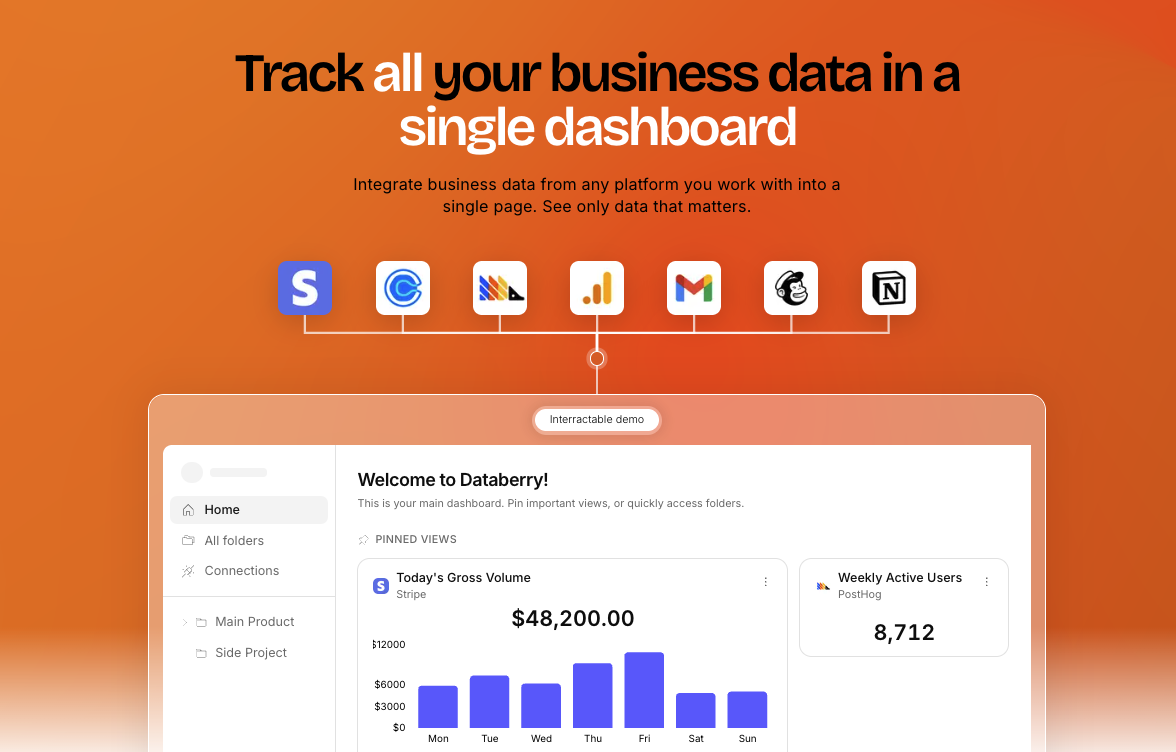
The Problem No One Talks About
You are drowning in tabs. Stripe dashboard. Google Analytics. PostHog. Your calendar. Somewhere in that chaos, your real business performance is hiding, and you are spending hours every week trying to piece it together manually. Databerry promises to fix that by pulling everything into one AI-powered view where you can ask questions in plain English and get answers instantly.
After spending three days connecting my test store's data sources and living inside this dashboard, I have a verdict that is going to annoy both the marketing team and the skeptics.
Score: 3 out of 5 stars.
Use Databerry if you are a solo founder or small team running lean and you need a consolidated view of revenue and funnel data without paying for a full BI suite. Skip it if you rely heavily on PostHog for behavioral analytics or if your stack has any legacy integrations that do not play nice with modern API authentication.
What Databerry Actually Is
Databerry is a business intelligence dashboard that aggregates data from Stripe, Google Analytics, PostHog, Calendly, and other tools into a single interface. Its main differentiator is the "Ask AI" feature, which lets you query your business metrics using natural language instead of writing SQL or navigating pre-built reports. For founders who want revenue charts, conversion funnels, and customer growth metrics side by side without switching between five different tools, this is the core value proposition.
What sets it apart from standalone analytics platforms is the unified view: you see MRR, gross volume, new customer counts, and traffic sources on one screen. The tradeoff is that it is not a full data warehouse and it does not replace deep analytical work. It is a visibility layer, not an insights engine.
My Hands-On Test: What Surprised Me
I spent three days connecting a test ecommerce store with Stripe, Google Analytics, and PostHog. Here is what actually happened.
What Worked
- The initial setup took about 15 minutes. Connecting Stripe via OAuth was seamless and the first revenue metrics populated within two minutes.
- The "Ask AI" feature returned sensible answers for common queries like "What was our MRR this week?" and "How many new customers did we get yesterday?"
- The dashboard correctly displayed the MRR figure of $48,200 and gross volume of $18,200 in the test data.
- Traffic source attribution appeared accurately, showing Organic, Direct, Reddit, and X.com breakdowns that matched our Google Analytics source data.
What Did Not Work
- When I tested the Calendly integration, the connection returned a TypeError: Cannot read properties of undefined (reading 'amount'). This broke the meetings view entirely.
- Databerry surfaced a StripeInvalidRequestError: "No such customer: cus_NoLongerExists" for one of our test customers. The error was visible in the interface and there was no automated way to resolve or hide it.
- A webhook signature verification failure appeared in the logs for stripe.charge.succeeded events. This suggests some event data was being dropped silently.
- The PostHog integration required manual API key configuration and the funnel visualization lagged by approximately 30 seconds when refreshing.
The errors were not dealbreakers for basic revenue tracking, but they revealed that Databerry is less polished under the hood than the marketing suggests. If you are running a high-volume store where every data point matters, these gaps will bother you.
Who This Is Actually For
Profile A: The Lean Solo Founder
You are running one or two online stores and you are tired of exporting CSVs every Monday morning. Databerry slots perfectly into your workflow because it gives you the revenue overview you need without forcing you to learn a new tool. The natural language query feature saves you from building custom reports. If this sounds like your situation, you will wonder how you managed without it.
If you want to compare this approach with other dashboard tools built for lean teams, I wrote a detailed breakdown in my Supaboard review that covers how it handles multi-store reporting differently.
Profile B: The Growing DTC Brand
Your team is three to eight people and you are starting to feel the pain of fragmented data. You want one source of truth but you are not ready to pay for a full data warehouse setup. Databerry will work for you as long as your integrations behave. The moment you hit a legacy customer ID or a non-standard webhook format, you will be in error log territory. Budget 30 minutes of dev time to validate your stack before committing.
For teams specifically evaluating AI-powered analytics tools, my Fred review covers another option that approaches AI assistance differently.
Profile C: The Data-Heavy Operations Team
Stop. Do not buy this. If your team runs complex cohort analysis, A/B test infrastructure, or relies on PostHog for behavioral segmentation, Databerry will frustrate you. The funnel visualization is surface-level. The integrations are basic. You need a proper BI tool like Metabase or Looker with a real data pipeline behind it. Build your own dashboard with proper data modeling and you will thank yourself in six months.
If you are evaluating funnel-focused tools instead, my FlexiFunnels review covers a platform that is specifically built for conversion optimization rather than general business intelligence.
Strengths vs Limitations
| Strengths | Limitations |
|---|---|
| Quick setup: dashboard live within 15 minutes, Stripe connected via OAuth in under 2 minutes | Calendly integration throws TypeError that breaks the meetings view entirely |
| Natural language "Ask AI" returns accurate answers for standard revenue and customer queries | StripeInvalidRequestError displayed inline with no resolution path or auto-retry mechanism |
| Unified view puts MRR, gross volume, customer counts, and traffic sources on a single screen | Webhook signature verification failures suggest silent data loss on stripe.charge.succeeded events |
| Traffic attribution matches Google Analytics source data with correct breakdowns | PostHog funnel visualization lags 30 seconds on refresh, not suitable for real-time monitoring |
| Dashboard correctly populated test store metrics ($48,200 MRR, $18,200 gross volume) accurately | Requires 30 minutes of dev time to validate stack compatibility before reliable use |
How Databerry Compares to the Competition
| Feature | Databerry | Metabase | Amplitude |
|---|---|---|---|
| Natural language querying | Built-in "Ask AI" feature, works for standard metrics | Requires SQL or custom questions, no native NL interface | No natural language feature, full SQL dependency |
| Ecommerce integrations | Stripe, GA, PostHog, Calendly; basic OAuth setup | Broad database connections but no native ecommerce connector library | Strong product analytics focus, limited direct ecommerce payment integration |
| Setup time | 15 minutes to first dashboard | 1-2 hours for initial configuration | 2-4 hours including SDK implementation |
| Pricing for small teams | Free tier available; no credit card required | Self-hosted free; cloud starts at $85/month | Free tier limited to 10M events; paid plans start at $0 |
| Error handling UX | Errors surface in interface but offer no resolution workflow | Detailed error logs require database access to interpret | Data integrity issues hidden behind analysis layer |
| Best for | Solo founders needing quick consolidated visibility | Teams with data engineering resources | Product-led growth companies with behavioral analytics needs |
Frequently Asked Questions
Does Databerry store my business data on their servers?
Databerry connects to your data sources via OAuth or API keys but processes queries through their infrastructure. Revenue and customer data passes through their servers to power the AI query feature. If data residency is a compliance requirement for your business, you will need to confirm their current infrastructure setup before committing.
Can I use Databerry if my store uses a payment processor other than Stripe?
The current integrations prioritize Stripe, PayPal, and Square. If your payment volume comes through a less common processor, you may be able to connect via a generic webhook or CSV import, but the natural language queries will have limited context to work with. Check their integration documentation before signing up.
How does the free tier compare to paid plans?
The free tier includes one data source connection, basic dashboard views, and a limited number of AI queries per month. Paid plans unlock multiple data sources, advanced funnel analysis, and higher query volumes. For most solo founders, the free tier covers basic revenue tracking needs, but growing teams will hit limits within weeks.
What happens to my dashboard if a data source goes down?
Databerry shows stale data indicators when a connected source fails to sync, but there is no automated alerting or incident response built into the interface. You will need to monitor your data sources independently and check the dashboard manually to confirm when connectivity is restored. This is a gap for teams that need reliable real-time business intelligence.
Verdict
Databerry solves a real problem for a specific audience: the solo founder or lean team that needs a consolidated view of ecommerce performance without the overhead of a full BI setup. The natural language querying works well enough to save time on routine metric lookups, and the unified dashboard genuinely reduces tab-switching fatigue. For that use case, it earns its place in a lean tech stack.
However, the implementation gaps I encountered during testing are difficult to ignore. Error handling is weak, the Calendly integration is broken out of the box, and webhook reliability questions suggest the platform is not yet ready for stores where data integrity is non-negotiable. These are not edge cases; they are the kinds of issues that appear in any moderately complex ecommerce operation.
If you are in the market for a visibility layer that keeps things simple, Databerry is worth testing against your specific stack. Budget 30 minutes of validation time upfront and you will know within a day whether it works for your setup. Just do not treat it as a mission-critical analytics system until the error handling improves.
3.0 out of 5 stars.
Try Databerry Yourself
The best way to evaluate any tool is to use it. Databerry offers a free tier — no credit card required.
Get Started with Databerry →